Webflow localization made easy with SimpleLocalize

Building a beautiful website in Webflow is fast and enjoyable. But when your product or business starts reaching users in different countries, managing multiple languages quickly becomes a challenge. Static text, CMS content, and UI labels all need to stay consistent across languages, without slowing down your team or breaking layouts. That's where SimpleLocalize comes in.
In this article, we will walk through how the Webflow integration with SimpleLocalize works, why it's a great choice for localization, and how you can connect everything in just a few steps.
Why localize a Webflow site?
Webflow gives designers and developers incredible control over layout and content. However, native multilingual support is limited, especially when it comes to:
- Managing multiple languages at scale
- Collaborating with translators
- Keeping translations in sync with content changes
- Supporting CMS-based and dynamic content
A dedicated localization platform solves these problems by separating content management from translation management while keeping everything connected.

What is SimpleLocalize?
SimpleLocalize is a localization platform designed for modern websites and applications. It helps teams manage translations, automate workflows, and deliver localized content without complex setups.
With SimpleLocalize, you can:
- Store and manage all translations in one place
- Support multiple languages and locales
- Collaborate with translators and editors
- Automate updates via API or integrations
- Keep content structured and consistent
The Webflow integration makes this process smooth and beginner-friendly.

How the Webflow + SimpleLocalize integration works
The Webflow integration allows you to connect your Webflow site with SimpleLocalize, synchronize content, and manage translations externally, without rebuilding your site.
At a high level, the process looks like this:
- Register at SimpleLocalize.
- Install SimpleLocalize app in your Webflow project.
- Sync content from Webflow to SimpleLocalize.
- Translate content in SimpleLocalize.
- Deliver translated content back to your localized Webflow site.
No custom backend. No complicated scripts.
Check details in the Webflow integration documentation.
Watch this setup video to see the integration in action:
Step 1: Register at SimpleLocalize
If you haven't already, start by creating a SimpleLocalize account. The 14-day free trial gives you access to all Team plan features so you can explore the platform with higher translation key limits.
At this step, you can also create a new project for your Webflow site, or you can do it later when connecting the integration.
In case you need more time or higher limits, let us know at contact@simplelocalize.io.
Step 2: Connect Webflow to SimpleLocalize
Install the SimpleLocalize app from the Webflow App Marketplace or search for "SimpleLocalize" in the Apps section of your Webflow project.
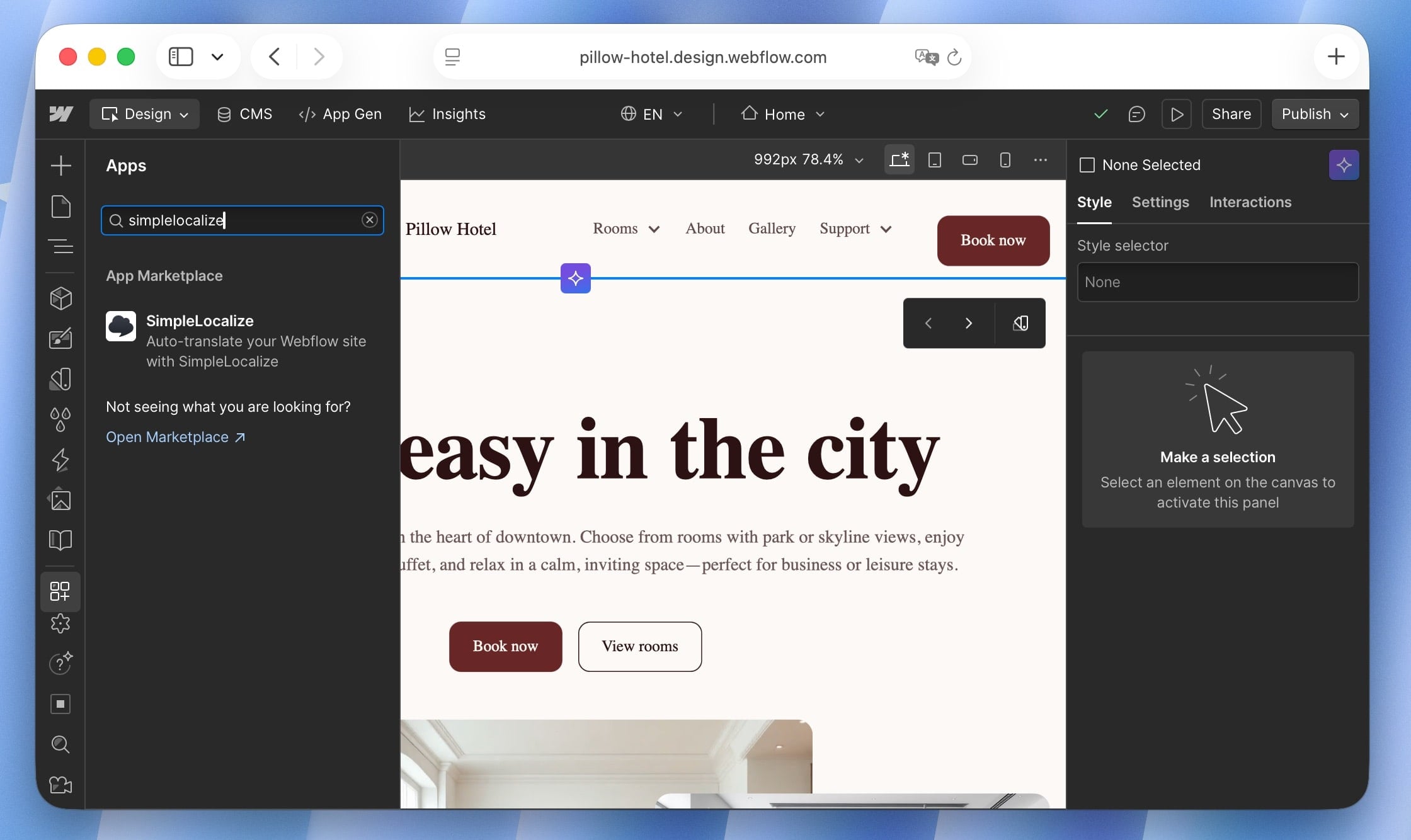
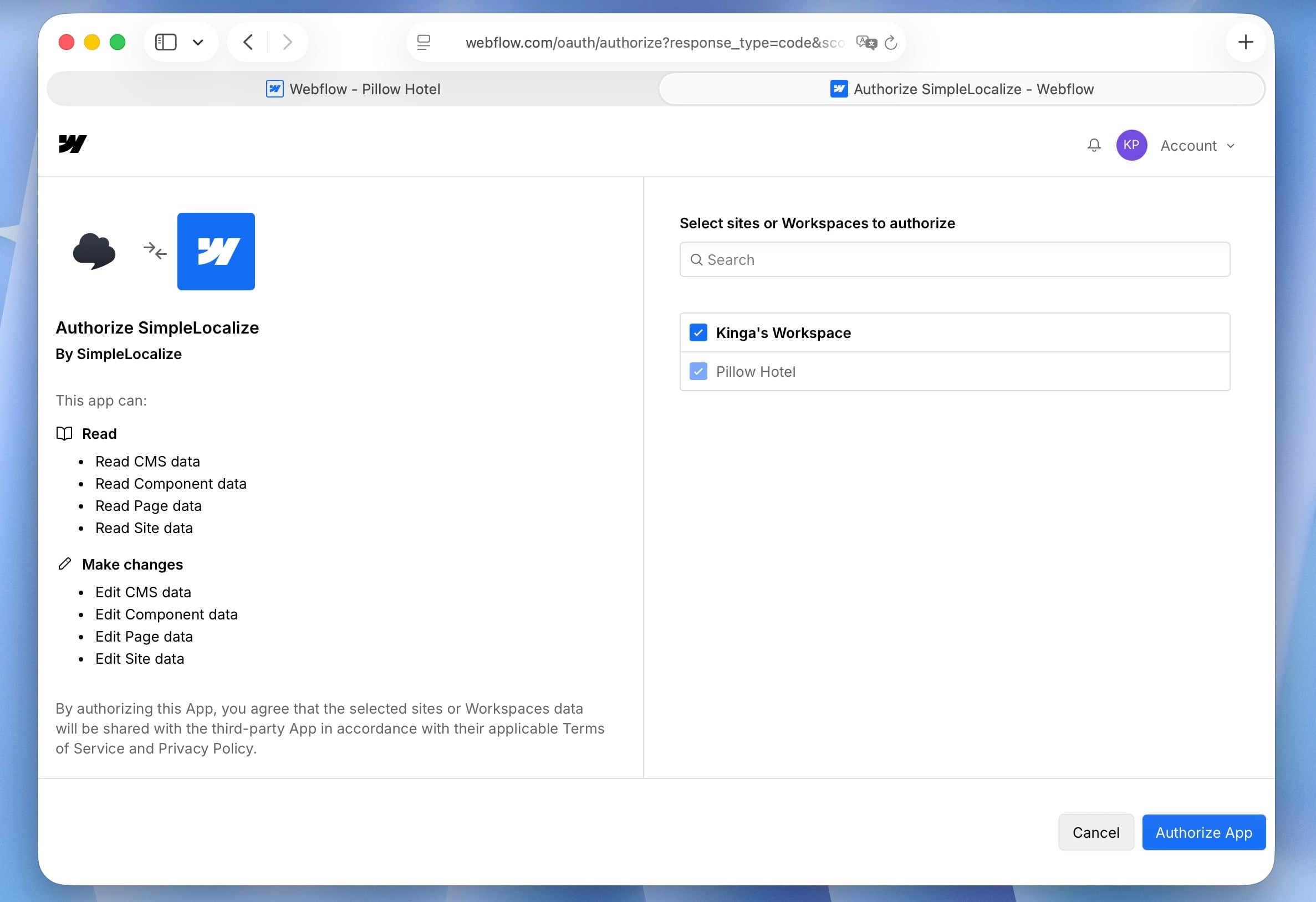
Confirm the installation and authorize access to your Webflow project.
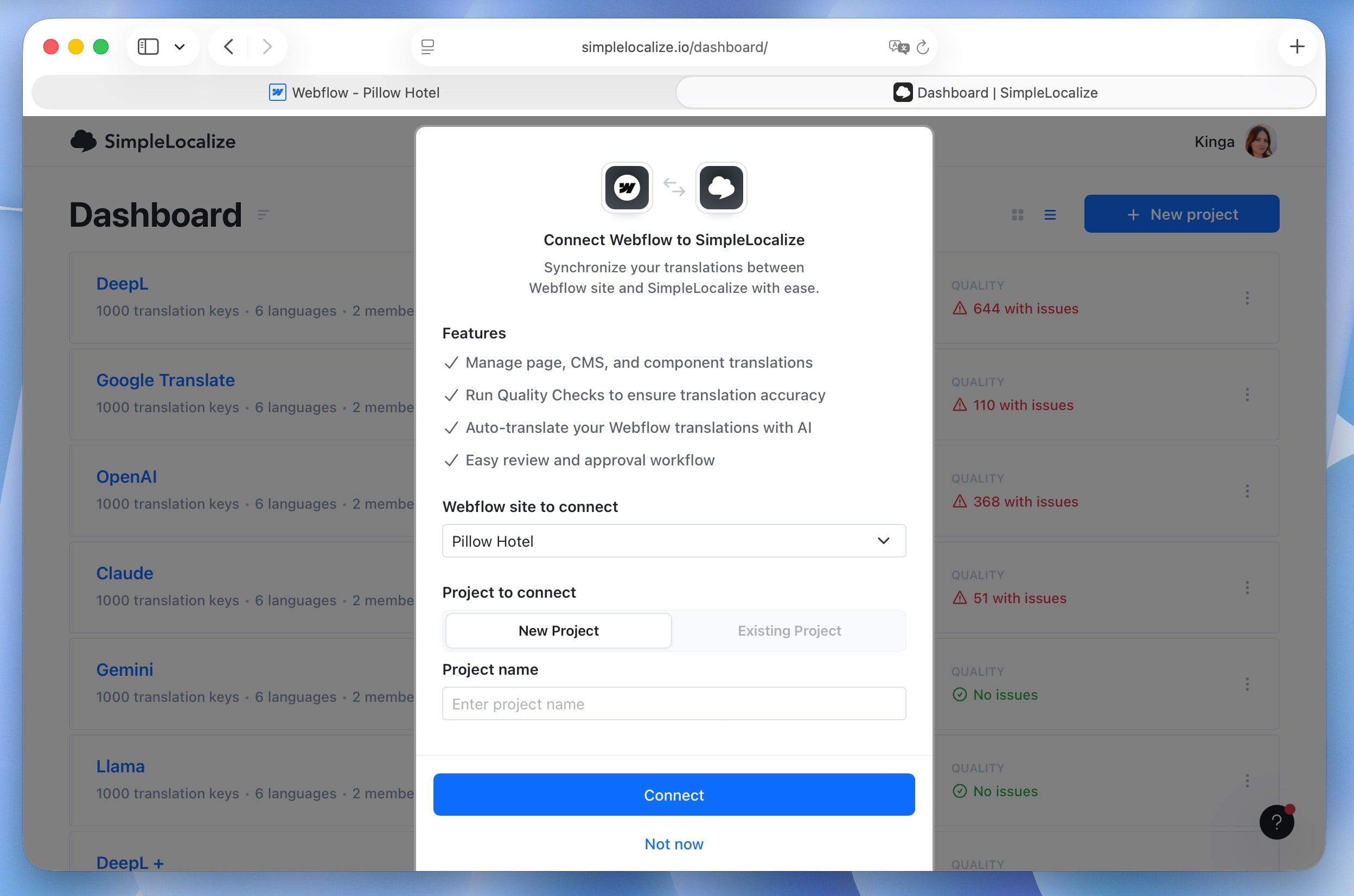
Next, select an existing SimpleLocalize project or create a new one to connect with your Webflow site.
Step 3: Synchronize content
Once connected, SimpleLocalize will open the integration settings. Here, you can choose which content types to sync from Webflow to SimpleLocalize, such as pages, components, and CMS collections.
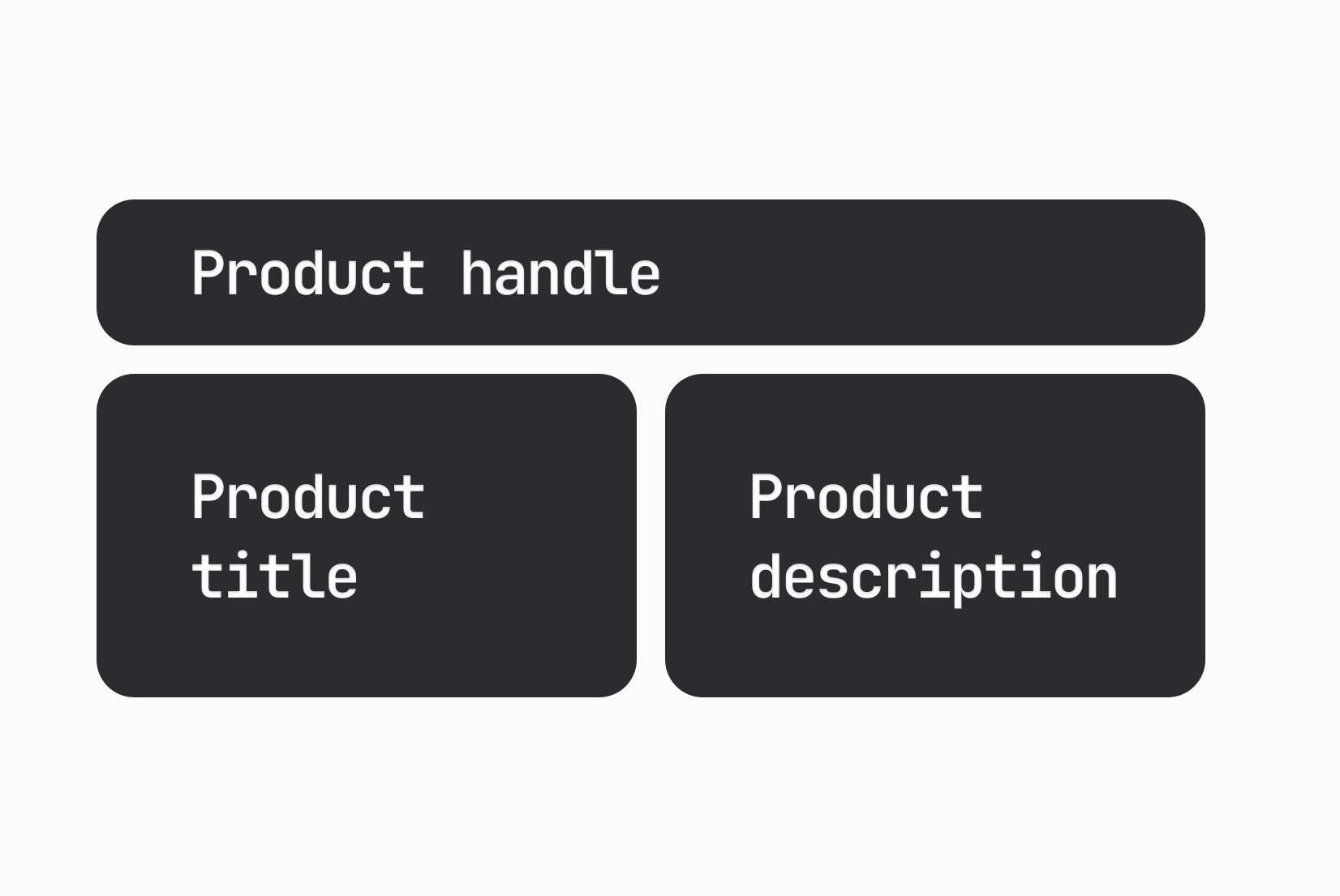
Each piece of content becomes a translation key in SimpleLocalize, making it easy to manage and reuse across languages.
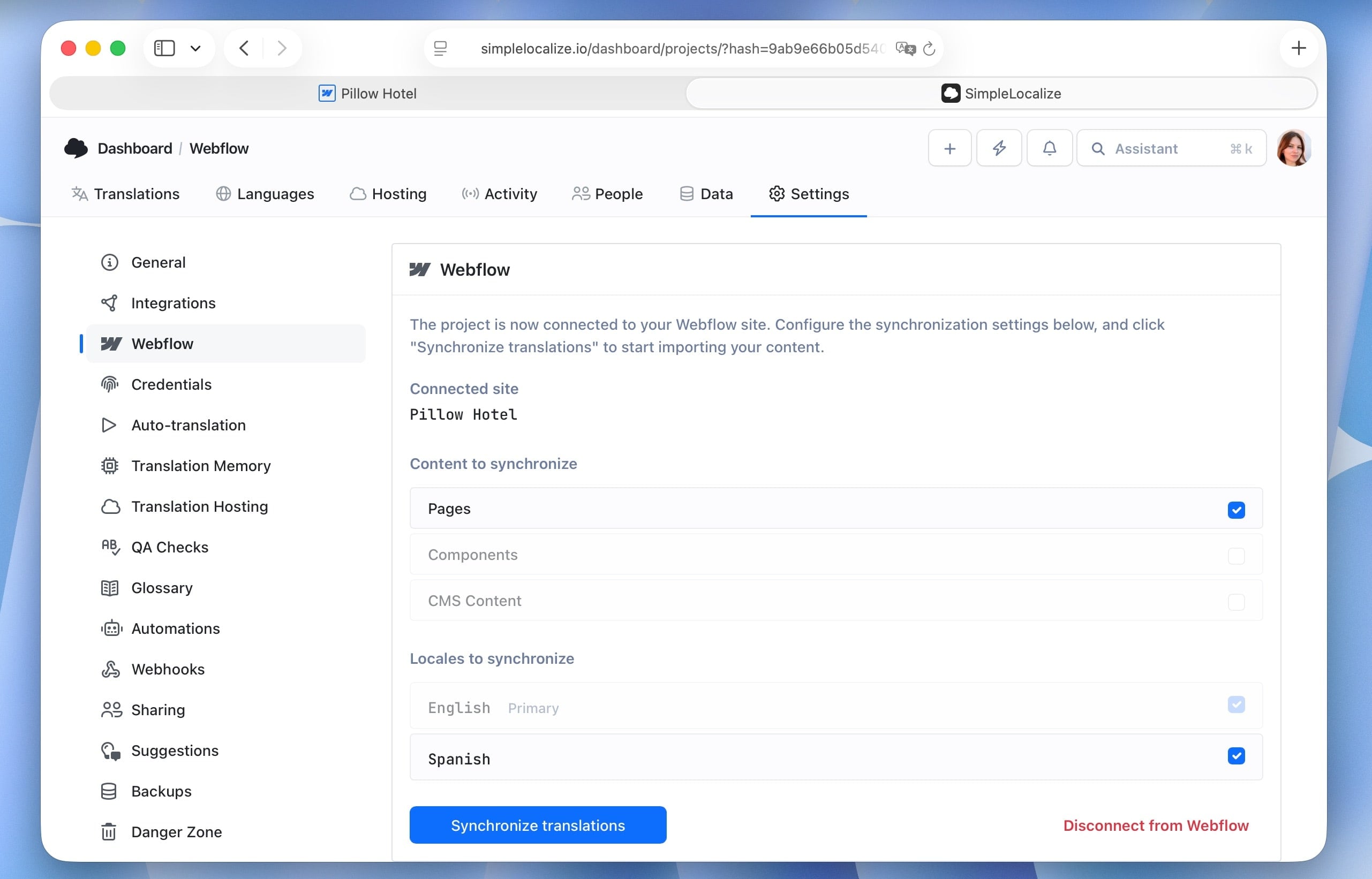
Click "Synchronize translations" button to fetch your Webflow content into SimpleLocalize.
If your content changes in Webflow, you can sync again anytime to keep translations up to date.
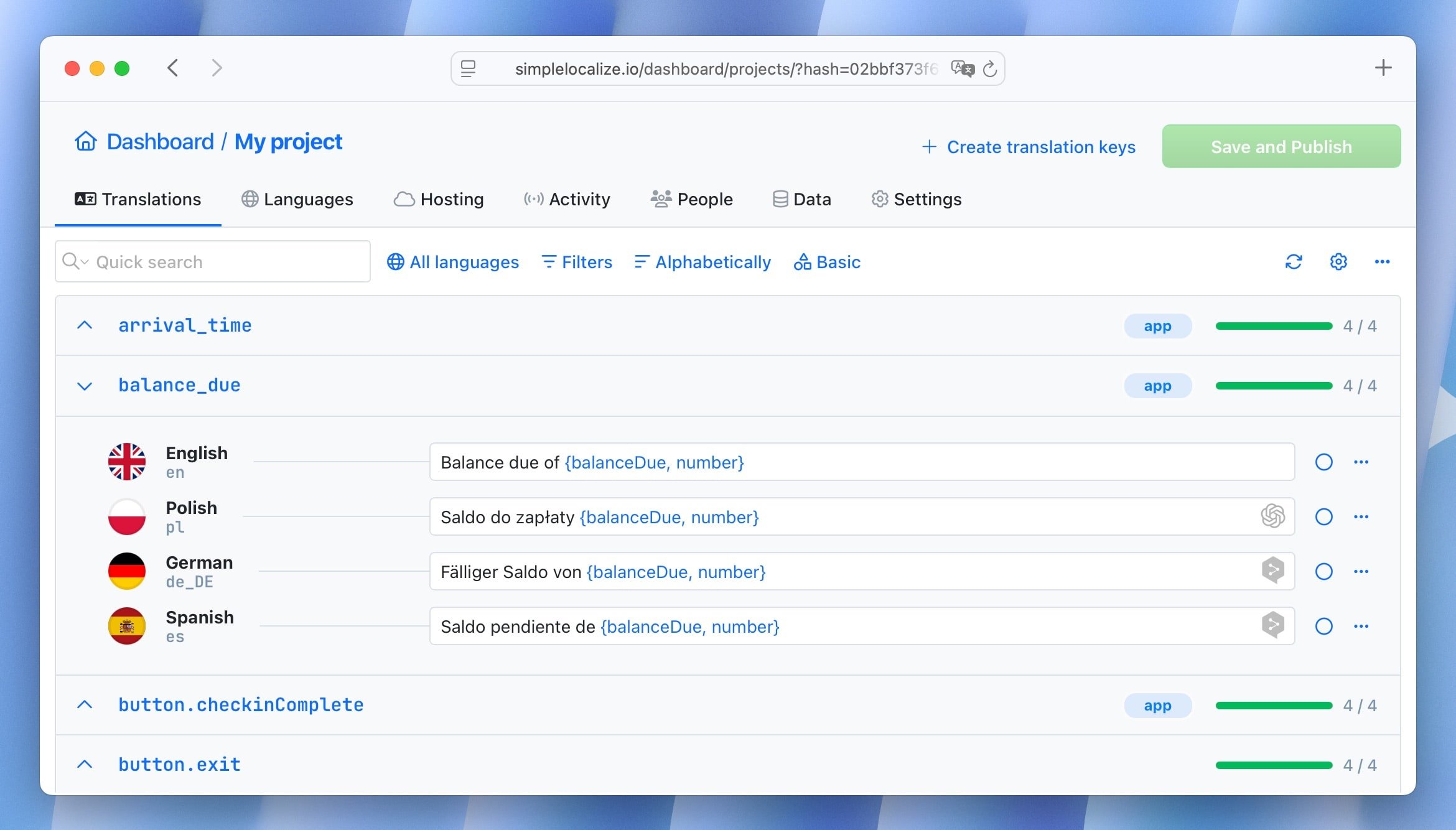
Step 4: Translate and manage consistent
This is where SimpleLocalize really shines.
Inside the translation editor, you can:
- Translate content manually in the interface
- Invite translators or team members to collaborate
- Use machine or AI translation to speed up initial drafts
- Track missing or outdated translations
- Organize content with tags and filters
- Check issues with built-in QA tools
The interface is clean and intuitive, so even non-technical users can contribute safely.
Step 5: Deliver localized content to Webflow
Once translations are ready, SimpleLocalize delivers them to your localized Webflow setup. Any translated content is automatically inserted into the appropriate language versions of your site.
Who is this integration for?
The Webflow + SimpleLocalize integration is ideal for:
- Marketing websites targeting multiple regions
- SaaS products built on Webflow
- E-commerce stores using Webflow for localized landing pages and campaigns
- Startups scaling internationally
- Teams without a dedicated backend
It offers a simple, cost-effective way to manage localization without complex development work.
If you are running an online store or supporting e-commerce growth, see our practical guide on localization in e-commerce for a deeper look at conversions, SEO, and platform workflows.
Why choose SimpleLocalize for Webflow?
- Ease of use: No coding required. The integration is designed for non-technical users.
- Centralized management: Keep all translations in one place, separate from Webflow.
- Clean and modern interface: SimpleLocalize is built for collaboration and efficiency.
- Scalability: Handle growing content and languages without headaches.
- Friendly for both developers and content teams: Everyone can contribute.
- Affordable pricing: Competitive plans that grow with your needs.
Get started today
If you are ready to localize your Webflow site, SimpleLocalize makes it straightforward from day one. Connect your Webflow project, sync content, and start translating, without changing how you build or design.
Sign up for SimpleLocalize and try the Webflow integration today. If you have any questions or need help, our support team is here to assist you at contact@simplelocalize.io. Localization doesn't have to be hard. With Webflow and SimpleLocalize, it's just another smooth part of your workflow.