






Xcode Localization Catalog (.xcloc or XC Catalog) is a collection of localization files in XLIFF 1.2 format, Localizable.xcstrings, Notes, and a contents.json file that describes the catalog. It is used to manage translations in Xcode projects.
The .xcloc format together with Localizable.xcstrings are successors to the Localizable.strings and Localizable.stringsdict file formats.
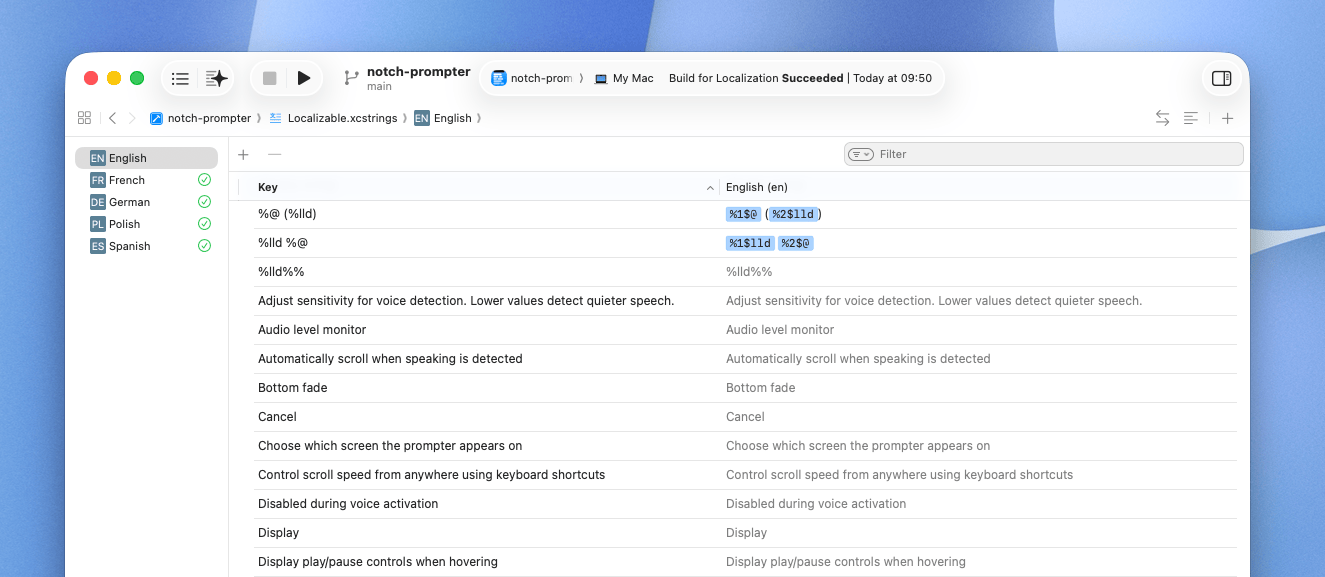
XC Catalog structure
The .xcloc format is a bundle (directory) file type that contains files and folders inside. In macOS it shows as a single file with the .xcloc extension, but it is actually a directory that contains multiple files.
es.xcloc/
├── contents.json
├── Localized Contents/
│   └── es.xliff
├── Notes/
│   └── [any additional notes]
└── Source Contents/
    └── [.xcstrings files]
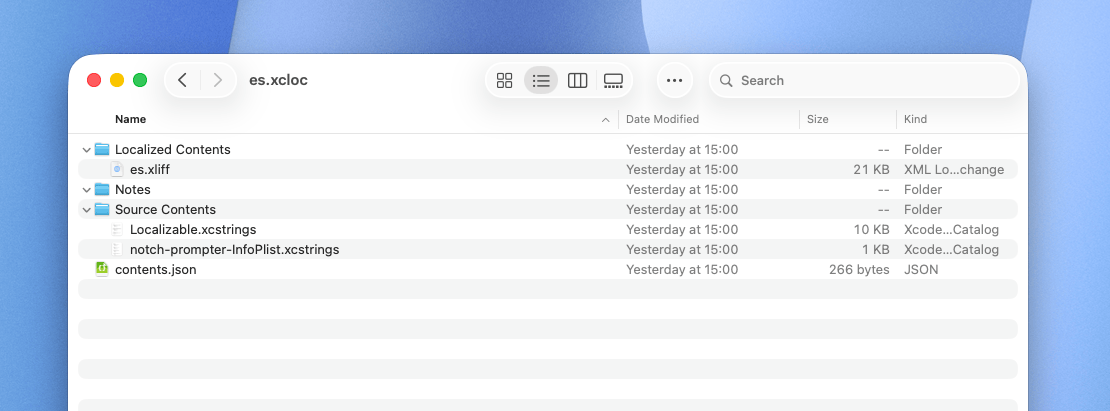
The bundle structure of the .xcloc file is as follows:
Localized Contents- directory contains files for the target language in XLIFF 1.2 format,Source Contents- directory contains the source translation files in XC Strings format,Notes- directory can contain any additional notes related to localization,contents.json- file describes the catalog and contains metadata about the project.
XC Catalog vs XC Strings
The .xcloc is a collection of localization files, while XC Strings is a single JSON-like file format that acts as a source of truth for translations in Xcode projects.
| Feature | .xcstrings | .xcloc |
|---|---|---|
| Format | JSON | Directory with translations + metadata |
| Purpose | Project repository | Translation exchange |
| Source of truth | Yes | No |
| Managed: Automatically | Lost when manually replaced | Preserved on import |
The .xcloc file can be exported from Xcode and imported back solely using the Xcode UI or xcodebuild command line tool, while XC Strings can be edited manually or synchronized with translation management systems like SimpleLocalize.
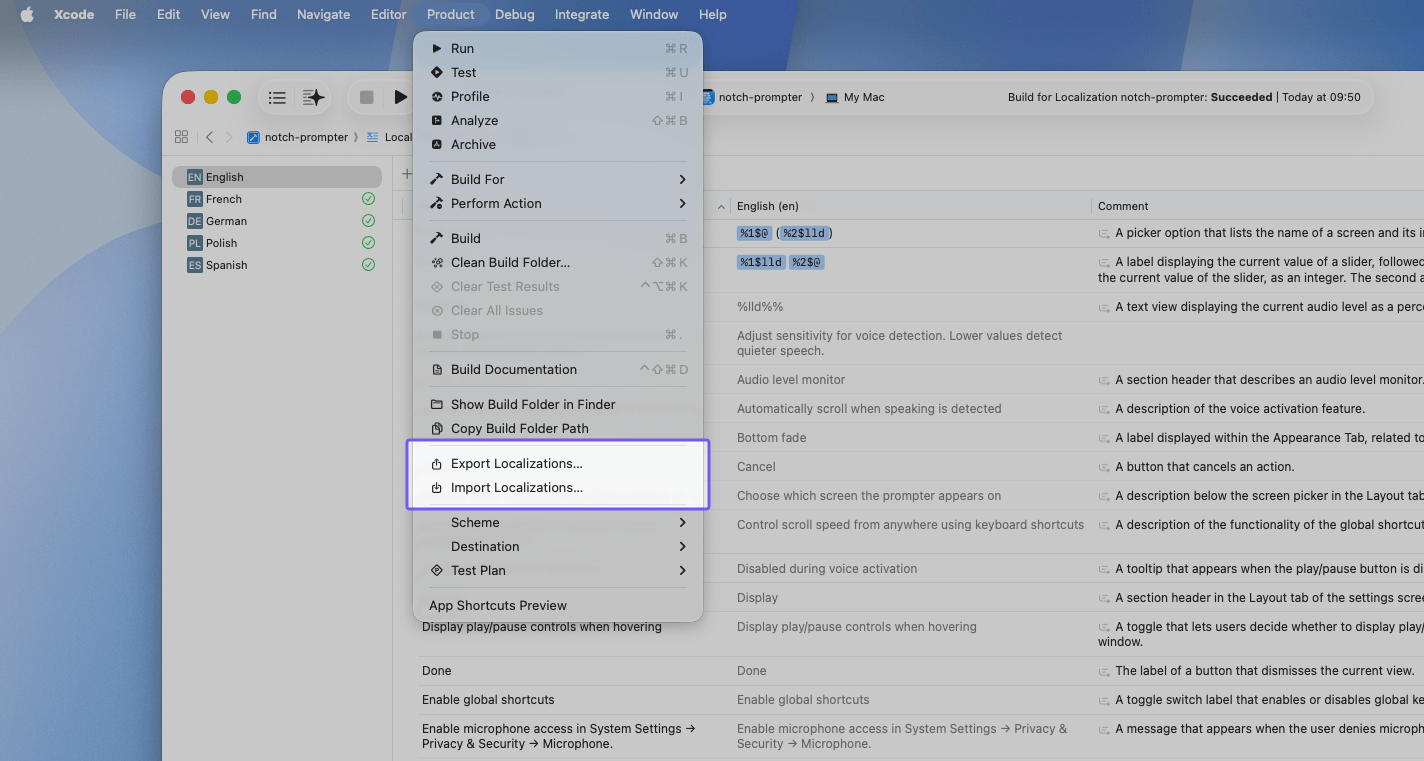
How to manage XC Catalog?
There are 3 ways to sync translations:
- synchronize your Localizable.xcstrings file,
- synchronize XLIFF 1.2 files inside .xcloc,
- synchronize .xcloc files using Xcode UI or
xcodebuildcommand line tool.
Localizable.xcstrings
Upload translations to SimpleLocalize
simplelocalize upload --apiKey <PROJECT_API_KEY> \
  --overwrite \
  --uploadFormat localizable-xcstrings \
  --uploadPath ./MyApp.xcstrings
Download translations to Xcode
simplelocalize download --apiKey <PROJECT_API_KEY> \
  --downloadFormat localizable-xcstrings \
  --downloadPath ./MyApp.xcstrings
.xliff files
Upload translations to SimpleLocalize
simplelocalize upload --apiKey <PROJECT_API_KEY> \
  --overwrite \
  --uploadFormat xliff:1.2 \
  --uploadPath ./MyApp.xcloc/Localized Contents/{lang}.xliff
Download translations to Xcode
simplelocalize download --apiKey <PROJECT_API_KEY> \
  --downloadFormat xliff:1.2 \
  --downloadPath ./MyApp.xcloc/Localized Contents/{lang}.xliff
.xcloc files
You can also synchronize translations by importing and exporting .xcloc files directly in Xcode or using the xcodebuild command line tool. This method allows you to keep the "Managed: Automatically" state in Xcode.
Export translations from Xcode to a .xcloc file and upload to SimpleLocalize
# Export translations from Xcode to .xcloc file
xcodebuild -exportLocalizations -project MyApp.xcodeproj

# Upload the exported .xcloc file to SimpleLocalize
simplelocalize upload --apiKey <PROJECT_API_KEY> \
  --overwrite \
  --uploadFormat xcloc \
  --uploadLanguageKey en \
  --uploadPath ./MyApp/en.xcloc
Download translations from SimpleLocalize to a .xcloc file and import back to Xcode
# Download translations from SimpleLocalize to .xcloc file
simplelocalize download --apiKey <PROJECT_API_KEY> \
  --downloadFormat xcloc \
  --downloadLanguageKey de,es,fr \
  --downloadPath ./{lang}.xcloc

xcodebuild -importLocalizations -project MyApp.xcodeproj -localizationPath ./de.xcloc
xcodebuild -importLocalizations -project MyApp.xcodeproj -localizationPath ./es.xcloc
xcodebuild -importLocalizations -project MyApp.xcodeproj -localizationPath ./fr.xcloc