How to manage Shopify blog translations

For Shopify merchants looking to reach global audiences, blog content is as important as product pages. Blog posts help drive traffic, engage customers, and improve SEO. Translating them effectively ensures your brand speaks consistently in every market. SimpleLocalize makes this process manageable, even as your content library grows.
If you haven't already, check out our Shopify SimpleLocalize integration guide for an overview of connecting your store and translating pages and products. This post focuses specifically on blog post translations.
Why translate Shopify blog posts?
Blog posts are more than marketing, they are engines for organic traffic and engagement. Translating them:
- Boosts organic traffic from international search engines. Properly localized content signals to search engines that your site is relevant for users in different regions and languages. Learn more in our Localization SEO guide.
- Expands brand visibility across markets. Multilingual blogs show your audience that your brand speaks their language, improving trust and engagement.
- Provides localized content that resonates with readers. This includes adjusting examples, measurements, and cultural references for each target audience.
Manually translating posts in Shopify can quickly become time-consuming, especially with frequent updates or multiple authors. SimpleLocalize centralizes translations, keeping everything consistent and easy to manage.
SEO considerations for localized blogs
Properly localized blogs aren't just readable, they improve search visibility. Here's what to keep in mind:
- URL structure matters: Use language-specific subdirectories (e.g.,
/en/blog/post-title/,/es/blog/post-title/) or subdomains instead of query parameters. Learn more in our URL localization guide. - Hreflang tags: Let search engines know which version of a blog post corresponds to which language to avoid duplicate content issues. Learn more in our Hreflang guide.
- Translate metadata: Titles, meta descriptions, and image alt texts should all be localized to boost SEO performance in target languages.
- Canonical URLs: Use canonical tags for the original post if you have minor variations or automatically generated translations.
- Keyword localization: Adapt keywords for each language to match search intent and improve rankings.
Following these SEO practices ensures your translated blogs are discoverable and effective in every market.
Step-by-step: Translating Shopify blog posts
Here's a clear workflow for translating blogs with SimpleLocalize:
Connect your Shopify store to SimpleLocalize
If you haven't done so already, connect your Shopify store to SimpleLocalize using our integration guide. This connection allows SimpleLocalize to access your blog posts for translation.
- Create project in SimpleLocalize.
- Install the SimpleLocalize Shopify app.
- Authenticate your store and set up the connection.
- Choose resource types to sync, including blog posts.
- Synchronize your existing blog posts to SimpleLocalize.
Check out the video below for a walkthrough of connecting your Shopify store and syncing blog posts:
Translate blog posts
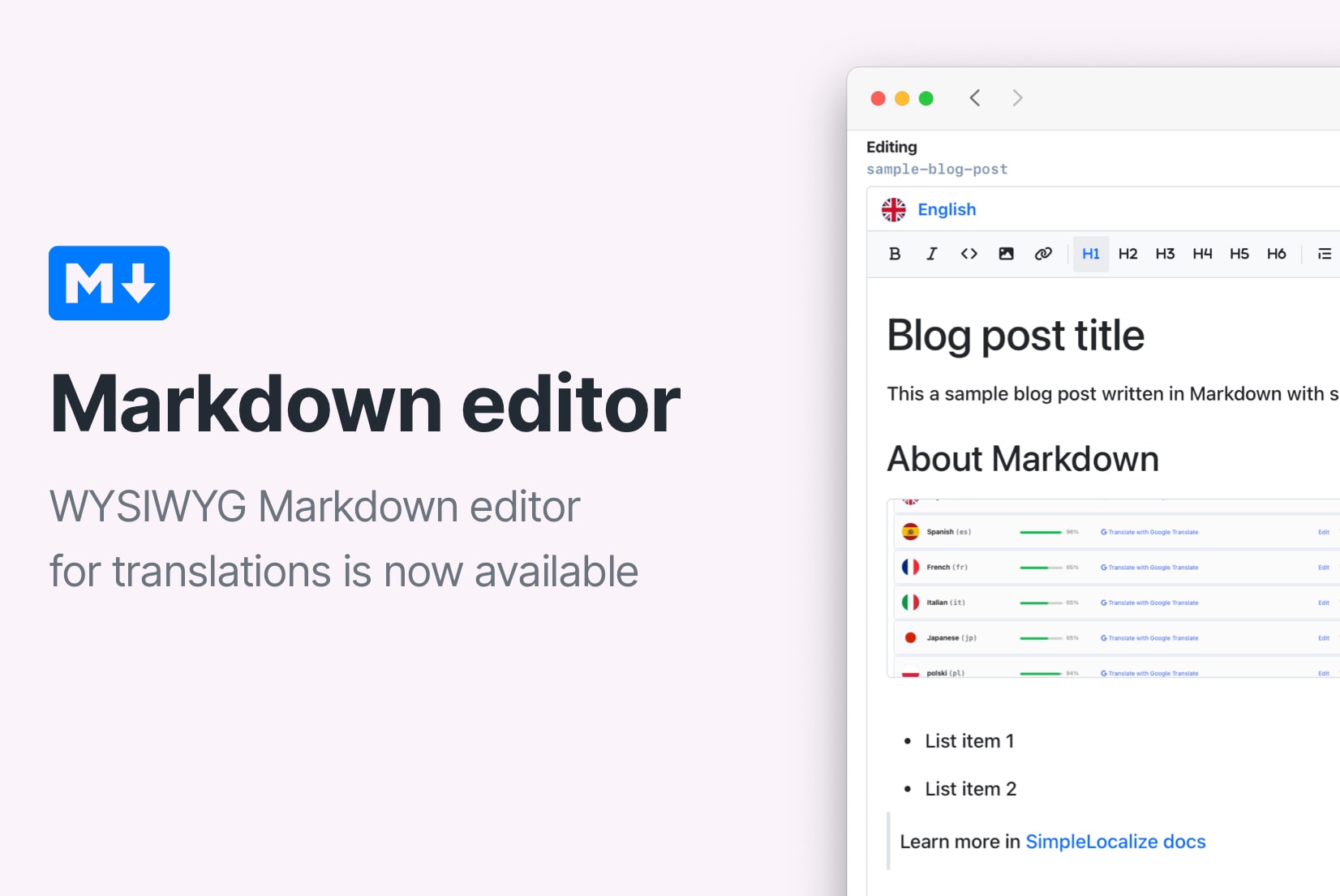
Open your blog post in the SimpleLocalize editor, optimized for long-form content. You can work on translations manually or use machine translation to speed up the process. Review and edit machine translations to ensure quality.
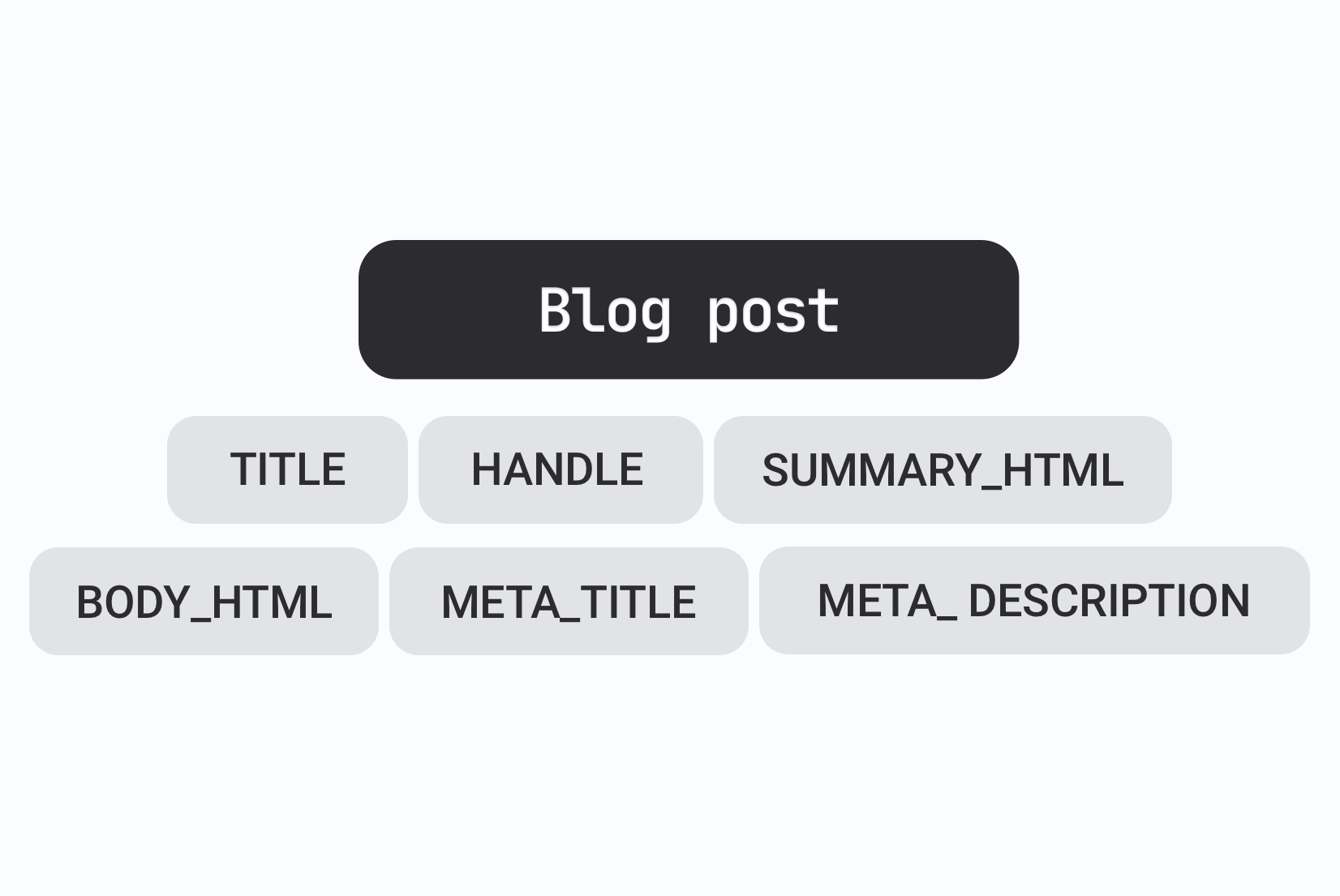
Translate also the blog post metadata, including titles and meta descriptions, to maintain SEO effectiveness. All metadata fields are available in the SimpleLocalize editor.
Editor features for blog posts
The SimpleLocalize editor offers features tailored for blog post translations:
- Comments: Leave notes for translators or reviewers on specific text segments.
- Version history: Track changes and revert to previous versions if needed.
- Rich text formatting: Maintain headings, lists, links, and other formatting elements.
- Review status: Track progress with translation review statuses.
- QA checks: Detect missing translations, formatting errors, or inconsistent terms before publishing.
- Side-by-side view: Compare source and target texts easily.
Learn more about visual rich text and markdown translation.
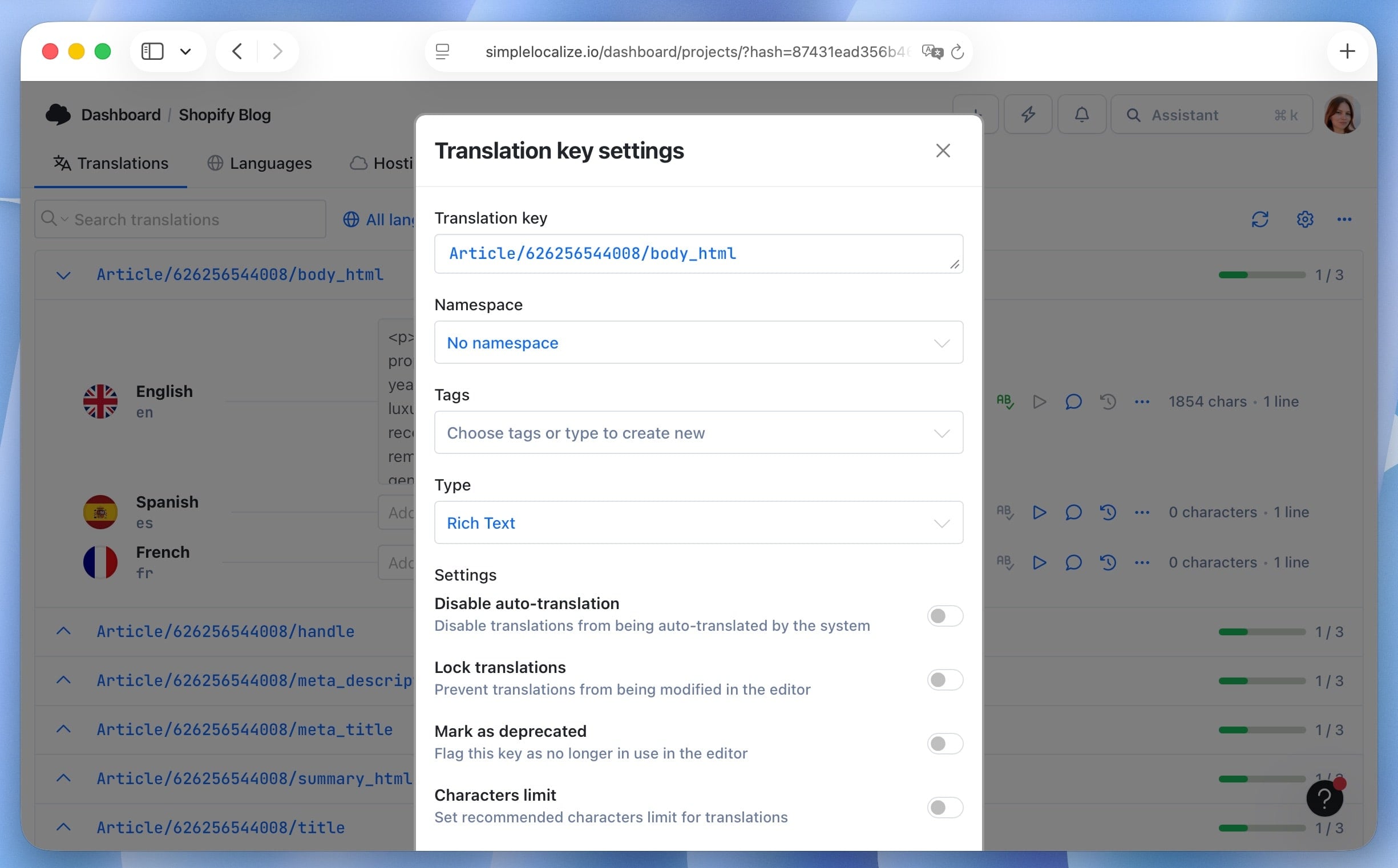
Note: Make sure the key type is set to "Rich text" to preserve formatting like headings, lists, and links.
Check translated content in Shopify
Translated blog posts will automatically sync back to your Shopify store. Review them in the Shopify admin to ensure everything appears correctly.

Synchronization and updates
Translation updates made in SimpleLocalize will automatically sync to Shopify. This includes edits to existing posts or new blog posts added to your store.
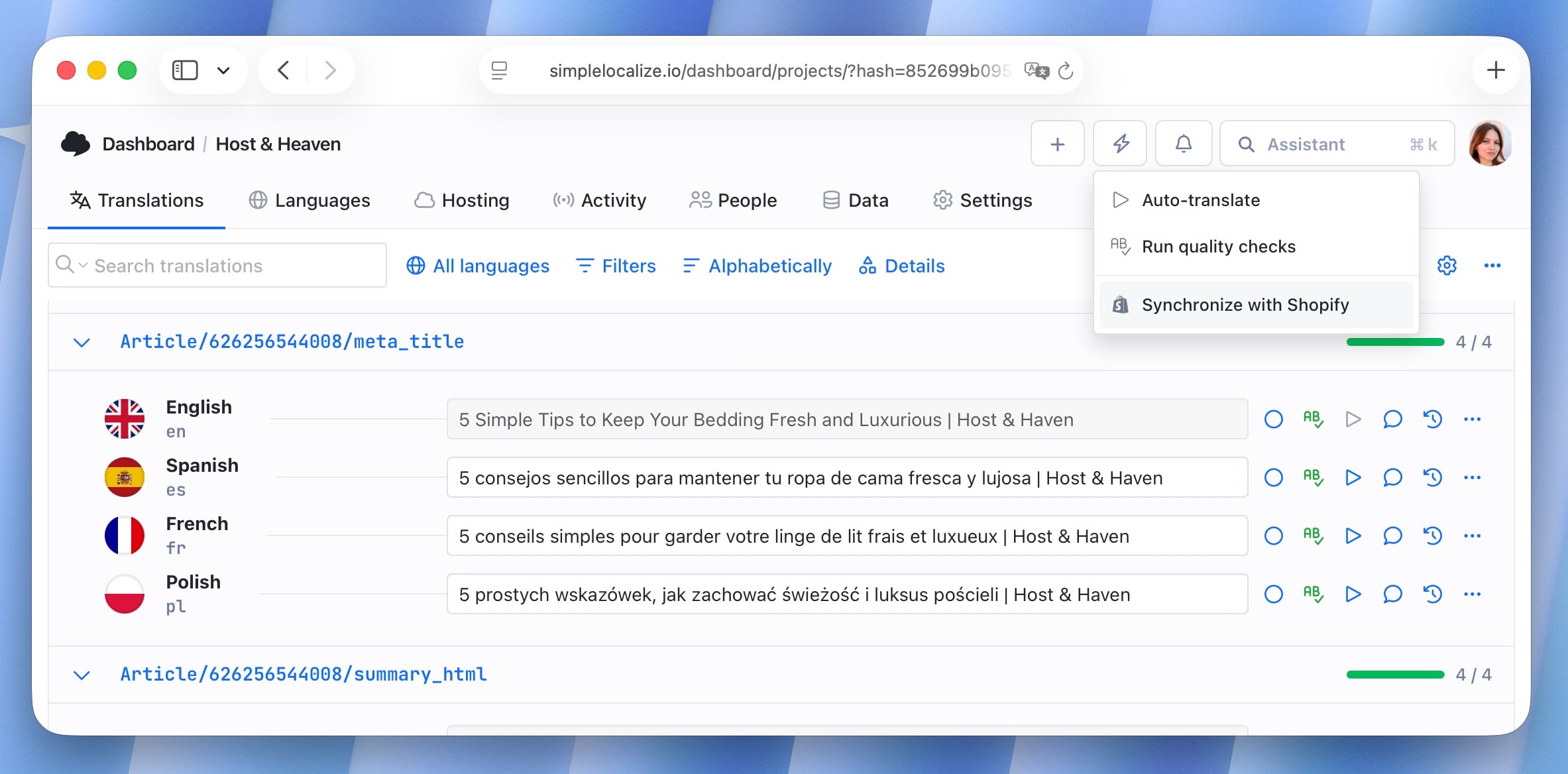
- To download new content from Shopify, use the "Synchronize" action button in the editor or in the integration settings.
- Add new languages in Shopify and enable them in the integration settings. Click "Synchronize" to fetch new languages and their content.
Best practices for Shopify blog translations
To get the most value from multilingual blogs on Shopify:
- Prioritize high-traffic Shopify posts. Start with posts that drive the most traffic to your store. Thanks to this, your translation efforts have the biggest impact on engagement and sales. You can check traffic via Shopify Analytics or Google Analytics.
- Localize content fully for e-commerce context. Adapt examples, product mentions, measurements, or currency to the target audience. For instance, if your post references pricing or product availability, make sure it aligns with the local market.
- Keep translations in sync with Shopify updates. Shopify allows you to update blog content regularly. Use SimpleLocalize to track changes so translated posts automatically reflect updates without manual duplication.
- Optimize Shopify-specific SEO fields. Translate blog titles, meta descriptions, summaries, handles, alt text for images, and Shopify tags.
- Leverage Shopify Liquid for dynamic content. If your blog contains dynamic content or snippets (like product recommendations), ensure these are localized properly in your translated version using Shopify Liquid variables.
Conclusion
Translating your Shopify blog posts goes beyond language; it's about creating a consistent, localized experience that connects with international customers, strengthens your brand, and drives SEO performance. With SimpleLocalize, you can manage translations efficiently, maintain formatting and SEO fields, track updates, and collaborate with your team or professional translators without leaving Shopify.
By integrating translation management into your Shopify workflow, every blog post can reach the right audience in the right language. Start translating today and unlock the full potential of your Shopify store for global growth.