Glossary is a collection of terms and their translations that helps maintain consistency across your projects. It allows you to define preferred translations for specific terms, ensuring that the same terminology is used throughout your translations.
How glossary works
Glossary integrates with your translation projects, allowing you to define terms and their translations.
The glossary terms are used:
- during AI and DeepL auto-translation
- in QA checks (you will see a warning if a term is used incorrectly)
- in the Translation Memory (TM) suggestions (perfect matches)
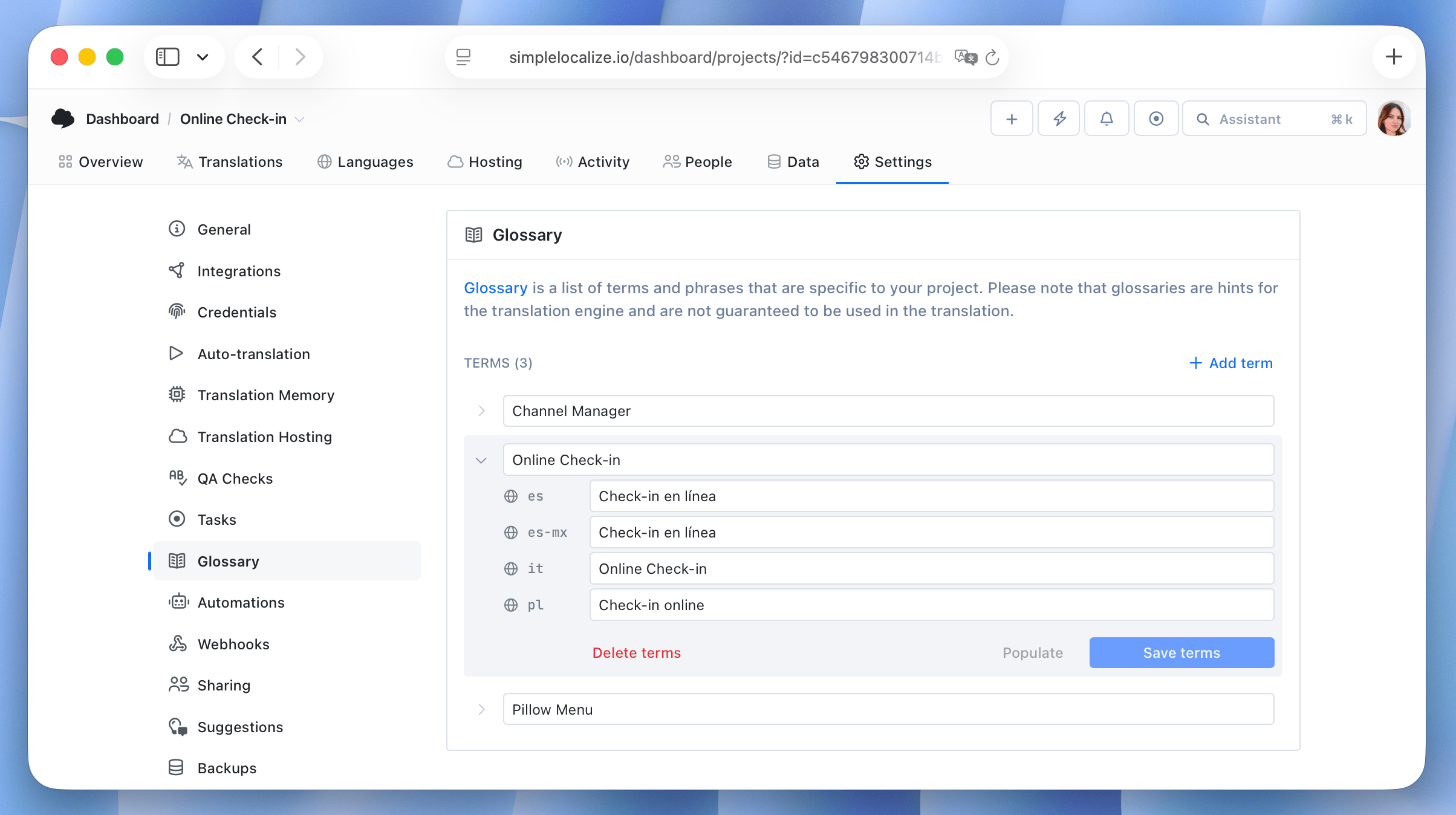
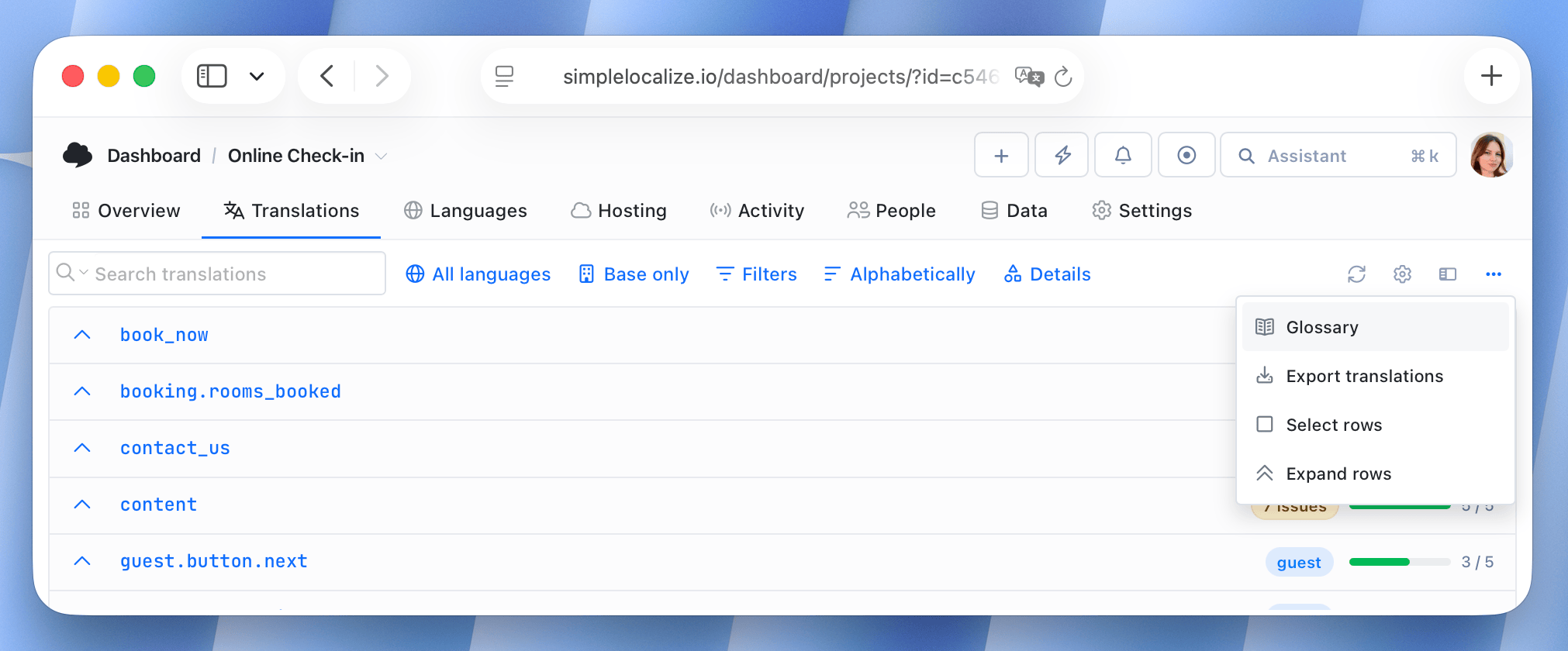
Glossary terms can be added and edited manually in project Settings / Glossary or directly from the translation editor by any user (according to language access rights).
Setting up a glossary
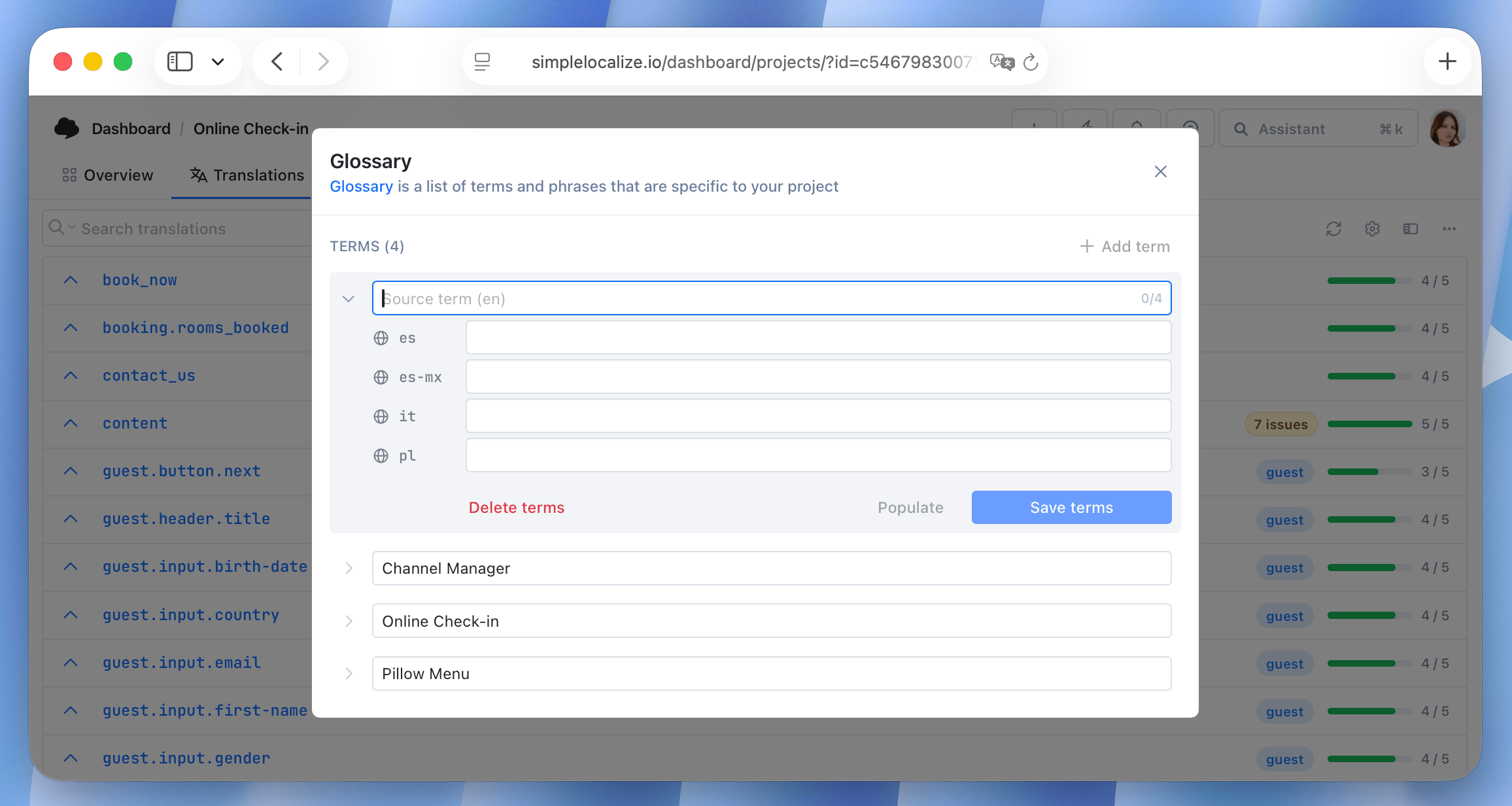
Open Glossary and click Add term. Enter the term in the source language and its translation in the target language.
You can use Suggest missing to let AI propose translations for the languages that are still empty. The suggestions are based on how the term is already translated in your project, so review them before saving.
Alternative forms
A term might be used in a different grammatical form than the one you put in the glossary: in plural, in another case, or with a different gender agreement. For example, the Polish translation of "translation key" is klucz tłumaczeniowy, but a sentence may contain klucze tłumaczeniowe or kluczy tłumaczeniowych.
Alternative forms are used by QA checks and AI auto-translation providers.
Case-sensitive terms
By default, glossary terms are matched regardless of capitalization, so Spaces and spaces are treated as the same term. Click the Aa icon next to the source term to make it case-sensitive. QA checks will then require the term and its translations (including alternative forms) to be written exactly as defined in the glossary. This is useful for product names, features, and other terms whose capitalization is part of the term.