





Translation memory (TM) is a database that stores translations from your projects. It helps you reuse translations across projects by suggesting translations for similar strings. This way, you can save time and maintain consistency in your translations.
How translation memory works
Translation memory is built on the translations from projects you work on. When you translate a string, the translation memory stores the source and target text and the translation key. If you translate a similar string in another project, the translation memory suggests the stored translation. Additionally, you can upload your own translation memories in the TMX format in the project settings under the Translation memory tab.
Setting up translation memory
To upload your own translation memories, go to the project settings and select the Translation memory tab. Here, you can upload TMX files that contain your translations.
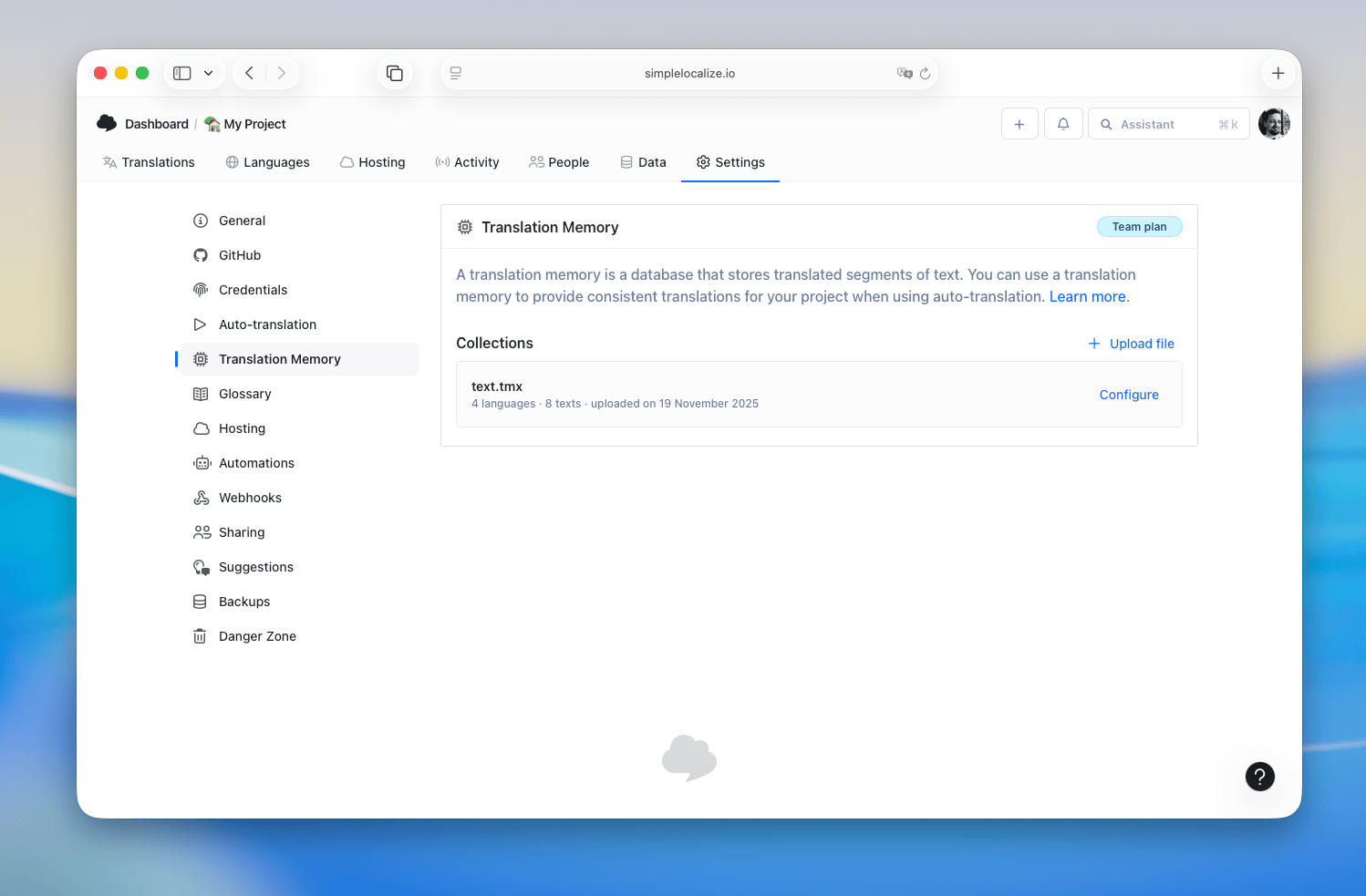
Click on Upload TMX file to select and upload your TMX files. Once uploaded, the translations from the TMX files will be available in the translation memory for your project.

When uploading a TMX file, you may need to map the languages in the TMX file to the languages in your project. This ensures that the translations are correctly associated with the right languages.
Example TMX file
Here is a simple example of a TMX file structure:
<tmx version="1.4">
  <header
        creationtool="SimpleLocalize"
        creationtoolversion="1.0"
        segtype="sentence"
        adminlang="en-us"
        srclang="en"
        datatype="PlainText"
    />
  <body>
    <tu>
      <tuv xml:lang="en">
        <seg>Hello, world!</seg>
      </tuv>
      <tuv xml:lang="fr">
        <seg>Bonjour, le monde!</seg>
      </tuv>
    </tu>
    <tu>
      <tuv xml:lang="en">
        <seg>Goodbye!</seg>
      </tuv>
      <tuv xml:lang="fr">
        <seg>Au revoir!</seg>
      </tuv>
    </tu>
  </body>
</tmx>
When you upload this TMX file, the translation memory will store the translations for "Hello, world!" and "Goodbye!" in French. When you translate similar strings in your projects, the translation memory will suggest these translations.
Auto-translation vs Translation memory
Auto-translation uses your Translation Memory to translate strings without calling external services like Google Translate or DeepL. If a 100% match is found in the TM, that translation is applied automatically. If there is no 100% match, the auto-translation service is used instead.
Using the translation memory
You can find the translation memory in the translation editor. Head to the options menu in the selected translation and choose "Translation memory" to view the suggestions for the current translation.
To make it easier, you can enable the Translation memory quick access in the editor view settings.
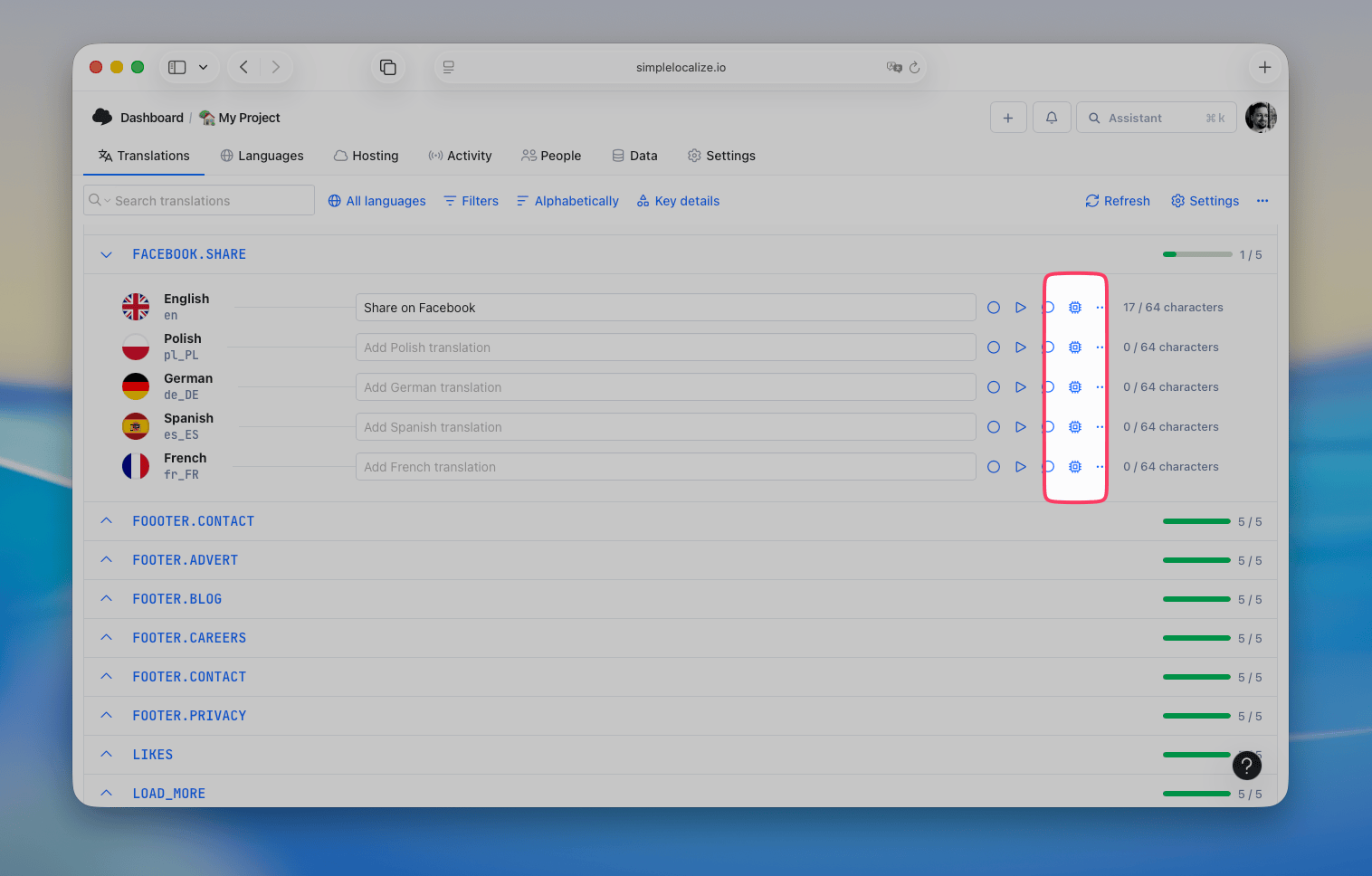
When you open the translation memory, you'll see a list of suggestions for the current translation with their relevance scores, source translations and projects they come from.
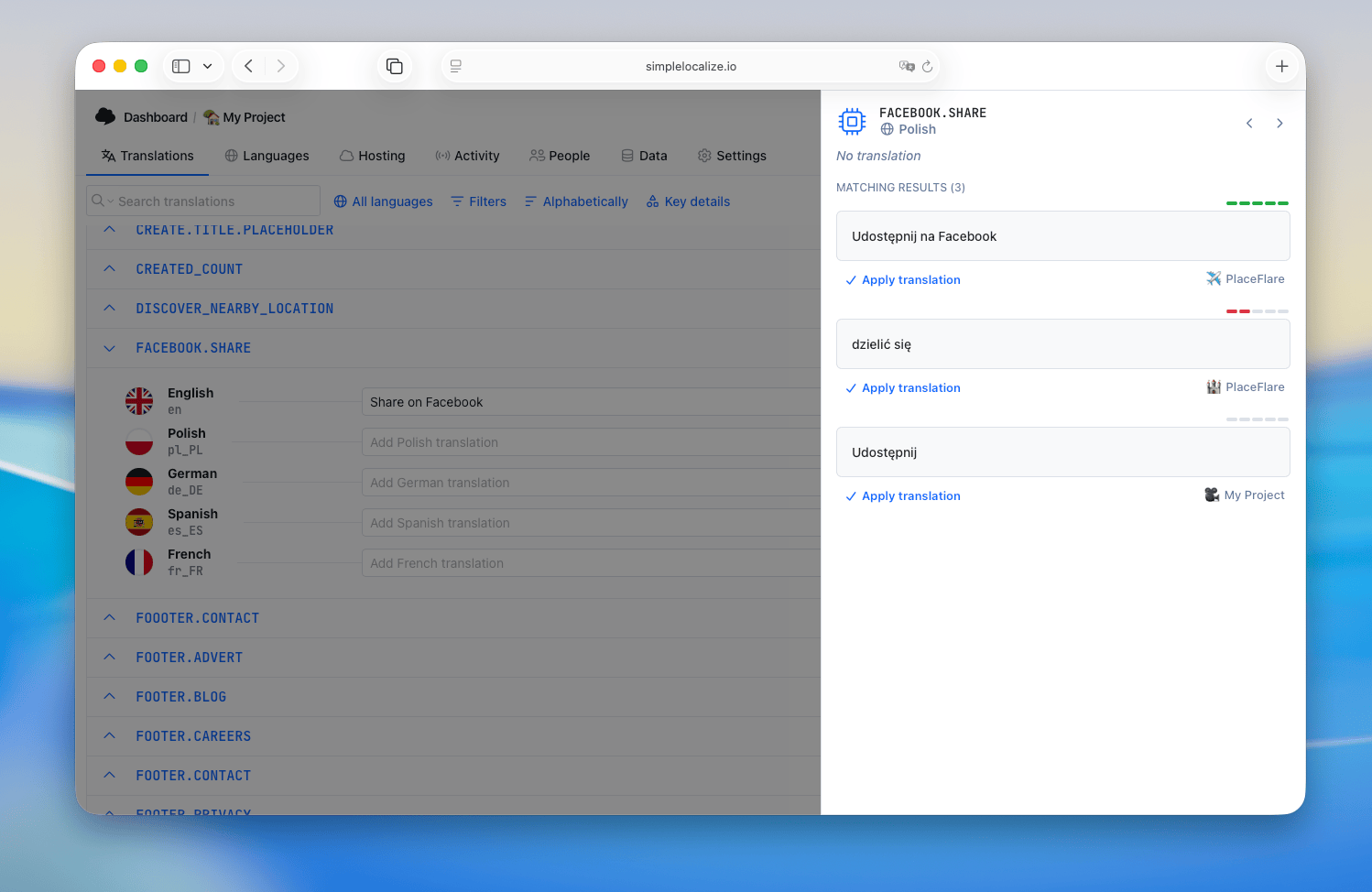
Click on Apply translation to use the suggested translation.