How to pick a translation workflow for small teams and solo devs

Most translation workflow guides are written for teams that already have a localization manager, a CI/CD pipeline, and a budget for a full TMS.
This one isn't.
If you're a solo developer, a two-person startup, or a small product team shipping your first multilingual feature, the advice to implement continuous localization with automated QA is not just unhelpful, it's actively misleading. It makes localization sound more complicated than it needs to be at your stage.
The right workflow for a small team is the simplest one that doesn't create problems you'll have to undo later.
This guide helps you figure out what that is.
Why workflow choice matters more than tooling
When most people think about localization, they jump straight to tool selection: Should I use a TMS? Which one? Should I just use a spreadsheet?
But the tool is secondary. The workflow, the sequence of steps that gets text from your codebase to translated and back, determines whether localization is a weight that slows you down or a process that runs quietly in the background.
A bad workflow with a great tool is still a bad workflow. A simple, consistent workflow with basic tooling will outperform it every time.
So before picking tools, pick the workflow pattern that matches your situation.
Learn more about localization workflows and why they matter in the first place.
The three workflow patterns for small teams
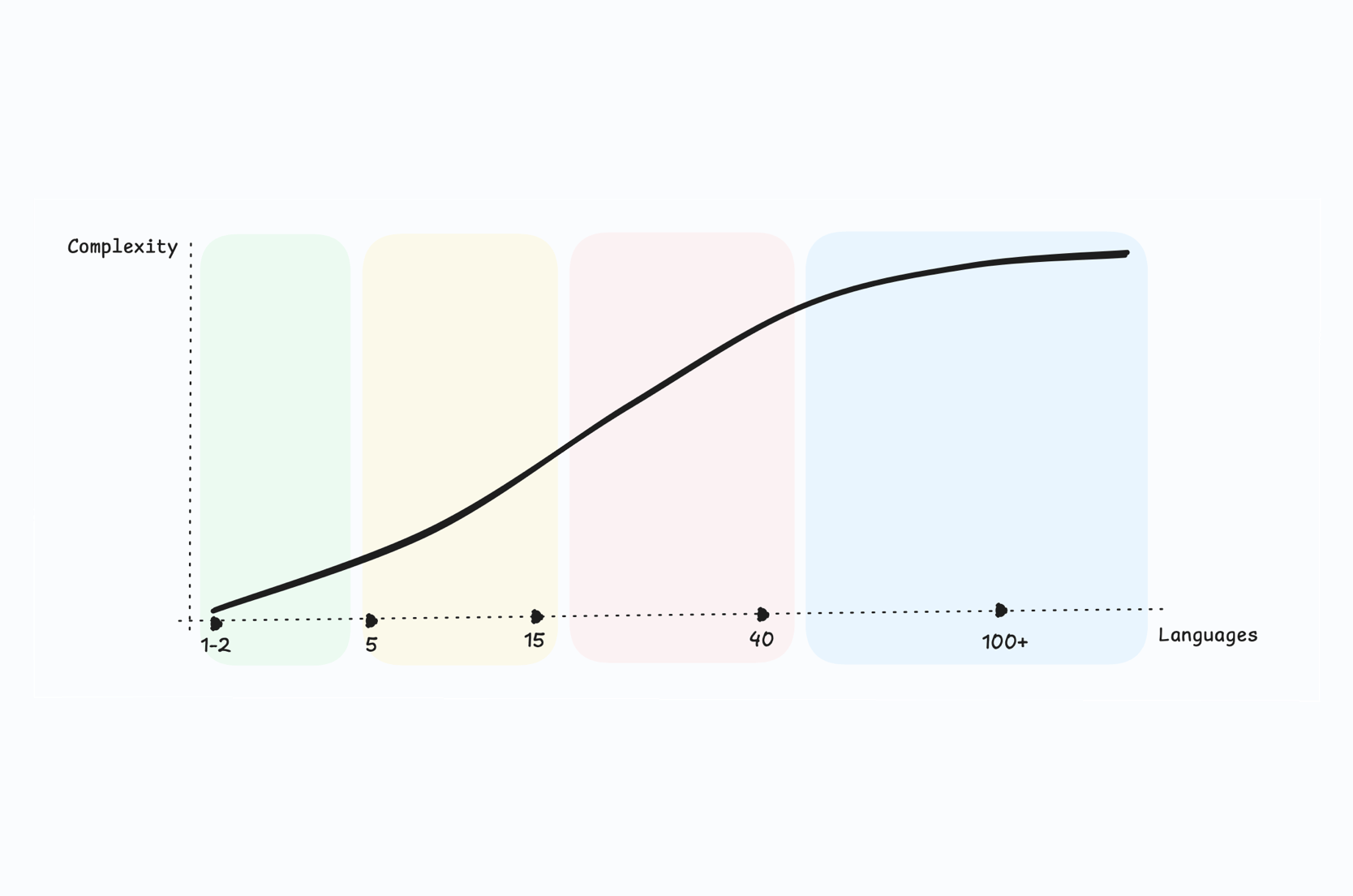
There are three realistic patterns for small teams and solo developers, each suited to a different stage and set of constraints.
Pattern 1: Manual, file-based workflow
Best for:
Solo devs, pre-PMF products, projects with 1-2 languages, very low release cadence.
The simplest possible workflow:
- You write code and externalize strings into translation files (JSON, YAML, etc.)
- You export the files and send them to a translator, or translate them yourself
- You receive translated files back and drop them into your project
- You deploy
That's it. No automation, no pipeline, no TMS subscription. Just files moving between people.

This pattern works well when the product is small, changes slowly, and you don't yet know which languages will actually drive growth. Its main advantage is zero overhead: there's nothing to configure, no integration to maintain, and no monthly cost.
Its main weakness is that it breaks down the moment your product changes quickly. Every UI change means re-exporting files, tracking which strings changed, and manually reconciling updates. With two languages this is manageable. With five it becomes a part-time job.
The practical version of this pattern:
Use a format your translator can work with directly. JSON works fine for simple structures. For non-technical translators, managing translations in CSV or Excel is often better. SimpleLocalize can ingest both and export them back to whatever format your app uses, which removes the need for manual file conversion.
When to move on from it:
When you find yourself spending more than 30 minutes per release chasing translation updates, or when you're coordinating with more than one translator.
Pattern 2: Centralized TMS with manual triggers
Best for:
Small teams with 2-5 languages, regular release cadence (weekly or biweekly), one or two contributors.
This is the most common upgrade from Pattern 1. You introduce a translation management system (TMS) as a central source of truth for all your strings, but you still trigger translation updates manually: you push new keys when you're ready, translators work in the TMS editor, and you pull the updated files when translations are done.
The workflow looks like this:
- Developer adds new strings to the codebase using translation keys
- New keys are pushed to the TMS (manually via CLI or by uploading a file)
- Translator receives a notification or checks the TMS and translates new/updated strings
- Developer pulls the updated translations before the next release

Compared to Pattern 1, this approach:
- Eliminates the back-and-forth with files
- Gives translators a proper editing environment with context
- Keeps all languages in sync in one place
- Makes it easy to see what's missing before a release
It still requires manual action at key points (push, pull), but those are fast operations, minutes, not hours. And because the TMS stores all your translation history, adding a third or fourth language doesn't multiply your coordination overhead the way it does with spreadsheets.
The typical failure mode:
Teams using this pattern often forget to push new keys until the day before release. The fix is simple: make the push step part of your normal development checklist. Whenever you merge a PR that adds or changes UI copy, push the new keys to the TMS immediately. This keeps translators in the loop and prevents last-minute scrambles.
Check out our step-by-step localization workflow for developers.
When to move on from it:
When manual pushes and pulls are causing delays, or when translators are blocked waiting for keys that don't appear until the last minute.
Pattern 3: Semi-automated workflow with CLI or GitHub integration
Best for:
Growing products with 3+ languages, weekly releases, teams where localization delays have started to slow shipping.
This pattern keeps the same conceptual flow as Pattern 2 (new keys go to the TMS, translations come back) but the push and pull steps become automated rather than manual.
There are a few ways to set this up depending on your stack.
Option A: GitHub App (recommended for most GitHub teams)
The SimpleLocalize GitHub App is the fastest way to get automation running. You add a single simplelocalize-github.yml config file to your repository, connect the repo to your SimpleLocalize project, and the app handles the rest.
On every push, it automatically uploads source translations to SimpleLocalize. When translations are updated in the TMS, it opens a pull request back into your repo with the new translated files, ready to review and merge like any other code change.
# simplelocalize-github.yml — minimal setup
upload:
  files:
    - path: "src/locales/en.json"
      format: "single-language-json"
      language-key: "en"

download:
  files:
    - path: "src/locales/{lang}.json"
      format: "single-language-json"
The main advantage over CLI-based automation is that there's almost nothing to maintain. No pipeline scripts, no secret wiring beyond the initial install. It also adds translation summary reports directly to pull requests, so your team can see what changed without opening the TMS.
Option B: GitHub Actions (more control)
If you need a more customized workflow: auto-translating on push or chaining other pipeline steps, the SimpleLocalize GitHub Action gives you full control. It's a thin wrapper around the SimpleLocalize CLI that runs as a normal Actions step.
- name: Upload translations
  uses: simplelocalize/github-action-cli@v3
  with:
    api-key: ${{ secrets.SIMPLELOCALIZE_API_KEY }}
    command: 'upload'
    args: '--uploadPath ./translations/{lang}.json --uploadFormat single-language-json'

- name: Auto-translate
  uses: simplelocalize/github-action-cli@v3
  with:
    api-key: ${{ secrets.SIMPLELOCALIZE_API_KEY }}
    command: 'auto-translate'

- name: Download translations
  uses: simplelocalize/github-action-cli@v3
  with:
    api-key: ${{ secrets.SIMPLELOCALIZE_API_KEY }}
    command: 'download'
    args: '--downloadPath ./translations/{lang}.json --downloadFormat single-language-json'
A quick rule of thumb: start with the GitHub App if you want something running in under 30 minutes. Switch to GitHub Actions if you outgrow it or need custom logic the App doesn't support yet.

Option C: Webhooks (for GitLab, Bitbucket, or custom pipelines)
Not on GitHub? Webhooks let SimpleLocalize send a POST request to any URL when a translation event fires: a publish, an auto-translation completing, a key change. This means you can trigger your own GitLab CI pipeline, a Bitbucket Pipelines job, or any custom service when translations are ready, without polling or manual steps.
A typical webhook-driven flow for a GitLab team:
- Translator publishes translations in SimpleLocalize
- SimpleLocalize fires a webhook to your GitLab pipeline trigger URL
- The pipeline runs
simplelocalize downloadand commits the updated files - The commit kicks off your normal build and deploy process
Webhooks add a small amount of setup on your CI side, but they work with any platform and any pipeline tool, which makes them the right choice for teams not using GitHub or teams with non-standard deployment setups.
All those options connect as continuous localization, treating translations as a living part of the deployment pipeline rather than a batch process that happens before launch.
The realistic version for small teams:
Full automation is worth it even at small scale if releases are frequent. The GitHub App in particular can be set up in an afternoon and starts paying back immediately. If you're releasing once every few weeks, Pattern 2 handles that fine, but if localization is already a source of last-minute scrambling before deploys, this is the fix.
How to choose between them
Here's a simplified decision framework:
| Your situation | Recommended pattern |
|---|---|
| Pre-PMF, 1 language, experimenting | Pattern 1 (manual files) |
| 1–2 languages, stable product | Pattern 1 or Pattern 2 |
| 2–4 languages, weekly releases | Pattern 2 (centralized TMS) |
| 3+ languages, frequent releases | Pattern 3 (semi-automated) |
| Translation delays blocking releases | Pattern 3 immediately |
If you're unsure, start with Pattern 2. It handles most situations well, the setup is light, and upgrading to Pattern 3 later is straightforward since you're just adding scripts around the same TMS you're already using.
What about machine translation?
For solo devs and small teams, machine translation (MT) is worth considering early. Not as a replacement for human review, but as a way to bootstrap initial translations quickly.
A practical approach: use auto-translation (DeepL, OpenAI, Google Translate) to generate first drafts for all your strings, then have a native speaker review the most critical UI copy. Error messages, marketing copy, and onboarding flows deserve more attention than settings labels.
This hybrid approach (machine translation for volume, human review for quality-sensitive content) is increasingly the default for small teams that can't justify per-language translators at an early stage.
One caveat: auto-translated content that ships without any review can damage trust in markets where translation quality is a proxy for product quality. A few hours of native-speaker review for each language you launch is a worthwhile investment.
Related: What is localization QA | Tips for effective auto-translation
Common mistakes small teams make with translation workflows
1. Choosing a workflow for the team you want to be, not the team you are.
Pattern 3 is appealing because it sounds professional. But if you're a solo developer releasing every few weeks, it's also overkill that you'll spend time maintaining instead of building.
2. Starting with spreadsheets and never leaving.
Spreadsheets work for a few weeks. Then you have three translators making conflicting edits to the same file, no audit trail, and no way to see what's missing. The moment you have more than one language and one translator, a centralized TMS is worth the switch.
3. Translating before the product is stable.
If your UI changes significantly every week (labels renamed, flows restructured, copy rewritten), translations will be perpetually out of date. This isn't a workflow problem; it's a sequencing problem. Stabilize the core UX first, then localize.
4. Treating all content the same.
Error messages, UI labels, legal copy, and marketing content have different quality requirements and different audiences. A single workflow that treats them all the same tends to either over-engineer simple content or under-review critical content.
5. No fallback strategy.
Even in Pattern 1, you need a plan for what happens when a string isn't translated yet. An empty UI element is worse than English fallback text. Define the fallback behavior before it becomes a production issue.
Check our list of 11 common localization mistakes and our tips to make your localization workflow more productive.
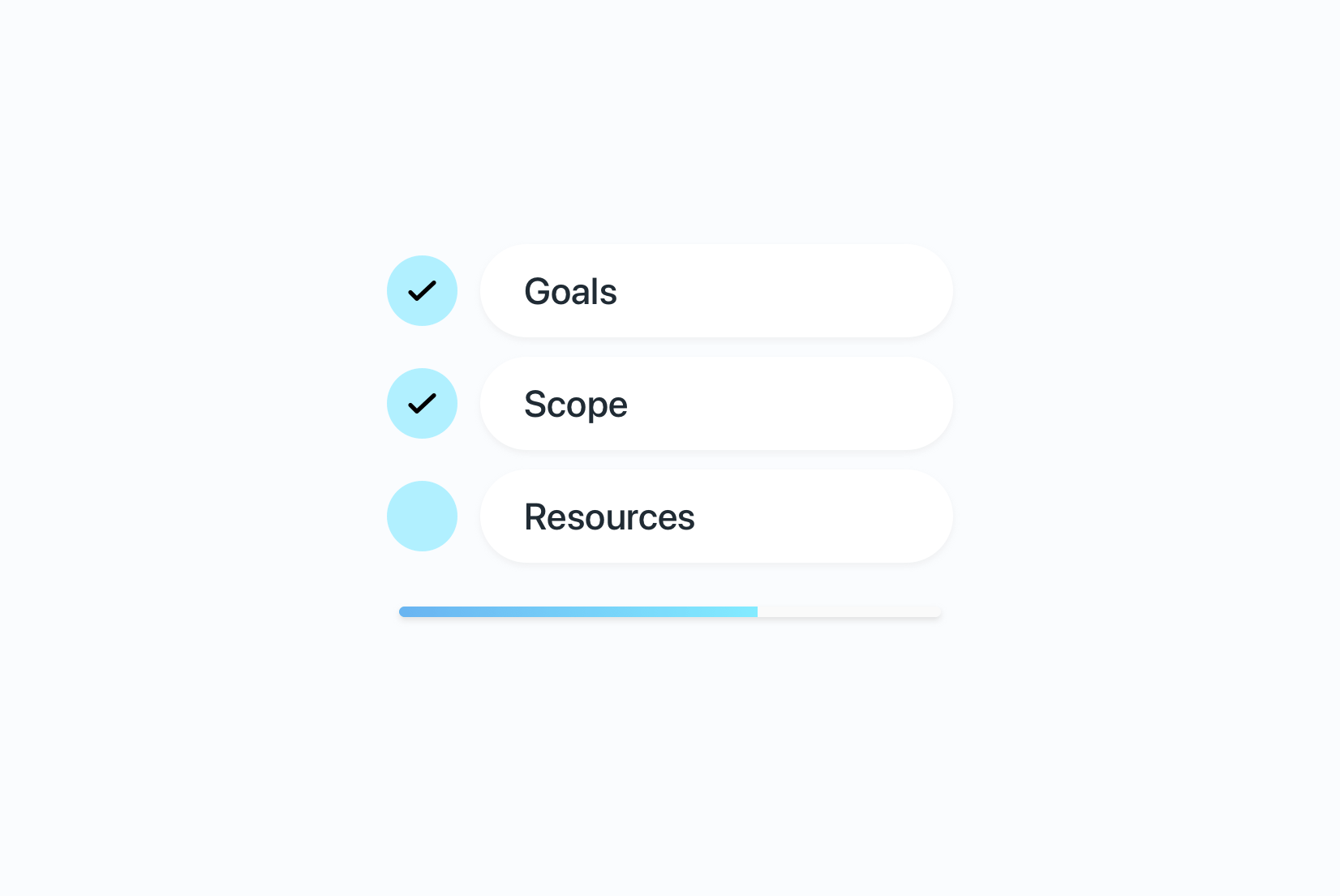
Before you pick a workflow: three questions to answer
Before committing to any pattern, get clear on these three things:
1. How often do you release?
Weekly releases with manual file handoffs will eventually cause shipping delays. Quarterly releases don't need automation. Match the workflow cadence to your release cadence.
2. Who is doing the translating?
If you're translating yourself or using auto-translation exclusively, you don't need a TMS with collaborative review features. If you're working with freelance translators, they need a decent editing environment and a clear way to see what's new.
3. How stable is your UI copy?
If strings change frequently, you need a workflow that can keep up. If copy is mostly stable after a v1 launch, a simpler pattern handles it well.
Answering these three questions honestly will tell you more about the right workflow than any tool comparison.
A note on tools: don't over-optimize early
SimpleLocalize works well across all three patterns. You can start with manual file uploads (Pattern 1), move to the editor and direct collaboration with translators (Pattern 2), and eventually add CLI scripts and GitHub Actions automation (Pattern 3), all without migrating your data or changing your file format.
The point isn't to recommend one specific tool. The point is that good tooling should grow with your workflow, not force you into a workflow it was designed around. When evaluating any TMS, check whether it supports the simple version of what you need today without requiring you to configure features you won't use for months.
Related: Why your TMS doesn't have to cost a fortune | How to choose a TMS for your SaaS startup
Summary
Picking a translation workflow for a small team comes down to one principle: use the simplest workflow that doesn't create problems you'll have to undo later.
For most solo developers and early-stage teams, that means Pattern 2, a centralized TMS with manual push/pull triggers. It's lightweight enough to set up in an afternoon, handles 2–5 languages comfortably, and upgrades cleanly to automation when you need it.
If you're pre-PMF and experimenting, Pattern 1 (manual files) is completely legitimate. If localization delays are already slowing releases, skip ahead to Pattern 3.
The goal at this stage isn't a perfect localization system. It's a system that doesn't get in the way of building.
Next:
Localization strategy for SaaS: The complete guide
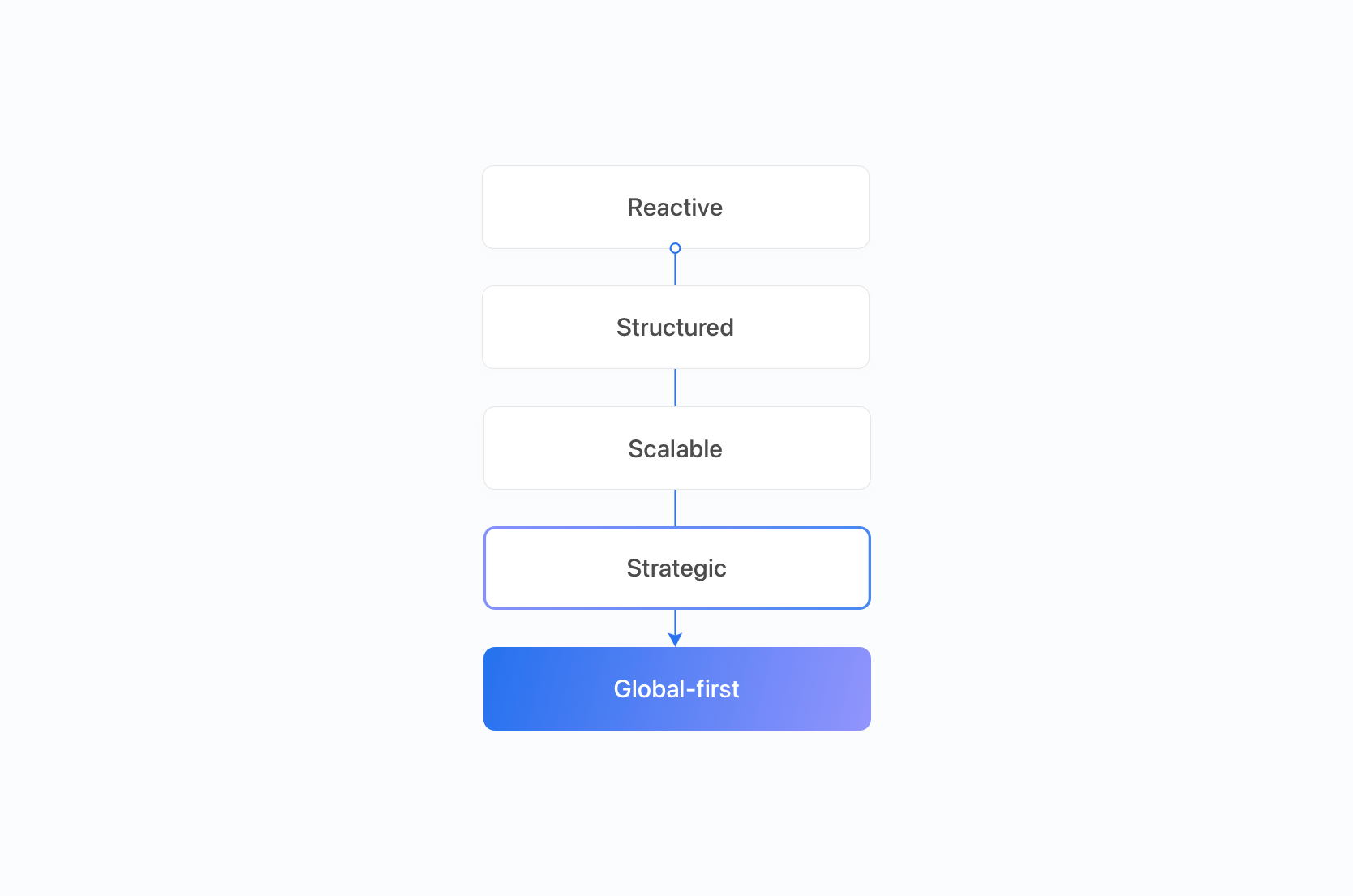
Localization maturity model
Localization readiness checklist