





Universal placeholders are currently in beta. We'd love to hear your feedback! Share your suggestions and observations on our feedback board.
Universal placeholders allow you to manage translations with a single, platform-independent placeholder format, so you can import from one platform and export to another without worrying about format specifier differences.
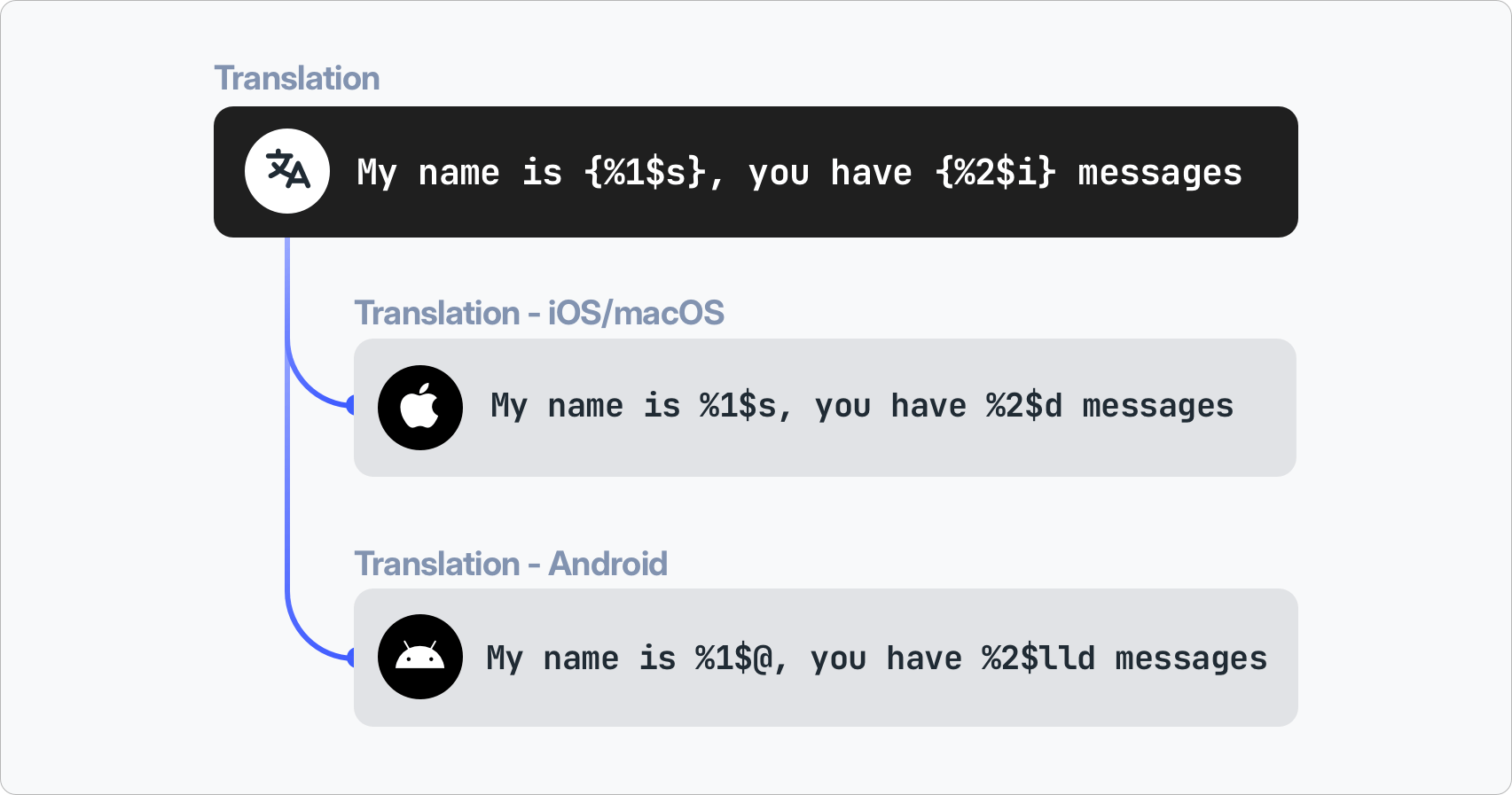
The problem
Every platform uses its own placeholder syntax for dynamic values in translations. For example, to insert a user's name and the number of unread messages:
| Platform | Translation |
|---|---|
| Android | Hello %1$s, you have %2$d new messages |
| iOS/macOS | Hello %1$@, you have %2$lld new messages |
Both strings mean the same thing, but the placeholders are different. If you manage translations for both platforms in a single project, you would need to maintain two separate translations for the same message, or manually convert placeholders every time you import or export.
The solution
Universal placeholders solve this by introducing a platform-independent format that sits between your source files and the translation editor:
Hello {%1$s}, you have {%2$i} new messages
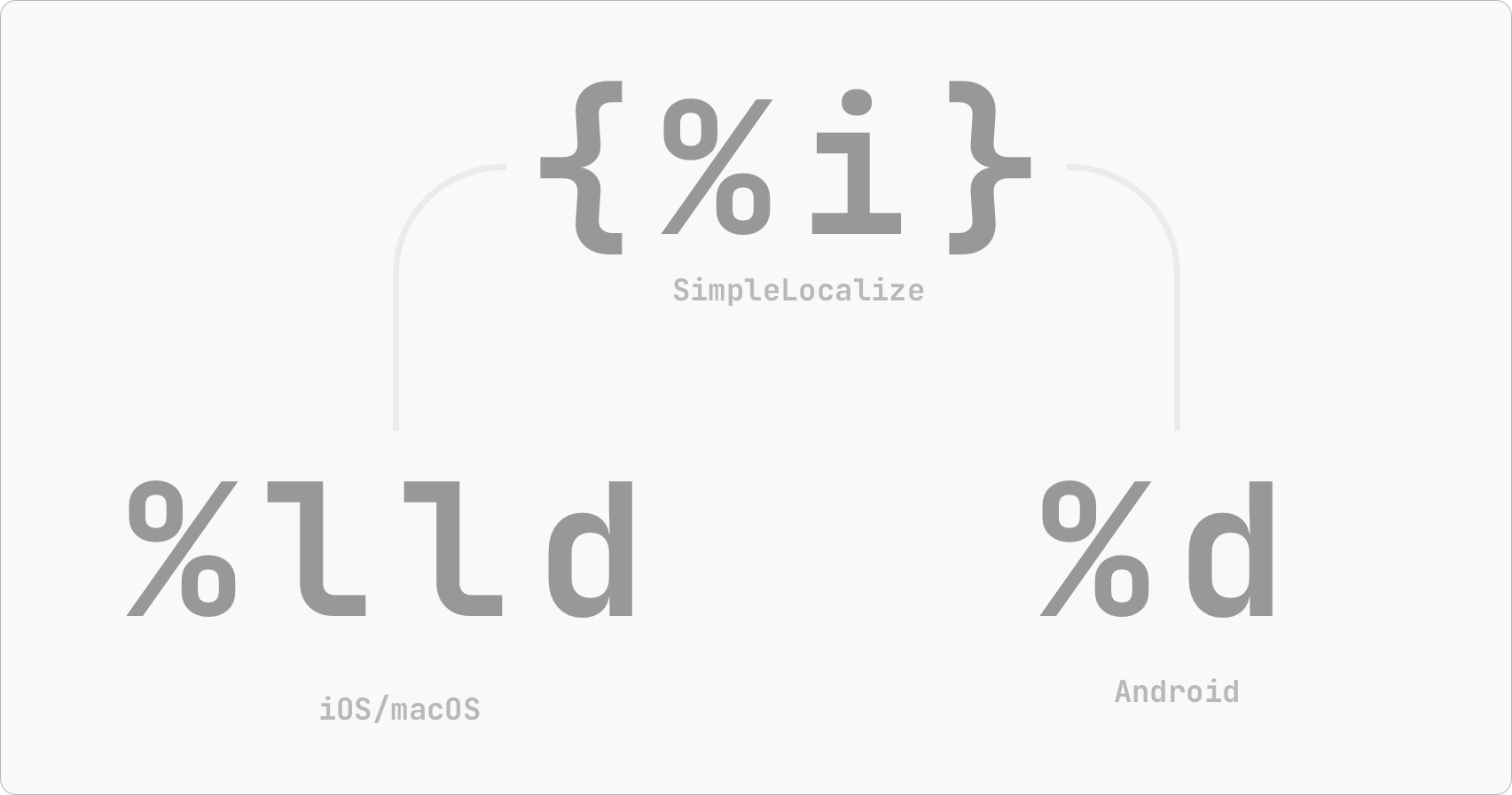
During import, native placeholders are automatically converted to the universal format. During export, universal placeholders are automatically converted back to the native format of the target platform.
This means you maintain one translation that works for all platforms:
Universal format specification
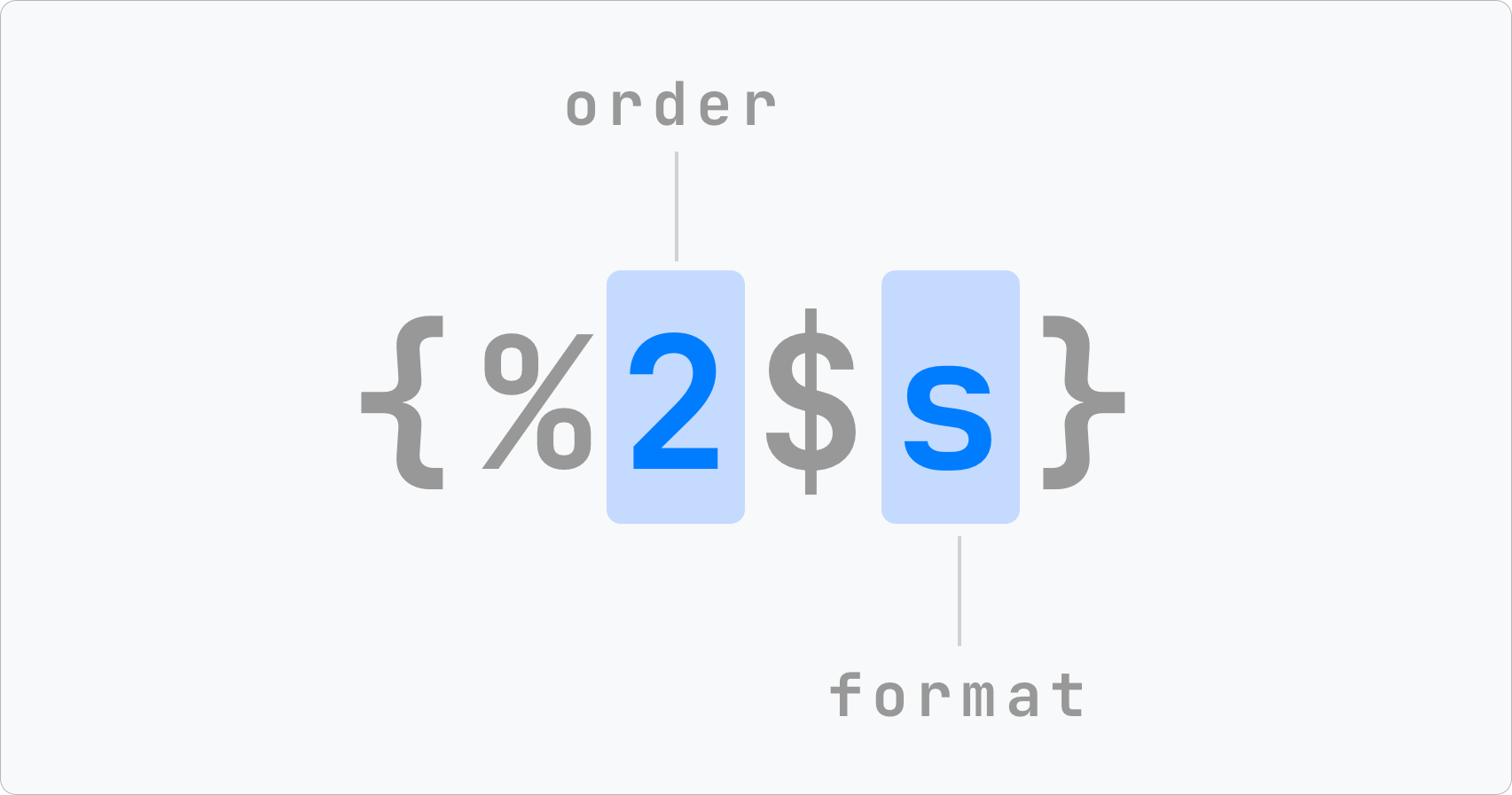
Universal placeholders use curly braces {} around a format specifier with three possible types:
| Type | Symbol | Description | Example |
|---|---|---|---|
| String | s | Text value | {%s} |
| Integer | i | Whole number | {%i} |
| Float | f | Decimal number | {%f} |
Placeholders can also include:
- Positional index -
{%1$s},{%2$i}- to specify the order of arguments - Precision -
{%.2f}- to specify decimal places for floats
Supported file formats
Universal placeholders are currently available for two file formats: Android Strings and Localizable XC Strings.
When you import files in these formats with the UNIVERSAL_PLACEHOLDERS option, native placeholders are converted to the universal format.
When you export to these formats with the same option, universal placeholders are converted back to the native format.
Android Strings
| Android native | Universal placeholder | Description |
|---|---|---|
%s | {%s} | String |
%d | {%i} | Integer |
%f | {%f} | Float |
%1$s | {%1$s} | Positional string |
%1$d | {%1$i} | Positional integer |
%.2f | {%.2f} | Float with precision |
%1$.2f | {%1$.2f} | Positional float with precision |
Learn more about Android Strings format.
Localizable XC Strings
| iOS/macOS native | Universal placeholder | Description |
|---|---|---|
%@ | {%s} | String (object) |
%lld | {%i} | Integer (long long) |
%d | {%i} | Integer |
%f | {%f} | Float |
%1$@ | {%1$s} | Positional string |
%1$lld | {%1$i} | Positional integer |
%.2f | {%.2f} | Float with precision |
%1$.2f | {%1$.2f} | Positional float with precision |
Learn more about Localizable XC Strings format.
Pluralization support
Universal placeholders work with plural forms as well, as they are by default stored in SimpleLocalize as ICU messages, which support the universal placeholder format. When you import a file with plural forms, placeholders inside plural variants are also converted to the universal format.
For example, an Android Strings file:
<plurals name="items_count">
    <item quantity="one">%d item</item>
    <item quantity="other">%d items</item>
</plurals>
is stored in SimpleLocalize as an ICU message with universal placeholders:
{value, plural, one {{%i} item} other {{%i} items}}
When exported to iOS/macOS, the same translation becomes:
{value, plural, one {%lld item} other {%lld items}}
which is then written as XCStrings plural variations with native %lld specifiers.
Plural forms (
zero,one,two,few,many,other) are fully preserved during cross-platform conversion.
How to enable
Universal placeholders are enabled by adding the UNIVERSAL_PLACEHOLDERS option to both import and export.
You need to enable this option on both sides. During import to convert native placeholders to universal format, and during export to convert them back to the target platform's native format.
SimpleLocalize CLI
Import - converts native placeholders to universal format during upload:
simplelocalize upload \
  --apiKey PROJECT_API_KEY \
  --uploadFormat android-strings \
  --uploadLanguageKey en \
  --uploadPath ./values/strings.xml \
  --uploadOptions UNIVERSAL_PLACEHOLDERS
Export - converts universal placeholders to native format during download:
simplelocalize download \
  --apiKey PROJECT_API_KEY \
  --downloadFormat localizable-xcstrings \
  --downloadPath ./Localizable.xcstrings \
  --downloadOptions UNIVERSAL_PLACEHOLDERS
Learn more about upload and download commands.
Cross-platform workflow example
Here is a typical workflow for managing translations across Android and iOS platforms:
1. Import Android source translations
simplelocalize upload \
  --apiKey PROJECT_API_KEY \
  --uploadFormat android-strings \
  --uploadLanguageKey en \
  --uploadPath ./android/res/values/strings.xml \
  --uploadOptions UNIVERSAL_PLACEHOLDERS
2. Translate - translations are stored with universal placeholders, so translators see {%s} and {%i} instead of platform-specific specifiers.
3. Export to Android and iOS
# Android
simplelocalize download \
  --apiKey PROJECT_API_KEY \
  --downloadFormat android-strings \
  --downloadPath ./android/res/values-{lang}/strings.xml \
  --downloadOptions UNIVERSAL_PLACEHOLDERS

# iOS
simplelocalize download \
  --apiKey PROJECT_API_KEY \
  --downloadFormat localizable-xcstrings \
  --downloadPath ./ios/Localizable.xcstrings \
  --downloadOptions UNIVERSAL_PLACEHOLDERS
Migration from native placeholders
If you already have translations with native placeholders in your project, you can migrate them to the universal format by re-importing the source files with the UNIVERSAL_PLACEHOLDERS option and the "Update translations" option checked.
This will convert all native placeholders to the universal format in your existing translations.
You can always go back to native placeholders by importing the same files without the
UNIVERSAL_PLACEHOLDERSoption.
Resources
- Options reference - see all available import and export options
- Android Strings format - Android-specific placeholder details
- Localizable XC Strings format - iOS/macOS-specific placeholder details
- Pluralization - learn more about plural forms in SimpleLocalize
- ICU Message Format - learn about the ICU syntax used for plurals and selectors