Translate XLIFF
1.2 and 2.0 Files
Upload and translate XLIFF 1.2 or XLIFF 2.0 files in a full-featured editor. Use auto-translation, QA checks and export ready-to-use XLIFF files for your localization pipeline.
<?xml version="1.0" encoding="UTF-8"?>
<xliff version="1.2">
  <file source-language="en" target-language="pl" datatype="plaintext" original="messages">
    <body>
      <trans-unit id="welcome_message">
        <source>Welcome to SimpleLocalize</source>
        <target state="final">Witamy w SimpleLocalize</target>
        <note>Shown on homepage</note>
      </trans-unit>
      <trans-unit id="logout">
        <source>Log out</source>
        <target>Wyloguj się</target>
      </trans-unit>
    </body>
  </file>
</xliff>
Why teams use XLIFF for translations
XLIFF (XML Localization Interchange File Format) is a standardized way to exchange localization data between tools, which matters most when a translation agency or CAT tool sits between your codebase and the final translated file. It's also the format Xcode uses for iOS and macOS projects, packaged inside .xcloc files.
XLIFF 1.2 pairs a source and target inside a single <trans-unit>. XLIFF 2.0 splits that into a <unit> holding one or more <segment> elements, and adds inline <ph> and <mrk> markup. SimpleLocalize reads and writes both.
<unit id="greeting">
  <segment>
    <source>Hello, <ph id="1" equiv="username"/>!</source>
    <target>Cześć, <ph id="1" equiv="username"/>!</target>
  </segment>
</unit>
Beyond source and target
What SimpleLocalize keeps from your XLIFF files
SimpleLocalize preserves XLIFF translation data, context, review status, and locked strings through import and export.
Notes as context
The note element under a trans-unit or unit is imported as translator context.
Review status
A state of "final" (or "signed-off" in 1.2, "reviewed" in 2.0) marks a translation reviewed on import.
Locked strings
translate="no" locks a key in the editor in either version, and is preserved on export.
Inline markup preserved
XLIFF 2.0's ph and mrk elements round-trip through import and export unchanged.
End-to-end workflow
Translate an XLIFF file end to end
Import your XLIFF 1.2 or 2.0 file, review and improve translations in our editor, and export the updated XLIFF back to your localization workflow.
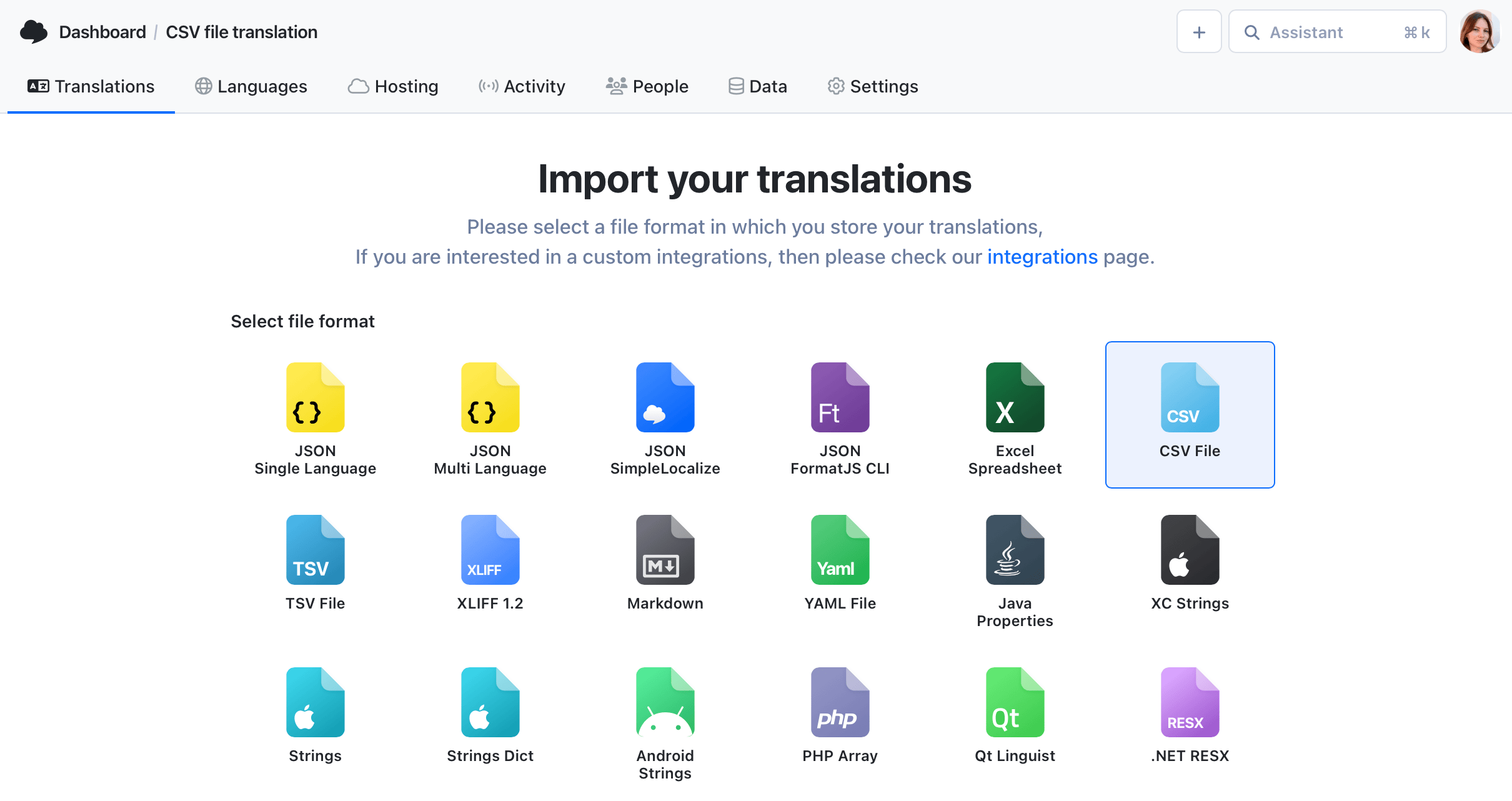
Upload your XLIFF file
1Import your XLIFF 1.2 or 2.0 files directly to SimpleLocalize. We preserve translation units, notes and file metadata where supported, whichever version you use.
- Supports inline XML tags, placeholders and notes
- Preview imported translations before finalizing
- Map source and target languages automatically when possible
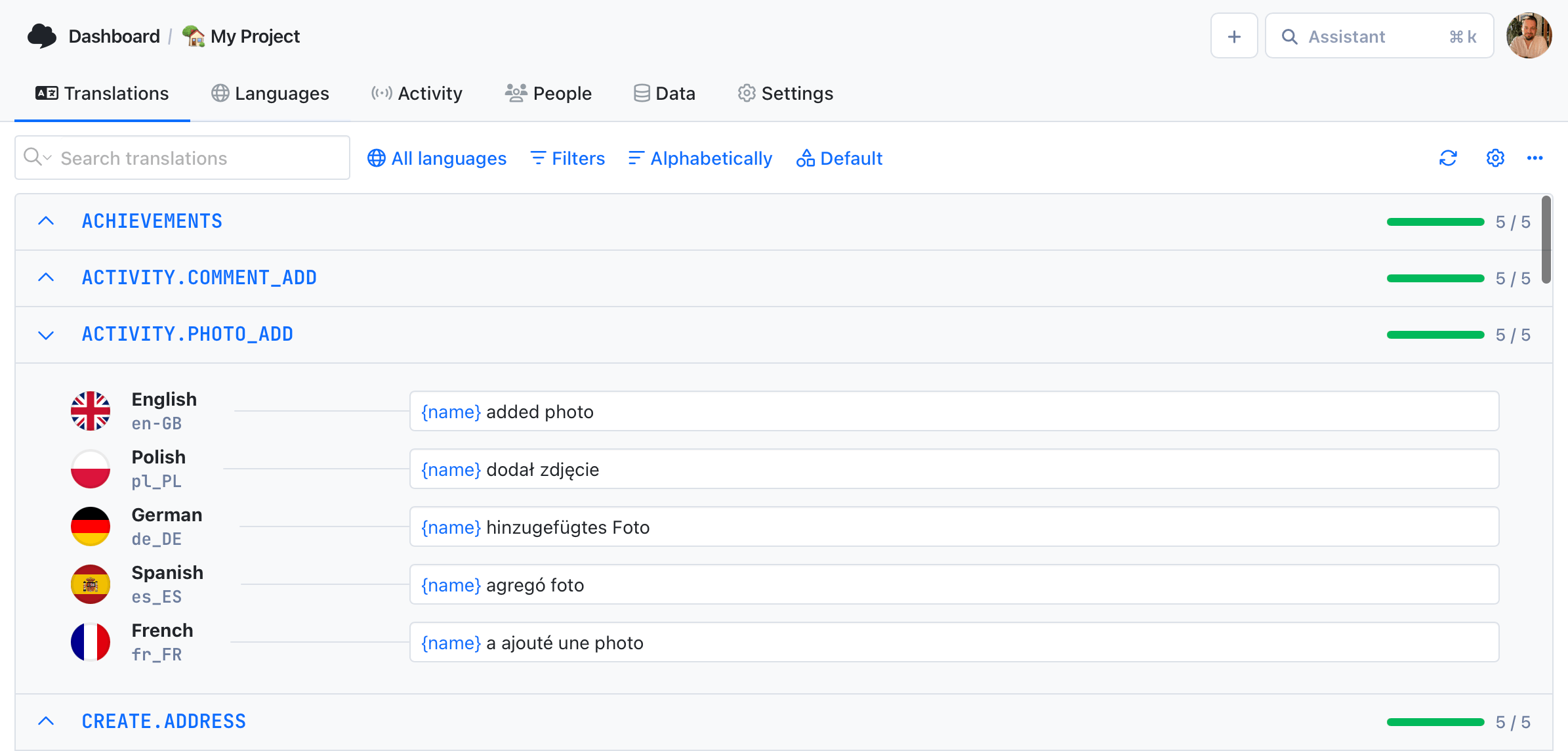
Edit & improve translations
2Use our translation editor to review translations, apply QA checks, and run auto-translation to speed up work.
- Run QA checks to catch formatting and placeholder issues
- Use translation memory to reuse previous translations
- Invite team members and leave contextual notes
<?xml version="1.0" encoding="UTF-8"?>
<xliff version="1.2">
  <file source-language="en" target-language="pl" datatype="plaintext" original="messages">
    <body>
      <trans-unit id="welcome_message">
        <source>Welcome to SimpleLocalize</source>
        <target state="final">Witamy w SimpleLocalize</target>
        <note>Shown on homepage</note>
      </trans-unit>
      <trans-unit id="logout">
        <source>Log out</source>
        <target>Wyloguj się</target>
      </trans-unit>
    </body>
  </file>
</xliff>
Export updated XLIFF
3Export your translations back to the same XLIFF version you uploaded, preserving the structure and inline tags so you can feed them back into your localization workflow.
- Choose which languages to export
- Include notes and placeholders as needed
- Use the CLI or API for automation
For developers
A localization platform,
fluent in both XLIFF versions
Whichever version your CAT tool exports, SimpleLocalize reads the parts that keep review status and locked strings intact.
1.2 and 2.0, both supported
Upload a trans-unit-based 1.2 file or a unit/segment-based 2.0 file, no conversion step needed beforehand.
Review status round-trips
A segment or target's state attribute marks a translation reviewed on import and exports the same way, so review progress survives the trip.
Locked strings respected
A translate="no" unit or trans-unit stays locked in the editor and locked again on export.
CLI and REST API
Upload and download XLIFF files from the CLI with xliff:1.2 or xliff:2, or automate the same logic through the REST API.

More conversions
Convert XLIFF to other formats
Free online converter, no account required. Upload an XLIFF 1.2 or 2.0 file and download it in the format you need.

Start translating XLIFF files
- XLIFF 1.2 and XLIFF 2.0, both supported natively
- Notes, review status and locked strings preserved
- Auto-translation with DeepL, Google, OpenAI, Claude and Gemini
"The product
and support
are fantastic."
"The support is
blazing fast,
thank you Jakub!"
"Interface that
makes any dev
feel at home!"
"Excellent app,
saves my time
and money"
Related articles
Learn more about XLIFF, import/export and best practices
Mastering XLIFF files: How to manage & translate them
Learn what XLIFF files are, how they work, and how to easily manage and translate them using SimpleLocalize. Includes examples, best practices, and real-world workflows for developers and localization teams.
Frequently asked questions about XLIFF files
What is XLIFF and why use it?
XLIFF (XML Localization Interchange File Format) is a standardized XML format designed for exchanging localization data. It's especially useful when a translation tool or agency sits between your codebase and the final file, and it's widely used in CAT tools and frameworks like Angular, Ionic or Xcode.
Should I use XLIFF 1.2 or XLIFF 2.0?
Use whichever version your CAT tool, agency or framework already exports. SimpleLocalize reads and writes both, so the choice does not need to be made for our sake. XLIFF 2.0 has a stricter unit/segment structure and native inline placeholder support, while 1.2 remains the more common default in older tooling.
Does SimpleLocalize preserve review status?
Yes, for both versions. A state of "final" or "signed-off" (XLIFF 1.2) or "final" or "reviewed" (XLIFF 2.0) sets the translation status to reviewed on import, and reviewed translations export back with state="final".
Can I lock specific strings from translation?
Yes. A trans-unit (1.2) or unit/segment (2.0) with translate="no" is locked in the editor on import, and the same attribute is written back on export.
Do these features work for older XLIFF 1.2 projects too?
Review status, context groups, resname and the translate attribute export correctly by default for XLIFF 1.2 projects created after April 10, 2026. For older projects, enable the XLIFF_12_VERSION_2 upload/download option to get the same export behavior.
Are inline placeholders like <ph> and <mrk> supported?
Yes. XLIFF 2.0's ph and mrk elements are preserved during import and export, so inline placeholders and marked spans stay intact.
Do I need a subscription to auto-translate XLIFF files?
No, SimpleLocalize offers one-time purchase options to auto-translate XLIFF files up to certain limits, and you can also use your own API keys from providers like Google Translate, OpenAI or DeepL for auto-translation without extra costs.