Environment-based localization: Managing translations across dev, staging, and production

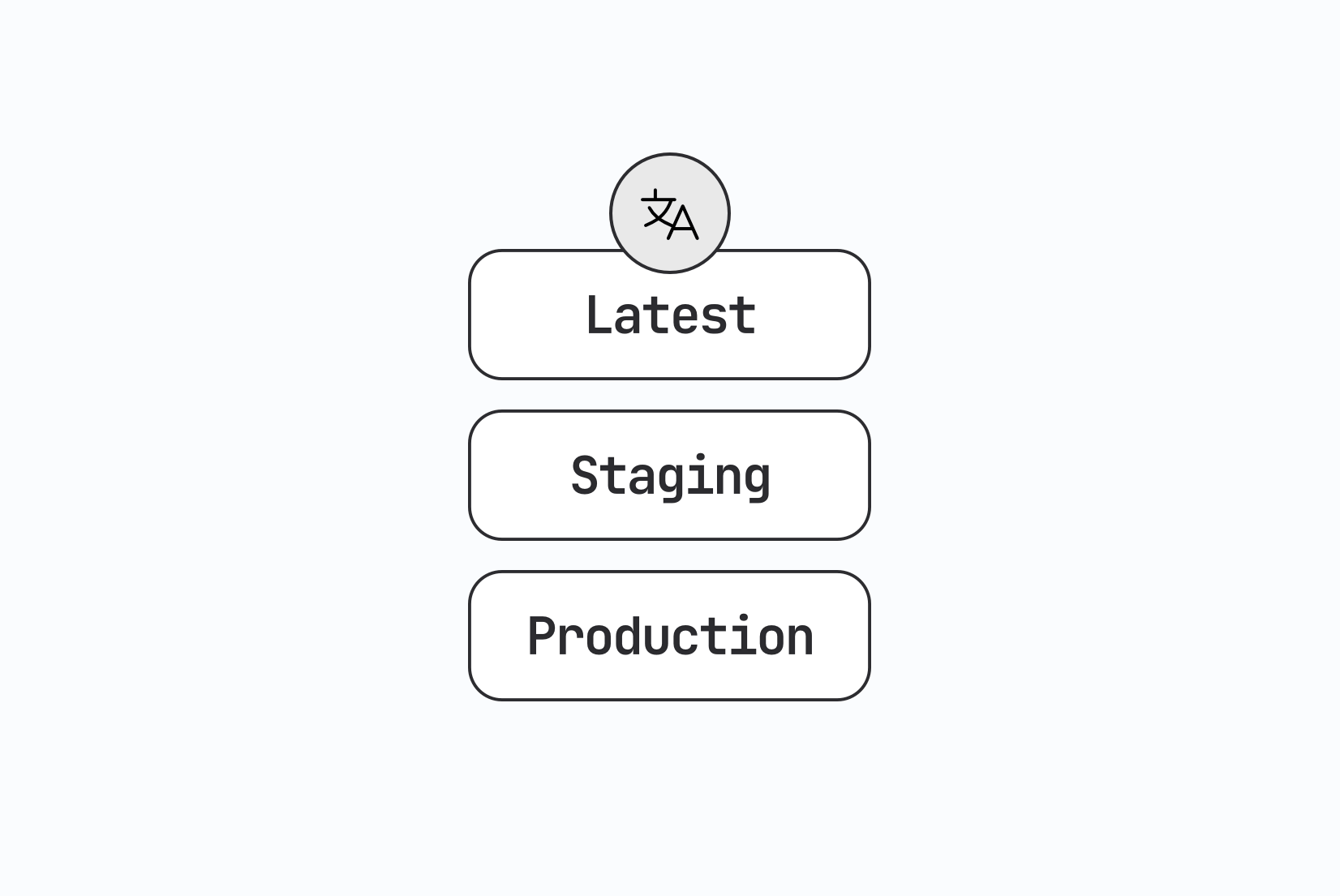
A broken translation in development is just a reminder to fix something. The same broken translation in production is something a real user will see. That's the core reason localization needs to behave differently depending on where your application is running.
Most teams already treat their application environments (dev, staging, production) as separate spaces with separate databases, separate feature flags, and separate deploy gates. Translations deserve the same separation, but a lot of teams skip it and publish one set of strings everywhere. This post covers how to set up environment-based localization properly: what should differ between environments, how to structure the pipeline, and sample workflows for small teams, CI/CD-driven teams, and teams running progressive rollouts.
Why one shared translation state doesn't work
Imagine a single environment where every change from the translation editor is immediately live, and every developer or translator sees the exact same content whether they're testing locally or a customer is checking out.
A few problems show up quickly:
- A translator fixes a typo, and it goes live to production before anyone has reviewed the surrounding context
- A developer adds ten new keys for a feature that's still behind a flag, and untranslated placeholders appear in the staging build that QA is testing that day
- Someone tests a partial translation for a new language, and it accidentally becomes visible to real users through a shared CDN URL
None of these are catastrophic on their own, but they compound. Once a team has been burned by an accidental publish reaching real users, they usually start asking for separate environments the same week.
What should differ between dev, staging, and production
Each environment has a different job, and the localization setup should reflect that.
Development
Missing translation keys should be loud here, not silent. Show the raw key name, a highlighted placeholder, or a console warning so a developer notices immediately that a string wasn't translated instead of finding out from a bug report weeks later. Cache times should be short or disabled entirely, so a change made in the editor shows up on the next page reload.
Staging
Staging should look close to what production will look like, including pre-release translations for features still under review. This is where translators and QA validate real content before it reaches customers. Missing keys here are worth surfacing too, but with less noise than in development, since the goal is catching gaps before release, not debugging every string as it's typed.
Production
Only reviewed, approved translations should reach this environment. Missing keys should fall back quietly, usually to the source language, but that fallback should be logged and monitored. A silent, tracked fallback is a normal part of a healthy system. An untracked one is localization debt that nobody notices building up until a customer flags it.
This pattern mirrors how the technical i18n guide describes missing key handling in general, applied specifically to the environment layer.
Environments in SimpleLocalize's Translation Hosting
Translation Hosting in SimpleLocalize ships with two default environments out of the box: _latest and _production.
- Latest is where translations land automatically after they're published from the editor. It has a short cache time, so changes show up quickly, which makes it the natural fit for development and early testing.
- Production is meant to hold translations that are ready for real users. It has a longer cache time and is tuned for production traffic, not for rapid iteration.
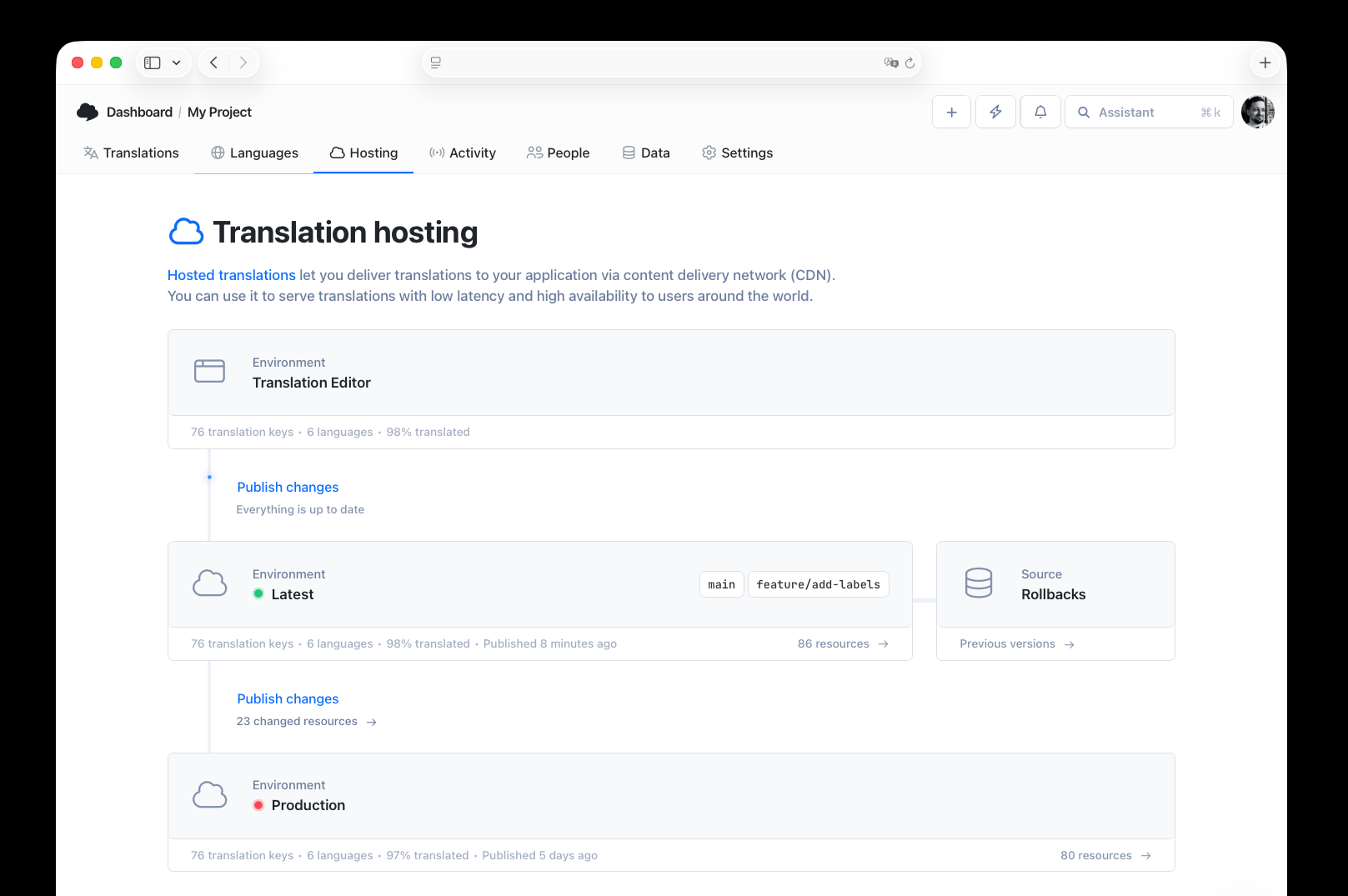
Each environment has its own key, used in the CDN URL and in CLI or API calls, so your application code simply points at the environment key that matches where it's running:
https://cdn.simplelocalize.io/{projectToken}/_latest/en/common.json
https://cdn.simplelocalize.io/{projectToken}/_production/en/common.json
If two environments aren't enough (and for most teams running staging deploys, they aren't), you can add custom environments from the Hosting settings. A common setup is staging, sitting between Latest and Production, where a QA team validates translations before they get promoted further.
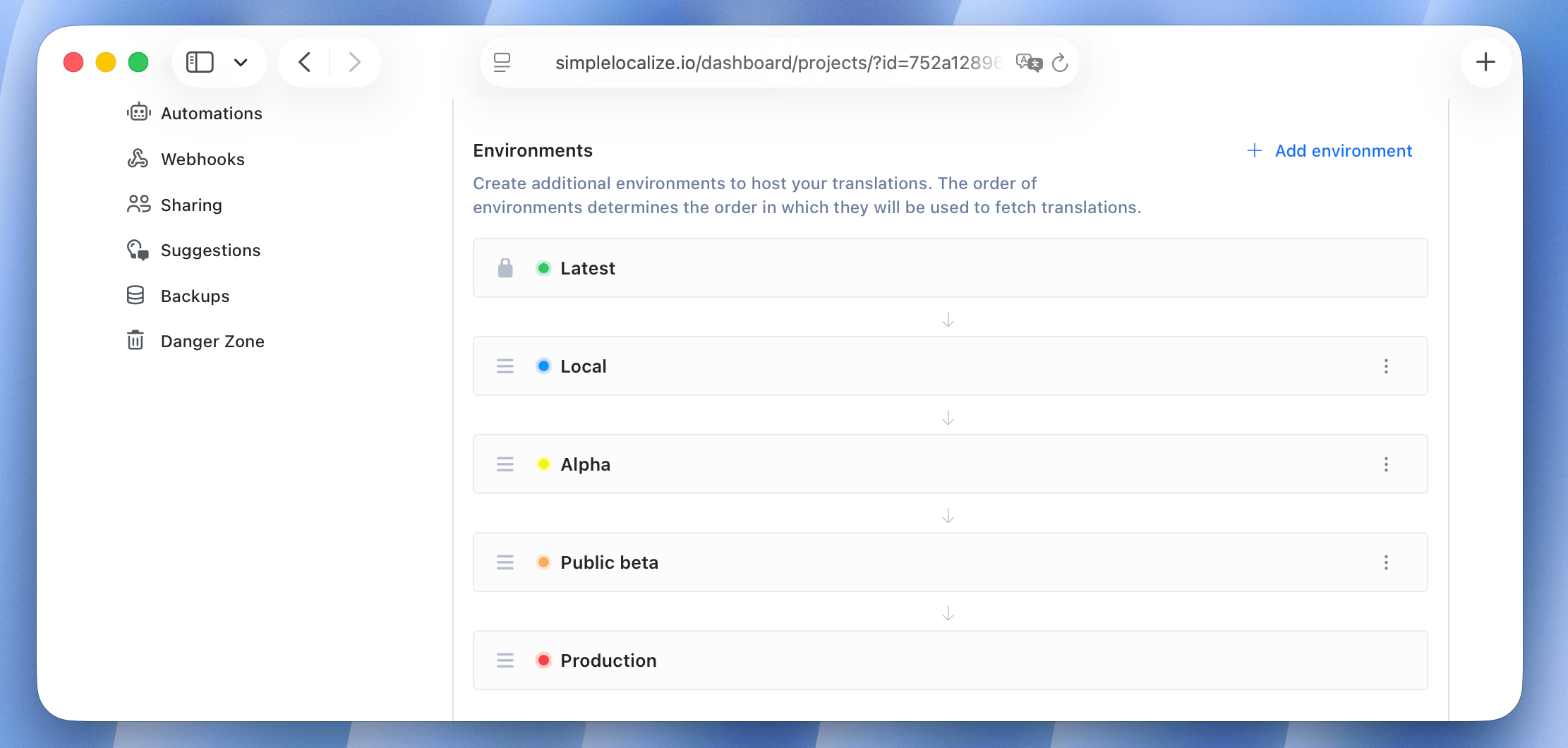
One detail worth remembering: publishing from the editor always targets the first environment in your list (Latest, by default). Getting a translation into Production or a custom environment requires an explicit promotion step, either from the editor or through the API. That's intentional. It means nothing reaches production without someone (or some pipeline step) deciding it's ready.
You can also compare environments to see which resources changed between Latest and Production before promoting anything, which is a useful check before a release.
Workflow 1: Small team, two environments
For a small team shipping a web app with a straightforward release cycle, two environments usually cover it.
- Developers add new keys to the codebase and push them to SimpleLocalize with the CLI as part of a feature branch
- Translations get done or auto-translated, then published to Latest
- The app's staging or preview deploy points to the Latest environment, so the team reviews new strings in context
- When the release is approved, translations are promoted from Latest to Production through the Hosting tab or API
- The production app fetches from the Production environment key, which has a longer cache time and won't shift until the next promotion

This keeps things simple: one review step, one promotion step, and no risk of a half-finished translation showing up for a paying customer.
Workflow 2: CI/CD-driven teams with a staging gate
Larger teams with a proper CI/CD pipeline usually want the environment promotion tied to their deploy pipeline instead of a manual dashboard click.
A typical setup with a custom staging environment and GitHub Actions, using the official simplelocalize/github-action-cli:
# .github/workflows/deploy-staging.yml
name: Deploy to staging
on:
  push:
    branches: [develop]

env:
  cli-version: '2.5.1'

jobs:
  publish-and-deploy:
    runs-on: ubuntu-latest
    steps:
      - uses: actions/checkout@v4

      - name: Publish translations to staging
        uses: simplelocalize/github-action-cli@v3
        with:
          api-key: ${{ secrets.SIMPLELOCALIZE_API_KEY }}
          command: 'publish'
          cli-version: ${{ env.cli-version }}
          args: '--environment staging'

      - name: Pull staging translations into the build
        uses: simplelocalize/github-action-cli@v3
        with:
          api-key: ${{ secrets.SIMPLELOCALIZE_API_KEY }}
          command: 'pull'
          cli-version: ${{ env.cli-version }}
          args: '--pullPath ./translations/ --environment staging'

      - name: Deploy app to staging
        run: ./deploy.sh staging
# .github/workflows/deploy-production.yml
name: Deploy to production
on:
  push:
    branches: [main]

env:
  cli-version: '2.5.1'

jobs:
  promote-and-deploy:
    runs-on: ubuntu-latest
    steps:
      - uses: actions/checkout@v4

      - name: Promote reviewed translations to production
        uses: simplelocalize/github-action-cli@v3
        with:
          api-key: ${{ secrets.SIMPLELOCALIZE_API_KEY }}
          command: 'publish'
          cli-version: ${{ env.cli-version }}
          args: '--environment _production'

      - name: Pull production translations into the build
        uses: simplelocalize/github-action-cli@v3
        with:
          api-key: ${{ secrets.SIMPLELOCALIZE_API_KEY }}
          command: 'pull'
          cli-version: ${{ env.cli-version }}
          args: '--pullPath ./translations/ --environment _production'

      - name: Deploy app to production
        run: ./deploy.sh production
Changing which environment gets built simply means changing the --environment value in the args field, no other part of the pipeline has to change. The GitHub App can handle the key-extraction and pull-request side of this, opening a summary of new or changed keys whenever code lands on develop, so reviewers see exactly what's about to move through staging before it's promoted to production.
For teams that want a broader look at wiring CI/CD into localization generally, the continuous localization guide covers the pipeline patterns this workflow builds on, and the step-by-step developer workflow guide walks through CLI setup in more depth.
Workflow 3: Progressive rollout with feature flags
Some releases need translations available before a feature is fully turned on for everyone. A checkout redesign might be built and translated weeks before it ships to 100% of users.
In this case, environment promotion and feature flag state need to move together, not independently:
- New keys for the feature are pushed to Latest and translated while the feature sits behind a flag
- Translations are reviewed and promoted to
staging, where the feature flag is enabled for internal testers only - Once translations for all target languages are complete and QA has signed off, the feature flag rolls out gradually (10%, 50%, 100%) while translations are already sitting in Production
- If a language lags behind (say, Japanese translations aren't ready when German and French are), that language can stay on English fallback for the feature specifically, without blocking the rollout for other languages
The key principle here: incomplete translation states should be visible and intentional, not accidental. If a language isn't ready, the team should know it and have decided to accept the fallback, rather than discover it after a support ticket comes in. Managing this alongside actual releases connects closely with tag-based translation versioning, since tags make it possible to track which keys belong to which release and hold back a specific batch if needed.
Keeping environment configuration out of application code
However you split up environments, avoid hardcoding environment keys directly into components. Reading them from environment variables keeps the same build deployable across dev, staging, and production without a code change:
NEXT_PUBLIC_TRANSLATION_ENV=production
NEXT_PUBLIC_FALLBACK_LOCALE=en
The application then reads NEXT_PUBLIC_TRANSLATION_ENV at build or request time and constructs the CDN URL or API call for the matching environment key. This is a small detail, but it's the difference between promoting translations with a single pipeline step and needing a redeploy every time an environment changes.
Automating cache invalidation with webhooks
Longer cache times in Production are good for performance, but they mean a promoted translation might not show up instantly. Webhooks close that gap: when translations are published or promoted to an environment, SimpleLocalize can notify your application (or your CDN, or a Slack channel) so a cache invalidation runs automatically instead of waiting for the cache to expire on its own.
A simple flow:
- Translations are promoted to Production
- A webhook fires to an endpoint on your infrastructure
- That endpoint invalidates the CDN cache or triggers a small revalidation job
- The next request for that locale gets the freshly promoted content
This decouples "translations are ready" from "translations are visible", while still keeping the delay close to zero.
Testing across environments
Environment separation only pays off if testing actually happens at each stage. A few practical checks worth running:
- Run pseudo-localization in development to catch hardcoded strings and layout issues before real translations exist
- Check for missing keys in CI before promoting to staging, so incomplete languages are caught before a human reviewer has to notice manually
- Treat staging as the environment where a translator or reviewer signs off on content in context, not just in a spreadsheet
- Monitor fallback rates in production; a sudden spike usually means new keys shipped without translations, or a promotion step was skipped
Common mistakes teams make with environments
- Publishing straight to production from the editor. Without a staging gate, typos and unreviewed machine translations reach customers directly.
- Using the same cache time everywhere. Long production-grade caching in development makes it look like changes aren't working, which wastes debugging time on a non-issue.
- Treating missing keys the same way in every environment. A loud warning in development is good. The same loud warning showing up as visible text to a customer in production is a bug.
- Forgetting to promote translations as part of the release, not after it. If translation promotion is a manual afterthought disconnected from the deploy pipeline, it's easy to ship a release with a stale translation state.
Conclusion
Environment-based localization is a small addition to your deployment setup that prevents a specific, recurring failure: translations reaching users before anyone meant them to. Two environments (Latest and Production) cover most small teams. Adding a staging environment and tying promotion to your CI/CD pipeline covers teams shipping more frequently or coordinating feature rollouts. What matters most is that missing keys behave differently depending on where they show up, and that moving a translation from "in progress" to "live" is always a deliberate step.
For the wider picture on how this fits into an automated translation pipeline, see the continuous localization guide, and for how CI/CD checks and translation quality connect more broadly, see how to control translation quality with QA checks and review statuses.