What is pseudo-localization? A practical guide for localization testing

If you've ever launched a global product or app, you know that localization can get tricky very fast. One small translation issue can lead to broken layouts, unreadable UI, or confusing customer experiences. Pseudo-localization is one of the practical testing techniques covered in our complete technical guide to internationalization and software localization — sitting alongside topics like RTL layout, text expansion, and Unicode pitfalls.
Before you even think about sending strings to translators, it's a powerful technique that can save you from a long list of internationalization headaches.
In this guide, we'll walk through what pseudo-localization is, why it matters, and how teams use it to ship global-ready products with confidence.
TL;DR: Pseudo-localization transforms text to test UI layouts, placeholders, and encoding before real translations. Use it early in development, simulate text expansion, RTL, and accented characters, and always complement with real translations for final QA.
What is pseudo-localization?
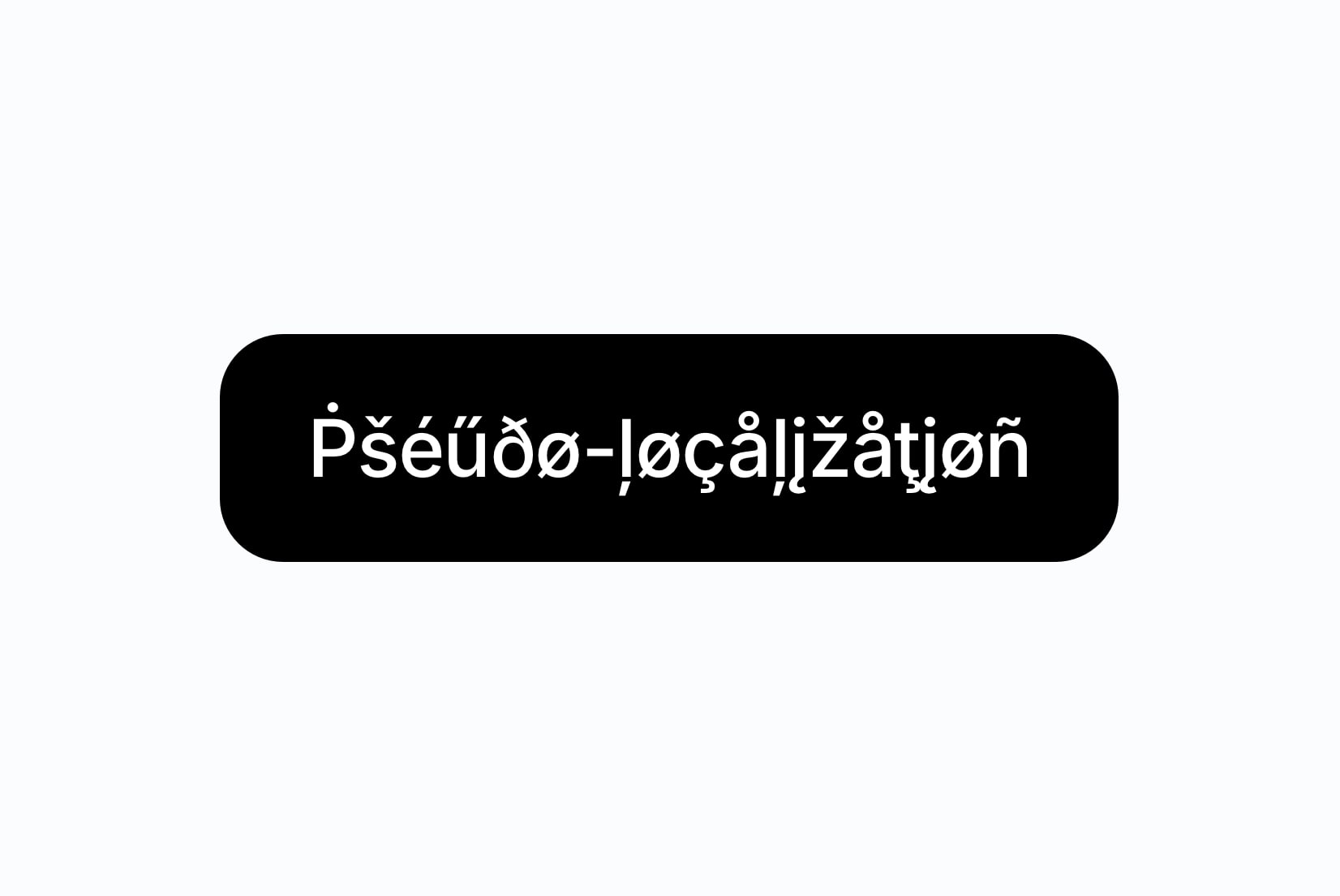
Pseudo-localization (also known as pseudolocalization or pseudo-translation) is a testing technique where your app's text is replaced with artificially modified versions that mimic real translations. Instead of translating "Book now" button text into dozens of languages, pseudo-localization might turn it into:
Book now > [!!! ßööķ ʼnøŵ !!!]
The modified text includes special characters, accents, extra length, and different writing patterns before actual translations come in. This simulates how real translations will look and behave in the UI.
Pseudo-localization is not about translating content for users. It's about testing your app's ability to handle different languages and scripts early in the development process.
Why pseudo-localization is so effective
Here's what a good pseudo-localization test can do for your localization efforts:
Detect text expansion problems
Some languages expand or contract text length significantly:
- English to German: +30%
- English to French: +20%
- English to Spanish: +25%
- English to Chinese: -30%
Percentages vary by context, but these are common averages for UI strings.
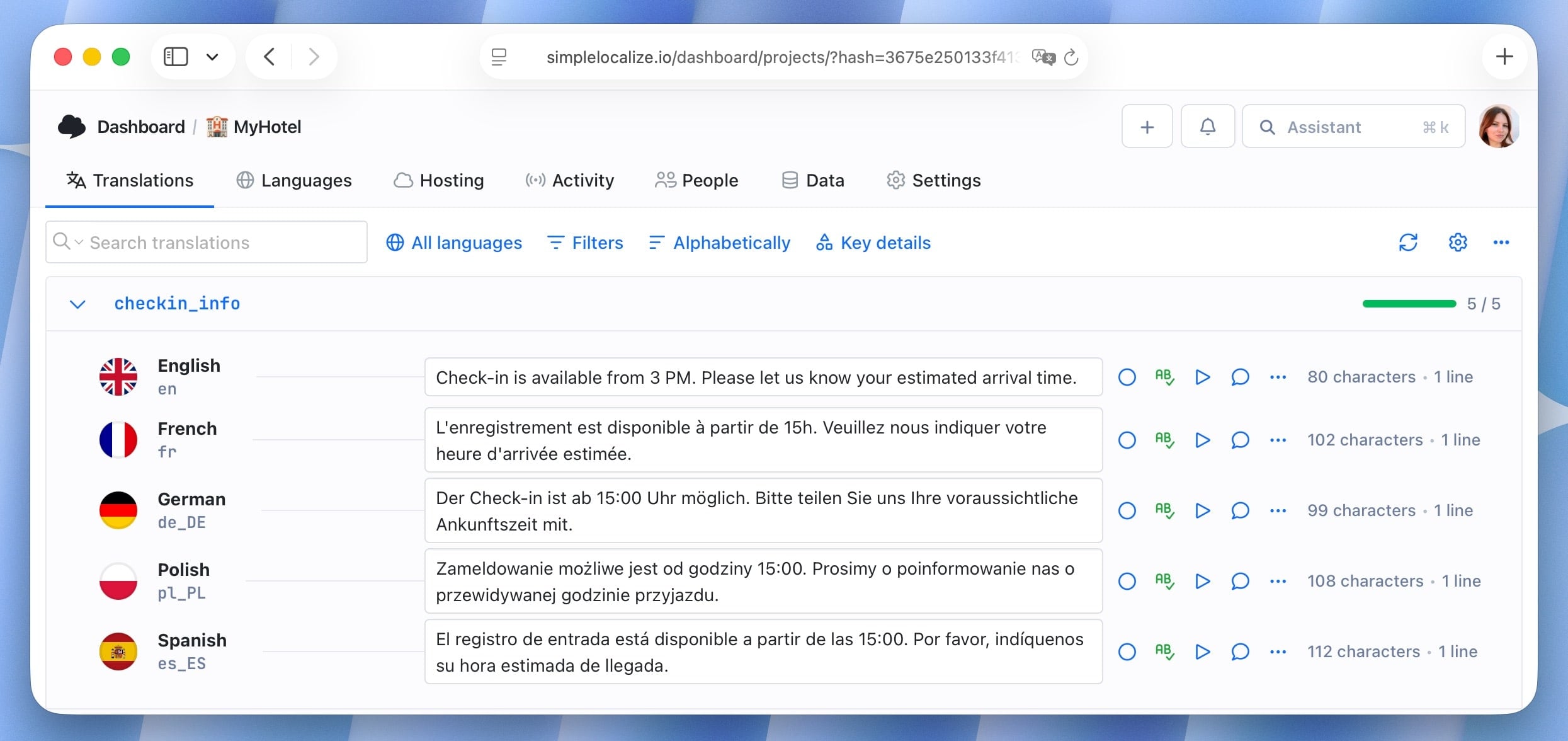
If your "Login" button barely fits in English, a pseudo-localized version like "Łôğįññññ" will immediately show you if the design needs flexibility. For language-specific expansion rates and the CSS patterns that handle them, see Why text expansion breaks your UI and how to fix it. Character limits also become critical when feeding UI strings to machine translation engines, as those engines have no awareness of layout constraints. For more on how character limits and other context gets lost in translation, see our post on UI string translation challenges.
Reveal character encoding issues
Characters like ç, ñ, ś, ø, ł, β, д, 你 can quickly show whether your fonts and components support Unicode properly. If your pseudo-localized text displays correctly, you're likely in good shape for real translations.
Identify hard-coded or missing strings
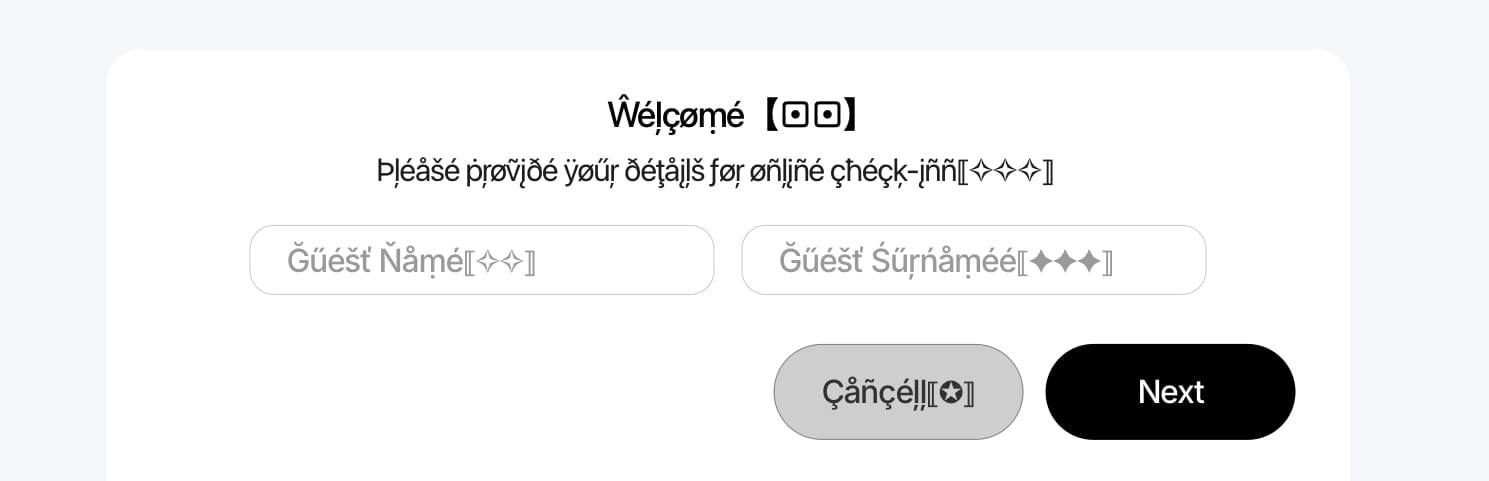
If “Guest” shows as “Guest” instead of “Ǥűëšţ” in pseudo-localization, that's a red flag; it means the word is hard-coded and won't be translated in real languages either.
Test layout adaptability
If your pseudo-localized text includes mirrored characters or RTL markers (like Unicode RTL override characters), you can check whether your layout adapts correctly for languages such as Arabic or Hebrew.
Validate placeholders and variables
Pseudo-localization reveals broken placeholders and malformed interpolation patterns. If you see Welcome, {userName}! turn into Wëłçőmę, {userName}!!!, you know your placeholders are intact.
Save time before translations begin
Teams don't have to wait for actual translations to uncover major problems. You can catch most issues in development or staging.
Examples of pseudo-localization in action
Here are some simple examples to illustrate common issues it helps uncover:
Example 1: Button text overflow
Original: Submit
Pseudo-localized: Šûƀmįţţţţ
If the button suddenly stretches or text spills outside, you've found a UI constraint that needs fixing.

Example 2: Broken labels or icons
Original: Search
Pseudo-localized: Šęåŗčĥħħ
If icons shift or alignment breaks, your design wasn't ready for longer text.

Example 3: Missing translations
If your UI shows mostly transformed text but one element still appears as Next, it's likely hard-coded or missing from your localization files.
Example 4: Placeholder issues
Original: Hello, {userName}!
Good pseudo-localized result: Hęłłő, {userName}!!!
Bad pseudo-localized result: Hęłłő, {user name}!!! (placeholder broken)
The placeholder changed shape (a space appeared), meaning the pseudo-localization process mistakenly modified it. This indicates that your placeholder format isn't properly protected or escaped.
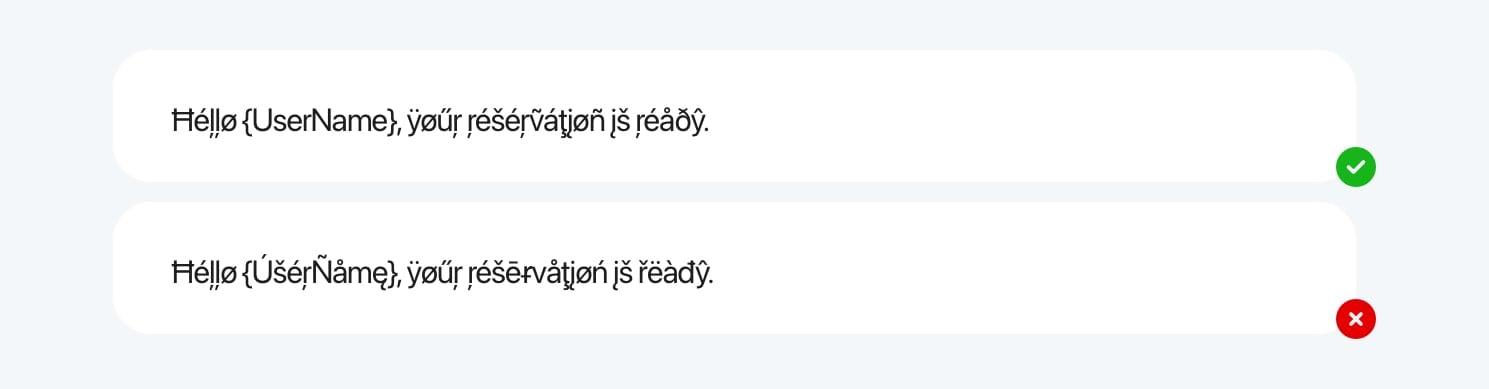
Pseudo-localization exposes these problems instantly.
How to implement pseudo-localization in SimpleLocalize
In SimpleLocalize, pseudo-localization is available as a translation provider for auto-translation. That means you can create a dedicated test language and generate pseudo-localized content automatically, without custom scripts.
Here's a practical workflow:
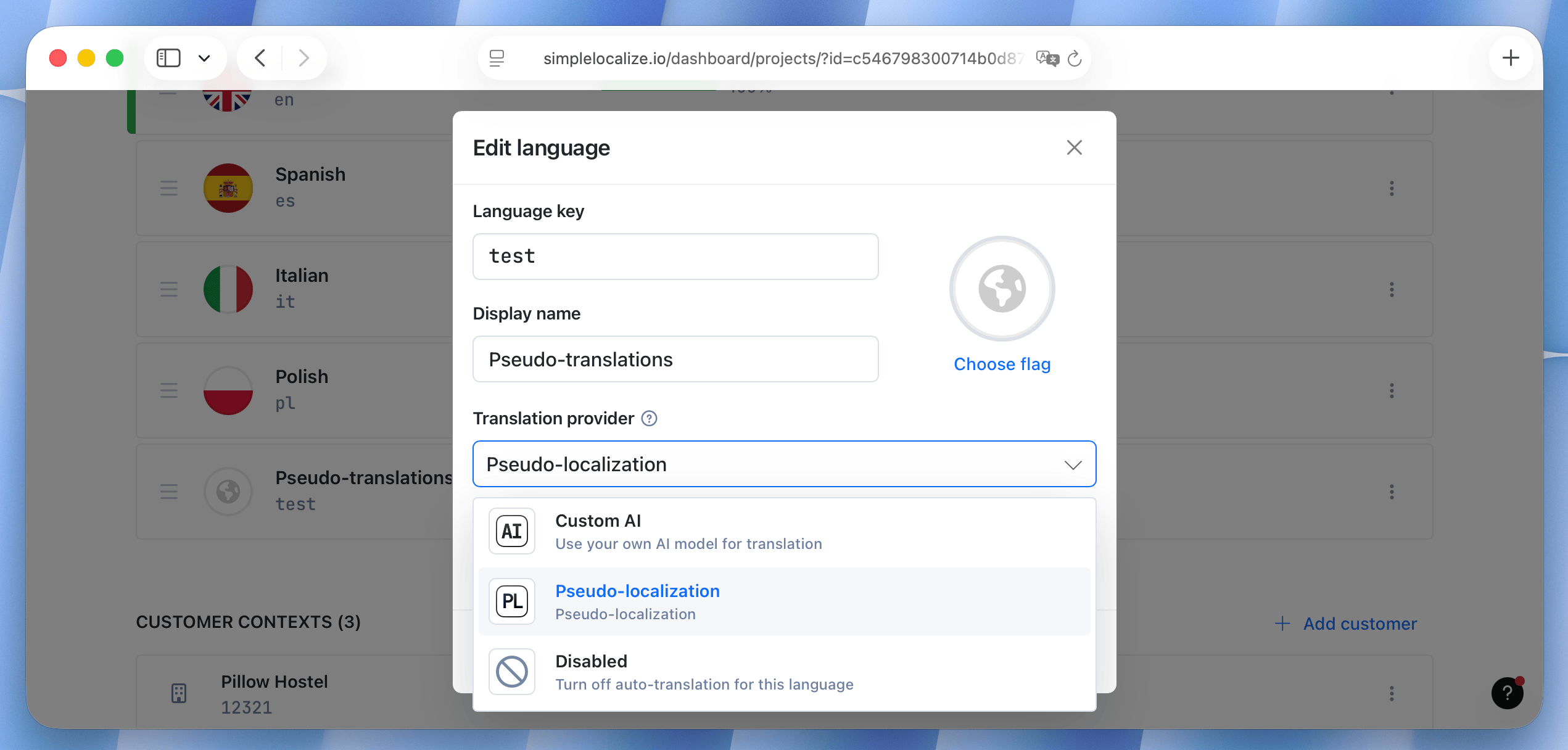
1. Create a custom pseudo language
Create a language used only for testing. Add a custom language key and display name. Choose "Pseudo-localization" as the translationprovider.
2. Run auto-translation for that language
When you run auto-translation, SimpleLocalize will generate pseudo-localized text automatically for all selected keys.
You can:
- pseudo-localize the entire project by running auto-translation for the full language
- generate pseudo-localized versions for selected namespaces, keys, or translations
- repeat the same process for additional pseudo test languages with different strategies
3. Validate quality and i18n safety
SimpleLocalize highlights issues like placeholder mismatches automatically via automated QA checks. It checks placeholder integrity so pseudo-localization never accidentally modifies variables. This is one of the fastest ways to catch i18n bugs.
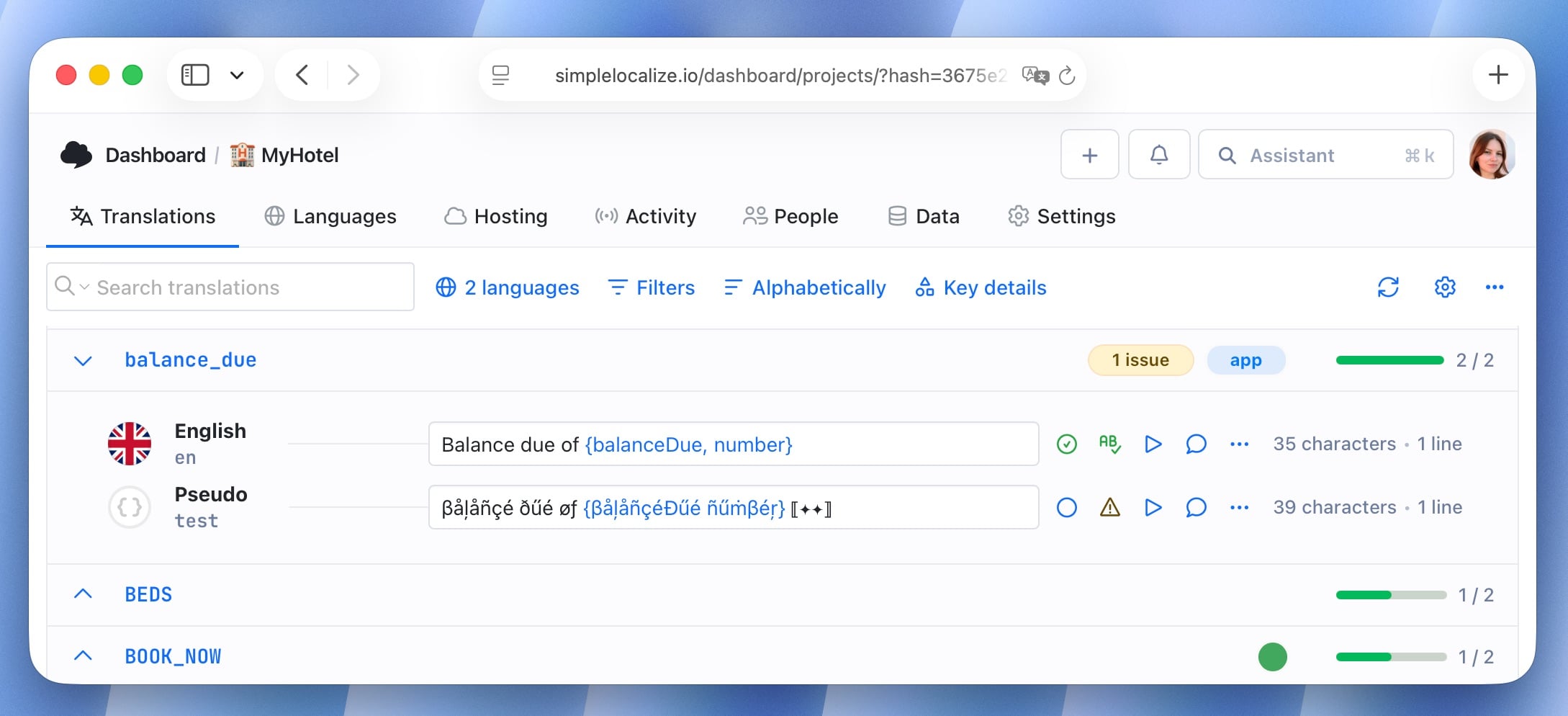
Learn more about QA in localization projects.
Integrate with your stack
No custom tools required. SimpleLocalize integrates with GitHub, CLI, CDN delivery, API, translation files in your repo, and more.
That means you can load the pseudo-localized language into your local environment or staging app just like any other language. Switching languages during development instantly reveals issues like overflow, alignment bugs, or broken fonts.
For teams validating pseudo-localization across multiple deploy stages, this environment-based localization guide explains how to map translation states cleanly across dev, staging, and production.
Preview pseudo-localization live
With SimpleLocalize's In-context Editor, you can see pseudo-localized text directly in your running application. This gives you a real-time view of how layouts adapt and whether any issues arise during actual usage. It's a great way to validate your localization readiness in a live environment without deploying separate builds.
Common pseudo-localization mistakes
While pseudo-localization is straightforward, here are some pitfalls to avoid:
- Relying solely on pseudo-localization. It's a great first step, but real translations can still reveal unexpected issues.
- Over-testing with too many decorative characters (unrealistic). Keep it believable to simulate real-world scenarios.
- Ignoring mobile or responsive views. Always test across different screen sizes.
- Not protecting placeholders before transformation. Ensure your pseudo-localization tool respects variable syntax.
- Assuming pseudo-RTL is a perfect substitute for true RTL testing. Always validate with real RTL languages later.
Best practices for pseudo-localization
Here are some simple ways to get the most out of pseudo-localization:
- Include accented and extended characters. This reveals font and rendering problems.
- Simulate text expansion. Add 20-40% extra length to see if layouts adapt.
- Test early, preferably in CI/CD. Catching issues in development is far cheaper than fixing them after translations.
- Try an RTL pseudo-localization pass. If you plan to support Arabic or Hebrew, simulating RTL early helps avoid layout surprises.
- Don't forget mobile views. Small screens reveal problems faster than desktop.
When NOT to use pseudo-localization
Pseudo-localization is a great early testing tool, but it's not suitable for every scenario:
- Final translation QA: It cannot check grammar, meaning, or cultural accuracy.
- Production environments: Never show pseudo-localized text to real users.
- Non-text elements: Images, icons, or multimedia need separate testing.
- Performance testing at scale: Real translations give more accurate results.
- Overuse: Use it early in development—not repeatedly at later stages.
Conclusion
Pseudo-localization is simple to enable, fast to run, and incredibly powerful. It helps teams:
- fix UI issues before they become expensive
- detect missing or hard-coded strings
- ensure layouts are translation-proof
- build truly international-ready products
Pseudo-localization doesn't replace real translations, but it ensures you're ready for them.
With tools like SimpleLocalize, integrating pseudo-localization into your development process takes minutes, but saves hours (or days) of debugging later.
Learn more
- SimpleLocalize documentation
- UI tips for localization
- Step-by-step localization workflow for developers
- Localization tips and tricks
- AI-powered localization workflows