How to choose the right TMS for continuous localization

Continuous localization has moved from a nice to have to a requirement for software teams that ship updates rapidly. When product releases are frequent and global audiences are expanding, your localization process must keep pace. The right Translation Management System (TMS) becomes the backbone of your workflow. This is especially true for SaaS teams, product-driven companies, and developers working with CI/CD pipelines.
This guide helps you choose a TMS when continuous localization matters, with concrete criteria, examples, and technical insights.
What continuous localization really means
Continuous localization is ongoing translation and quality updates that run in parallel with your development cycle and release pipeline. There's no waiting until the end of a release sprint to start translations. Instead, new content goes into translation as soon as it lands in your code or content repository.

This requires:
- Automated triggers for translation jobs
- Quick turnaround for edits and updates
- Tight integration with development workflows
If your localization process still runs manually or in batch at release time, you'll face delays and quality gaps.
Learn more in our guide to continuous localization.
Core requirements for a continuous localization TMS
There are many TMS options available, but not all are built for continuous localization. First, learn more about what a Translation Management System (TMS) is and its role in localization workflows.
When evaluating TMS platforms for continuous localization, focus on these core requirements:
Integration with dev tools
A TMS should integrate with:
- Git platforms (GitHub, GitLab, Bitbucket)
- CI/CD systems and pipelines (GitHub Actions, GitLab CI, etc.)
- Content repositories

Example: When a developer commits a new UI key in your React app, the TMS automatically creates translation tasks through version control hooks. There is no need to export and email files manually.
This allows localization to run as part of the same automation pipeline as builds and deployments.
Automation of translation tasks
Look for:
- Automatic extraction of source text
- Dispatch to translators
- Import of completed translations back into your codebase
Automation eliminates manual file handling and minimizes risks of outdated translations. It also ensures translations are always aligned with the exact version of the code being released.
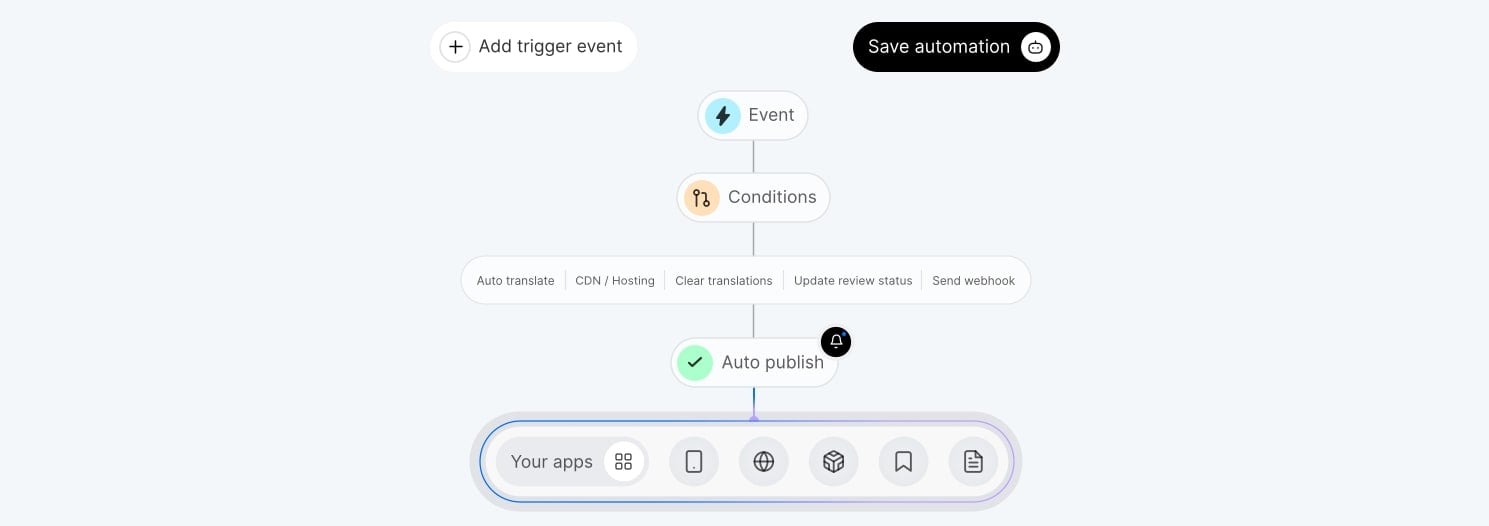
Support for translation memory and glossaries
Translation Memory (TM) ensures repeated or similar content gets reused. Glossaries enforce consistent terminology across languages.
This matters most in products with:
- Technical vocabulary (e.g., SaaS platforms)
- Brand terms
- Legal or regulatory copy
Real-time previews and context
Translators and MT or LLM-based tools produce higher-quality output when they see what they are translating in context. A strong TMS provides:
- UI previews (e.g. in-context editors)
- Screenshots
- Descriptions of where text appears
- Prompts for AI tools
Without context, you often get generic or inaccurate translations that need revision, slowing the process.

Workflow flexibility
Different teams need different workflows:
- In-house linguists
- External agencies
- Machine translation + human post-editing
A good TMS lets you configure roles, review steps, and approval gates.
Examples of continuous localization workflows
The best way to evaluate a TMS is to see how it supports real-world workflows.
Example A: SaaS product with weekly releases
- Developer adds new UI keys in feature branch.
- TMS detects new keys via Git integration.
- Assigned translators receive notification.
- Completed translations merge into translation branch.
- QA verifies languages before release.
Key benefit: Localized builds arrive with every sprint, not weeks later.
Example B: Marketing content in multiple languages
- Marketer updates website copy in CMS.
- Webhook triggers translation job.
- Machine translation generates initial draft.
- Linguists refine translations using glossary and TM.
- Localized pages go live automatically.
Key benefit: Consistent brand voice and reduced turnaround time.
How SimpleLocalize supports continuous localization
SimpleLocalize was built for dynamic and automated translation workflows:
- API-first architecture: Full control via API for extracting and importing translation keys.
- Git integration: Synchronize translations with version control.
- Webhooks: Trigger translation jobs from external systems.
- CLI tools: Scripted workflows for automated pipelines.
- Localization dashboard: Manage languages, contributors, and status in one place.
- Translation memory: Ensure consistency and speed up translations.
These capabilities are especially important when localization needs to scale without adding operational overhead. If your team pushes changes multiple times per release cycle, these features reduce manual overhead and errors.

Practical evaluation checklist
Use this checklist when comparing TMS products:
| Feature | Why it matters |
|---|---|
| Version control integration | Keeps translations in sync with code changes |
| Automation capabilities | Reduces manual tasks and speeds up turnaround |
| API access | Enables custom automation |
| Context support | Improves translation quality |
| Role-based workflows | Supports distributed teams |
| TM & Glossary | Ensures consistency and faster translations |
| Reporting & Analytics | Track progress and identify issues |
| Scalability | Supports more languages, products, and teams over time |
A system lacking in any of these areas will slow down your localization process.
FAQ
Is a TMS required for continuous localization?
Strictly speaking, no, but without a TMS, continuous localization is difficult to scale. Manual scripts, spreadsheets, or ad-hoc processes quickly break down as languages, contributors, and release frequency increase. A TMS provides automation, versioning, and visibility that make continuous localization sustainable.
What makes a TMS suitable for CI/CD workflows?
A CI/CD-friendly TMS typically offers:
- API access for programmatic control
- Git or repository integrations
- Webhooks for triggering translation events
- Support for automated quality checks
Without these, localization becomes a hassle instead of part of the delivery pipeline.
Can small or early-stage teams benefit from a TMS?
Yes. Even small teams benefit from having a single source of truth for translations and automated workflows early on. Starting with lightweight automation prevents technical debt and makes it easier to scale localization as the product and language coverage grow.
How is a continuous localization TMS different from a traditional TMS?
Traditional TMS platforms are often built around batch workflows and manual handoffs. A continuous localization TMS is designed for:
- Incremental updates
- Frequent synchronization
- Developer-driven workflows
- Automation-first integration
This difference becomes critical when shipping weekly or daily releases.
Should machine translation be part of a continuous localization setup?
In most cases, yes. Machine translation or AI-assisted translation is often used for speed, especially for non-critical content. A good TMS allows teams to combine MT with human review, apply glossaries and TM, and control quality without slowing down releases.
Final tips before you decide
Before committing to a TMS, consider these final tips:
- Start with a pilot project. Measure cycle times and error rates.
- Involve translators early. Ask what context and tooling they need.
- Monitor metrics. Track translation turnaround, QA issues, and release delays.
In continuous localization, the right TMS doesn't just manage translations, it accelerates your ability to deliver global software on schedule.
Conclusion
Choosing a TMS for continuous localization is both a technical and operational decision. It's about tools that support automation, integration, and quality, and about workflows that keep pace with development.
Choosing a TMS built for automation and integration is the fastest way to make continuous localization work in practice.