Language vs Locale in software localization (with SaaS examples)

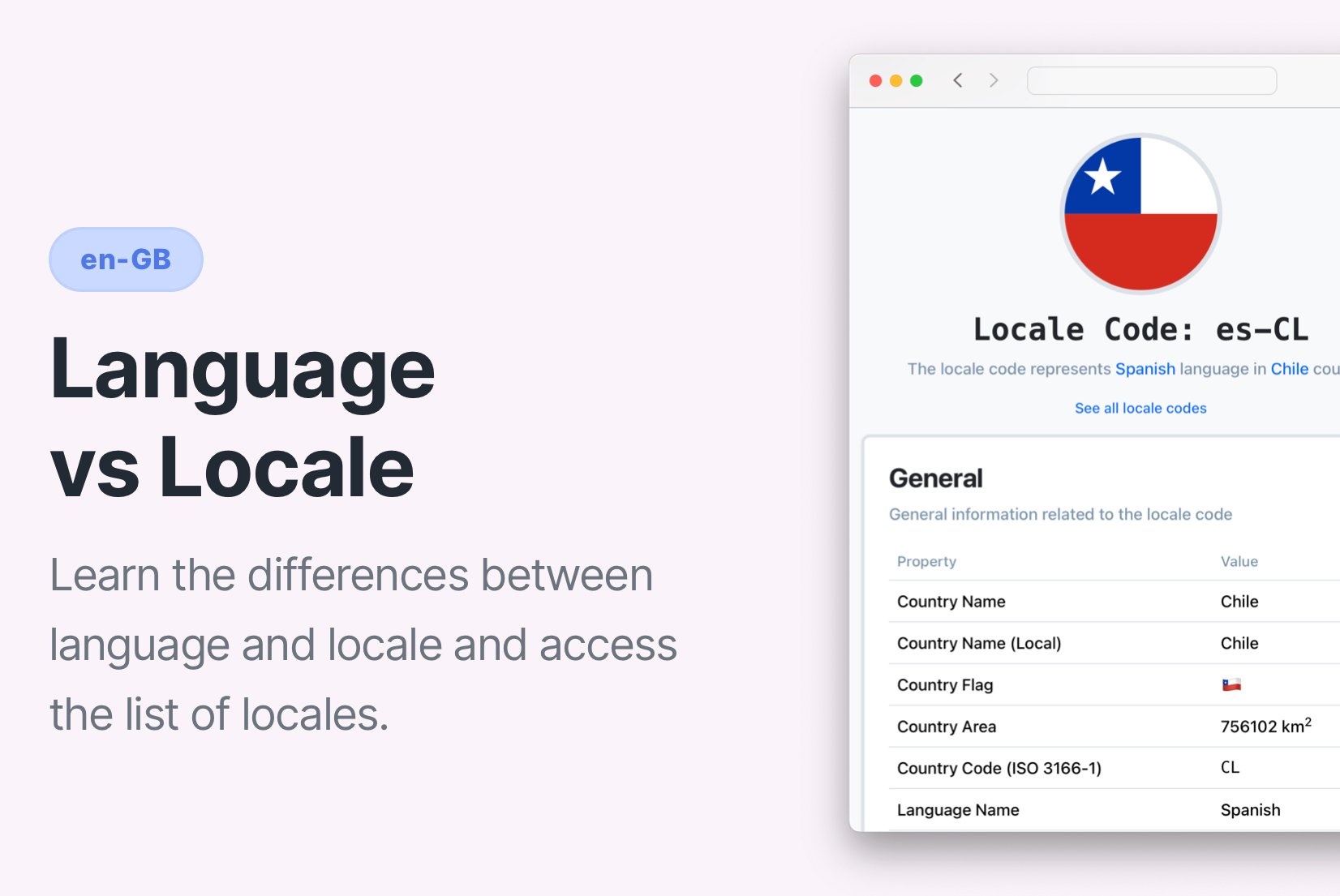
If your SaaS product supports "English" but a user in the UK sees prices in dollars and dates in MM/DD/YYYY format, you don't have a translation problem, you have a locale problem.
Many teams think adding translations is enough. It isn't, especially in SaaS products that handle pricing, billing, and legal information.
When localizing software, language and locale are not the same:
- Language is about words and grammar.
- Locale is about regional rules: dates, currency, measurement units, formatting conventions, and legal expectations.
Understanding the difference between language and locale is essential when building a scalable localization strategy for global software products.
If you've seen "color" in one app and "colour" in another, or a price like 1.000,00 €, you have already experienced the impact of locale.
In this guide, we'll break it down clearly, with real SaaS examples and implementation tips.
If you're looking for a list of locale identifiers, check our Locale codes list and Language data list.
What is the difference between language and locale?
The difference between language and locale is simple:
- Language defines the words and grammar users read (e.g., English, Spanish).
- Locale defines regional formatting and conventions (e.g.,
en-USvsen-GB).
Language controls translation.
Locale controls presentation and behavior.
In software localization, both are required for a fully international product.
Language vs Locale: key differences explained
Here is a quick comparison to clarify the core difference between language and locale in software:
| Feature | Language | Locale |
|---|---|---|
| Definition | System of words and grammar used for communication | Cultural and regional context of a language |
| Codes | en, es, fr | en-US, es-ES, fr-FR |
| Focus | Words and meaning | Formatting, symbols, regional rules |
| Includes | Vocabulary, spelling, grammar | Date/time formats, currency, units, cultural norms |
| Example | "Hello" vs "Hola" | $1,000.00 vs 1.000,00 € |
In short:
- Language = what users read
- Locale = how information is presented and interpreted
What is Language?
Language is the linguistic system people use to communicate. It includes:
- Vocabulary
- Grammar
- Syntax
- Spelling
When translating software, you convert content from a source language (e.g., English) into a target language (e.g., Spanish).
Language answers one question:
What words should the user see?
But language alone does not determine how numbers, prices, dates, or legal content are displayed.

What is Locale?
A locale goes beyond words.
It defines how content is adapted to a specific region and its conventions.
Locale includes:
- Date formats:
MM/DD/YYYY(US) vsDD/MM/YYYY(UK) - Currency symbols:
$(US) vs£(UK) vs€(EU) - Number formatting:
1,000.00vs1.000,00 - Measurement units: Miles vs Kilometers
- Time formats: 12-hour vs 24-hour clock
- Regional spelling differences: "color" vs "colour"
Locale answers:
How should information look, behave, and comply in this region?
For example:
- 'en-US'→ English language + United States formatting rules
- 'en-GB'→ English language + United Kingdom formatting rules
- 'en-AU'→ English language + Australia formatting rules
Same language. Different locale behavior.

Language vs Locale vs Region
These three are often confused.
| Term | Meaning |
|---|---|
| Language | Linguistic system (English, Spanish) |
| Region | Geographic area (US, UK, Mexico) |
| Locale | Language + region + formatting rules |
For example:
- Language: English
- Region: United Kingdom
- Locale:
en-GB
A locale is a technical identifier combining language and region into something software can use.
Why language vs locale matters for SaaS localization
This distinction becomes critical as soon as you scale internationally.
If you treat language and locale as the same thing, your localization strategy won't scale.
Market expansion decisions depend on locale
Expanding to Canada?
You may need:
en-CAfr-CA
Expanding to Switzerland?
You may need:
de-CHfr-CHit-CH
Language tells you what to translate.
Locale tells you which market you are entering.
If you treat "Spanish" as one market, you ignore differences between Spain, Mexico, Argentina, and Chile, including currency, taxes, and formatting expectations.
Pricing and billing depend on locale
For SaaS products, this is critical.
Example:
en-US: $29.00 / month
en-GB: £29.00 / month
en-AU: A$29.00 / month
Same language. Different currency.
Now consider this invoice date:
03/04/2026
- US user: March 4
- UK user: 3 April
That's not cosmetic. It's a billing and compliance risk.
Compliance and legal requirements differ by locale
Even within the same language:
- VAT display rules differ
- Invoice structure differs
- Required disclaimers differ
- Consumer protection regulations differ
You cannot safely operate globally with "language-only" thinking.
Analytics and growth depend on locale segmentation
If you only track language = Spanish, you loose visibility into:
- Spain vs Mexico conversion rates
- Regional pricing experiments
- Churn differences by country
Locale-level data improves product and revenue decisions.
How to implement locale in software
A locale identifier typically follows this format:
language-REGION
Where:
languageis the ISO 639-1 code for the languageREGIONis the ISO 3166-1 alpha-2 code for the country or region.
For example:
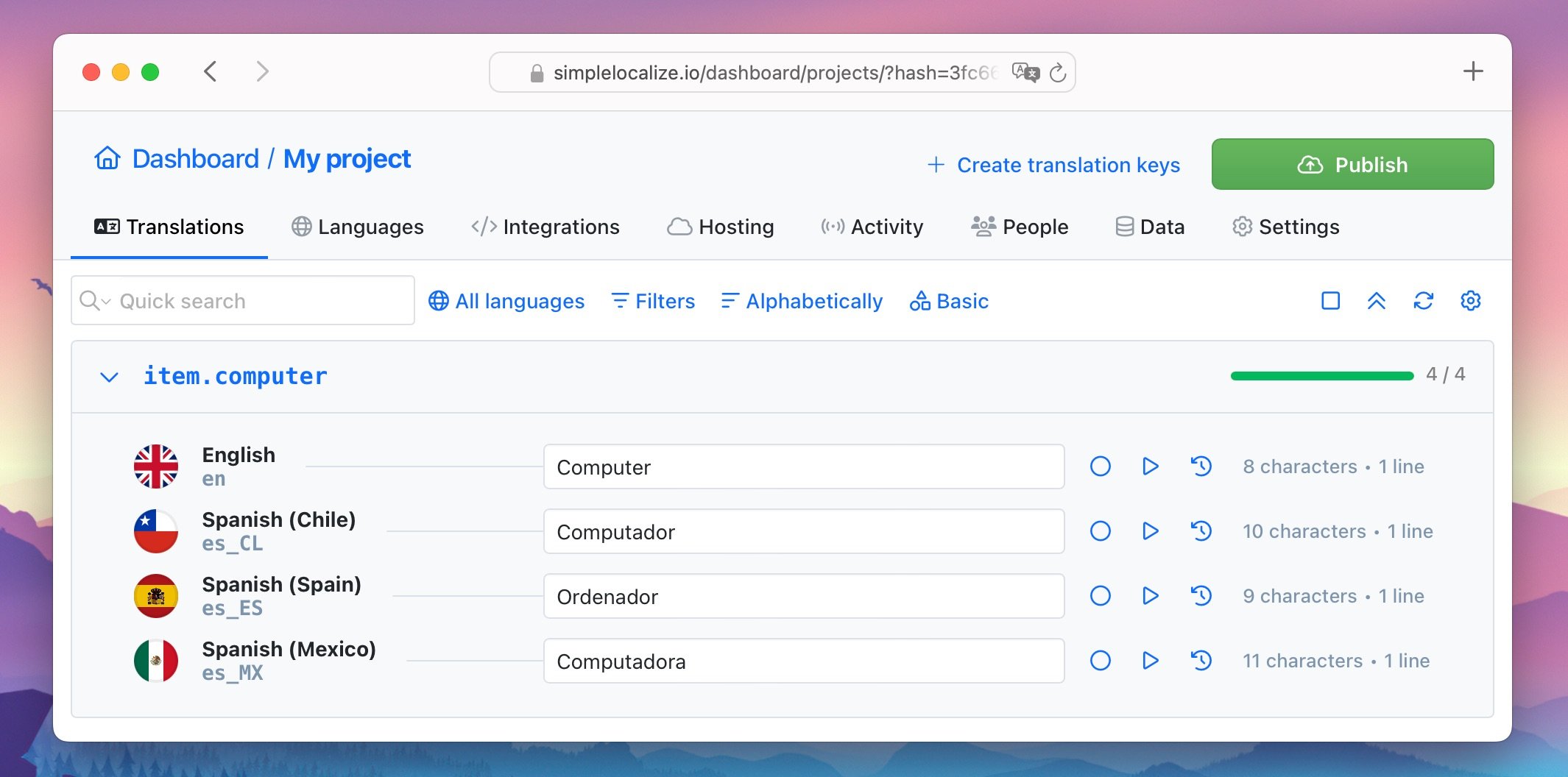
- es-ES (Spanish - Spain)
- es-CL (Spanish - Chile)
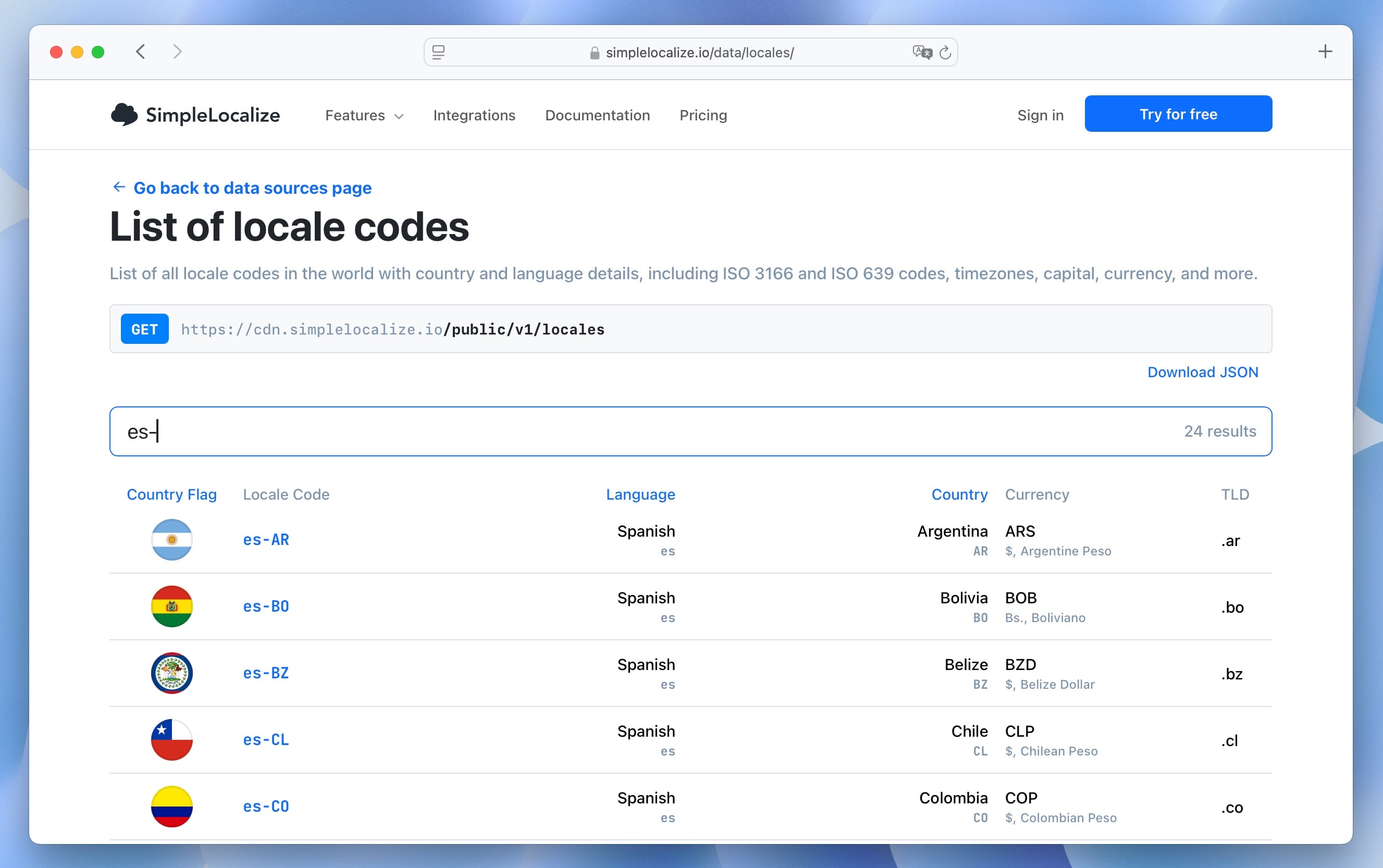
See the full list of locale identifiers.
Below you can see an example of locale translations of the word "computer" to Spanish for different regions:
Locale format variations
Different environments use slightly different formats.
Standard format: language-REGION
es-ES
es-CL
JAVA/Windows format: language_REGION
language_REGION
es_ES
es_CL
This difference matters when configuring backend systems, CI pipelines, or localization tools.
Locale formatting in JavaScript
Modern programming languages provide built-in locale support, but teams still need a centralized system to manage language and locale variants consistently across frontend and backend.
Quick example:
const date = new Date();

console.log(date.toLocaleDateString('en-GB')); // 11/08/2025
console.log(date.toLocaleDateString('en-US')); // 08/11/2025
Same date. Different interpretation.
Using Intl.DateTimeFormat
const date = new Date();
const options = { year: 'numeric', month: 'long', day: 'numeric' };

const formattedDate = new Intl.DateTimeFormat('en-US', options).format(date);

console.log(formattedDate);
// "August 11, 2025"
Change en-US to en-GB or fr-FR and formatting updates automatically.
For numbers and currencies, see our guide on number formatting in JavaScript.
Locale in localization files
In real-world localization systems, locale identifiers are used to organize translations and region-specific variations.
For example, a JSON-based translation structure might look like this:
{
  "en-US": {
    "greeting": "Hello",
    "dateFormat": "MM/DD/YYYY"
  },
  "en-GB": {
    "greeting": "Hello",
    "dateFormat": "DD/MM/YYYY"
  },
  "es-ES": {
    "greeting": "Hola",
    "dateFormat": "DD/MM/YYYY"
  }
}
This structure ensures:
- Correct text (language)
- Correct formatting (locale)
- Correct behavior by region
In mature systems, formatting rules are often handled programmatically rather than hardcoded in translation files, but the locale identifier remains the key reference across frontend, backend, and analytics.
Locale codes are also commonly used in URL structures, such as:
https://example.com/en-US/products
https://example.com/en-GB/products
https://example.com/es-ES/products
Learn more in our guide to URL localization.
Edge cases: when language and locale don't align
In real SaaS systems, language and locale are often separated.
Examples:
- A Canadian user may prefer French UI but pays in USD.
- A Spanish-speaking user in the US uses
es-US. - A company headquartered in Germany uses English UI but requires German-compliant invoices.
This is why mature SaaS products separate:
- UI language settings
- Billing country
- Tax configuration
- Formatting locale
This prevents hard-coded assumptions and allows flexibility as you scale to new markets.
Common locale identifiers
Here are some widely used locale codes in software applications:
- en-US: English (United States)
- en-GB: English (Great Britain)
- es-ES: Spanish (Spain)
- es-MX: Spanish (Mexico)
- fr-FR: French (France)
- fr-CA: French (Canada)
- de-DE: German (Germany)
- pt-BR: Portuguese (Brazil)
- zh-CN: Chinese (China)
- ja-JP: Japanese (Japan)
Most SaaS companies start with one locale per country they actively sell to, then expand based on demand.
For a complete overview, see our full Locale codes list and Language data list.
Should your SaaS support language or full locale?
If your product:
- Shows prices
- Displays dates
- Processes payments
- Generates invoices
- Uses measurement units
- Targets multiple countries
You should support full locale, not just language.
When language-only may be enough
Language-only support may be sufficient if:
- Your site is content-only
- You do not process payments
- You do not display currency
- You do not generate invoices
- You operate in one regulatory region
Example: A marketing website translating blog content into Spanish.
When full locale is mandatory
Full locale support is necessary when:
- You charge customers in different currencies
- You comply with country-specific tax rules
- You generate legally binding documents
- You operate in multiple regulatory jurisdictions
For SaaS companies, locale support is part of product architecture, not just translation.
When region-based pricing requires separate logic
Some SaaS products:
- Use geo-based pricing
- Apply country-specific tax rates
- Offer regional promotions
In these cases, language alone is irrelevant. Pricing logic depends on region and locale data, not translation.
Conclusion
In modern software localization, supporting "a language" is not enough.
A scalable localization strategy requires:
- Language-aware translations
- Locale-aware formatting
- Region-level decision logic
The difference between language and locale may seem technical, but it directly impacts user trust, revenue, compliance, and global growth.
If you are building or expanding internationally, make sure your product architecture supports both from day one.
For a complete framework, read our localization strategy guide.