What is localization? Definition, examples, and how it works for global products

What is localization?
Imagine launching a SaaS product in a new market. The interface is translated, but users see unfamiliar date formats, prices look confusing, and onboarding messages feel slightly “off.” Nothing is technically broken, but the product doesn't feel built for them.
That's where localization comes in.
Localization is the process of adapting a product, website, or content so it feels natural and intuitive for users in a specific language, culture, and region. It goes far beyond translating words. Localization adapts everything users interact with: language, formats, visuals, and user experience; so the product works the way people expect in a given market.
In this guide, we'll explain what localization really means, how it differs from translation, share real-world examples, and show why localization is essential for teams building global software, websites, and content.
This article is part of our ultimate guide to localization strategy for software & SaaS teams, which covers how teams plan, scale, and operationalize localization across products.
Localization explained
At its core, localization (often abbreviated as “l10n”) means adapting a product or content for a specific locale. A locale typically combines language and regional conventions, such as en-US, fr-FR, or de-DE. This is why localization is often discussed alongside internationalization (i18n), which prepares products to support multiple locales.

Localization usually involves:
- Language adaptation (translation, terminology, tone)
- Regional formats (dates, numbers, currency, addresses, phone numbers, temperature units)
- Images, icons, and symbols
- UX patterns and layout expectations
- Legal, regulatory, and accessibility requirements
For example, a price displayed as $1,234.56 in the United States might appear as 1 234,56 € in France or 1.234,56 € in Germany. Even though the value is the same, the formatting must follow local conventions to avoid confusion and build trust.
When content isn't localized, users often notice immediately, even if they can't articulate why the experience feels wrong.
Localization vs. translation: what's the difference?
Although the terms are often used interchangeably, translation and localization are not the same thing.
Translation focuses on converting text from one language to another while preserving meaning.
Localization includes translation, but also adapts context, presentation, and behavior so the entire experience feels native to the target audience.

Examples:
- Translating “color” to British English results in “colour”
- Localizing a website for Mexico might also involve:
- Changing imagery to reflect local culture
- Using local units of measurement
- Adjusting tone and examples
- Displaying prices in MXN
Translation is an essential part of localization, but localization is broader and deeper, especially for software and digital products.
| Translation | Localization |
|---|---|
| Converts text from one language to another | Adapts the entire product or content for a specific locale |
| Focuses on words and meaning | Includes language, UX, formats, visuals, and cultural context |
| Often a one-time task | An ongoing process, especially for software |
| Minimal impact on functionality | Direct impact on usability, trust, and conversions |
In short, translation answers what the text says, while localization ensures how the product works and feels matches local expectations.
For a deeper comparison, see: Translation vs Localization.
Real-world examples of localization
Localization affects nearly every part of a digital product or website:
-
Language and text
Localization accounts for grammar, punctuation, pluralization, and how text fits into layouts. Some languages require significantly more space than others, which directly impacts UI design.
-
Numbers, dates, and currency
Date formats, decimal separators, and currency placement vary widely. A date like
04/12/2026may be read as April 12 or December 4 depending on the region. -
Visuals and icons
Icons, colors, and gestures can carry different meanings across cultures. A thumbs-up icon, for example, is positive in many regions but inappropriate in others.
-
UX and interaction patterns
Localization also includes layout direction (such as right-to-left for Arabic or Hebrew), navigation expectations, and form behavior. For example, onboarding flows, form validation messages, and error states often need localization to avoid confusion or unintended tone in different languages.
-
Legal and compliance
Different regions may require specific privacy disclosures, cookie consent mechanisms, accessibility standards, or legal texts.
-
Cultural references and tone
Idioms, humor, and metaphors rarely translate well. Localization ensures messaging resonates without sounding awkward or out of place.
Why localization matters for global products
Effective localization directly impacts business results:
-
Better user experience
Users feel the product was designed specifically for them, not adapted as an afterthought. Research from Nielsen Norman Group on International Usability shows that usability issues often emerge when products aren't adapted to local languages, cultures, and conventions, reinforcing the importance of localization.
-
Higher engagement and retention
Clear, familiar interfaces reduce friction and increase adoption.
-
Expanded market reach
Localization enables growth into new regions and languages with confidence.
-
Improved SEO performance
Localized pages can rank better in regional search results and attract more qualified traffic.

Research based on CSA Research's Can't Read, Won't Buy survey across 29 countries found that most online shoppers prefer content in their native language, and many are less likely to buy from sites that don't offer localized experiences, making localization a strategic investment in global growth.
Common misconceptions about localization
-
Localization is just translation
Translation handles words. Localization handles context, culture, formats, and usability. Skipping localization often leads to subtle but costly UX problems.
-
One version works everywhere
Using the same interface and messaging across regions usually results in confusion or frustration. Localization adapts experiences so they are meaningful and clear in each market.
-
Machine translation alone is enough
Machine translation can be helpful, but without context, review, and adaptation, it often produces awkward or misleading results, especially in product interfaces and marketing content. This is especially risky for UI strings, error messages, and marketing copy, where context and tone are critical.
Localization in practice
Localization applies across different areas of a business:
Software and product localization
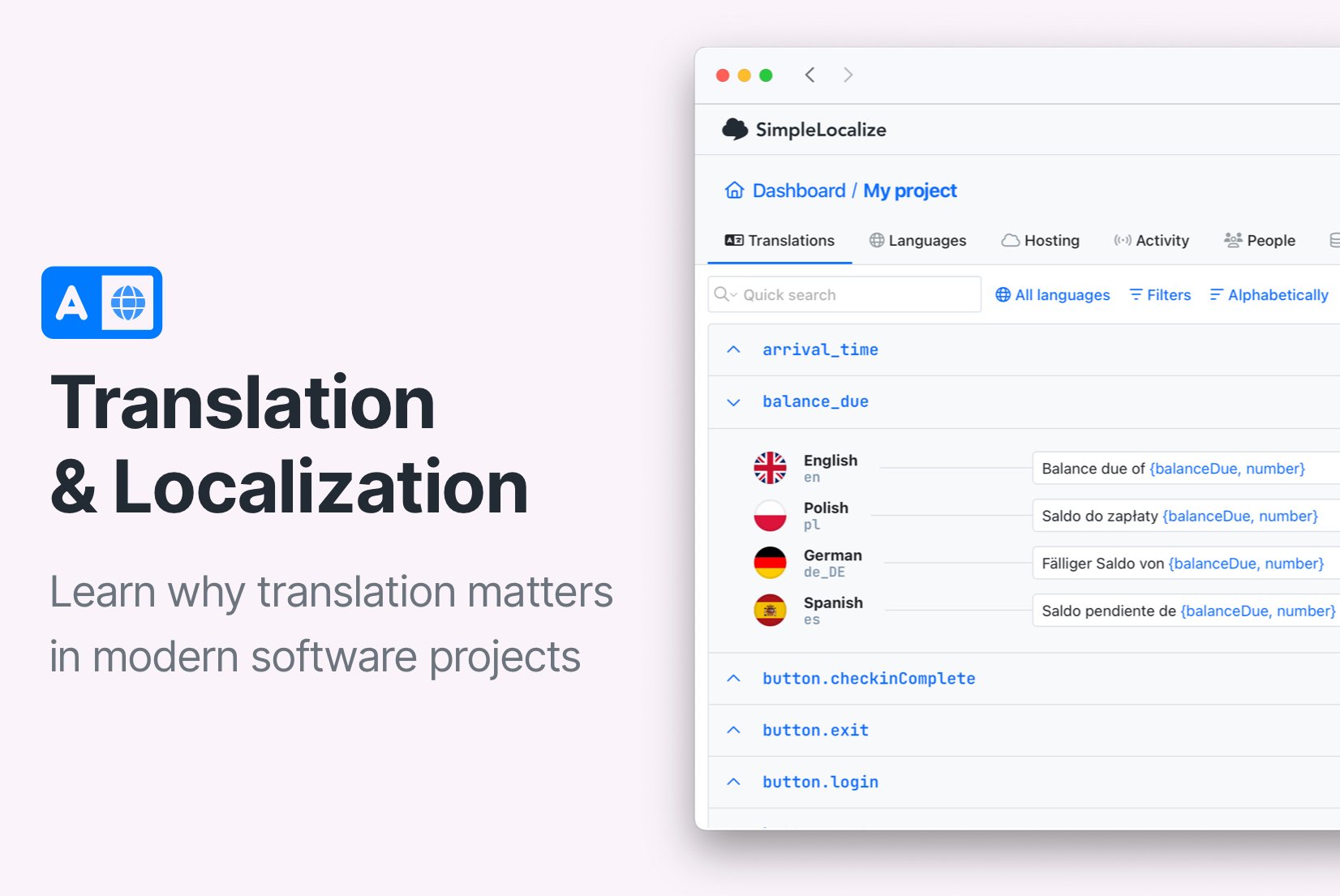
This includes UI strings, error messages, onboarding flows, documentation, and in-app content. For SaaS teams, localization is often an ongoing process as products evolve.
Learn more: Software localization explained: Examples, benefits, and best practices.
Websites and content localization
Localizing landing pages, blog posts, and help centers improves trust and supports multilingual SEO strategies.
Related reading: URLs in Localization: How to structure and optimize for multilingual websites.
Marketing localization
Emails, ads, and product messaging usually require cultural adaptation, not just translation, to ensure tone, humor, and calls to action resonate locally.
Localization tools and workflow
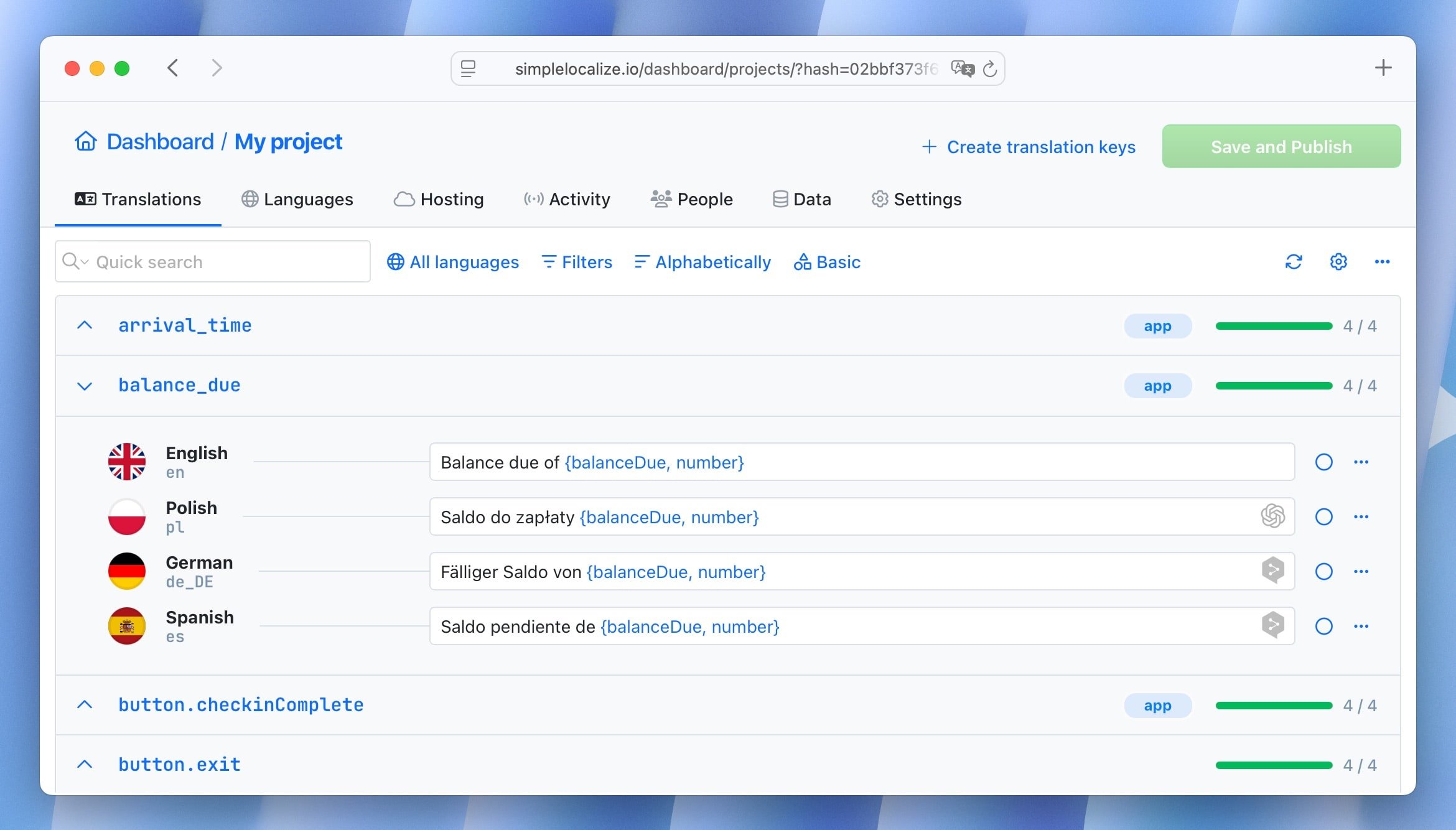
Small projects can be managed manually, but localization quickly becomes complex as products scale. Most teams rely on a translation management system (TMS) to handle localization efficiently.
A modern TMS helps teams:
- Store and manage translations centrally
- Sync content across products, websites, and releases
- Provide translators with context
- Run quality checks and reviews
- Automate updates as content changes
For fast-moving teams, localization works best as a continuous process, not a one-time project, especially in agile and SaaS environments. For example, when a product string changes, a TMS can automatically notify translators and sync updates across environments.
Getting started
If you are new to localization, start with these steps:
-
Define your target markets
Identify where your users are and which locales matter most.
-
Audit your product and content
Look for hard-coded text, formats, and assumptions that won't scale globally.
-
Choose the right tools and workflow
Use a TMS like SimpleLocalize to manage translations and updates efficiently.
-
Plan for quality and review
Human review is critical, particularly for user-facing and context-sensitive content.
Avoid common pitfalls such as translating screenshots, hardcoding strings, skipping pluralization rules, or launching without regional review.
Frequently asked questions about localization
What is localization in software?
Software localization adapts a product's interface, content, and behavior for specific locales, including language, formats, UX patterns, and legal requirements.
What is the difference between localization and internationalization?
Internationalization (i18n) prepares a product to support multiple languages and regions. Localization (l10n) adapts the product for a specific locale using that foundation.
Is localization necessary for English-speaking countries?
Yes. Even English-speaking regions differ in spelling, formats, tone, and cultural expectations (e.g., U.S., UK, Australia).
How long does localization take?
It depends on scope and workflow. With proper tooling and automation, localization can happen continuously alongside product development.
Conclusion
Localization is about more than translating text. It's about creating experiences that feel natural, usable, and trustworthy for users around the world. From software interfaces and websites to marketing and SEO, localization plays a key role in global product success.
Teams that treat localization as an ongoing product capability, not a one-time task, are better equipped to scale internationally, reach new markets, and deliver better experiences everywhere.