Translation management explained: What it is and why you need it

At first sight, translation management might seem straightforward: it's just about translating text. In reality, it's much more than that. Effective translation management ensures that software and digital content are consistently adapted for multiple languages, formats, and cultural contexts while saving time and reducing errors.
In this guide, we'll explain what translation management really means, how it works for developers, translators, and project managers, and why using a TMS like SimpleLocalize can make a huge difference.
What is translation management
Translation management is the process of organizing, coordinating, and streamlining translations across a software project or digital product. It involves managing text strings, translation workflows, updates, and collaboration between teams.
Without proper translation management, localization can become slow, error-prone, and costly, especially as your product expands to new markets.
Learn more about what localization is and why it matters to understand how translation management fits into the bigger picture of global product development.
Translation management in software projects
No matter your role: developer, translator, or product manager, you interact with translations. As your project grows, you may need to support multiple languages, manage new features, and ensure updates are consistent.
Here's how translation management works in real-world scenarios.
Developer perspective
Scenario 1: Without translation management
Imagine you need to translate your web and mobile apps into three new languages. Your project currently uses English only.
You manually convert text into i18n keys, create JSON files, and distribute them to translators:
# /locales/en.json
{
  "machine.details": "Machine details"
}
# /locales/es.json
{
  "machine.details": "Detalles de la máquina"
}
Each new feature requires manually updating the JSON files, copying translations, and waiting for deployment. It's time-consuming, repetitive, and error-prone.
Scenario 2: With translation management (TMS)
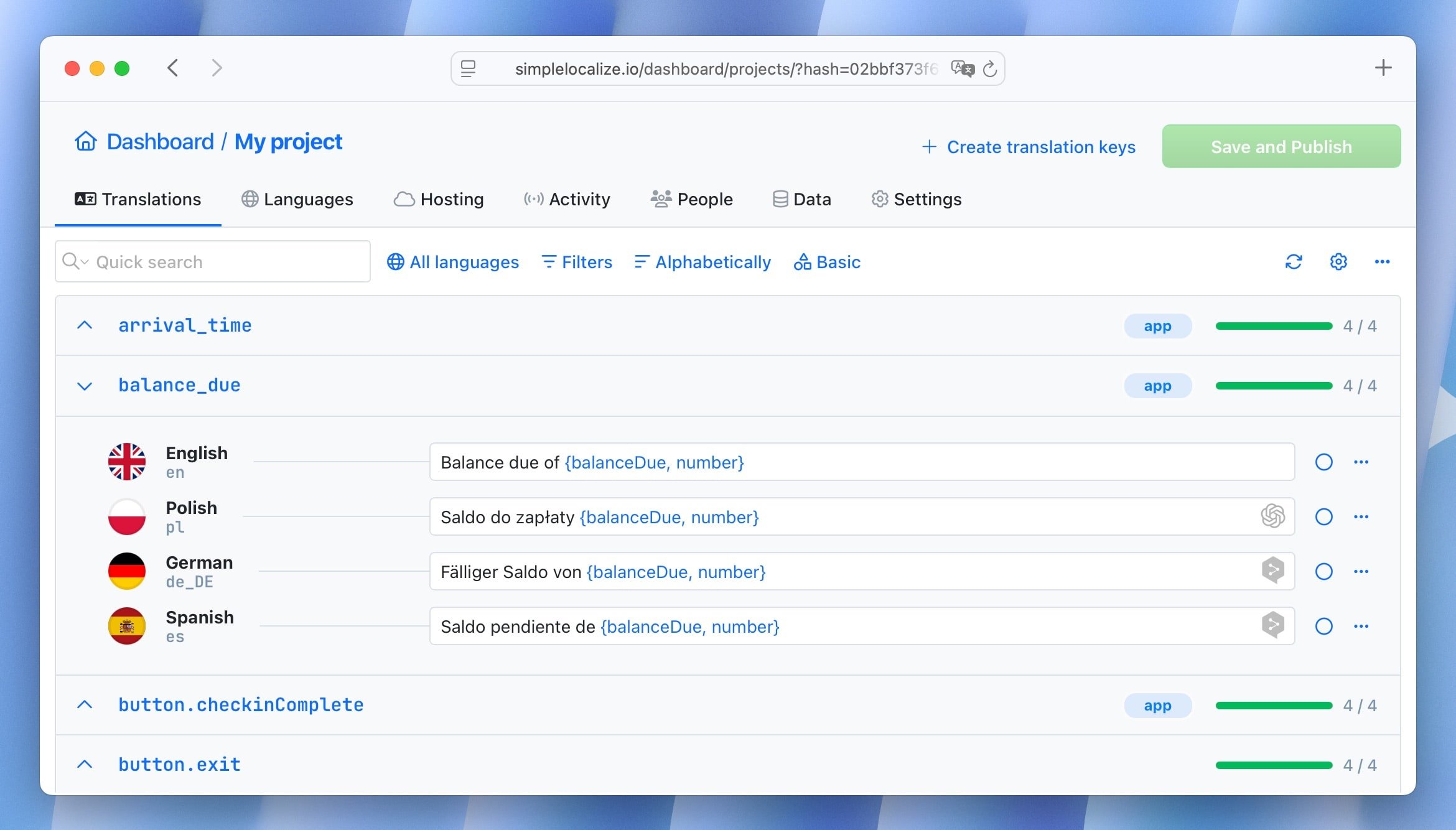
With a TMS like SimpleLocalize:
- New keys are automatically detected from the source code.
- Translators work directly in the intuitive cloud editor.
- Translations are pushed to your app automatically: no copy-pasting required.
- Developers can focus on building features instead of managing translations.
Translator perspective
Without a translation system, translators might work in Excel, manually tracking changes and versions, a tedious process prone to mistakes.
With a TMS:
- Translators can filter and track translation progress.
- Missing translations are clearly flagged.
- Context, screenshots, and descriptions help ensure accurate translations.
- The system handles updates automatically, keeping all languages synchronized.
- QA checks help maintain quality.
Project Manager / Sales perspective
Missing translations can harm your product's professional appearance. A salesperson presenting your app might see untranslated strings in front of a client, creating a poor impression.
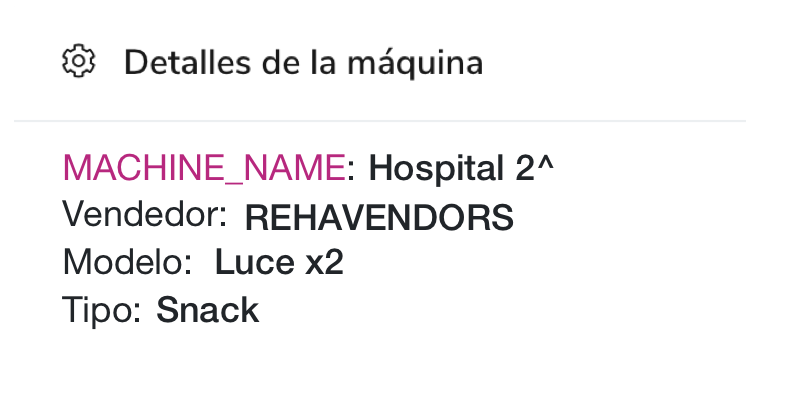
With a TMS, your team can:
- Keep translations up to date.
- Remove unused keys automatically.
- Push translations live immediately.
- Ensure consistent quality across all languages.
- Provide a polished experience for users and clients.
Why you need translation management
Effective translation management improves workflow for all teams:
- Developers: Automate updates and integration with source code.
- Translators: Work efficiently with context, screenshots, and progress tracking.
- Project managers & sales teams: Ensure a polished, professional product in all supported languages.
Using a TMS like SimpleLocalize allows you to:
- Scale your localization process as your business grows.
- Save time and reduce errors.
- Deliver a consistent experience for international users.
Learn more about best practices in software localization to enhance your translation management strategy.
Getting Started with SimpleLocalize
Check how SimpleLocalize can help your project with a 14-day free trial at SimpleLocalize.io or test a free plan for smaller apps and websites. Learn more in our getting started guide.
Translation management isn't just about text, it's about efficiency, quality, and giving your users a product that feels natural in every language.