SimpleLocalize can translate long-form content such as product documentation, help centers, blog posts, and README files. Each file is stored as one translation key, and the whole file content is its translation. This way, every custom syntax in your files (for example, MkDocs admonitions, content tabs, Docusaurus admonitions, front matter, code blocks, or inline HTML) stays exactly as written. Translators can work with the same raw text that lives in your repository.
Markdown files are uploaded and downloaded using the markdown file format.
You can use the same workflow for other text files, such as .mdx, .txt, .html, or .yml, with the translation as file format.
How it works
- Upload source files (for example, English) from your repository using the SimpleLocalize CLI. Each file becomes a translation key.
- Translate the files using auto-translation (DeepL, Google Translate, OpenAI) or let your translators do it in the translation editor.
- Review the translations in the Text Editor with raw Markdown and the source text side by side, and mark them as accepted using review statuses.
- Download the translated files back to your repository using the CLI and build your site as usual.
Translation key naming
The {translationKey} placeholder in the upload path matches the file path relative to the place where you put it, including subdirectories.
For example, with the upload path ./docs/en/{translationKey}.md, the following files:
docs/en/index.md
docs/en/getting-started/install.md
docs/en/guides/api/authentication.md
will be uploaded as the translation keys:
indexgetting-started/installguides/api/authentication
When you download the files, the CLI replaces {translationKey} with the same values, so the folder structure stays the same in every language.
Renaming or moving a file changes its translation key. SimpleLocalize will create a new key for the new path, and the old key will stay in the project until you delete it.
Upload source files
Upload only the source language files and use --languageKey to set their language.
Add the UPDATE_TRANSLATIONS option so that changes in your source files update the existing translation keys on every upload.
simplelocalize upload \
  --apiKey <PROJECT_API_KEY> \
  --languageKey en \
  --uploadFormat markdown \
  --uploadPath ./docs/en/{translationKey}.md \
  --uploadOptions UPDATE_TRANSLATIONS
If you already have translated files, you can import them once by using the {lang} placeholder in the upload path instead of --languageKey:
simplelocalize upload \
  --apiKey <PROJECT_API_KEY> \
  --uploadFormat markdown \
  --uploadPath ./docs/{lang}/{translationKey}.md
Translate and review
Use auto-translation to pre-translate all files into your target languages, either from the web app or from the CLI:
simplelocalize auto-translate \
  --apiKey <PROJECT_API_KEY> \
  --languageKeys de,es,fr,it,ja
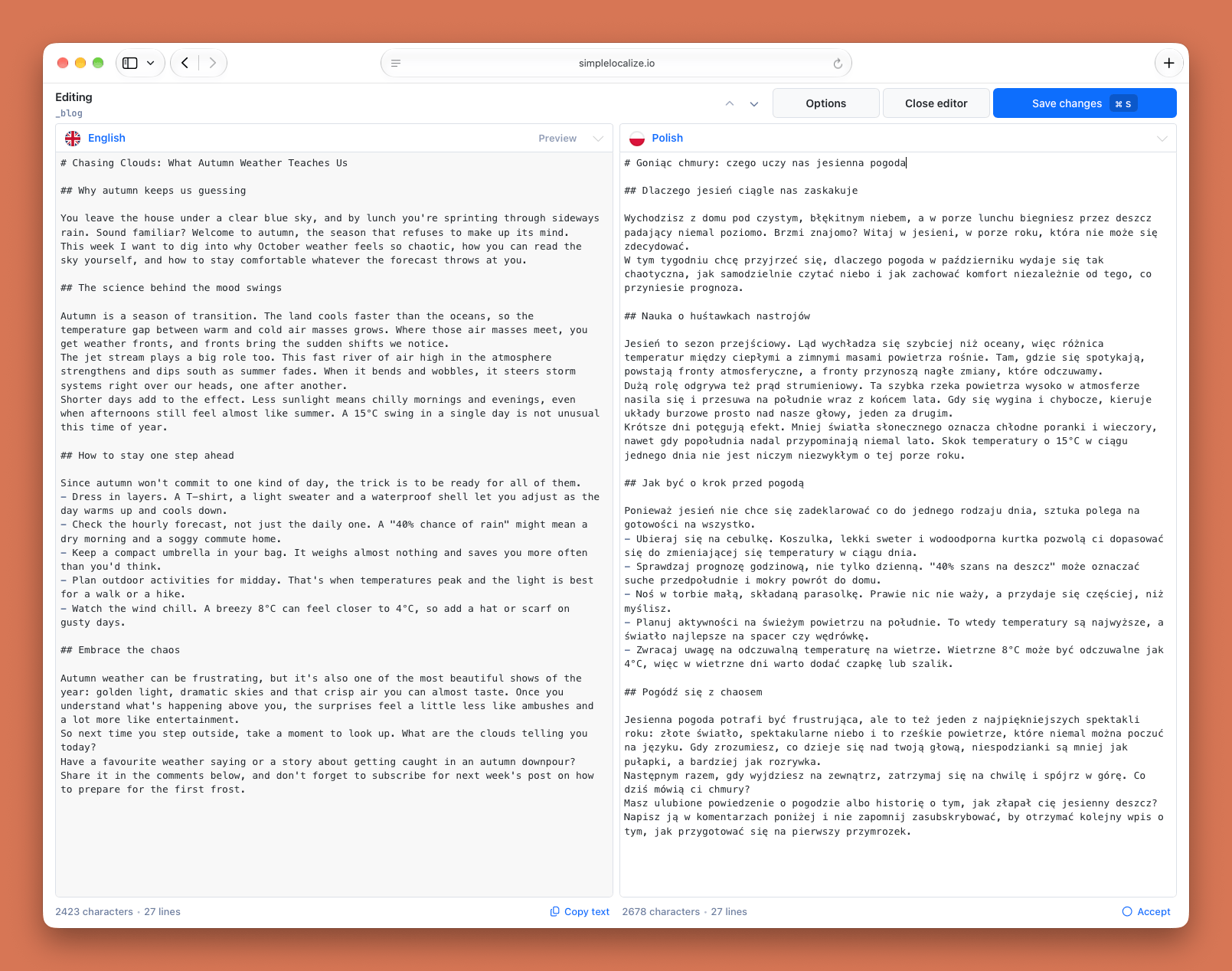
To review translations, open the translation key in the Text Editor. The editor shows the source file on the left side and the translation on the right side, so you can compare them line by line. By default, both files are shown as raw Markdown, so you can check custom syntax like admonitions, tabs, or HTML tags. The character and line counts below each file help you spot missing or extra content.
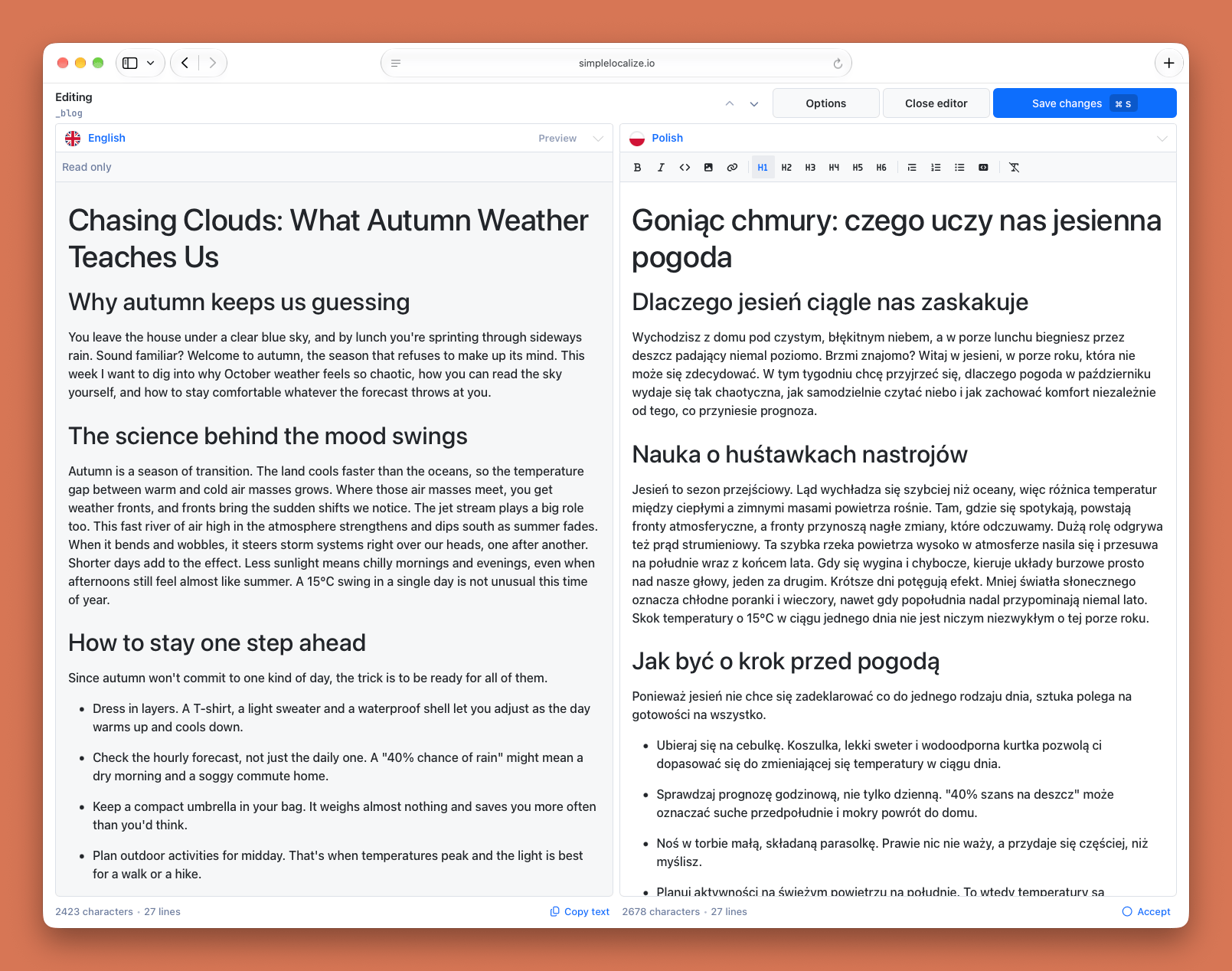
Use Options to switch to the WYSIWYG editor and Preview to render the source file. This view is useful for translators who are not familiar with Markdown syntax.
Keep translations up to date
When a source file changes, its translations are not updated automatically. Create an automation that runs when a source translation is updated to auto-translate the changed files and mark them as Needs review, so your reviewers always know which files to check again.
By default, we block automatic auto-translation for texts longer than 10,000 characters. You can enable longer texts in Settings > General > Auto-translation > "Allow to auto-translate longer texts".
Download translated files
Download the translated files to your repository. Add the extension to the download path, because the translation key does not include it:
simplelocalize download \
  --apiKey <PROJECT_API_KEY> \
  --languageKeys de,es,fr,it,ja \
  --downloadFormat markdown \
  --downloadPath ./docs/{lang}/{translationKey}.md
Example
Folder structure:
# simplelocalize.yml
apiKey: <PROJECT_API_KEY>

uploadFormat: markdown
uploadLanguageKey: en
uploadPath: ./docs/en/{translationKey}.md
uploadOptions:
  - UPDATE_TRANSLATIONS

downloadFormat: markdown
downloadLanguageKeys: ['de', 'es', 'fr', 'it', 'ja']
downloadPath: ./docs/{lang}/{translationKey}.md
Suffix structure:
# simplelocalize.yml
apiKey: <PROJECT_API_KEY>

uploadFormat: markdown
uploadLanguageKey: en
uploadPath: ./docs/{translationKey}.en.md
uploadOptions:
  - UPDATE_TRANSLATIONS

downloadFormat: markdown
downloadLanguageKeys: ['de', 'es', 'fr', 'it', 'ja']
downloadPath: ./docs/{translationKey}.{lang}.md