Angular i18n: The complete guide to localizing Angular apps (2026)


Angular has more internationalization options than most frameworks, and that's exactly what trips people up. React mostly settled on i18next and a few alternatives. Vue has vue-i18n. Angular gives you an official, compiler-driven solution and a handful of strong community libraries that work in a completely different way, and picking the wrong one for your project shape is expensive to undo later.
This guide walks through the three real options for Angular i18n, how each one handles translation files, pluralization, and locale switching, and how to decide which fits your app.
Because this is a 2026 guide, it also reflects what Angular teams are actually shipping on Angular 17, 18, and 19: standalone-first architecture, modern CLI builders, SSR and hydration by default in many apps, and a reactive model increasingly centered around Signals.
Two fundamentally different approaches
Before comparing libraries, it helps to understand the split in Angular's i18n world:
- Compile-time i18n: Angular's official
@angular/localizepackage. Translations are baked into the build. Each locale gets its own compiled bundle. - Runtime i18n: libraries like ngx-translate and Transloco. Translation files are loaded as JSON and swapped in the browser without a rebuild.
This is different than React or Vue developers typically deal with, where runtime translation is the default and compile-time approaches are rare. In Angular, the official path is compile-time, and that changes a lot about how your team will work day to day.
Option 1: Angular's built-in i18n (@angular/localize)
This is the approach Angular's own documentation recommends. You mark up text directly in templates, extract it into a translation file, then build a separate output per locale.
Marking text for translation
<h1 i18n="@@welcomeHeader">Welcome to our app</h1>

<p i18n="@@greeting">Hello, {{ userName }}</p>
The i18n attribute tells the Angular compiler this text needs translation. The @@welcomeHeader part is a custom ID, optional, but worth setting explicitly so generated IDs don't change every time the surrounding text shifts slightly.
Extracting translations
ng extract-i18n --output-path src/locale
This produces a source file, by default in XLIFF 1.2 format, containing every marked string with its generated or custom ID:
<trans-unit id="welcomeHeader" datatype="html">
  <source>Welcome to our app</source>
  <target>Welcome to our app</target>
</trans-unit>
You then duplicate this file per locale (messages.fr.xlf, messages.de.xlf, and so on) and fill in the <target> elements with translated text. XLIFF is a standard exchange format in professional localization, and instead of forcing your team to edit raw XML by hand, tools like SimpleLocalize parse these XLIFF files automatically, presenting a clean UI for translators while maintaining valid XML structural integrity under the hood.
In modern Angular, this extraction flow runs through the CLI's current builders and the AoT compiler path by default, so @angular/localize stays aligned with the same production-grade pipeline you're already using for application builds.
Building locale-specific bundles
In angular.json, you configure one build target per locale:
"i18n": {
  "sourceLocale": "en-US",
  "locales": {
    "fr": "src/locale/messages.fr.xlf",
    "de": "src/locale/messages.de.xlf"
  }
}
Running ng build then produces a separate, fully compiled output folder for each locale, served from its own path or subdomain (/fr/, /de/). There's no runtime translation lookup at all; the correct strings are already in the JavaScript bundle the browser downloads.
Pluralization with ICU
@angular/localize supports the same ICU message format used across most modern i18n libraries:
<span i18n>
  {minutes, plural,
    =0 {just now}
    one {1 minute ago}
    other {{{minutes}} minutes ago}
  }
</span>
This resolves to the correct grammatical form per language at build time. If you're new to plural categories and how they vary across languages, our pluralization guide covers the underlying rules.
Key callouts
- What you gain: no runtime translation cost, smaller per-locale bundles, and stronger safety because missing translations fail at build time.
- What to watch: switching languages requires a full reload to a different locale build.
- Operational impact: dynamic text that only appears at runtime (for example, API-provided copy) is harder to translate, and each new locale expands your build and deploy matrix.
Option 2: ngx-translate
ngx-translate is the long-standing community alternative, and it works closer to how i18next or vue-i18n behave: JSON translation files, loaded at runtime, swapped without a rebuild.
Setup
Classic NgModule setup still works and you'll see it in older codebases:
import { TranslateModule, TranslateLoader } from '@ngx-translate/core';
import { TranslateHttpLoader } from '@ngx-translate/http-loader';
import { HttpClient } from '@angular/common/http';

export function HttpLoaderFactory(http: HttpClient) {
  return new TranslateHttpLoader(http, './assets/i18n/', '.json');
}

@NgModule({
  imports: [
    TranslateModule.forRoot({
      loader: {
        provide: TranslateLoader,
        useFactory: HttpLoaderFactory,
        deps: [HttpClient]
      }
    })
  ]
})
export class AppModule {}
In Angular 17+ projects, a standalone ApplicationConfig setup is now the more common default:
import { ApplicationConfig } from '@angular/core';
import { provideHttpClient } from '@angular/common/http';
import { provideTranslateService } from '@ngx-translate/core';
import { provideTranslateHttpLoader } from '@ngx-translate/http-loader';

export const appConfig: ApplicationConfig = {
  providers: [
    provideHttpClient(),
    provideTranslateService({
      loader: provideTranslateHttpLoader({
        prefix: './assets/i18n/',
        suffix: '.json'
      })
    })
  ]
};
Translation files live as plain JSON, one per locale:
{
  "welcome": {
    "header": "Welcome to our app",
    "greeting": "Hello, {{userName}}"
  }
}
Using translations
In templates, via the pipe:
<h1>{{ 'welcome.header' | translate }}</h1>
<p>{{ 'welcome.greeting' | translate: { userName: name } }}</p>
Or in TypeScript, for cases like toast messages or dynamic titles:
this.translate.get('welcome.header').subscribe((text: string) => {
  this.pageTitle = text;
});
Switching language at runtime
this.translate.use('fr');
No reload, no separate build. This single line is the main reason teams choose ngx-translate over the official package: instant language switching is a basic requirement for many SaaS products, and shipping a separate build per locale doesn't fit that model.
Key callouts
- What you gain: flexible runtime switching, familiar i18next-style patterns, and plain JSON files that are easy to manage with TMS workflows and auto-translate.
- What to watch: translation keys are not compile-time verified, so missing or mistyped keys can slip into production without guardrails unless you configure fallbacks and monitoring.
- Operational impact: pluralization is less standardized than ICU-first compile-time flows, but in 2026 runtime performance is much better with modern library internals and Angular Signals-based reactivity.
Option 3: Transloco
Transloco is newer and addresses some of ngx-translate's gaps. It's runtime-based like ngx-translate, JSON-driven, and supports per-feature lazy loading out of the box, which matters once your translation files grow past a handful of screens.
@Injectable({ providedIn: 'root' })
export class TranslocoHttpLoader implements TranslocoLoader {
  constructor(private http: HttpClient) {}
  getTranslation(lang: string) {
    return this.http.get(`/assets/i18n/${lang}.json`);
  }
}
Scoped translations let you load only the JSON a given lazy-loaded module needs:
@Component({
  providers: [
    provideTranslocoScope('settings')
  ]
})
export class SettingsComponent {}
This mirrors the namespace pattern used in other ecosystems: split files by feature area, load only what the current route requires, instead of shipping one monolithic translation file to every page.
Transloco also has stronger typing support if your project uses strict TypeScript, built-in support for missing-key handlers and structural directives, and native Signals support, which makes it a very natural fit for modern Angular reactive patterns.
Key callouts
- What you gain: runtime language switching, scoped lazy-loaded translations, stronger typing ergonomics, and first-class alignment with Signals-based Angular apps.
- What to watch: like other runtime approaches, key correctness is mostly a runtime concern unless you add explicit validation and missing-key handling in your pipeline.
- Operational impact: best fit for large modular apps where feature-level translation loading improves bundle behavior and keeps localization changes independent from rebuild-per-locale release cycles.
Choosing between the three
Depending on your app's shape, the right Angular i18n approach can vary. Here's a quick comparison:
| Business/App need | Best fit | Translation format | Rebuild required? | SEO / Marketing |
|---|---|---|---|---|
| SEO-critical marketing site or public docs with locale routing | @angular/localize | XLIFF (.xlf) | Yes (per-locale bundle) | Strong fit (Best performance) |
| SaaS dashboard with instant in-app language switching | Transloco / ngx-translate | JSON (.json) | No (runtime switch) | Usually secondary |
| Large enterprise app with many lazy-loaded modules | Transloco | JSON (.json) | No (scoped dynamic load) | Route-dependent |
A useful rule of thumb: if your app already code-splits by route or feature module, Transloco's scoped loading will feel natural. If your app is mostly static content with locale-specific marketing pages, the official compile-time approach gives you smaller bundles and one less runtime dependency.
It's also fine to start with ngx-translate or Transloco for speed, and only move to @angular/localize later if bundle size or build-time safety becomes a real constraint. Migrating between the two runtime libraries is far easier than migrating from runtime to compile-time, since the latter changes your build pipeline, not just your imports.
Architecture Warning: Moving between runtime libraries (ngx-translate to Transloco) is usually a straightforward refactor. Moving from a runtime library to
@angular/localizemeans rewiring parts of CI/CD and deployment because routing, build outputs, and asset serving logic all change.
Locale detection and routing
However you handle translation loading, you still need to decide how a user's locale is determined. The most common pattern in Angular apps is a locale prefix in the route:
const routes: Routes = [
  { path: 'en', loadChildren: () => import('./app/app.module').then(m => m.AppModule) },
  { path: 'fr', loadChildren: () => import('./app/app.module').then(m => m.AppModule) },
  { path: '', redirectTo: '/en', pathMatch: 'full' }
];
For @angular/localize builds, this routing usually maps to which compiled output is served, often handled at the web server or CDN layer rather than in Angular's router. For runtime libraries, the route segment can drive translate.use() directly in a route resolver.
If you're deciding between URL-based, cookie-based, or header-based detection, the trade-offs are the same regardless of which Angular i18n approach you use. Our locale detection strategies guide covers the SEO and UX implications of each in more detail.
Handling missing translations and fallback locales
Whichever library you choose, decide early what happens when a key is missing. The safest default in production is a silent fallback to your source language, logged somewhere you can monitor, rather than showing a raw key or an empty string to users. This becomes more important as you add locales, since pt-BR vs pt style variants are common in larger projects. Our guide on fallback languages and regional variants walks through configuring fallback chains correctly.
Keeping translation files organized
Regardless of which Angular i18n library you use, the same key-naming discipline applies. Flat, ambiguous keys like text1 or label become unmanageable past a few hundred strings. Structuring keys by feature, with consistent casing and clear scope, pays off as the project grows. See our best practices for translation keys for naming conventions that hold up at scale.
CI/CD and continuous localization
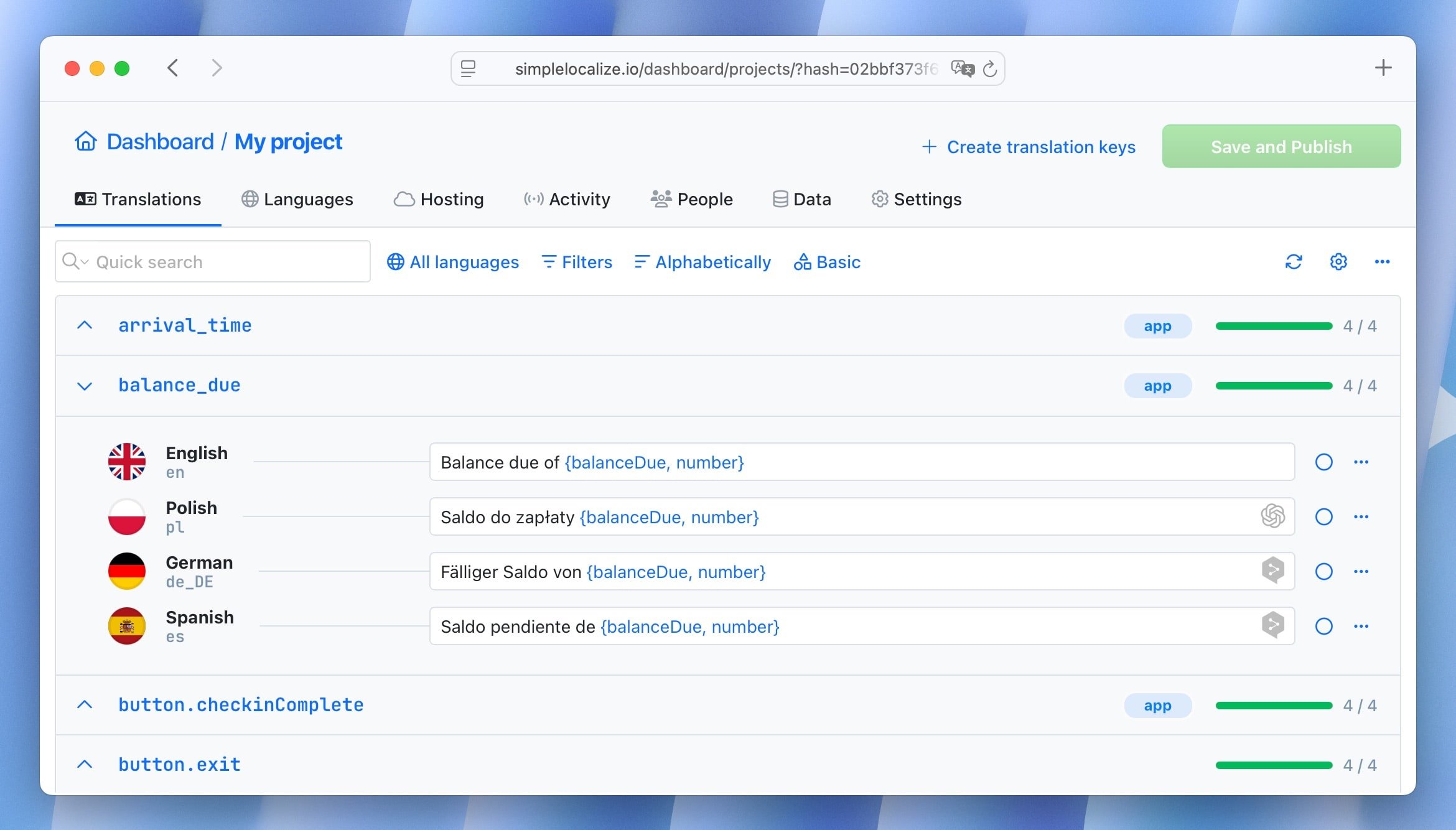
Both translation file styles, XLIFF for @angular/localize and JSON for ngx-translate or Transloco, are formats SimpleLocalize supports natively. The general pattern looks the same regardless of which Angular i18n approach you've chosen:
- Developers add or update translation keys in code (the
i18nattribute or a new JSON key) - New strings are extracted, either via
ng extract-i18nor your team's own script, and pushed to SimpleLocalize - Translators work in the online editor, with auto-translation filling in a first pass for new keys
- Updated files are pulled back into the repository as part of your build or release step
Wiring this into your pipeline turns translation updates into a normal part of shipping code rather than a separate manual handoff. If you haven't set this up yet, our continuous localization guide walks through the general CI/CD pattern in more depth.
Common mistakes to avoid
- Mixing approaches without a plan.
Some teams start with ngx-translate for speed, then add@angular/localizelater for a marketing site built with the same Angular app. This works, but only if the boundary between the two is deliberate, not accidental. - Forgetting that
@angular/localizetranslations require a full rebuild.
Teams used to runtime libraries sometimes expect a translation update to show up immediately, and are surprised when it doesn't ship until the next deploy. - Not testing pluralization in languages with more than two forms.
Polish, Arabic, and Russian all need more plural categories than English. A plural block that only handlesoneandotherwill silently produce wrong grammar in these languages. - Hardcoding text in TypeScript instead of templates.
Thei18nattribute only works on template markup. Strings built dynamically in component code (toast messages, validation errors) need the$localizetagged template function instead, and it's easy to miss these during extraction. - Ignoring SSR hydration mismatches.
With Angular's strong push toward SSR (@angular/ssr), runtime libraries should preload or embed required translation JSON during server rendering. If the client loads translations later than the server-rendered HTML, users can see text flashes, layout shift, or hydration mismatch errors.
Conclusion
Angular's i18n landscape gives you a real choice that most other frameworks don't: bake translations into the build for maximum performance and safety, or load them at runtime for instant language switching and simpler operations. Neither is universally right. The decision should follow your app's shape, how often you add languages, whether users switch languages mid-session, and how much build complexity your team is willing to own.
Whichever you pick, the discipline around translation keys, fallback handling, and CI/CD integration matters more than the library choice itself. For the broader technical picture, including pluralization, locale detection, and testing strategies that apply across frameworks, see our complete guide to internationalization and software localization.