Why retrofitting i18n is expensive (and what teams discover too late)

The decision usually happens around the time an investor asks about international expansion, or when a potential enterprise customer says their team is based in Germany and they need the product in German.
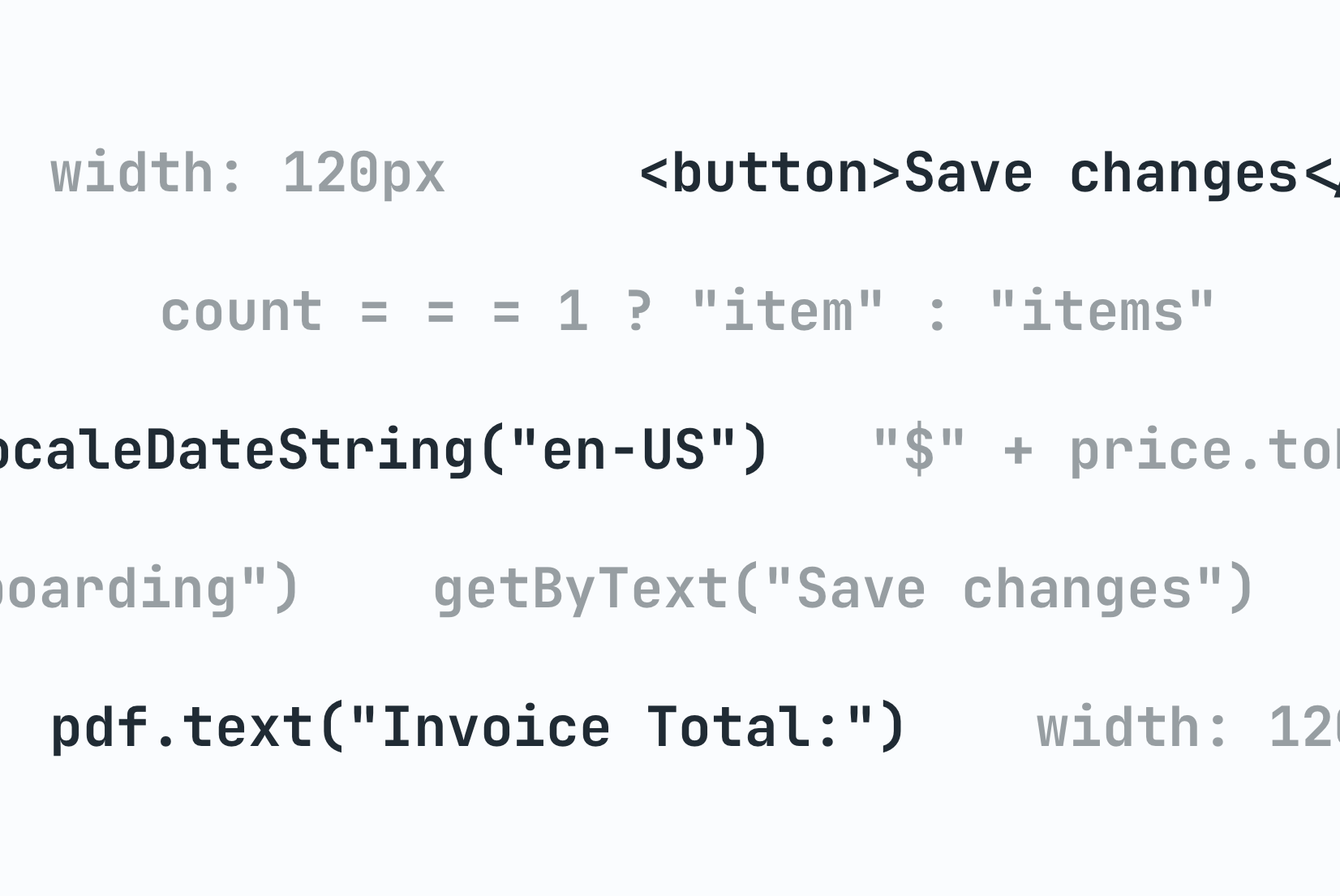
The engineering lead opens the codebase and starts counting. Hardcoded strings in JSX. Error messages assembled by string concatenation in the API layer. Date formatting tied directly to en-US. A UI built for short English words. Two years of accumulated assumptions, none of them wrong at the time, all of them now standing between the product and its next market.
This is what retrofitting i18n looks like before the work even begins.
Internationalization done from the start costs very little. A translation key instead of a hardcoded string takes the same amount of time to write. Intl.DateTimeFormat is not meaningfully harder than toLocaleDateString() with hardcoded options. The upfront investment is small. The retrofit investment, in a codebase that didn't make those choices, is anything but.
Here is where that cost actually comes from.
Quick overview
A product built without internationalization in mind accumulates assumptions that are invisible until the retrofit begins. Each one is a separate problem, but they all exist simultaneously across the codebase. The cost comes from their combination and the fact that fixing one often reveals another.
| Problem | Why it's expensive to fix |
|---|---|
| Hardcoded strings | Thousands of strings scattered across frontend, backend, templates, and scripts |
| Plural forms | Every quantity-dependent string must be found and rewritten for ICU support |
| Date and number formatting | Formatting logic is duplicated across dozens of utilities with hardcoded locales |
| URL and routing | Locale prefixes touch every internal link, email, notification, and bookmark |
| Backend-generated text | Email templates, PDFs, and push notifications need a separate localization pipeline |
| Layout and text expansion | Fixed-width components break under German or Finnish; requires a full design review |
| Tests | Thousands of assertions against English strings must be rewritten by intent |
Hardcoded strings are everywhere, and "everywhere" is literal
The most obvious retrofit problem is hardcoded text. A product built without i18n in mind has user-facing strings scattered across the entire codebase: in JSX, in utility functions, in constants files, in backend controllers, in email templates, in CLI output, in PDF generation scripts.
The scope is rarely understood until someone actually runs a search.
Consider a SaaS product with three years of feature development and a team of eight engineers. A search for string literals across the frontend alone turns up over 2,000 hardcoded English strings. Some are obvious: button labels, page headings, error messages. Others are buried:
"1 result found"assembled inside a custom hook"Free"hardcoded in a pricing badge component"Click to expand"written directly into a Storybook story that made it into production
Each one needs to be found, extracted into a translation key, replaced in the source, added to translation files for every target language, and then translated. The discovery phase alone takes weeks. The extraction phase, done carefully to avoid regressions, takes longer. Some teams use AI-powered extraction tools to speed this up, but even then the review and replacement work is substantial.
And that is only the frontend. The backend has its own pile: server-rendered validation messages, email subjects, push notification copy, scheduled job status reports, PDF invoice line items. Each one is a separate extraction effort, often involving a different template engine or string handling convention.
Teams frequently budget for "a sprint of i18n work" and find themselves three months in, still extracting strings.
Plural forms break entire UI patterns
In English, pluralization is a simple binary: one item, many items. English-speaking developers tend to build UI accordingly:
<span>{count} items selected</span>
This breaks immediately in Polish, which has four plural forms. Or in Arabic, which has six. Or in Russian, where the rule depends on the last two digits of the number.
Retrofitting pluralization means every place in the codebase that constructs a quantity-dependent string must be found and rewritten. Not just the obvious "{count} results" cases. The ones buried in component logic too:
const label = count === 1 ? "task" : "tasks";
That ternary is a hardcoded English plural rule. It is the kind of thing a developer writes without thinking, because in English it is just correct. In a codebase with three years of features, there are hundreds of variations: ternaries, template literals, utility functions that take a count and a string and add an "s", helper functions called pluralize() that only know about English. Every one of them is a retrofit candidate.
The fix is not just replacing strings with translation keys. It requires adopting a message format like ICU that lets translators express their language's plural rules directly. That means:
- choosing an i18n library that supports ICU
- updating translation files to the new format
- rewriting every pluralized string in the codebase
- testing every locale
The effort compounds with the number of languages being added. For a full breakdown of how plural rules vary by language, see our pluralization guide.
Date and number formatting is embedded in the data layer
Developers often reach for formatting at the point of display:
const formatted = new Date(timestamp).toLocaleDateString("en-US", {
  month: "long",
  day: "numeric",
  year: "numeric"
});
In a well-internationalized application, the locale is a parameter. In a codebase that assumed English, it is a hardcoded string. The fix is straightforward in isolation: pass the active locale. The problem is that this pattern exists in dozens of places, often abstracted behind utility functions that themselves assumed en-US.
Currency formatting is usually worse. Products that handle money tend to accumulate formatting logic organically:
- one utility formats prices for display in checkout
- another formats revenue figures in the analytics dashboard
- a third handles the "from $X/month" copy in pricing tiers
Each utility has its own assumptions about currency symbol placement, decimal separators, and rounding. In European locales, $1,000.50 should become 1.000,50 €. The thousands separator is a period. The decimal separator is a comma. The currency symbol comes after the number. None of these are edge cases: they are standard in Germany, France, Poland, and most of the EU.
In a product that handles financial data, a formatting bug that displays the wrong decimal position is not just a UX issue, but a trust issue.
Retrofitting means finding every formatting utility, every inline format call, and every place where formatted numbers are assembled into strings. Then replacing them all with locale-aware equivalents, using the browser's built-in Intl.NumberFormat where possible, and testing across every supported locale.
URL and routing architecture may need to be redesigned
Locale-prefixed URLs are the recommended pattern for multilingual websites. Search engines index each locale separately. Users can share links that land in the correct language. Caching is cleaner. The trade-offs between path prefixes, subdomains, and country-code domains are worth understanding before committing to a structure — our guide on URL structure for multilingual websites covers each option in detail.
But URL structure is foundational. A product built without locale-prefixed routes has routes like /pricing, /settings, /onboarding. Adding locale prefixes means those become /en/pricing, /de/pricing, /fr/pricing.
Everything that references a URL needs updating:
- every internal link in the application
- every email template that links back to the product
- every in-app notification
- every URL hardcoded in documentation or marketing materials
- redirects to handle old URLs gracefully
For applications using Next.js Pages Router, locale routing requires adding i18n configuration and updating every Link component to use locale-aware paths. For applications that relied on a custom routing solution, the change may require rewriting large portions of the routing layer, including locale detection logic that was never built in the first place. Our locale detection strategies guide explains what needs to exist and how each approach works.
Teams that delay this discovery until after they have built a substantial link graph (for example, an in-app notification system that generates thousands of links per day) face a migration scope far larger than they anticipated.
Backend services generate user-facing text the frontend never knew about
Frontend developers are usually aware of the UI strings in their components. What catches teams off guard is how much user-facing text lives in the backend.
Email templates are the most common example. A SaaS product typically has dozens: welcome emails, password resets, payment receipts, trial expiration reminders, team invitation emails, weekly digest emails. Each one is a separate template, often written in a different engine than the frontend, with its own string handling and no connection to the frontend translation pipeline.
Retrofitting email templates requires building an entirely separate localization system for the backend:
- a translation file format compatible with the template engine
- a locale resolution mechanism that uses the recipient's preferred language, not the server's default
- a workflow for translators to update email copy independently of UI strings
- a testing process to verify emails render correctly in every locale
The same applies to push notifications, SMS messages, in-app notification banners generated server-side, scheduled report emails, PDF exports with user-facing labels, CLI output in developer tools, and API error messages returned to end users.
Each one is a separate surface. Each one was built with different assumptions. Each one requires its own retrofit plan.
Layout assumptions break under longer text
German strings are routinely 30 to 40 percent longer than their English equivalents. Finnish compound words can be longer still.
| English | German |
|---|---|
| Settings | Einstellungen |
| Get started | Erste Schritte |
| Notifications | Benachrichtigungen |
| Dashboard | Übersichtstafel |
The exact expansion rates vary by language and content type. Our guide on text expansion in UI localization has the numbers and the CSS patterns that handle them.
In a product built for English, UI components are often sized for English text: buttons with fixed widths, navigation items with white-space: nowrap and overflow: hidden, table headers that clip at a certain pixel width, cards with fixed-height content areas.
None of these are bugs. They were perfectly reasonable design decisions. Under German, Finnish, or even Spanish, they produce clipped text, overflowing containers, and broken layouts.
The retrofit is not a find-and-replace. It requires a design review of every component with fixed dimensions: which ones can be made flexible, which need truncation with a tooltip, which need to be redesigned from scratch. In a product with a component library that other teams depend on, changing these components ripples out in unpredictable ways.
The practical test is pseudo-localization: replacing all strings with padded, accented variants that simulate expansion before real translations exist. Teams that skip this during development discover the layout issues after translation is complete, which means fixing them under deadline pressure and often re-translating strings that had to be shortened to fit.
The assumption is embedded in tests, not just code
Tests encode assumptions. A codebase built without i18n in mind has tests that assert on English strings:
expect(screen.getByText("Save changes")).toBeInTheDocument();
expect(emailService.send).toHaveBeenCalledWith({
  subject: "Your trial is ending soon"
});
Retrofitting i18n breaks these tests, not because the behavior changed, but because the tests were written against translated output rather than translation keys. Every failing test needs to be updated to query by role, test ID, or translation key rather than raw string content.
In a large test suite this is a significant effort. More importantly, it reveals tests that were never testing behavior at all, but only asserting that a specific English string appeared. Those tests need to be rewritten with intent, not just updated.
The compound cost: everything happens at once
Each of these problems is tractable in isolation. The expense comes from their combination.
A retrofit project does not proceed cleanly from "extract strings" to "fix plurals" to "update URLs". All of these problems exist simultaneously across the same codebase. Fixing one reveals another:
- A developer extracting strings discovers a backend email template with its own string concatenation pattern.
- Fixing date formatting in the checkout flow reveals that the analytics dashboard uses a different formatting utility that also needs updating.
- Updating URL structure breaks the email notification links, which surface the backend localization problem.
The team is touching the entire surface of the product at once, which means elevated risk of regression, difficulty testing comprehensively, and a long tail of issues that surface in production even after the main effort is complete.
Compare that to the same product built with i18n from the start: translation keys instead of string literals following consistent naming conventions, Intl.DateTimeFormat with a locale parameter, ICU messages for anything quantity-dependent, locale-prefixed routes from day one. The ongoing cost of this discipline is negligible. The retrofit cost, deferred by two or three years of product development, is not.
This is not an argument for localizing early. It is an argument for internationalizing early, even if you only ship in one language. The two are different decisions. Localization requires translation investment, market research, and ongoing maintenance. Internationalization requires replacing hardcoded strings with parameterized ones. The second decision costs almost nothing upfront. Deferring it costs a great deal later.
For the strategic framing around when to localize and how to plan the investment, see our localization strategy guide. For the technical patterns that prevent the retrofit problem from accumulating in the first place, the complete technical guide to i18n and software localization covers each one in depth.