Localization anti-patterns: What not to do early (and how to recover)

Some localization mistakes are recoverable. You add a missing translation key, you fix a date format, you clean up an outdated glossary. It stings but it's fine.
Other mistakes compound. They get baked into your architecture, your workflow, your team structure. By the time you notice them, undoing the damage costs more than doing it right the first time would have.
This post is about the second kind.
These are the anti-patterns that show up again and again across SaaS teams, solo founders, and growing engineering orgs. Not because anyone is careless, but because the consequences are slow to appear and easy to rationalize away. You make a reasonable-seeming shortcut early on, and six months later you're paying for it across every language you support.
Anti-pattern 1: Hardcoding strings and localizing later
The most common anti-pattern, by a wide margin.
A developer writes a component. They're focused on the feature, the deadline is close, and localization isn't a current requirement. So the string goes straight into the JSX:
<button>Book a room</button>
Then another. Then a hundred more. Somewhere in the codebase, there are also error messages, email templates, and loading states, all written as literal strings, in English, woven directly into application logic.
When the time comes to localize, someone has to go through every file in the codebase, identify every user-facing string, extract it into a translation file, and replace it with a key reference. On a small project this takes a day. On a mature product it takes weeks, and some strings inevitably get missed.
// What you have
<p>Your booking was confirmed.</p>

// What you need
<p>{t("booking.confirmed")}</p>
The fix is not complicated. The problem is timing. By the time the mistake is obvious, the surface area is enormous.
The right approach: use translation keys from the beginning, even if you only ship in one language. The overhead is minimal. The payoff when you need it is substantial. If you want to understand exactly why retrofitting this later is so painful, the technical guide to i18n and software localization covers the full cost of delayed internationalization.
Anti-pattern 2: Treating localization as a one-time project
"We'll just translate the app before launch."
This framing causes ongoing problems. It treats localization as a discrete task with a start and end, rather than as an ongoing part of the product lifecycle.
Here's what happens in practice. The team translates the app. They ship. Then the product evolves: new features, updated copy, a redesigned onboarding flow. The English version gets all the changes. The translated versions fall behind. Six months later, a German user clicks a button that says "Get started for free" in English, halfway through an otherwise German experience.
Localization that isn't maintained is localization that degrades.
The solution is to treat translation as part of your release process, not a separate workstream. When a developer adds a new key, it should be flagged for translation automatically. When a string changes, translators should be notified. This is the foundation of continuous localization: translations stay in sync with the codebase across every release, not just at launch.
Anti-pattern 3: Localizing before validating product-market fit
The opposite mistake: moving too fast.
A pre-launch startup decides to ship in six languages on day one. They believe it signals ambition, or they're worried about excluding users, or they just got excited. The problem is that product-market fit isn't proven yet. The onboarding flow changes every two weeks. Every UI change triggers a retranslation cycle. The team spends more time coordinating translation updates than improving the product.
This is an expensive way to learn that your core value proposition doesn't resonate, in any language.
Localization is an investment, and like any investment, it should come after you understand what you're investing in. Knowing when to localize is as important as knowing how. The clearest signal that you're ready: you have paying users in a new market, and language is the barrier preventing more.
Anti-pattern 4: Using spreadsheets indefinitely
Spreadsheets are a reasonable starting point. For a solo developer with one or two languages and a small key count, a CSV file or a shared Google Sheet can work fine.
The problem is that teams don't outgrow this approach when they should. They keep using it as the project grows, as the language count grows, as the team grows. And spreadsheets don't scale.
What breaks:
- No version control. When two translators edit the same file, someone's changes get overwritten.
- No context. Translators see a key name and a string. They don't know if it's a button, an error message, a tooltip, or a form label.
- No automation. Every update requires manual export, edit, import. Every release is a coordination exercise.
- No history. You can't tell who changed what, or why, or when.
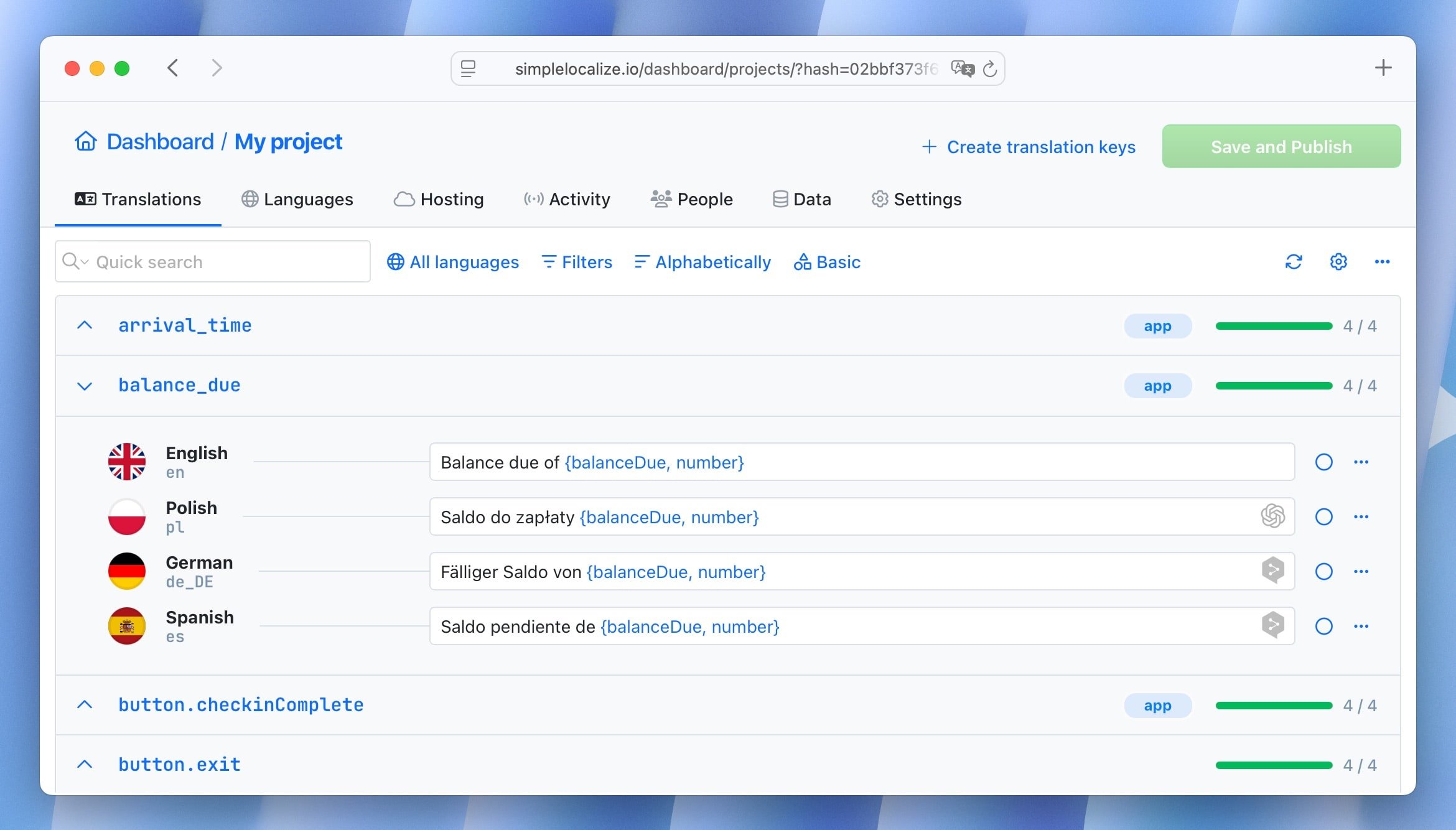
At some point, managing translations in a spreadsheet becomes the bottleneck for every release. The teams that recognize this early and move to a proper translation management system spend less time on coordination and more time on the product.
SimpleLocalize is built around this transition: it replaces the manual export/import cycle with a CLI and API that slot into your existing workflow.
Anti-pattern 5: No ownership, no accountability
This one is organizational, not technical, but it causes more damage than most technical mistakes.
Localization sits at the intersection of engineering (who manages the files and pipelines), product (who decides what gets translated and when), and language teams (who do the translation work). When nobody owns it explicitly, each group assumes someone else is handling the problem.
New keys go untranslated for weeks because the developer assumed the PM would flag them. Outdated translations stay in production because nobody noticed, or nobody felt responsible for noticing. QA catches a broken plural form in Japanese two days before a release.
The fix is simple: assign someone to own the localization workflow. It doesn't have to be a dedicated localization manager, especially in smaller teams. It just needs to be explicit. One person who checks that translation completeness is part of the release checklist. One person who owns the relationship with translators. One person who gets paged when something is missing.
If you want to understand how ownership models evolve as teams grow, the localization maturity model maps this clearly across five stages.
Anti-pattern 6: Machine translation as the final step
Machine translation has gotten very good. DeepL, Google Translate, and the newer LLM-based options can produce translation quality that would have been impossible a few years ago. And for many content types, especially short UI strings in common language pairs, the output is genuinely usable with minimal review.
But "minimal review" isn't the same as "no review."
Teams that run machine translation and ship directly, without any human check, accumulate errors in ways that are hard to audit. A button that says "Cancel booking" in German when it should say "Cancel reservation". A formal tone in French where the product is clearly informal. An idiom that landed poorly in Portuguese.
These errors don't break the product. They erode trust, slowly and quietly, among exactly the users you're trying to win.
The right approach is hybrid: use machine translation to generate a working baseline, then route strings through a localization QA process that catches errors before they reach users. The amount of human review needed scales with content sensitivity: UI copy in a well-supported language pair needs less attention than onboarding flows, legal copy, or marketing pages.
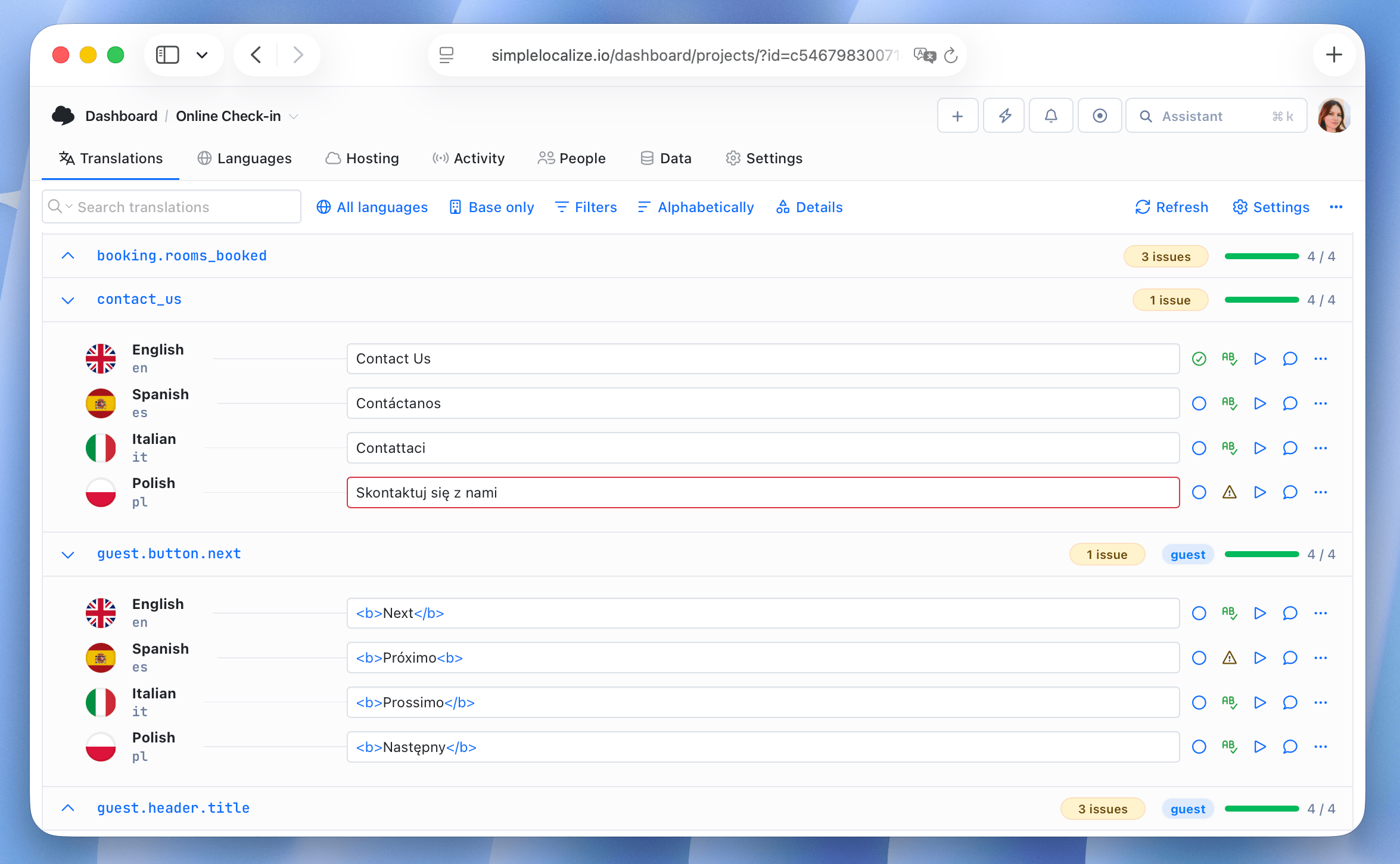
In SimpleLocalize, you can set up automations that run machine translation on new keys and flag them for human review, so nothing ships unreviewed by accident.
You can read more about where machine translation works well and where it breaks in our comparison of DeepL, Google Translate, and OpenAI.
Anti-pattern 7: Ignoring text expansion
English is a compact language. When you translate English UI into German, French, Finnish, or Portuguese, the strings get longer. Sometimes significantly longer.
A button that reads "Book now" in English might become "Jetzt buchen" in German (fine) or "Réserver maintenant" in French (longer) or "Varaa nyt" in Finnish (short, but Finnish is an outlier). Compound words and grammatically required suffixes in many languages produce strings that simply don't fit in the space the designer allocated.
English: "Confirm"          →  7 characters
German:  "Bestätigen"       →  10 characters
Finnish: "Vahvista"         →  8 characters
Polish:  "Potwierdź"        →  9 characters
More problematic examples show up in longer UI labels, error messages, and navigation items. A fixed-width sidebar designed for English copy will look broken in German. A button with a hardcoded width will clip its text in French.
The solution is to design for expansion from the start. Use flexible containers, test with longer strings before translations are ready, and consider pseudo-localization during development. The UI localization design guide goes deeper on layout patterns that hold up across languages.
Anti-pattern 8: Translation key chaos
This one is slow to cause pain and expensive to fix once it does.
There's no naming convention. Keys are created ad hoc by different developers. You end up with:
{
  "btn_book": "Book",
  "BookRoom": "Book room",
  "booking_confirm_button_text": "Confirm booking",
  "BOOK_NOW": "Book now"
}
Four keys from four different developers, all doing roughly the same thing, all named differently. Translators can't tell which is which. Developers can't find keys when they need them. Deduplication is impossible.
And then there are the unused keys: strings that were removed from the UI but stayed in the translation files. They accumulate over time, adding noise, inflating file sizes, and costing money when you're paying for machine translation on keys that serve no users.
Establishing a key naming convention early, and enforcing it consistently, saves a lot of cleanup work later. And periodically auditing for unused keys keeps your translation files healthy.
Anti-pattern 9: Skipping locale-aware formatting
This one is often invisible until it isn't.
A booking confirmation email shows the date as "3/5/2026." Is that March 5th or May 3rd? Depends entirely on the user's locale. In the US it's March 5th. In most of Europe it's May 3rd. Neither format is wrong by itself. The problem is using a single hardcoded format everywhere.
The same issue affects numbers and currencies. A German user sees "1,000.50" and reads it as one thousand and fifty cents (in Germany, the comma is the decimal separator). A price shown as "$1,000" to a Japanese user looks strange next to yen-denominated competitors.
// Wrong: hardcoded format
const price = `$${amount.toFixed(2)}`;

// Right: locale-aware
const price = new Intl.NumberFormat('de-DE', {
  style: 'currency',
  currency: 'EUR',
}).format(amount);
JavaScript's Intl API handles this without third-party libraries. There's rarely a reason not to use it. The number formatting guide covers the patterns in detail.
Anti-pattern 10: Launching RTL support as an afterthought
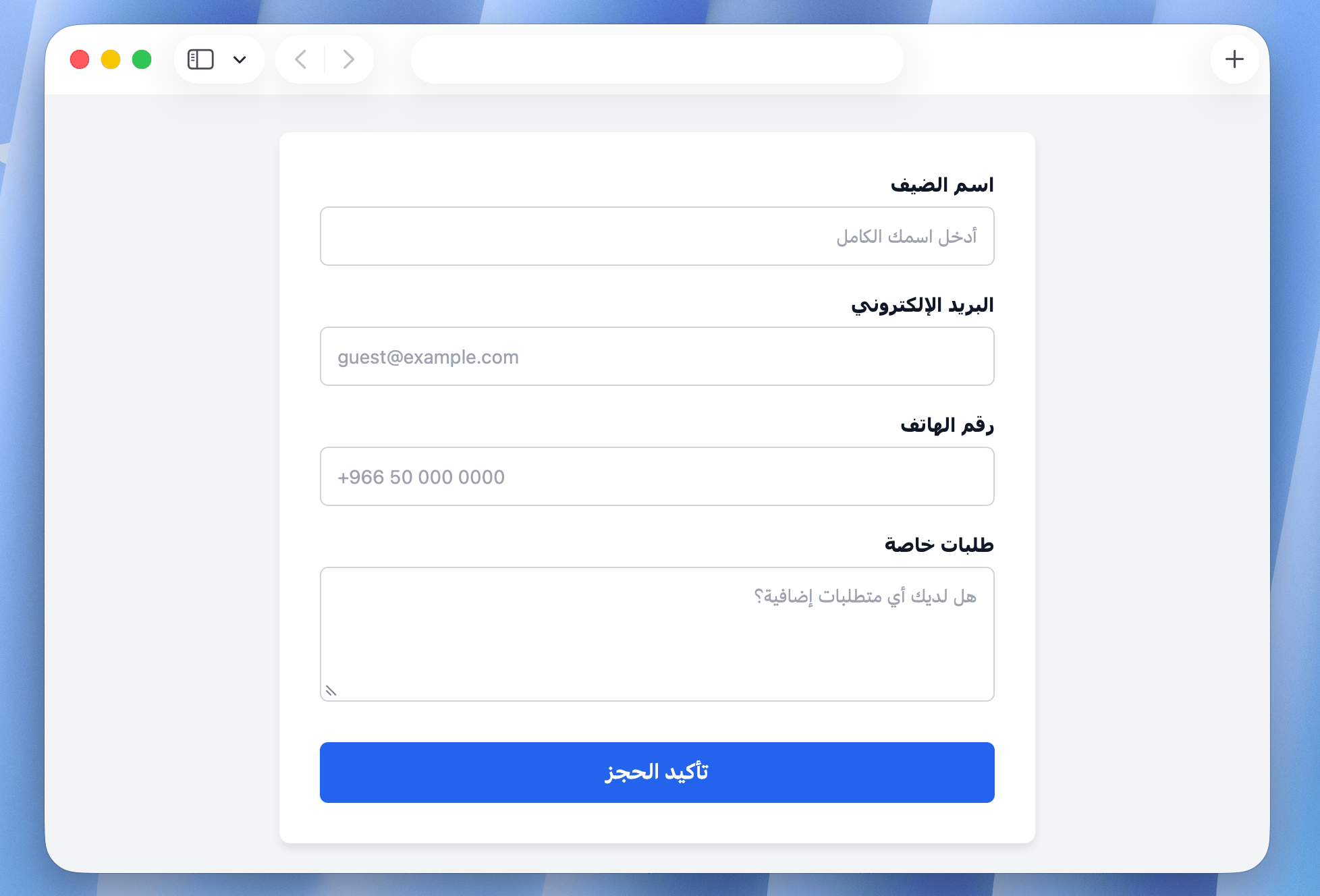
Arabic and Hebrew support tends to get added late, and this is where the pain concentrates.
An application designed entirely for left-to-right layouts has directional assumptions baked into every component. margin-left, padding-right, float: left, text-align: left, left: 0: all of these are hardcoded directions that produce incorrect layouts when dir="rtl" is applied.
Adding RTL support to an existing codebase means finding and fixing every one of these, component by component. On a mature application, this is a months-long project.
The alternative is to use CSS logical properties throughout: margin-inline-start instead of margin-left, padding-inline-end instead of padding-right, so the layout responds correctly to direction without any overrides needed. This approach costs almost nothing when applied from the start and saves enormous effort when RTL languages are eventually added.
The RTL design guide covers the full scope: logical properties, icon mirroring, flex and grid behavior, and the edge cases that trip up most developers encountering bidirectional layouts for the first time.
The common thread
Most localization anti-patterns share the same root cause: the decision looked cheap at the time and proved expensive later.
Hardcoding strings, skipping key conventions, using spreadsheets too long, skipping QA or ignoring text expansion: none of these feel costly in the moment. They feel like pragmatic choices made under real constraints. The cost only becomes visible when you're six months in, supporting four languages, with a product that's changing weekly, and every release requires a manual coordination cycle that nobody owns.
The good news is that most of these are preventable with small upfront investments. The better news is that even if you've already made some of them, they're recoverable with the right tooling and a bit of structural discipline.
If you want a framework for where your team sits today and what to prioritize next, the localization maturity model maps the progression clearly. And if you're ready to audit your current state before starting a new translation cycle, the pre-translation checklist is a practical place to start.
Localization done well is a competitive advantage. Getting the foundations right early is what makes the difference between a localization program that compounds and one that drags.