Localization API
for developers
A developer-friendly REST API for localization
to manage, query, and deliver translations at scale.
{
  "en": {
    "CREATE_ACCOUNT": "Create account",
    "SIGN_IN": "Sign in",
    "WELCOME_TO_THE_JUNGLE" : "Welcome to the jungle"
  },
  "es": {
    "CREATE_ACCOUNT": "Crear cuenta",
    "SIGN_IN": "Iniciar",
    "WELCOME_TO_THE_JUNGLE": "Bienvenido a la jungla"
  }
}
What is a localization API?
A localization API (also called a translation API or i18n API) is a programmatic interface that lets developers create, read, update, and delete translations without touching a dashboard. Instead of managing translation files by hand, you call a REST endpoint to push new keys, pull translated strings, trigger auto-translations, and publish changes, all from your existing toolchain.
SimpleLocalize provides a full-featured translation management API built on top of the software localization platform. It connects your codebase, CI/CD pipeline, and translators in a single continuous localization workflow. See the API documentation to get started.
How developers use localization APIs
The translation API plugs into every part of your stack, from CI/CD pipelines to runtime services.
CI/CD workflows
Automatically push new translation keys from your repository. Works with GitHub, GitLab CI, Bitbucket.
Backend localization
Fetch translations dynamically from a CDN or API. Ideal for server-side rendering, microservices, and backend apps.
Translation automation
Integrate machine translation services via the API. Trigger DeepL, Google Translate, or OpenAI jobs automatically.
Multi-app management
Manage translations for web, mobile, and backend services in one place using namespaces, tags, and environments.
Integrate the Localization API in minutes
Create a free SimpleLocalize project and connect it to your application using our REST API. Upload translation keys, automate translation workflows, and download localized files in seconds.
Start for freeLocalization API features
Everything you need to manage the full translation lifecycle programmatically, from a single key to thousands of translations across dozens of languages.
Localization platform API
Built for the way you ship
The SimpleLocalize API is designed for developer workflows, from local development to production deployments.
Localization workflow with the API
A typical translation API workflow: from uploading keys to delivering translations via CDN.
Full API reference →Upload translation keys
Auto-translate content
Fetch translations
Download translation files
Publish to CDN
Translation Hosting
vs Localization API
SimpleLocalize offers two ways to deliver translations. Choose the one that fits your architecture or use both together.
Translation Hosting (CDN)
Ultra-fast, edge-cached delivery for frontend apps. Ideal for static websites, SPAs, and mobile apps. No API key exposed to the client.
Localization API (REST)
Full CRUD access for backend apps, server-side rendering, CI/CD pipelines, and custom integrations that need granular control over translations.

































































Works with
your favourite tools
SimpleLocalize integrates with your existing i18n library out of the box — no need to migrate, rewrite, or lock into a proprietary format.

Start using the Localization API today
- All-in-one localization platform
- Web-based translation editor for your team
- Auto-translation, QA-checks, AI and more
- See how easily you can start localizing your product.
- Powerful API, hosting, integrations and developer tools
- Unmatched customer support
"The product
and support
are fantastic."
"The support is
blazing fast,
thank you Jakub!"
"Interface that
makes any dev
feel at home!"
"Excellent app,
saves my time
and money"
Learn more about localization APIs
Guides, tutorials, and best practices for using APIs in your localization workflow.
What is a localization workflow? A practical guide for software teams
Learn what a localization workflow is, how it works, and which workflow pattern fits your team. Real examples with SimpleLocalize, GitHub App, CI/CD, and AI automation.
Continuous localization: What it is, why it matters, and how to implement it
Learn how continuous localization works, how to implement it in modern CI/CD workflows, and how teams automate translation using best practices and tools like SimpleLocalize.
How to choose the right TMS for continuous localization
A practical guide to selecting the right translation management system (TMS) for continuous localization. Learn what to evaluate, real examples, and how SimpleLocalize fits in.
AI-Powered localization workflows for software translation
Use AI-powered workflows to speed up software localization, integrate with CI/CD pipelines, and ensure translations are accurate, consistent, and release-ready.
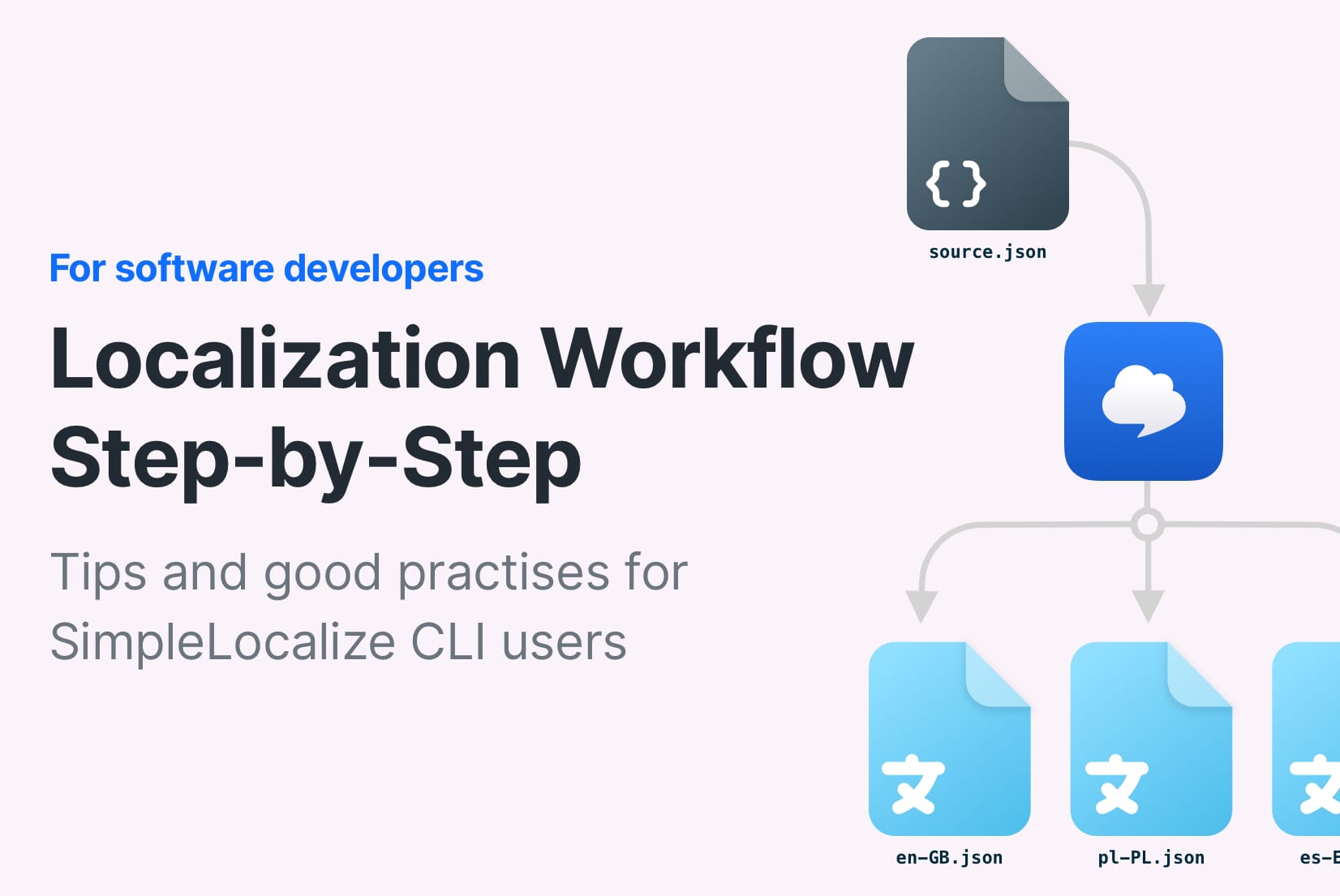
Localization workflow for developers: From CLI setup to CI/CD automation
Learn how to build a scalable localization workflow for developers. Set up CLI sync, automate translations, and integrate localization into your CI/CD pipeline.
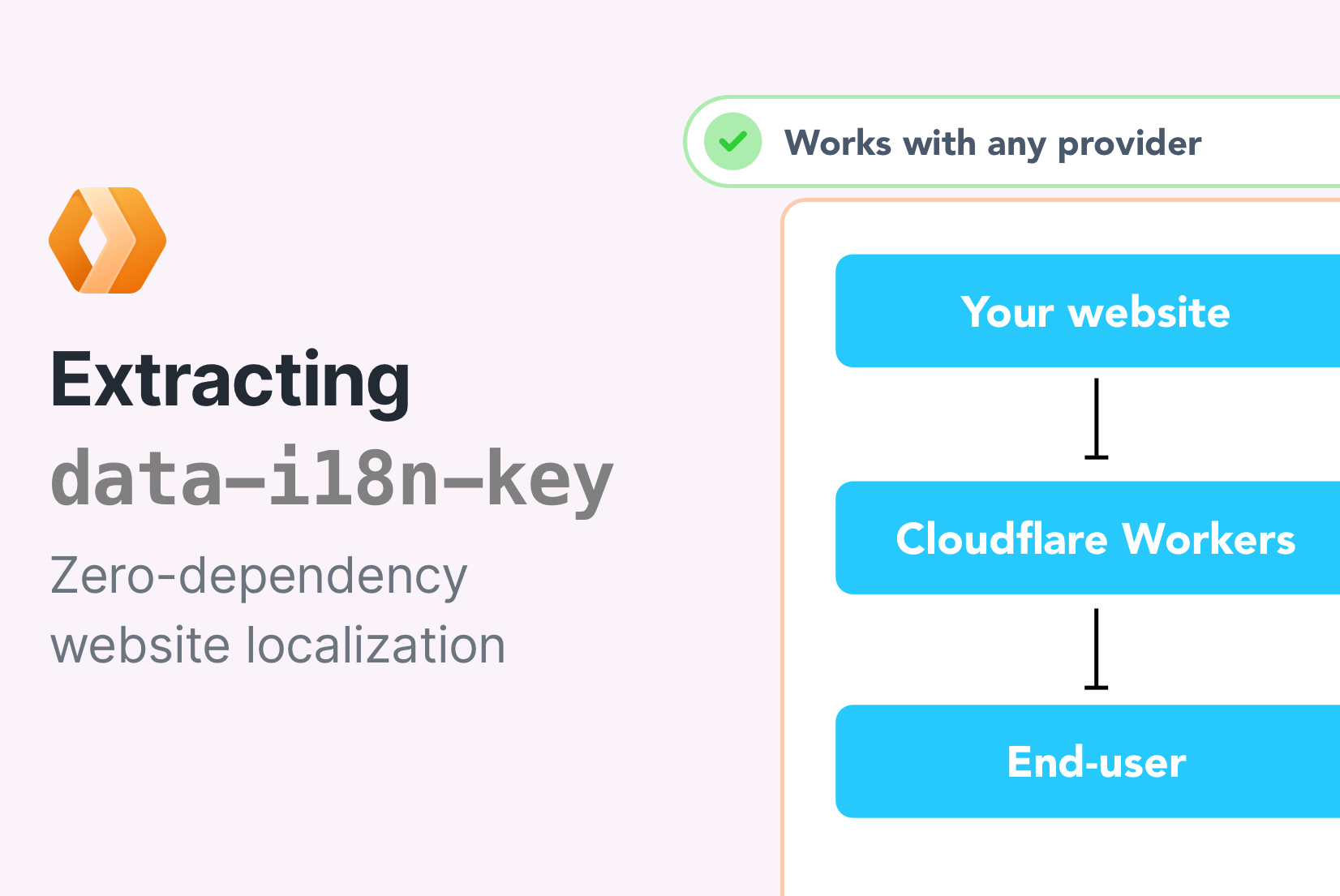
Cloudflare Workers and Website Localization (2/5)
In this tutorial, how to extract translation keys and translations from a HTML website and upload them to SimpleLocalize using the SimpleLocalize CLI.
What is a translation API?
A translation API is a REST interface that lets you manage multilingual content programmatically. Instead of logging into a dashboard to add or edit strings, you send HTTP requests to create translation keys, set translations for each language, and query or export the results.
In practice, a translation API is the backbone of any continuous localization workflow. Your CI/CD pipeline pushes new keys after every build, auto-translation fills in the gaps, human translators review in the online editor, and the API exports the final files or publishes them to a CDN. This is what makes a translation management API different from a one-off machine-translation service — it manages the full lifecycle, not just the translation step.
Localization API vs translation management system
A translation management system (TMS) is the platform — it includes the editor, dashboards, user roles, and automation rules. The localization API is the programmatic interface to that platform. SimpleLocalize provides both: a visual editor for translators and a REST API for developers. You can do everything through the API that you can do in the UI — and automate it.
This dual approach means product teams can manage translations visually while developers integrate via API endpoints, CLI commands, or GitHub App. It bridges the gap between technical and non-technical workflows in a single software localization platform.
When to use a localization API instead of file-based workflows
File-based workflows work well for small projects: you export a JSON or YAML file, translate it, and import it back. But as your product grows — more keys, more languages, more contributors — file-based processes break down. Keys go out of sync, merge conflicts pile up, and there is no single source of truth.
A localization platform API solves this by centralizing all translation data behind a consistent interface. Your build scripts call the API to sync keys. Your translators work in the cloud editor. Your deployment pipeline fetches the latest translations automatically. There is no file to email around or merge manually. For teams practicing continuous localization, the API is the only scalable option.
Integrating a localization API into your build pipeline
The most common integration pattern is adding API calls to your CI/CD pipeline. After each build, your pipeline pushes new or changed translation keys to the localization platform. Auto-translation fills in missing strings, reviewers approve changes asynchronously, and a publish step delivers the final translations via CDN or file export.
SimpleLocalize's API works with any CI system. The CLI wraps the most common API operations into simple commands — upload, auto-translate, download, and publish — so you can add localization to GitHub Actions, GitLab CI, or Bitbucket Pipelines in minutes.
How to choose a localization API for your stack
When evaluating a localization API (or i18n API), look for these qualities:
- OpenAPI specification — a machine-readable spec lets you generate typed clients for any language, reduce integration time, and stay in sync with API changes.
- File format support — the API should import and export in the formats your frameworks use: JSON, YAML, XLIFF, Android XML, iOS Strings, Properties, and others.
- Auto-translation built in — triggering DeepL, Google Translate, or OpenAI directly from the API removes an entire workflow step.
- CDN publishing — the ability to push translations to a hosted CDN endpoint means frontend apps can pull updates without a redeploy.
- CLI & CI/CD integration — a companion CLI that wraps the API is essential for GitHub Actions, GitLab CI, and other runners.
SimpleLocalize checks every box and is purpose-built for software localization teams that ship continuously.
Frequently asked questions
What is the difference between a translation API and translation hosting?
Translation hosting delivers pre-built translation files via a fast, edge-cached CDN — ideal for frontend apps and mobile clients. The translation API provides full CRUD access to your translation data — ideal for backend services, CI/CD pipelines, and custom integrations that need to read, write, or manage translations at a granular level. You can use both together: manage content via the API, then publish to the CDN for delivery.
Does the SimpleLocalize API support auto-translation?
Yes. You can trigger auto-translation jobs via the API using DeepL, Google Translate, or OpenAI as translation providers. The API lets you specify source and target languages, choose provider-specific options like DeepL glossaries or formality levels, and track translation job progress. You can also enable auto-publish so translated content is pushed to the CDN automatically.
What file formats can I import and export via the API?
The API supports over 30 file formats including JSON (single-language and multi-language), YAML, XLIFF, Android XML, iOS Strings, Java Properties, PHP, PO/POT, CSV, Excel, and more. You can upload a file in one format and export in another. See the file formats documentation for the complete list.
Can I use the localization API in a CI/CD pipeline?
Absolutely. The API is designed for automation. Many teams use it inside GitHub Actions, GitLab CI, or Bitbucket Pipelines to push new translation keys after every build and pull approved translations before deployment. The SimpleLocalize CLI wraps the API for even simpler integration.
How does the localization API relate to software localization?
The localization API is one component of a broader software localization platform. It handles the programmatic side — managing keys, translations, and delivery. The platform also includes a visual translation editor, AI-powered auto-translation, no-code automations, and team collaboration features. Together, they form an end-to-end localization workflow for developers and product teams.