How to choose a TMS for your SaaS startup


Launching a SaaS product globally used to be something only mature companies could do. Today, even a small team with a lean stack can reach thousands of users across different countries, if they localize early and choose the right translation workflow.
But here's the tricky part: What localization setup is right for your stage of growth? Should you start with spreadsheets? Jump straight to a translation management system (TMS)? Or mix automation with manual processes?
This guide teaches startup teams how to choose the right TMS, without overpaying, over-engineering, or creating technical debt that hurts you later.
Why early SaaS teams struggle with localization
If you're a founder, engineer, or product owner in a growing SaaS company, the story usually looks like this:
- You start with one language (often English) to validate your idea quickly.
- Then you notice signups from Germany, Spain, Poland, Japan…
- Support tickets pile up asking for local versions.
- You add “Localization” to the roadmap; somewhere between “Improve onboarding” and “Fix billing.”
- You try to manage translations in spreadsheets, then JSON files, then Git branches.
- It works… until it doesn't.
At some point, the pain becomes clear:
- strings get lost,
- translations are not accurate or consistent,
- translators ask for context repeatedly,
- translations are out of sync with the product,
- the UI breaks in languages with long text,
- and deployment slows down because translations aren't ready on time.
This is the moment a startup begins looking for translation management options.
Step 1: Understand whether you actually need a TMS yet
Not every SaaS startup needs a full-fledged TMS from day one. Here's a quick diagnostic:
You probably DON'T need a TMS yet if:
- You support only one new language.
- Your UI has fewer than ~300 strings.
- You ship updates monthly or less often.
- You don't expect user growth from non-English markets yet.
In those cases, a simple spreadsheet or static JSON/YAML files may work fine.

You probably DO need a TMS if:
- You're adding 2+ new languages.
- Translators work outside your dev team.
- Strings change weekly or daily.
- You have different contributors (PMs, engineers, translators, contractors, community members).
- You want to avoid slowing down releases.
- You plan to expand into new markets this year.
This is where a TMS becomes not a luxury, but a growth enabler.
Step 2: Focus on startup-relevant TMS features (not enterprise ones)
Enterprise localization tools promote features like SSO, legal compliance workflows, role hierarchies, audit logs, multi-team departments, and localization procurement integrations.
These are great—for enterprise. But for a startup, they add complexity and cost without much benefit.
Here are the features that actually matter for early SaaS teams:
Fast onboarding with minimal setup
You should be able to:
- import your language files,
- connect your repo,
- and invite translators
...without reading a 40-page manual.
If the setup takes more than 20 minutes, it's not startup-friendly.
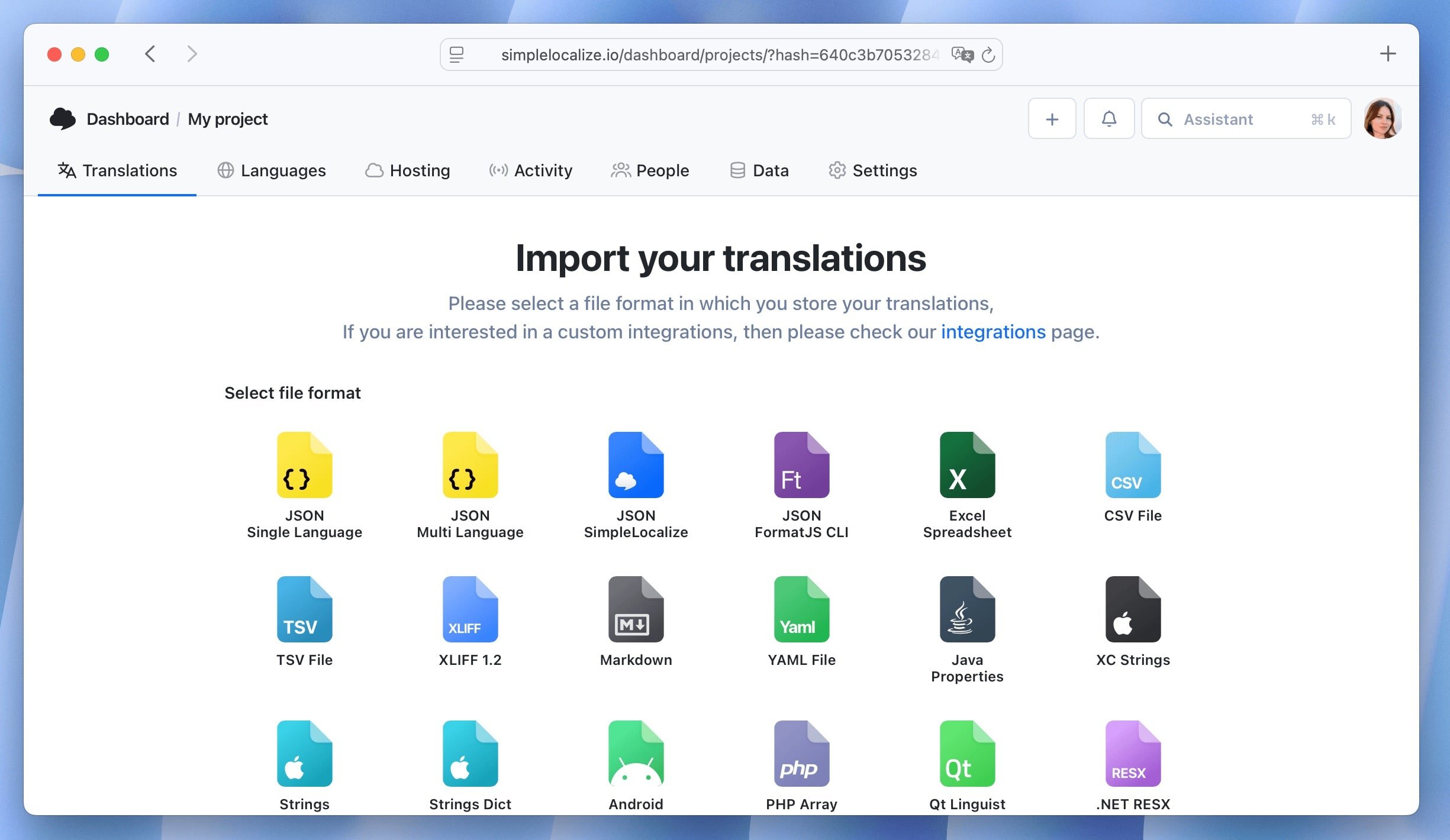
Support for the file formats your devs already use
Most SaaS startups use:
Your TMS should support all of these out of the box with no transformations required.

Automation that removes repetitive work
This is where early-stage teams save a lot of time:
- automatic import/export
- translation hosting or CDN
- CLI for CI/CD pipelines
- webhooks or Git sync
- machine translation suggestions
- translation review and auto-translation automation
You don't need enterprise workflow builders, just automation that keeps translations in sync with your product.
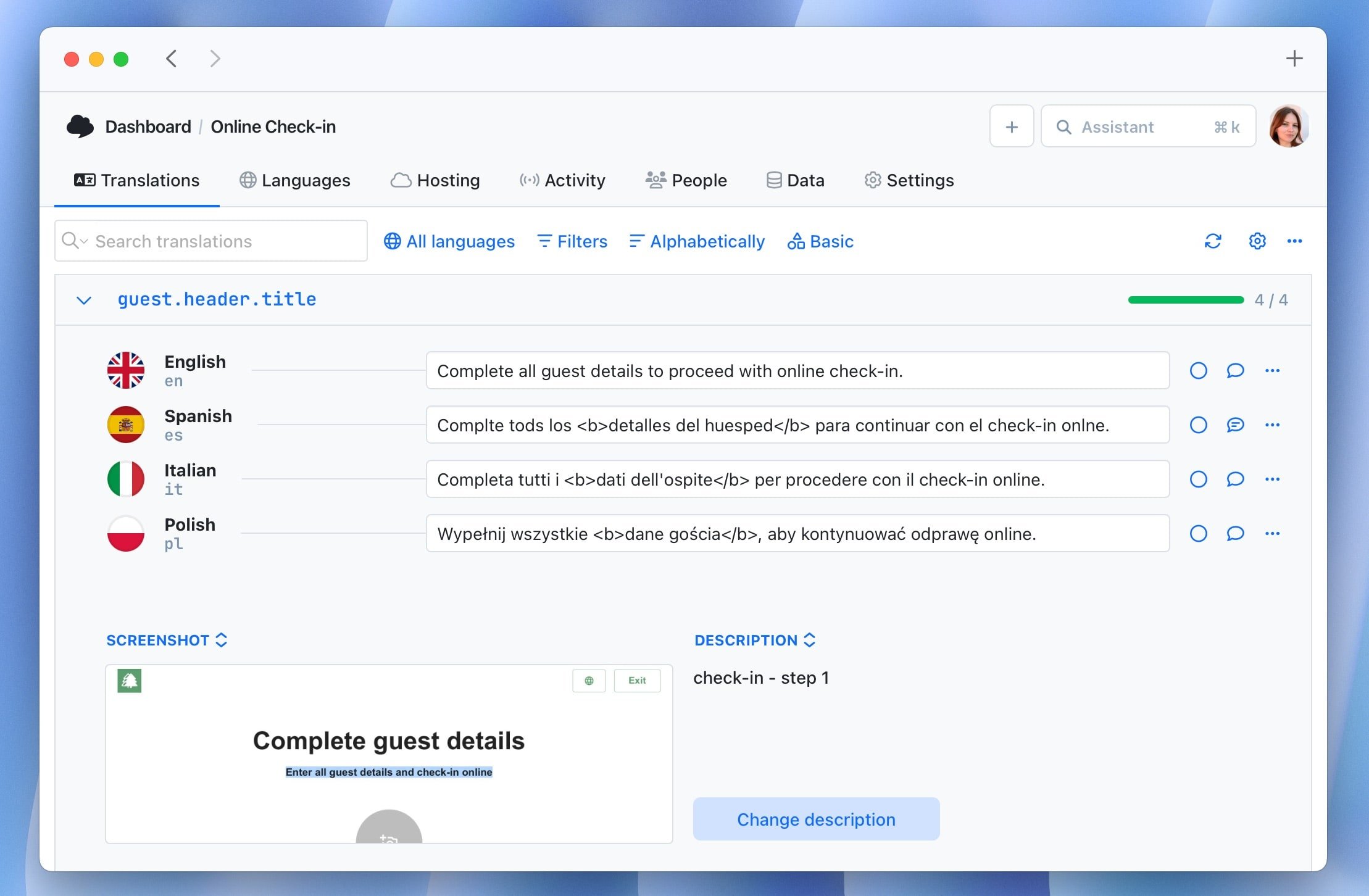
Context tools so translators don't guess
Your biggest startup localization risks:
- broken UI
- incorrect text
- misunderstood intent
- inconsistent terminology
Context tools like screenshots, descriptions or in-context editor reduce these mistakes.
Affordable pricing that scales with you
Startups rarely have a localization budget.
Look for:
- per-project or per-string/translation key pricing
- no “per-seat” charges
- ability to grow gradually
- predictable limits
Expensive LSP-oriented tools aren't built for startups.
Learn more about difference between strings and translation keys
Step 3: Choose a TMS that can grow with you
A startup needs something that works now, but also:
- handles more languages later
- integrates with automation (CI/CD)
- adds collaboration features as your team grows
- and doesn't break your product when scaling to higher volumes
This is not the same as choosing an enterprise system from day one.
Think of it like choosing a database: You don't need a huge distributed system with sharding to store your first 10,000 rows, but you do want something that won't require a full rebuild later.
Real-world example: How a young SaaS company expanded using a lightweight TMS
A good example is Automa.Net, a fast-growing industrial-automation marketplace founded in 2021. As they expanded across Europe, they needed to support many languages early on and keep translations consistent without slowing product development.
Instead of building a heavy enterprise workflow, they adopted a simple translation management setup with SimpleLocalize that:
- let non-technical team members handle translations,
- automatically updated new keys,
- and scaled easily as they added more languages.
This kind of approach works perfectly for startups: minimal overhead, fast integration, and the flexibility to grow from a few languages to many as the product gains traction.
Step 4: Decide whether you need machine translation + human review
For startups, the most efficient workflow is often:
- Auto-translate new strings
- Have translators review important UI or marketing content
- Ship fast, iterate fast
This hybrid approach gives:
- speed
- cost-efficiency
- good-enough quality for early product stages
You can switch to fully manual translations later as you grow.
Learn more about automating auto-translation and review workflows in SimpleLocalize.
Step 5: Create a localization workflow that doesn't slow you down
Once you pick a TMS, set up a lightweight workflow such as:
- Developer adds/updates strings → Files sync automatically with the TMS.
- Translators (or community contributors) translate → They see context and screenshots.
- Review only high-impact content → onboarding flows, landing pages, pricing pages.
- TMS pushes translations to production → Through API, CLI, or CDN.
- Developer keeps shipping without waiting → Continuous localization, not bottlenecks.

Check more examples of AI powered localization workflows.
Checklist: Is this the right TMS for my startup?
Use this as a final filter. Your TMS should:
- support your file formats natively
- import your project in under 10 minutes
- enable automation without DevOps headaches
- allow translators to work without Git
- provide MT + translation memory
- provide affordable pricing for early-stage teams
- scale to more languages without breaking your workflow
- avoid heavy enterprise features you don't need yet
If the answer is “yes” to most of these, you're choosing the right tool.
Check our list of best TMS for SaaS.
Conclusion: The right TMS helps startups move faster, not slower
Choosing a translation system for a SaaS startup is really about answering one question:
“How do we ship features fast, expand globally, and avoid creating a localization mess we'll regret later?”
A good TMS like SimpleLocalize gives you:
- speed
- structure
- scalability
- better UX for global customers
Without the cost, complexity, and enterprise baggage you don't need yet. Start small, think big, and localize smartly. Your global users are waiting!