 VS Code Extension available! Install now
i18n management
for development teams
Keep your translation keys organized as your project grows. Structure namespaces, coordinate team workflows, and stay in sync with every release.

- Auto-translation
- Screenshots with OCR
- AI-powered adjustments
- Built-in Automations
- Markdown support
- Variables highlighting
- Bulk Actions
- Context-aware translations
- Acceptance statuses
- Quality checks
- Comments & mentions
- Real-time collaboration
Trusted by developers and translators at














What i18n management involves
Beyond choosing an editor and file format, managing i18n at scale is about keeping translation keys organized, teams aligned, and releases clean as your product grows.
Key organization
Establish naming conventions, avoid duplication, and keep translation keys consistent across your entire codebase as the project scales.
Namespace structure
Split translations by feature, module, or app layer. Load only what each page needs and keep files maintainable as languages multiply.
Team workflows
Coordinate developers adding keys, translators filling strings, and reviewers approving changes, without confusion about ownership and status.
Release sync
Keep translations in sync with every release cycle. Detect new keys automatically, fill gaps before deploy, and avoid shipping untranslated strings.
Translation key management
Translation keys are the backbone of every i18n project. As your app grows from tens to thousands of keys, you need clear naming conventions, a way to find and remove unused keys, and a strategy for sharing keys across multiple apps or modules.
SimpleLocalize gives you a centralized translation editor where you can search, filter, bulk-edit, and organize keys across all languages. Combined with the CLI, you can automatically detect unused keys and clean them up before they accumulate into translation debt.
Namespaces and project structure
When a flat list of keys becomes unmanageable, namespaces let you organize translations to mirror your codebase. Split by feature, by team, or by app layer, and load only what each page needs.
Namespaces
Namespaces are a way to group keys together. If you have a large project, you can use namespaces to organize your keys. SimpleLocalize will show translation key namespaces in the editor, so you can easily navigate between them and find the key you need.
Learn more about namespaces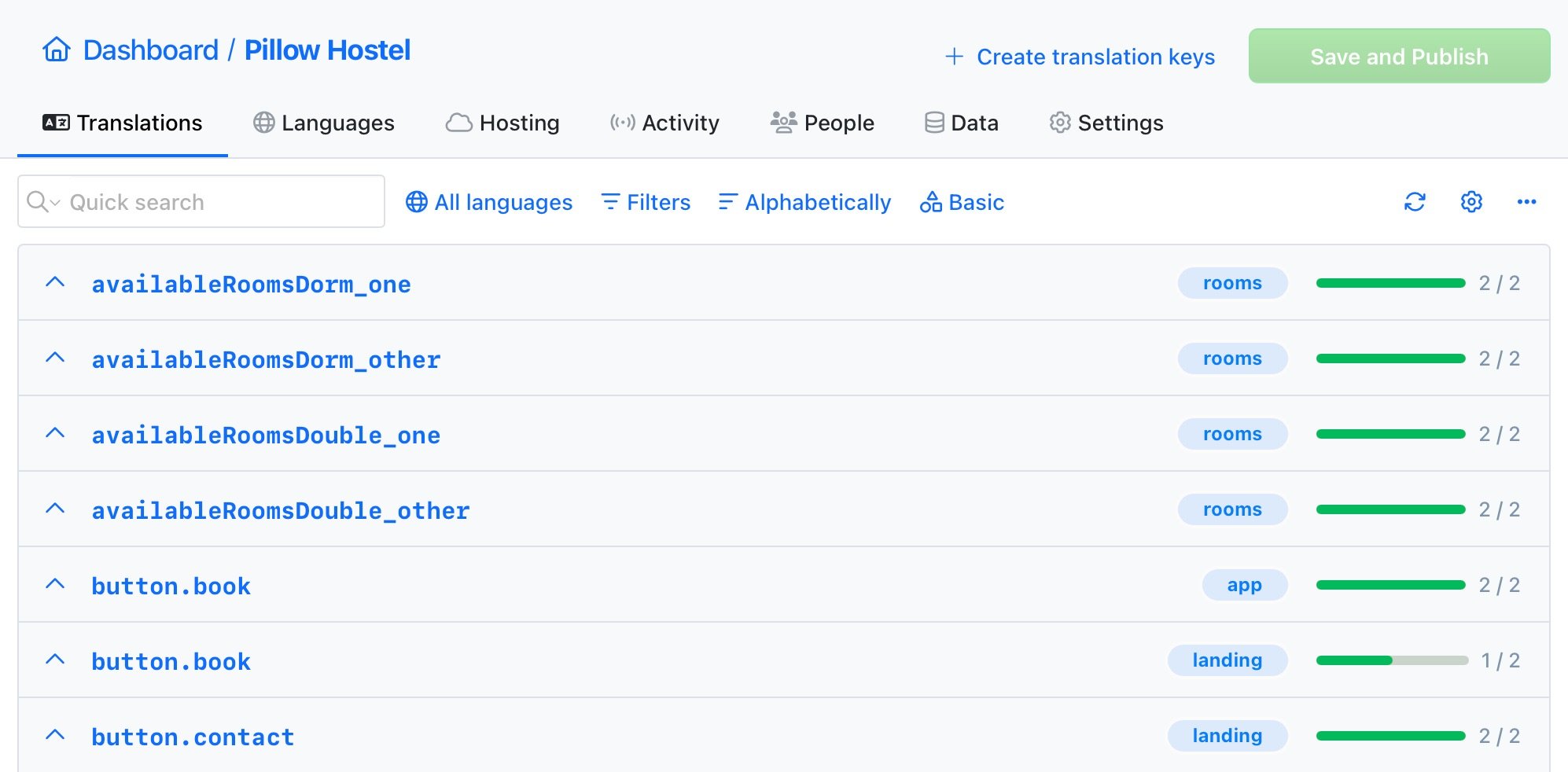
Tags
Use tags to categorize your keys and translations. Group keys or translations by a specific category or topic. Tags can be used for filtering keys and translations in the translation editor.
Learn how to tags translation keys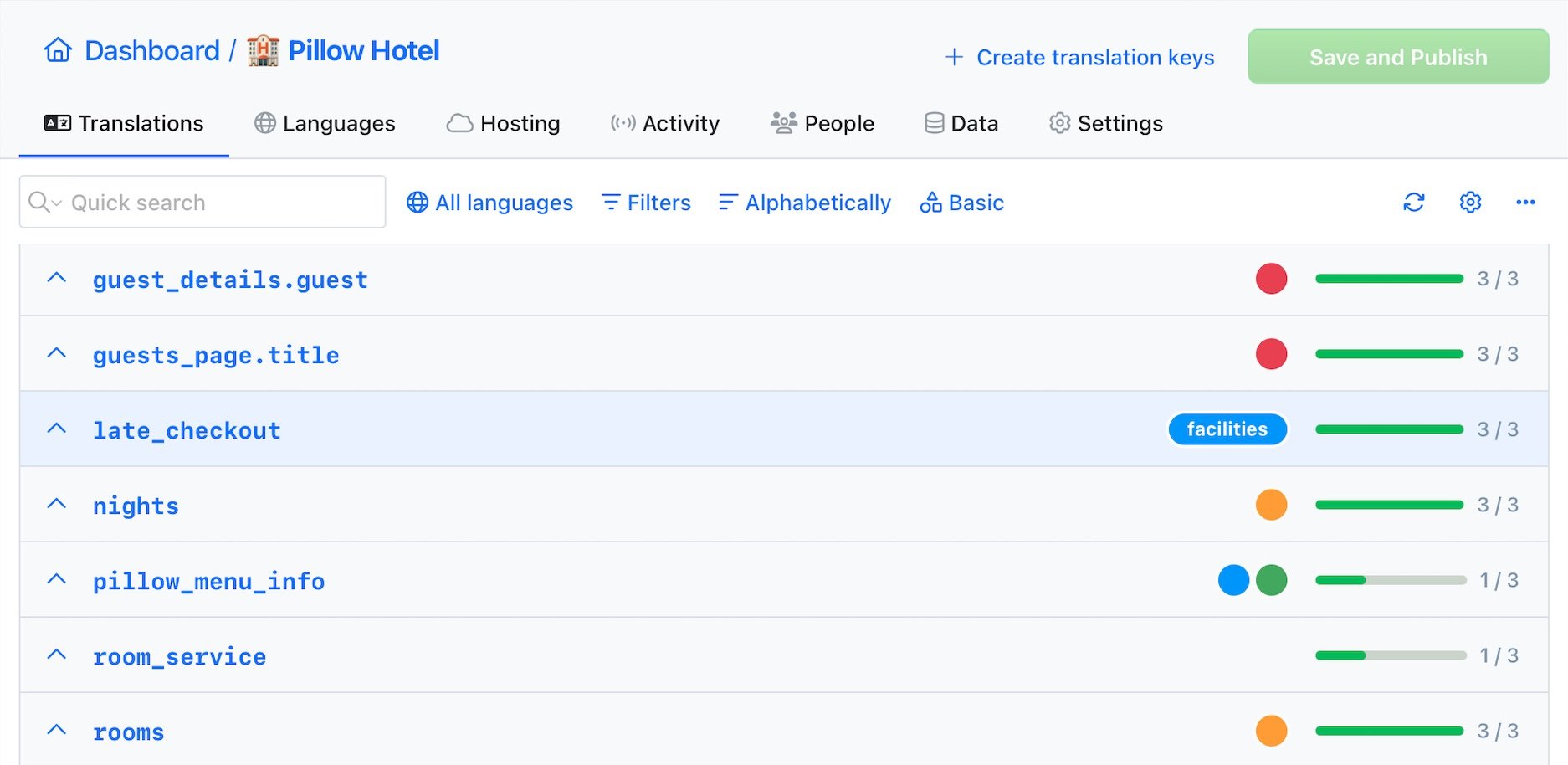
Team workflows
Coordinate developers, translators,
and reviewers without bottlenecks.
Invite your team
Invite team members to the project. Work together with native speakers from all around the world on your app translations. Share your project with your team and manage translations in one place.










Comments
and notifications
Comments are a great way to communicate with your team. Keep track of changes and discuss translations directly in the editor. Receive email notifications about new mentions to stay up to date.
Learn more about comments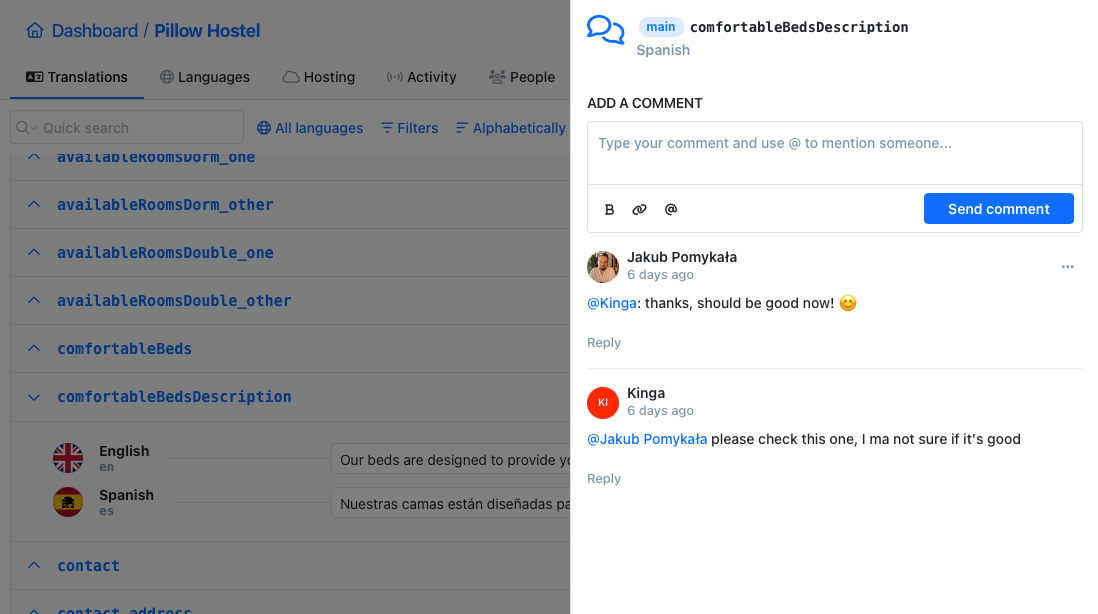
Context Actions
Custom built context menu actions for the translation editor allow you to perform actions quickly. Share links to translation keys, copy key names, auto-translate or run AI Actions.

"With SimpleLocalize we have been able to quickly configure our platform
for different languages, without overloading our internal resources.
Everything is done easily and automatically!"
Stay in sync with every release
Automate translation sync
so releases never wait for translations.
Universal command-line tool
Localization CLI makes managing your translations more configurable, flexible, and automated than ever before.
# upload source translations
$ simplelocalize upload

# auto-translate strings
$ simplelocalize auto-translate

# publish translations
$ simplelocalize publish

# download translated files
$ simplelocalize download
Zero-dependency required.
Works natively on Windows, macOS, and Linux.
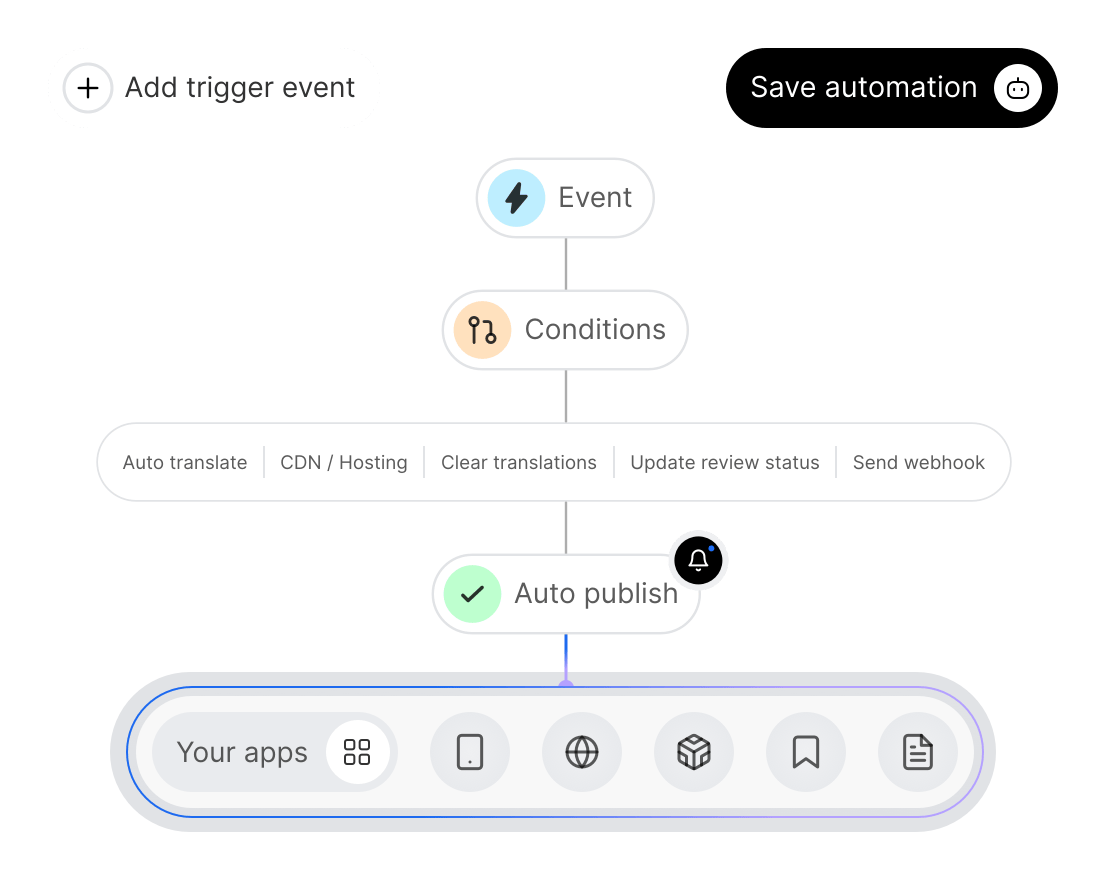
No-code automations
Automations set up in minutes, translations that run themselves, keeping your content always on time and perfectly in sync.
Managing translations across multiple apps
Teams running more than one product, a web app, a mobile app, a marketing site, need a strategy for sharing translations without creating chaos. The pattern that works: use namespaces to isolate app-specific keys, and a shared namespace for common strings like buttons, error messages, and labels.
SimpleLocalize acts as a centralized translation keys database where every app pushes and pulls its own namespaces. Combined with continuous localization via CI/CD, each app stays independently deployable while sharing the translations it needs.
Separate namespaces per app
Each app owns its namespaces. Web, mobile, and backend translations stay isolated yet managed in one place.
Shared common namespace
Buttons, errors, and labels live in a shared namespace that every app imports. Change once, update everywhere.
Independent CI/CD sync
Each app's pipeline uploads and downloads only its namespaces. No cross-app deployment dependencies.
Everything you need to manage i18n
From organizing a handful of keys to governing translations across teams and products, SimpleLocalize covers the full i18n management lifecycle.

Start managing i18n at scale
- Organize translation keys with namespaces and tags.
- Coordinate developers, translators, and reviewers in one workspace.
- Sync translations with your CI/CD pipeline automatically.
- Auto-translate with DeepL, Google Translate, or OpenAI.
- Part of a complete software localization platform.
"The product
and support
are fantastic."
"The support is
blazing fast,
thank you Jakub!"
"Interface that
makes any dev
feel at home!"
"Excellent app,
saves my time
and money"
i18n management guides and tutorials
Technical articles on organizing translation keys, structuring namespaces, and managing i18n workflows effectively.
Xcode String Catalog (.xcstrings): The complete guide for iOS localization
Everything developers need to know about .xcstrings string catalogs. Covers JSON schema, extractionState and translationState flags, pluralization, device variants, universal placeholders, Git merge conflict strategies, Xcode 26 AI comments, and SimpleLocalize integration.
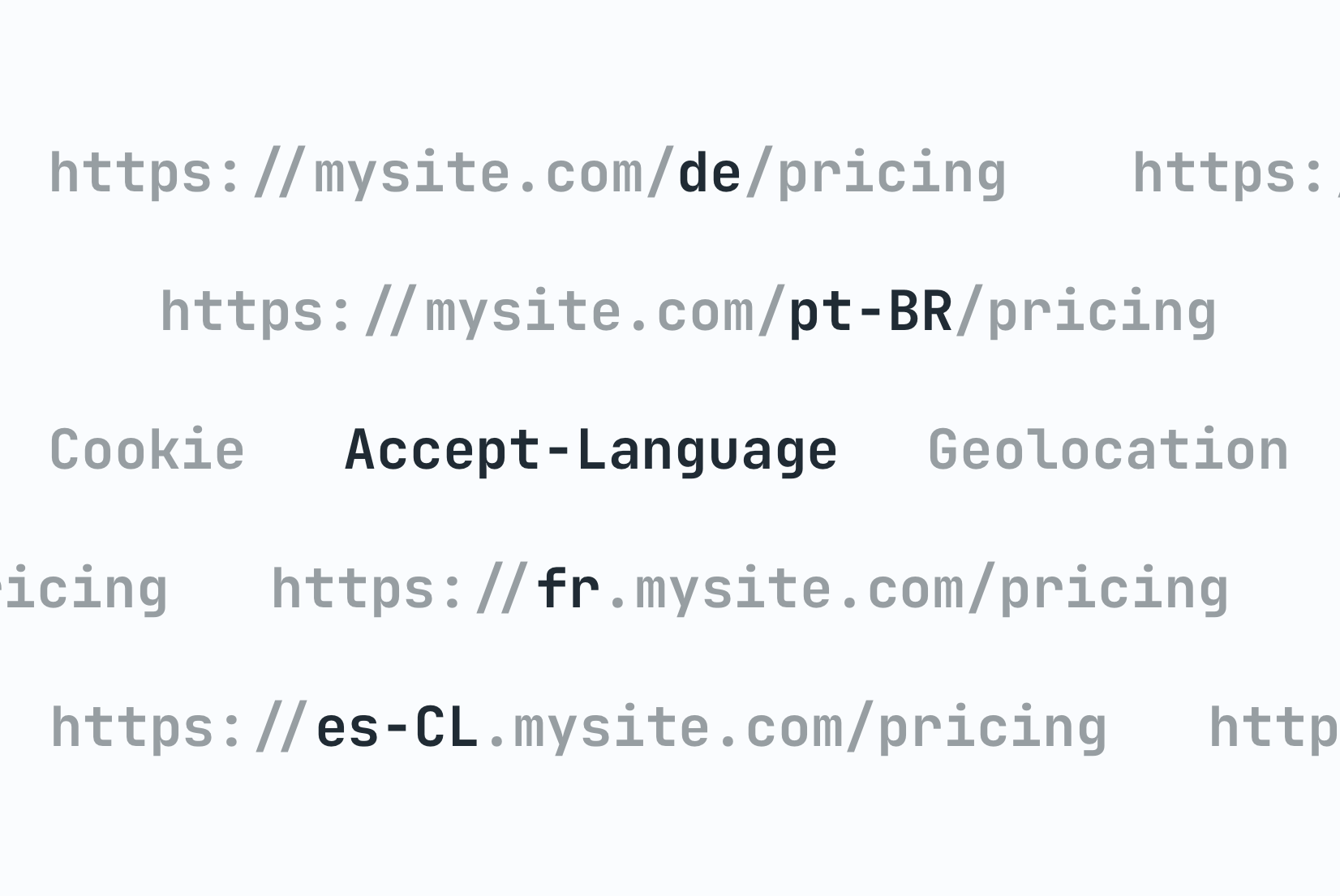
Locale detection strategies: URL, Cookie, or Header?
Compare locale detection strategies with code examples. Learn the trade-offs of URL paths, cookies, and headers with an architectural decision framework.
Vue.js i18n: The complete guide to localizing Vue and Nuxt apps
Learn how to internationalize and localize Vue 3 and Nuxt apps with vue-i18n. Covers setup, translation files, pluralization, locale detection, lazy loading, CI/CD integration, and SimpleLocalize workflows.
Android String resources: Complete guide to localizing Android apps
Learn how to manage Android string resources, plurals, and arrays. A technical guide to localizing Android XML files with SimpleLocalize for seamless translation workflows.

How to make a website multilingual: A developer's implementation guide
A practical guide for developers: how to internationalize a web app, set up translation files, implement locale detection, handle formatting, and manage translations across releases.
The complete technical guide to Internationalization (i18n) & Software localization
Everything developers need to know about internationalization (i18n) and software localization. Architecture patterns, file formats, frameworks, RTL, CI/CD, testing, and multi-tenant localization for SaaS teams.
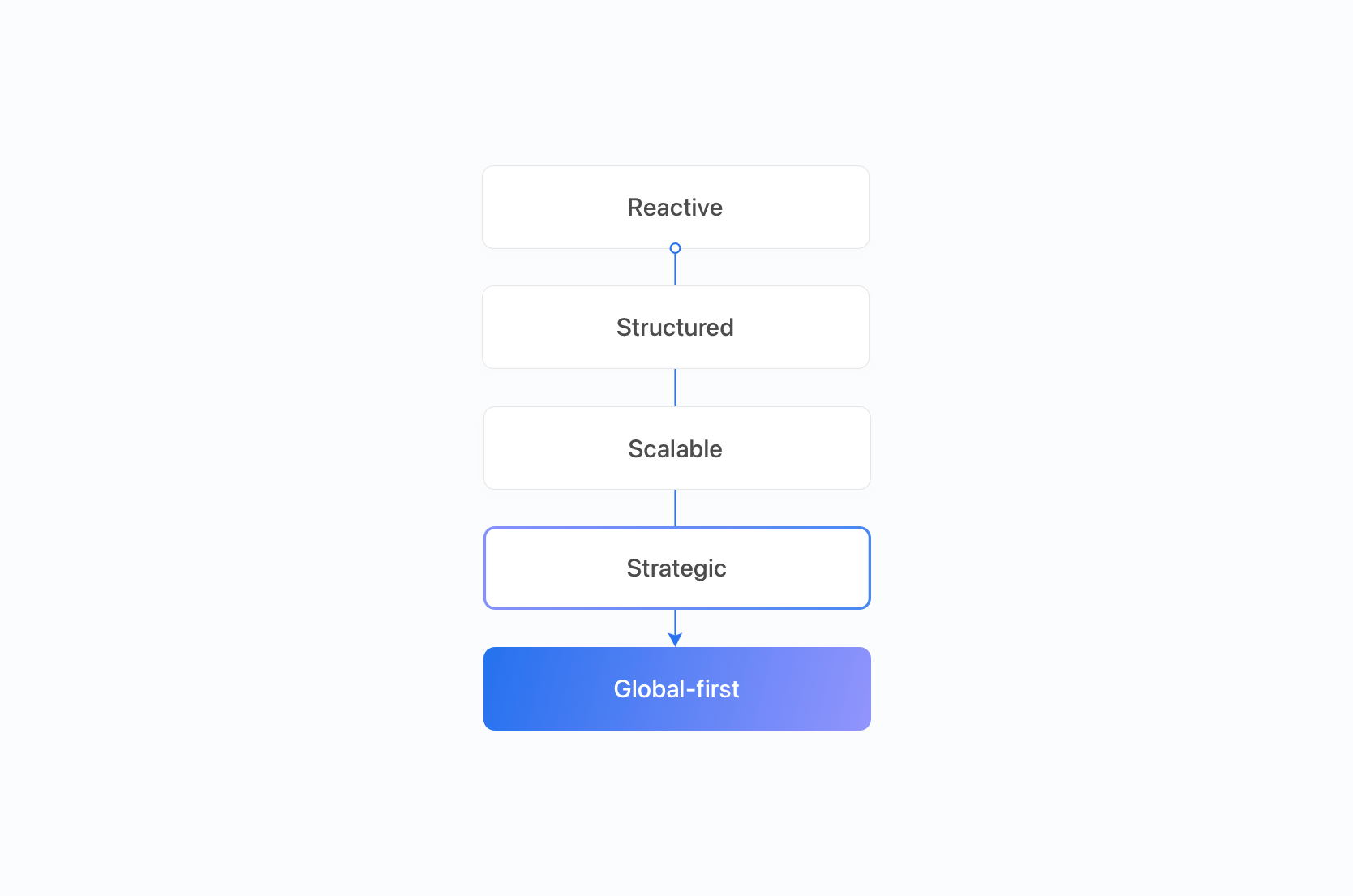
Localization maturity model: 5 stages of scalable global growth for SaaS
Discover the 5 stages of the localization maturity model for SaaS. Learn how workflows, budgets, tooling and QA evolve from reactive translation to global-first strategy.
Localization strategy for global SaaS growth: Scaling beyond basic translation
Learn how to scale localization for global SaaS growth. Prioritize markets, automate workflows, enforce governance, and measure localization ROI effectively.
Localization vs Internationalization vs Translation: Key differences for SaaS teams
What's the difference between localization, internationalization (i18n), and translation? Practical SaaS examples for product and engineering teams.
What does i18n management mean beyond translation?
Translation is one step in a larger process. i18n management covers everything that happens around it — how translation keys are created and named, how they are organized into namespaces, who is responsible for translating and reviewing each string, and how translations stay in sync with the codebase as features ship.
Without deliberate management, projects accumulate translation debt: orphaned keys nobody uses, inconsistent naming that makes searching impossible, missing translations that slip into production, and merge conflicts in translation files that slow every release. A software localization platform like SimpleLocalize gives teams the structure to prevent this — centralized key storage, namespace-based organization, role-based access, and automated sync with CI/CD.
How to structure translation keys and namespaces
The most common pattern is hierarchical keys that mirror your UI structure: dashboard.sidebar.menuLabel, settings.notifications.emailToggle. This makes keys predictable, searchable, and easy to scope to a namespace.
Namespaces group keys into logical units — typically one per feature, page, or module. For example, a SaaS app might use common for shared strings, dashboard, billing, and onboarding for feature-specific keys. Each namespace can be loaded independently, which improves runtime performance and keeps translation files small. See the namespaces documentation for setup details.
Tags add a cross-cutting dimension. Tag keys by release (v3.2), by team (growth), or by priority (critical). Unlike namespaces, tags do not affect file structure — they are metadata for filtering, reporting, and bulk operations.
Managing translations across multiple apps and teams
Teams running several products — a web app, a mobile app, an admin panel — face a choice: duplicate common translations in each project, or share them through a central system. The shared approach scales better. In SimpleLocalize, you create shared namespaces (e.g., common, errors) that every app imports, alongside app-specific namespaces that only one project uses.
Each app's CI/CD pipeline uploads and downloads only the namespaces it needs. This keeps deployments independent — shipping a change to the web app does not require redeploying the mobile app. When a shared string changes, every app picks it up on its next sync cycle automatically.
Keeping translations in sync with CI/CD
The most reliable way to manage i18n is to treat translation sync as a CI/CD step, not a manual task. After each merge, your pipeline uses the SimpleLocalize CLI to upload new or changed keys. Auto-translation fills in the gaps. A subsequent step downloads the translated files or publishes them to the Translation Hosting CDN.
This works with GitHub Actions, GitLab CI, Bitbucket Pipelines, or any runner. The result: developers add keys in code, translations appear without manual handoffs, and every release ships fully localized. Read the continuous localization guide for a full walkthrough.
Avoiding translation debt over time
Translation debt accumulates silently. A key gets renamed in code but not in the translation file. A feature is removed but its 200 keys stay behind. A new language is added but only half the strings get translated before launch. Over months, these small gaps compound into a maintenance burden that slows every release.
The fix is a combination of tooling and process: use the CLI to detect unused keys and remove them regularly, enforce translation coverage thresholds before deploy, and use automations to auto-translate new keys so no language falls behind. Tags can mark keys as deprecated before removal, giving translators time to adjust. The goal is to make translation maintenance a routine part of your development process, not a periodic cleanup.
Frequently asked questions
How do I handle missing translations across releases?
Set up auto-translation to fill new keys immediately after they are uploaded. Use the translation editor's filters to find keys with missing translations per language, and enforce coverage checks in your CI/CD pipeline before deploying. For critical strings, configure fallback behavior in your i18n library (e.g., fall back to the default language) so users never see raw translation keys.
When should I use tags vs namespaces?
Use namespaces to organize keys structurally — they map to files and affect how translations are loaded at runtime. Use tags for cross-cutting metadata: marking keys by release version, team ownership, priority, or review status. A key belongs to one namespace but can have multiple tags. Namespaces affect your build output; tags are for filtering and workflow.
How do I manage translations in a monorepo?
Each app or package in the monorepo gets its own namespace (or set of namespaces). Shared packages like a component library use a common namespace. Each app's CI step uploads and downloads only the namespaces it owns. This keeps translation files scoped to each deployable unit while sharing common strings through the centralized translation editor.
How do I prevent translation files from growing uncontrollably?
Regularly audit your keys: use the SimpleLocalize CLI to compare keys in your codebase with keys in the platform and delete orphaned entries. Use namespaces so each file stays focused on a specific feature or module. Set up automated cleanup as a CI step — after uploading new keys, run a purge of keys no longer referenced in the source code.
How do I structure namespaces for a large application?
Start with one namespace per major feature or page group (e.g., dashboard, settings, onboarding, emails). Add a shared common namespace for buttons, labels, and error messages. As the app grows, split large namespaces further — settings.notifications, settings.billing — to keep each file manageable. The goal is that each namespace maps to a logical unit a developer or translator can reason about independently.
What is translation debt and how do I avoid it?
Translation debt is the accumulation of outdated, unused, or missing translations that slow down your localization process. It builds up when keys are renamed in code but not updated in translation files, when deprecated features leave behind orphaned keys, or when new languages are added without completing all strings. Avoid it by integrating translation sync into CI/CD, running regular unused key audits, and using auto-translation to fill gaps as soon as new keys appear.