11 common localization mistakes (and how to avoid them)

Localization can make or break the experience for international users. In software products, poor localization doesn't just sound awkward, it causes confusion, slows down workflows, and quietly damages trust.
For product teams, localization is no longer a one-off task handled just before launch. It's an ongoing process that touches product, design, engineering, content, and marketing.
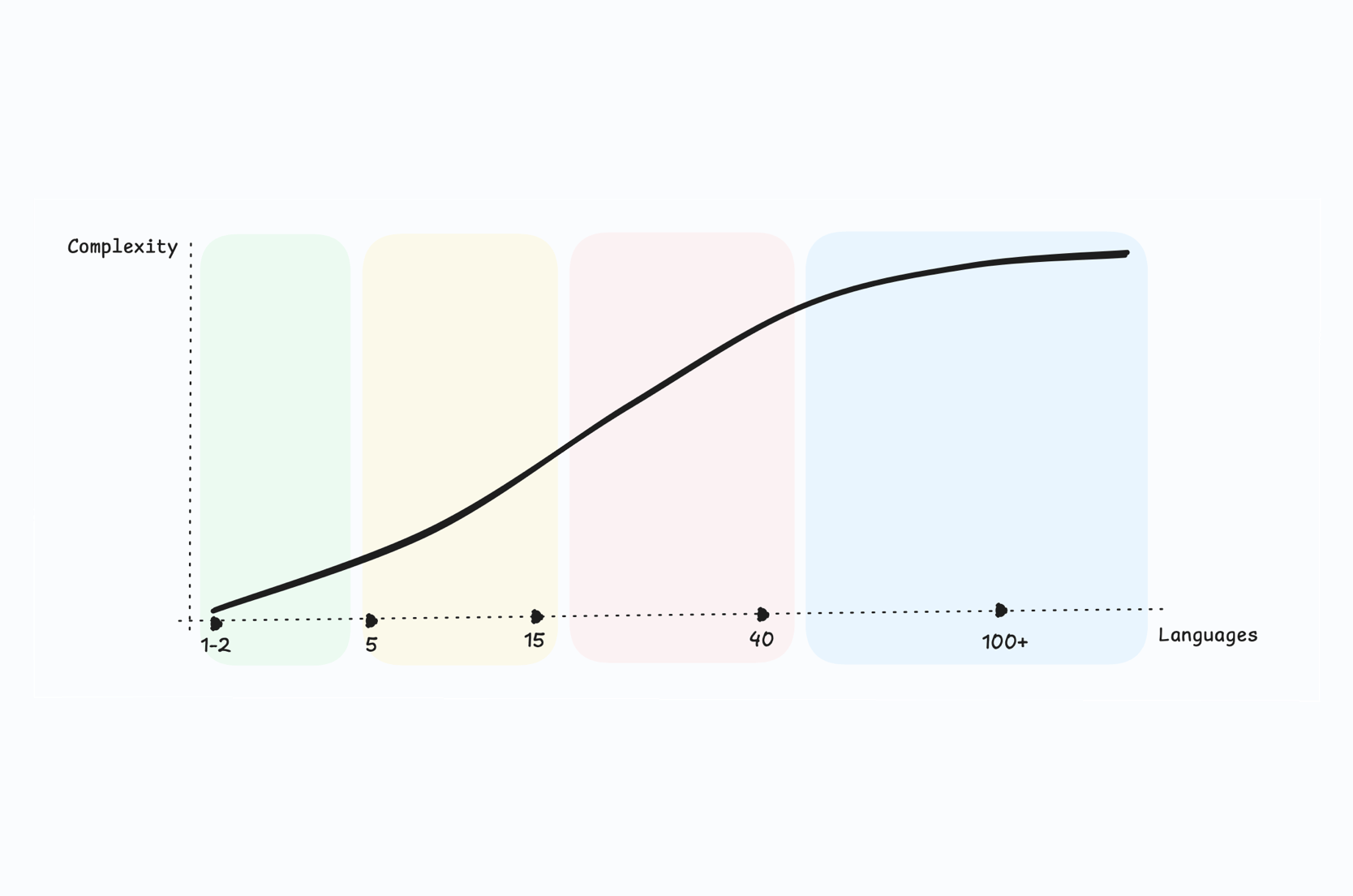
If you are building or refining your overall approach, start with a structured framework. Our Ultimate Guide to Localization Strategy explains how localization evolves from quick translations to a scalable, cross-team strategy.
In this article, we'll walk through the most common localization mistakes teams make, explain why they matter, and show practical ways to avoid them. Where relevant, we'll use hotel and PMS examples to illustrate the point, but the lessons apply to any software product.
What is localization and how it differs from translation?
Translation focuses on converting text from one language to another. Localization goes further: it adapts language, tone, formats, and context so the product feels natural to users in each market.
For example, translating a label like “No Show Fee” word-for-word may technically be correct, but if the term isn't commonly used in that market, users may misunderstand it or interpret it as a different concept.
This distinction is at the heart of many localization problems. Let's look at the most common ones.
Common mistakes in localization
1. Treating localization as just translation
The mistake: Assuming that literal translation is enough.

In hospitality software, short UI labels like “Extend stay”, “Early check-in”, or “Early bird” carry specific operational meaning. A direct translation may miss that meaning entirely.
How to avoid it:
- Translate intent, not just words.
- Add explanations for industry-specific terms
- Review translations with someone familiar with the domain.
How SimpleLocalize helps:
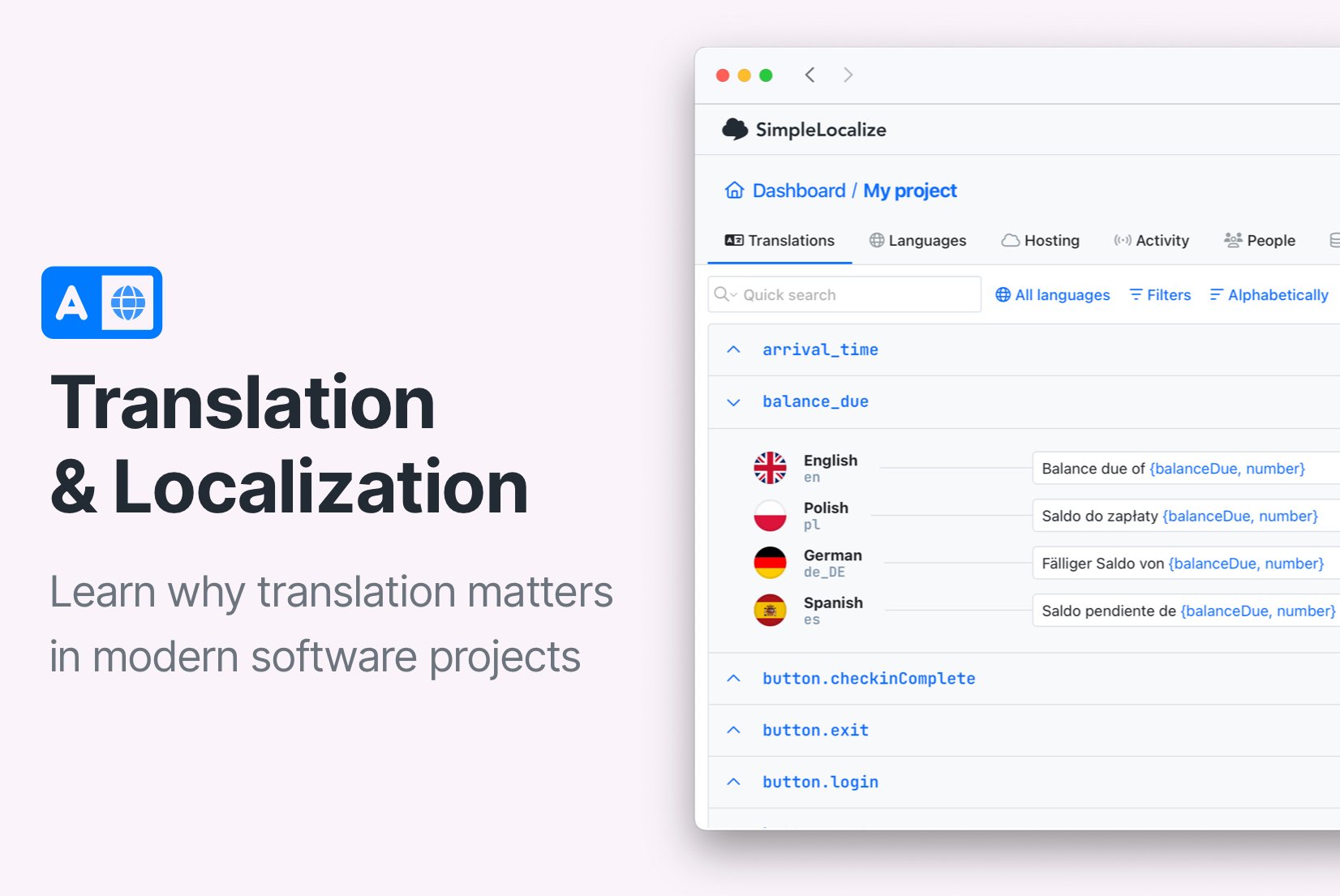
Auto-translation can generate a strong first draft, but adding descriptions, screenshots and comments to keys ensures translators understand what the text actually does in the product.
Learn more about context in localization.
2. Ignoring regional language variants
The mistake: Using one language version for all regions (for example, one Spanish version for the entire world).

Spanish in Spain uses different vocabulary and formalities compared to Latin American Spanish. For example, "reservation" translates to "reserva" in Spain but might be better understood as "reservación" in Mexico.
How to avoid it:
- Treat regional variants as separate locales (es-ES, es-MX, es-CL).
- Adapt phrasing to local expectations, not just spelling.
How SimpleLocalize helps:
No languages limit means you can create as many regional variants as needed. Learn how to add new languages and locales.
3. Hard-coding text in the application
The mistake: Embedding user-facing text directly in code.

This often happens with small labels or error messages like “Room not available” or “Invalid arrival date”. These strings are easy to miss, and even easier to forget when updating translations.
How to avoid it:
- Externalize all user-facing text into localization files.
- Use keys to reference text in the code instead of hard-coded strings.
- Regularly audit the codebase for any hard-coded text.
How SimpleLocalize helps:
By hosting translations centrally and integrating them via SDKs or API, you can update text without redeploying your application.
4. Providing no context to translators
The mistake: Sending translators isolated strings with no explanation.
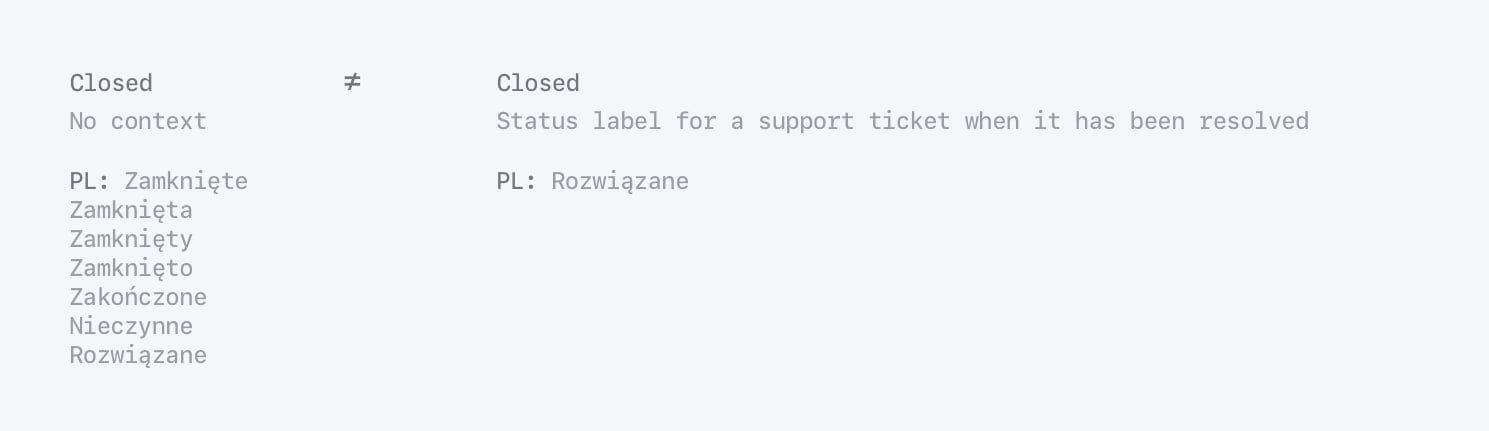
A label like “Check-in” could refer to a button to start the check-in process, a status indicator, or even a noun describing the act of checking in. Without context, translators may choose the wrong meaning.
How to avoid it:
- Add descriptions and usage examples for each string.
- Include screenshots or mockups showing where the text appears in the UI.
How SimpleLocalize helps:
Screenshots, descriptions and comments live right next to each key, reducing misunderstandings and back-and-forth.
5. Over-reliance on machine translation or AI
The mistake: Publishing machine/AI-translated content without review.

Terms like “No Show”, “Rate Plan”, or “Folio” often confuse general-purpose translation engines, especially outside hospitality. Same with very general phrases like “Manage booking” that lack specific context.
How to avoid it:
- Use machine translation as a first draft, not the final version.
- Have human translators review and edit machine-generated translations.
- Provide translators with context and domain knowledge.
How SimpleLocalize helps:
Auto-translation can speed up initial translation, but combining it with human review ensures accuracy and appropriateness. When using AI tools, provide them with context to improve results.
Check out our tips for effective auto-translation to get the best out of machine-generated content.
6. Inconsistent terminology across the product
The mistake: Translating the same concept in different ways.

If “Reservation” is translated one way in the booking flow and another way in reports, users start questioning whether those things are actually different.
How to avoid it:
- Decide on preferred terms early in the localization process.
- Keep related strings organized.
- Review translations holistically, not key by key.
- Create and maintain a terminology glossary.
- Use translation memory to ensure consistent use of terms.
How SimpleLocalize helps:
Translation memory suggests previously used translations for similar strings, promoting consistency across the product. Tags, structured key naming, and filtering make it easier to spot inconsistencies and keep terminology aligned.
7. Forgetting local date, time, and currency formats
The mistake: Displaying the same formats everywhere.
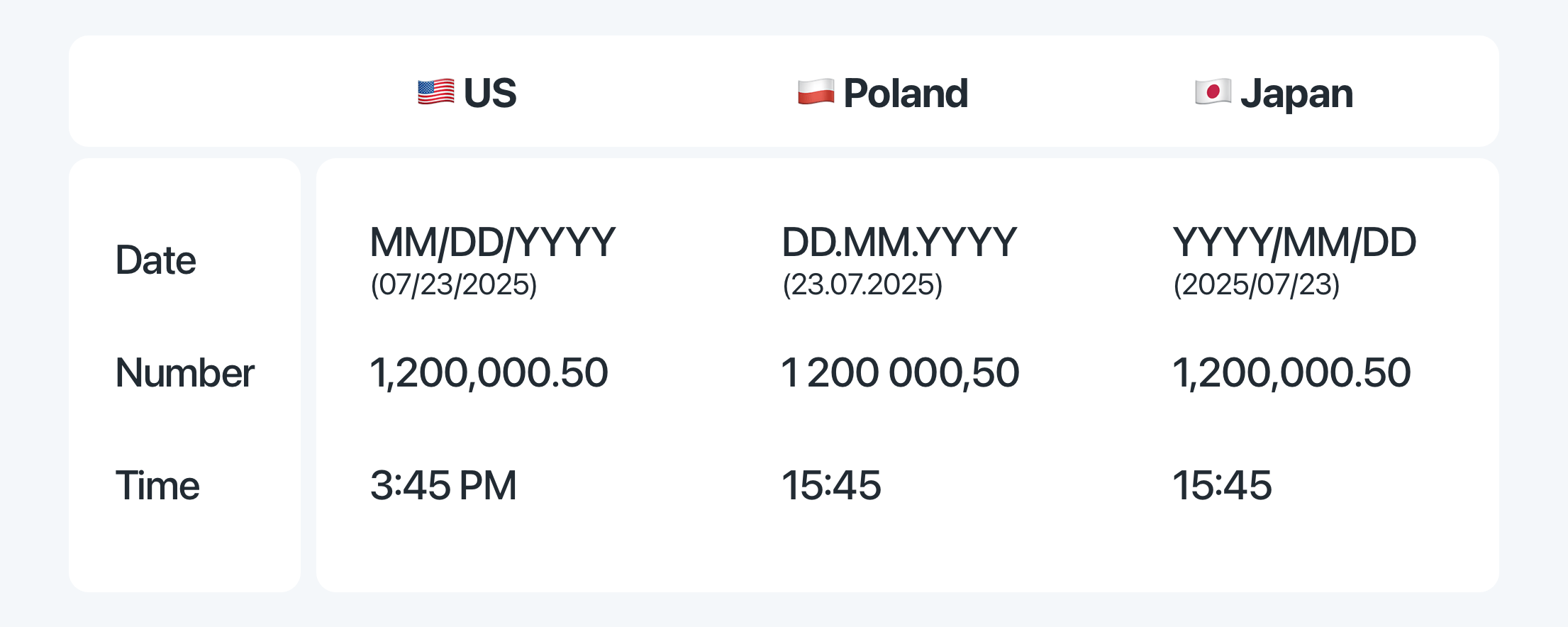
A date like 05/04/2026 or a price like 1,200.50 can be interpreted very differently depending on locale, especially in booking confirmations or invoices.
How to avoid it:
- Handle formatting programmatically based on locale.
- Test the product in different locales to ensure formats appear correctly.
- Keep translations focused on text, not formatting.
Good practice: Use locale-aware libraries for dates, times, and numbers, and keep them separate from translation files.
Check out our guide on number formatting in JavaScript for practical tips.
8. Not designing for text expansion
The mistake: Designing UI only for the source language.

Many languages are longer than English. A button labeled “View Invoice” may expand significantly when translated, breaking layouts or truncating text.
How to avoid it:
- Design flexible UI components that can accommodate longer text.
- Test the UI with translations in multiple languages.
- Use relative sizing and hard character limits where possible.
How SimpleLocalize helps:
With SimpleLocalize, you can preview translations in context using In-Context Editor or directly in Figma, see the character count for each translation and set character limits to prevent overflow issues.
9. Skipping localization quality assurance
The mistake: Shipping localized content without checks.
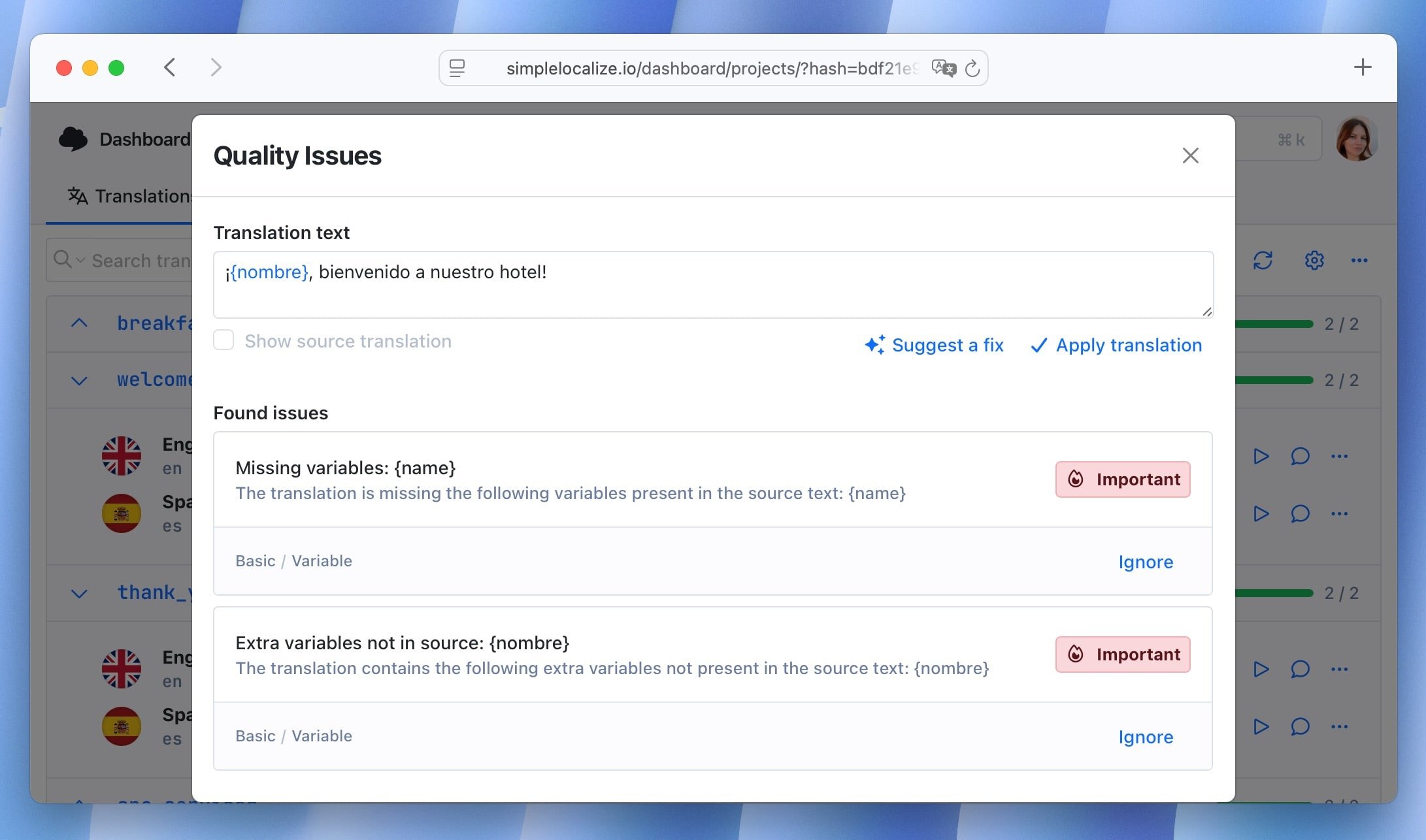
Small errors like wrong plural forms, missing variables, or outdated translations, can slip into production unnoticed.
How to avoid it:
- Add a review step before release.
- Check placeholders, numbers, and consistency
- Use automated tests to check for missing translations or formatting issues.
How SimpleLocalize helps:
Built-in automated QA checks and review statuses help teams catch issues before users do.
Learn more about controlling translation quality in our guide to translation reviews.
10. Treating localization as a one-time task
The mistake: Localizing once and never revisiting it.

Products evolve, new features are added, and terminology changes. Without ongoing localization efforts, translations quickly become outdated and falls out of sync. This is why modern teams treat localization as a long-term product strategy, not a release task. See how to structure it properly in our Localization Strategy Guide for SaaS teams.
How to avoid it:
- Adopt a continuous localization mindset.
- Sync translations as part of your release process.
- Regularly review and update translations.
How SimpleLocalize helps:
Automations, CLI tools, and integrations allow translations to stay aligned with product updates.
11. Ignoring localization SEO
The mistake: Translating content without considering search intent.
If you publish localized landing pages, help articles, or documentation, ignoring local keywords and metadata means missing organic traffic in international markets.
How to avoid it:
- Research keywords for each target market.
- Localize meta titles, descriptions, and URLs, not just body text.
- Monitor performance and adjust based on local search trends.
Learn more about localization SEO best practices.
How SimpleLocalize helps prevent these mistakes
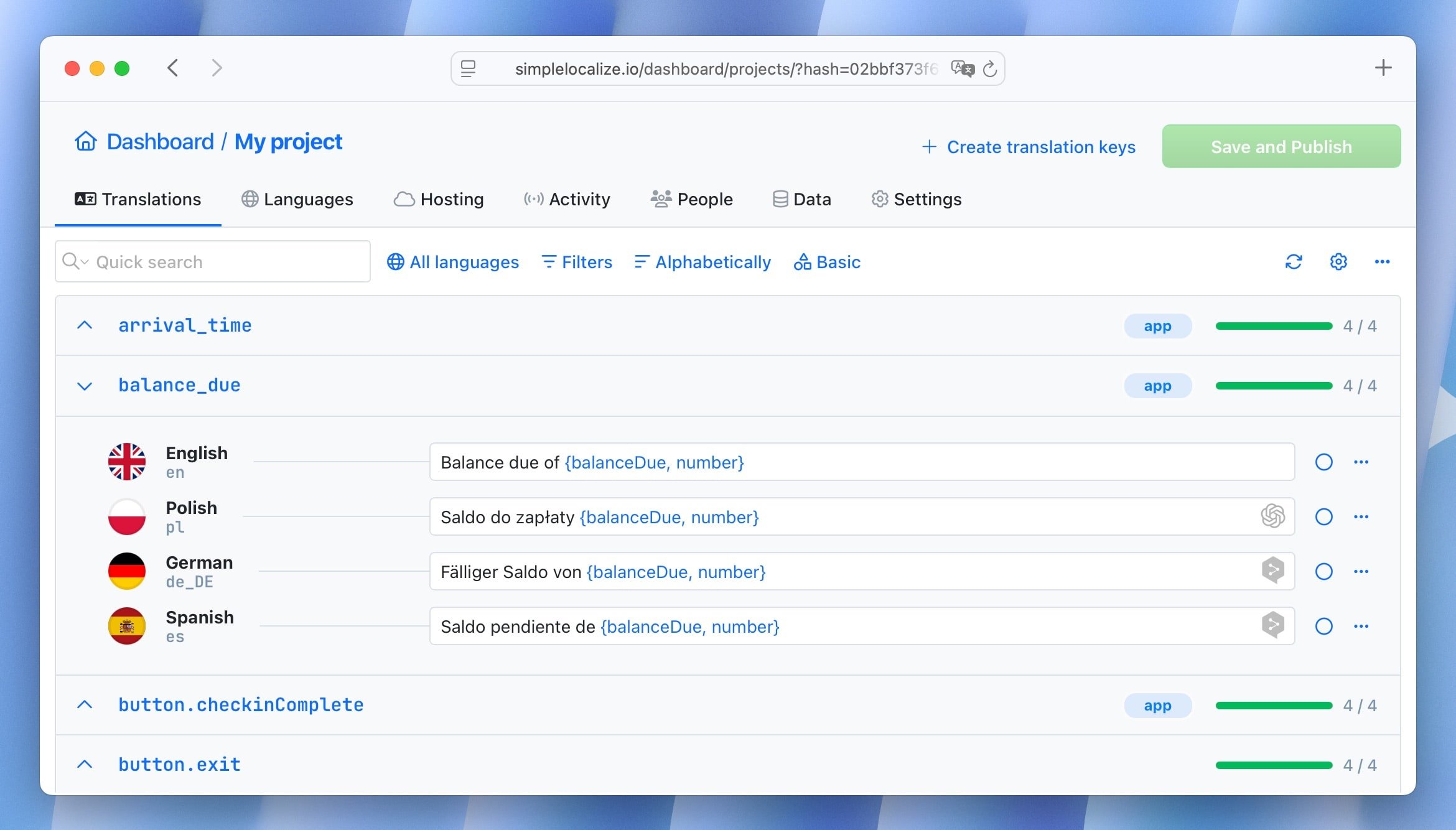
SimpleLocalize is designed to support the entire localization lifecycle, not just translation. Key features include:
- Contextual tools like screenshots, descriptions, and comments to reduce misunderstandings.
- Auto-translation with AI providers
- Review workflows and QA checks
- Locale-based organization and tagging
- Translation hosting and delivery via CDN
- Integrations with design tools and CI/CD pipelines
Together, these features help teams avoid common pitfalls and maintain high-quality localized experiences as products scale.
Conclusion
Good localization is invisible when done right, and painfully obvious when done wrong. By avoiding these common mistakes and building better localization practices into your workflow, you create software that feels clear, professional, and trustworthy in every market.
Explore more localization best practices on the SimpleLocalize blog and see how thoughtful localization can support your global growth.
Not sure which process fits your team? See how to pick a translation workflow for small teams.
Want a deeper look at structural mistakes that compound over time? Read our guide on localization anti-patterns.