 VS Code Extension available! Install now
Multi-language JSON file
Multi-language JSON is a file format which contains translation strings for multiple languages. Save time on managing content by yourself.

- Auto-translation
- Screenshots with OCR
- AI-powered adjustments
- Built-in Automations
- Markdown support
- Variables highlighting
- Bulk Actions
- Context-aware translations
- Acceptance statuses
- Quality checks
- Comments & mentions
- Real-time collaboration
What is multi-language JSON?
Multi-language JSON is one of the most common JSON formats for web applications and software localization. It contains translations for many languages in a single file, where the first level is a language key or locale.
Flat structure
{
  "de_DE": {
    "SALE": "Verkauf",
    "ADDRESS": "Adresse"
  },
  "en_US": {
    "SALE": "Sale",
    "ADDRESS": "Address"
  },
  "pl_PL": {
    "SALE": "Sprzedaż",
    "ADDRESS": "Adres"
  }
}
Nested structure
Multi-language JSON files can also contain nested translation keys. The first level always contains locales or languages.
{
  "de_DE": {
    "navbar": {
      "title": "Titel",
      "home": "Startseite"
    }
  },
  "en_US": {
    "navbar": {
      "title": "Title",
      "home": "Homepage"
    }
  },
  "pl_PL": {
    "navbar": {
      "title": "Tytuł",
      "home": "Strona główna"
    }
  }
}
When to use multi-language JSON?
Multi-language JSON is a very elegant way of keeping all translations in a single file. It works best for server-side applications that load translations once and serve only the relevant subset to each user.
Server-side apps
Load all translations once into memory. Serve only the right language to each user without extra requests.
Single file simplicity
All languages in one JSON file. No need to manage dozens of separate locale files across your project.
CDN or local bundle
Host translations on CDN for live updates, or include them in your build for offline access.
What is translation hosting?
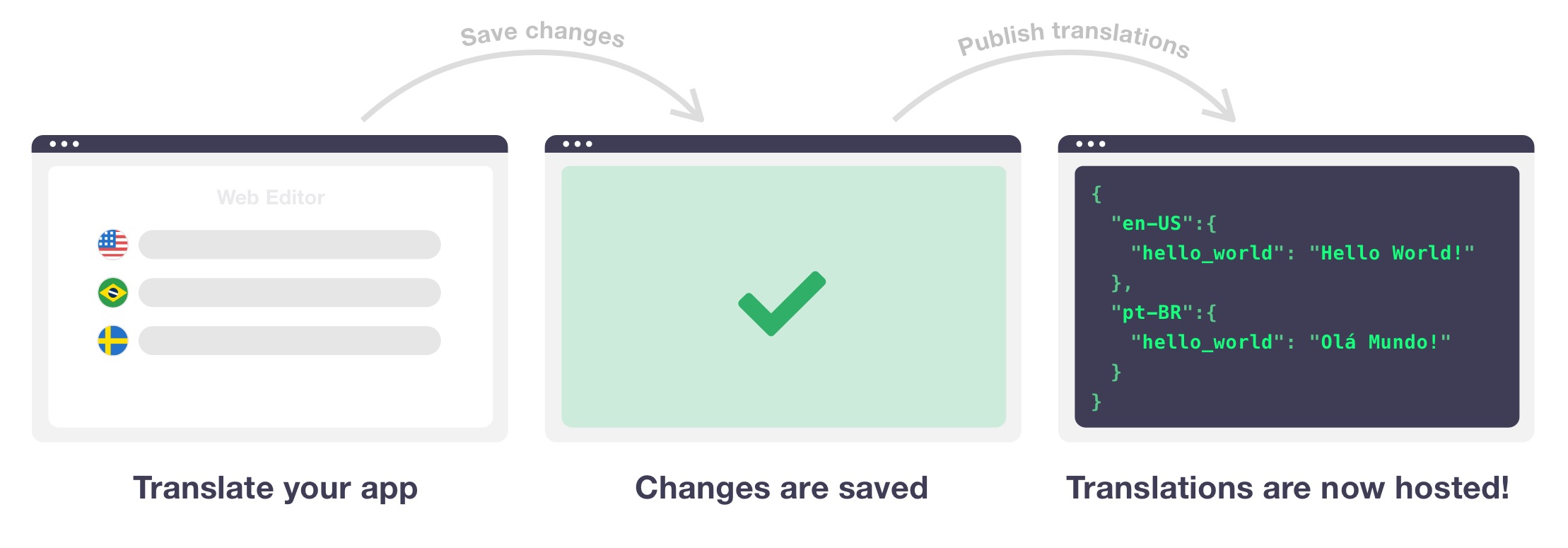
SimpleLocalize offers a translation hosting service that splits your localization files automatically and uploads them to a fast CDN. End-users download only translations for their language. You can also split by namespaces for even more granular loading.
How it works
Upload, translate, and download
multi-language JSON in 3 steps
Use the SimpleLocalize CLI to upload your multi-language JSON file, auto-translate with DeepL, Google Translate, or ChatGPT, and download the translated file back into your project.
Upload JSON file
Push your multi-language JSON file to SimpleLocalize with one CLI command.
Translate & review
Auto-translate with DeepL, Google, or ChatGPT. Review and approve with your team.
Download & deploy
Pull the translated JSON file back into your project and deploy.
Install SimpleLocalize CLI
$ curl -s https://get.simplelocalize.io/2.12/install | bashUpload your multi-language JSON file
$ simplelocalize upload \
        --apiKey YOUR_PROJECT_API_KEY \
        --uploadFormat multi-language-json \
        --uploadPath ./locales/translations.json
Download translated file
$ simplelocalize download \
        --apiKey YOUR_PROJECT_API_KEY \
        --downloadFormat multi-language-json \
        --downloadPath ./locales/translations.json
Need help? See the multi-language JSON format documentation.
Features
Everything you need to manage
multi-language JSON translations
SimpleLocalize gives your team a complete workflow for managing multi-language JSON localization files.
Translation Editor
A fast, web-based translation editor to manage all your localization strings in one place. Work together with your team to translate your software, app, or website efficiently, with features like real-time updates, auto-translation, comments, history, and more.
See translation editor features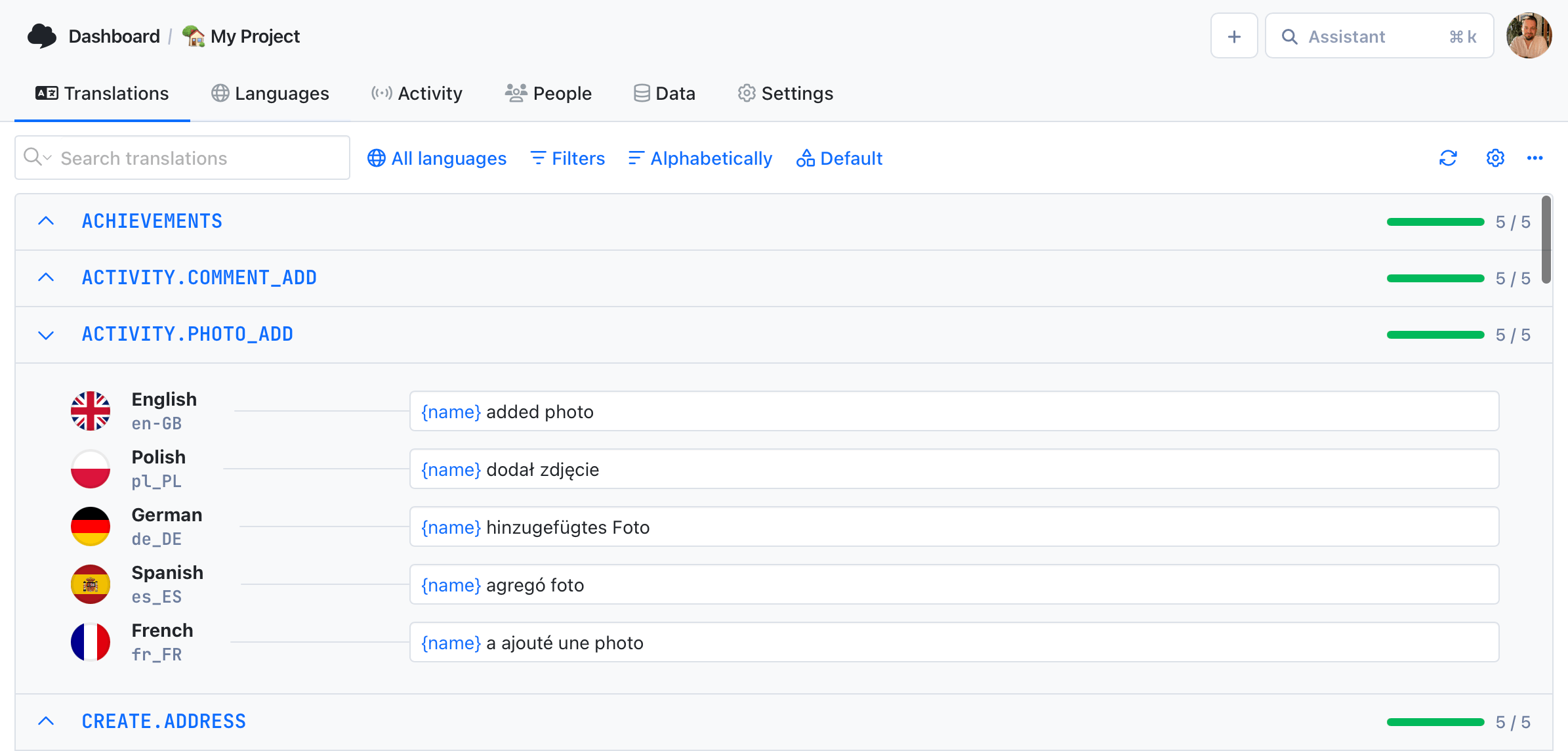
Auto-translation
Translate your application into multiple languages with just a few clicks. Choose from OpenAI ChatGPT, Google Translate or DeepL translation providers to translate your texts. Adding support for new languages has never been easier.
Learn more about auto-translation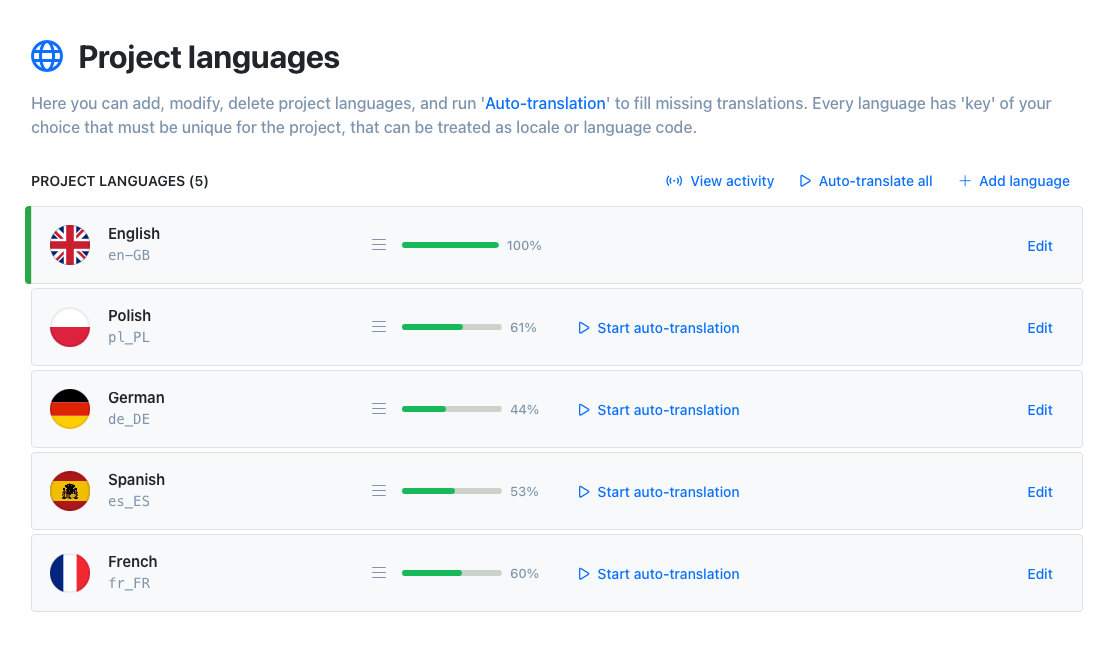
Automations
Automate your workflow with built-in automations. Execute predefined actions when a translations is changed to speed up your workflow and reduce manual work.
Learn more about automationsInvite your team
Invite team members to the project. Work together with native speakers from all around the world on your app translations. Share your project with your team and manage translations in one place.










Command-line tool
With SimpleLocalize CLI you can manage your translations from the terminal. It's a powerful tool that helps you to automate the translation process in your project. You can easily synchronize translation files between you local project and SimpleLocalize Translation Editor, start auto-translation or publish changes to the production environment.
CLI documentation# upload source translations
$ simplelocalize upload
# auto-translate strings
$ simplelocalize auto-translate
# download translated files
$ simplelocalize downloadWhy SimpleLocalize?
Most tools are overkill.
SimpleLocalize is fast, simple, and works out of the box.
Fast and customizable
SimpleLocalize is easy to get started with and focuses on the features that you and your team need the most. You can customize the editor to your needs choosing from a variety of options.
Flat pricing
No hidden costs! SimpleLocalize offers a simple and affordable plans for you and your projects. Within easy integration options and intuitive translation editor, it creates a wonderful selection.
Team members included
Every paid plan comes with a number of users you can add to your project. You don't need to worry about number of users as the price does not increase with every user.
Auto-translation included
Every paid plan comes with auto-translation characters that you receive every month. You can also use bring your own API keys and use them with SimpleLocalize in any plan (even free!).
Tools for Developers
SimpleLocalize gives developers the tools they need to automate and integrate localization into any workflow, such as CLI tool, VS Code extension, IntelliJ plugin, Figma integration, and more.
Personal support
From “how do I get started” to “I need XYZ” requests, when you need that extra helping hand, we’re here for you. We are here to make sure you get the most out of SimpleLocalize.
Trusted by developers and translators at















Start managing multi-language JSON translations today
- Upload and download multi-language JSON files
- Auto-translate with DeepL, Google, or ChatGPT
- Collaborate with translators and reviewers
- Host translations on CDN or download locally
- Free plan available — no credit card required
"The product
and support
are fantastic."
"The support is
blazing fast,
thank you Jakub!"
"Interface that
makes any dev
feel at home!"
"Excellent app,
saves my time
and money"
Related resources
Learn more about multi-language JSON and translation management

Vue.js i18n: The complete guide to localizing Vue and Nuxt apps
Learn how to internationalize and localize Vue 3 and Nuxt apps with vue-i18n. Covers setup, translation files, pluralization, locale detection, lazy loading, CI/CD integration, and SimpleLocalize workflows.
Integrating AI translation into your CI/CD pipeline
Stop treating translation as a manual step before release. Learn how to trigger AI translations automatically on every GitHub push, using SimpleLocalize CLI or the GitHub App.
Why machine translation breaks UI strings (and how to fix it)
Machine translation often breaks UI strings through missing context, character limits, and grammar rules other languages don't follow. Here's why, and how to fix it.
The role of context in AI translation: Why it matters and how to use it
Why context is the single biggest factor in AI translation quality, and how to structure project context, key descriptions, and glossaries for accurate results.
Android String resources: Complete guide to localizing Android apps
Learn how to manage Android string resources, plurals, and arrays. A technical guide to localizing Android XML files with SimpleLocalize for seamless translation workflows.
Frequently asked questions
What is multi-language JSON?
Multi-language JSON is a file format where all translations for multiple languages are stored in a single JSON file. The first level contains language keys (e.g., en_US, de_DE, pl_PL), and each language key contains an object with translation key-value pairs. It is one of the most common formats for software localization.
When should I use multi-language JSON instead of single-language JSON?
Multi-language JSON works best for server-side applications that load all translations into memory and serve only the relevant language to each user. Single-language JSON is better for client-side applications where you want to load only one language at a time to reduce bundle size.
Can I auto-translate a multi-language JSON file?
Yes. Upload your multi-language JSON file to SimpleLocalize, select target languages, and auto-translate with DeepL, Google Translate, or ChatGPT. Review the results in the translation editor and download the translated file when ready.
Does multi-language JSON support nested keys?
Yes. The first level must always contain language keys, but the values can be flat key-value pairs or deeply nested objects. SimpleLocalize supports both flat and nested multi-language JSON structures.
How do I upload a multi-language JSON file to SimpleLocalize?
Install the SimpleLocalize CLI, then run the upload command with the multi-language-json format. The CLI will parse your file, extract all translation keys and languages, and upload them to your project. You can also drag and drop the file in the web editor.
Can I host multi-language JSON translations on a CDN?
Yes. SimpleLocalize offers translation hosting that automatically splits your multi-language JSON into separate files per language and uploads them to a global CDN. Your application can fetch only the translations it needs, reducing load times.
Is SimpleLocalize free to use with multi-language JSON?
Yes. SimpleLocalize offers a free plan with up to 100 translation keys. You can upload, edit, and download multi-language JSON files at no cost. Paid plans offer more keys, auto-translation characters, team members, and advanced features.