Global Translation Hosting
& Edge CDN
Deliver translations to your users in under 50ms. Update your app copy instantly with Over-the-Air (OTA) updates. No code changes, no re-deploys, and zero downtime.
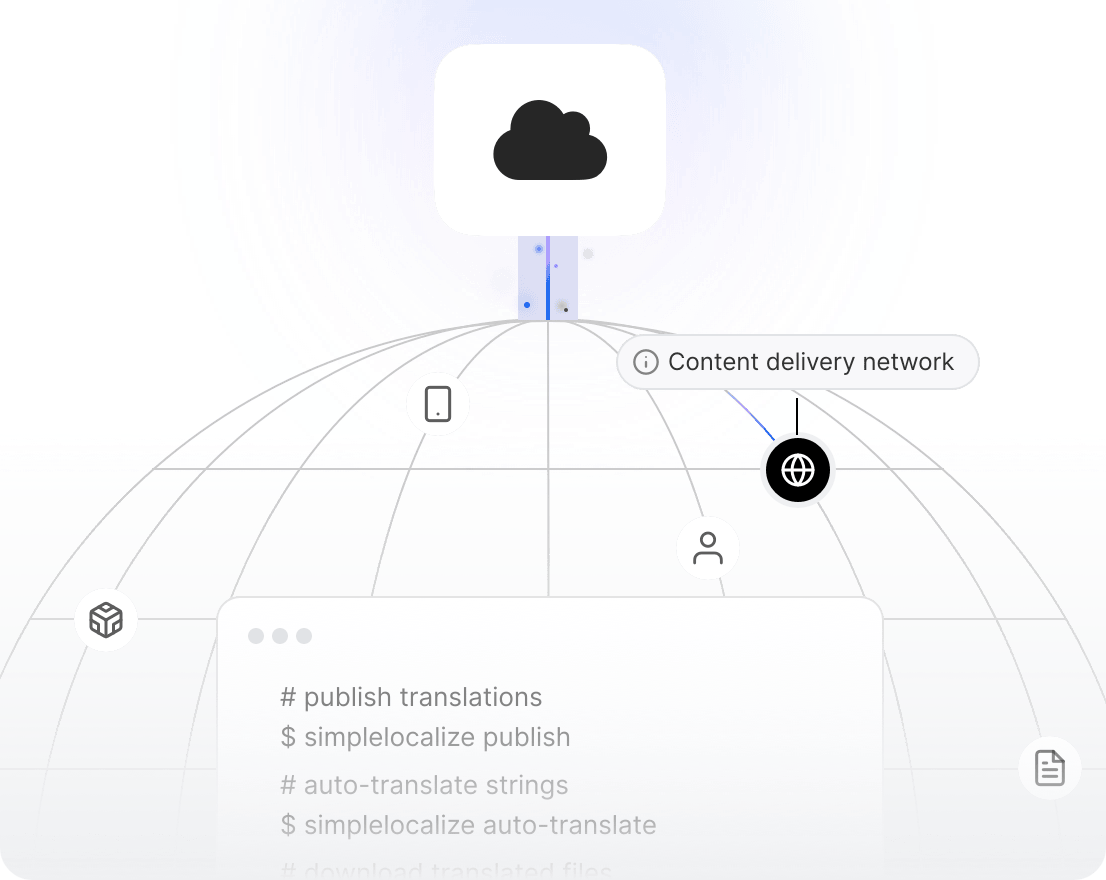
We power your product localization
From first commit to global launch














Why host translations?
Instant copy changes,
zero deploys
Translation hosting is a core component of a modern software localization workflow. Instead of bundling translation files into your build, serve them from a global edge network. Fix a typo, update a headline, or launch a new language, all without touching code or waiting for a deploy.
SimpleLocalize hosting acts as a content delivery network for your translations. Publish changes with one click and your app picks them up instantly via the Localization API or a simple JSON fetch.
Translation Hosting docs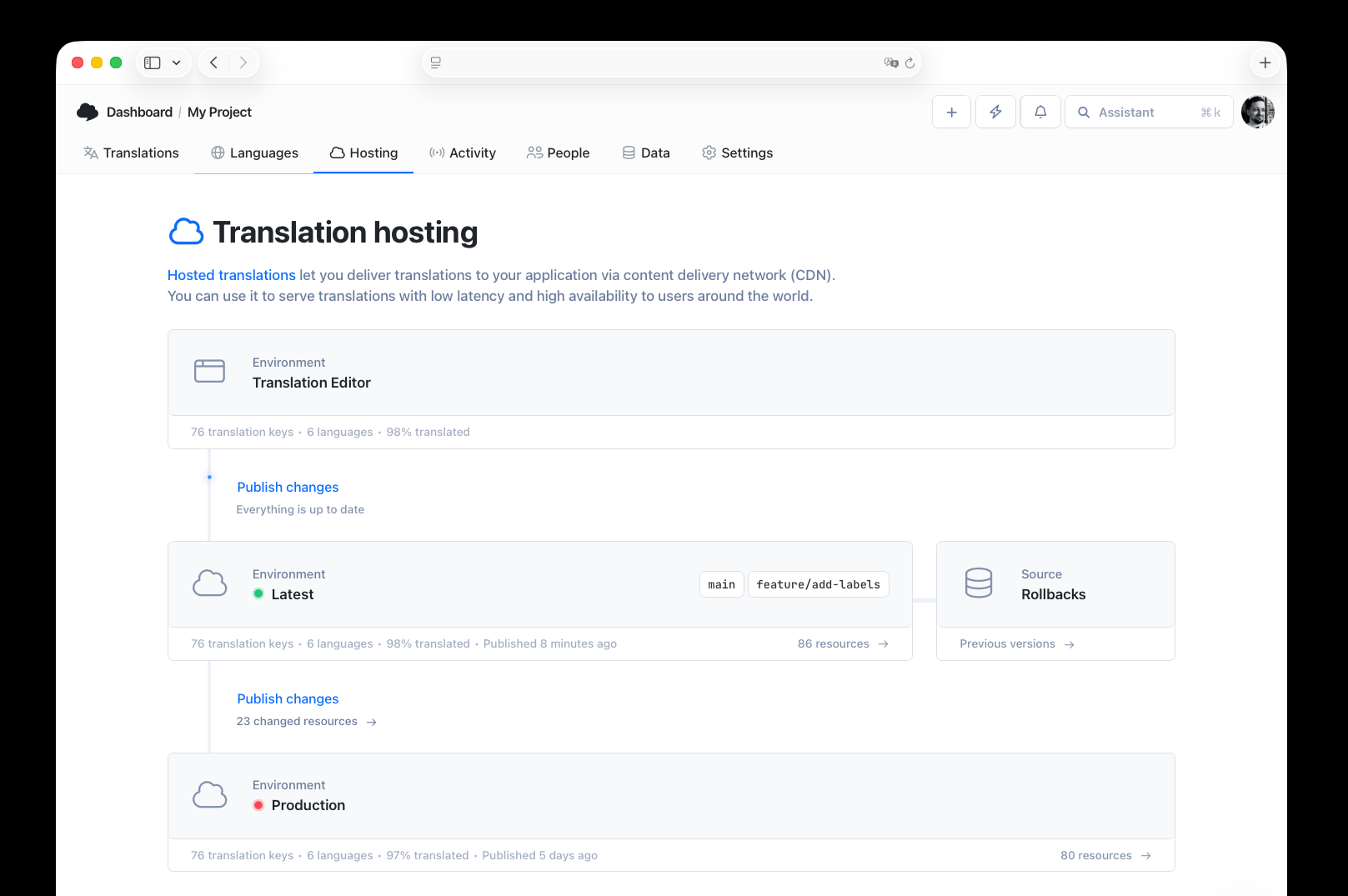
Core capabilities
Edge-fast. Version-controlled.
Format-flexible.
Edge-fast delivery
Global CDN hosting ensures your JSON/YAML files are delivered from the nearest edge node for sub-50ms latency.
Environment versioning
Separate your production translations from development. Push changes to staging first, then promote to live.
Format on-the-fly
Upload once, fetch anywhere. Our CDN transforms your data structure on-the-fly: request nested JSON for your web app and flat JSON for your mobile app from the same source.
Performance
Built for speed & reliability
We use a global network of edge nodes (Cloudflare + AWS) to ensure your translation files are always physically close to your users. Your Core Web Vitals stay perfect, every locale, every time.
Sub-50ms latency
Translations are cached at edge locations across the globe, ensuring lightning-fast delivery no matter where your users are.
99.99% uptime
Backed by AWS S3 and Cloudflare CDN with automatic failover. Your translations are always available, even during traffic spikes.
Lighthouse 100/100
Translation hosting adds zero render-blocking resources. Your performance scores stay intact across all locales.
Instant cache invalidation
When you publish changes, edge caches are purged automatically. Users see updated translations within seconds.
Translation environments for CI/CD
Mirror your development workflow with dedicated translation environments. Keep experimental translations in Development, promote reviewed copy to Staging, and push approved content to Production, just like code. Integrate with GitHub, GitHub Actions, GitLab CI, or any runner to automate the entire pipeline.
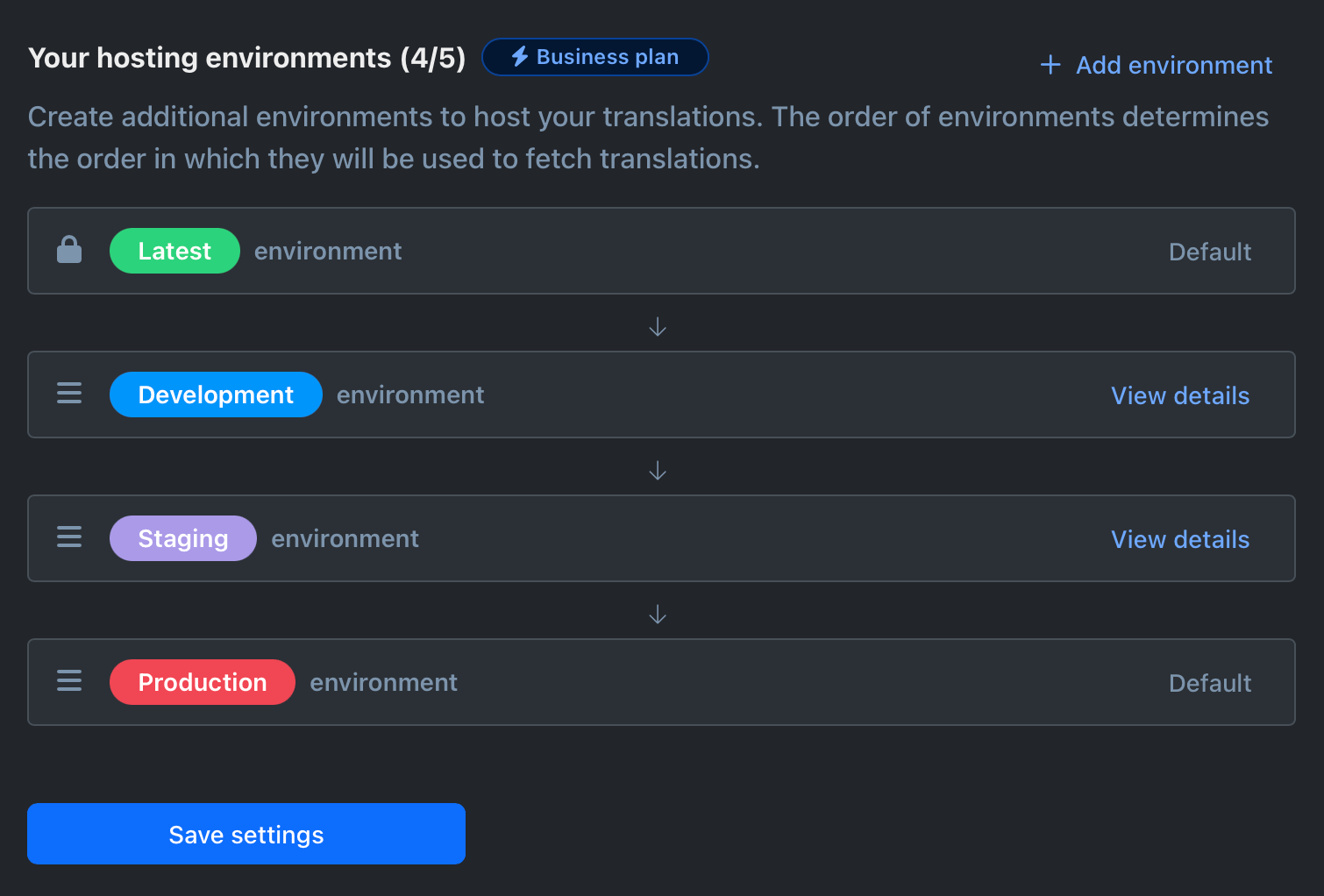
Hosting vs. Bundling
Why host instead of bundling?
Bundling translation files into your build requires a new deployment for every typo fix. Hosting allows for instant updates: no build pipeline, no waiting.
How it works
From local files to global CDN in minutes
Follow this workflow to serve translations from a global edge network instead of bundling them in your app.
Add translations in the editor
Use the online Translation Editor to add, edit, or auto-translate your content. Import existing files via CLI, CI/CD, or drag-and-drop.
Configure environments
Set up Development, Staging, and Production environments. Choose your JSON format and missing-translation strategy.
Publish to CDN
Click 'Publish' or trigger a publish via the API. Translations are pushed to the global edge network instantly.
Fetch from your app
Your app fetches translations as JSON from the CDN URL. Use webhooks or polling to stay in sync automatically.
For a step-by-step walkthrough, see the getting started guide.
Why SimpleLocalize
Built for modern app teams
Developer-first hosting with the simplicity your whole team needs.

Get started with SimpleLocalize
- Host translations on a global edge CDN
- Publish changes instantly with OTA updates
- Automate with webhooks and REST API
- Try it free for 14 days, no credit card required
- Transparent pricing based on translation keys, not bandwidth or API calls
"The product
and support
are fantastic."
"The support is
blazing fast,
thank you Jakub!"
"Interface that
makes any dev
feel at home!"
"Excellent app,
saves my time
and money"
Related articles
Read more about hosting translations and managing localization files.
Pre-translation checklist: What to prepare before every translation cycle
A practical pre-translation checklist for dev and product teams. What to audit, prepare, and confirm before sending strings to translation, so you translate once and ship right.
Vue.js i18n: The complete guide to localizing Vue and Nuxt apps
Learn how to internationalize and localize Vue 3 and Nuxt apps with vue-i18n. Covers setup, translation files, pluralization, locale detection, lazy loading, CI/CD integration, and SimpleLocalize workflows.
Android String resources: Complete guide to localizing Android apps
Learn how to manage Android string resources, plurals, and arrays. A technical guide to localizing Android XML files with SimpleLocalize for seamless translation workflows.
How does Translation Hosting work?
With SimpleLocalize's built-in Translation Editor, you have full control over your translations. Edit, manage translation keys, and utilize auto-translation to translate into multiple languages. Once you're satisfied, publish changes to the CDN with one click. Your app fetches the latest translations as JSON files, so updates appear instantly without any code changes or re-deploys.
How to integrate Translation Hosting with my app?
Fetch your translations as a JSON file using any REST client library: your app simply makes an HTTP GET request to the CDN URL. You can also leverage webhooks to automatically pull translations whenever new content is published. This works with desktop, web, and mobile applications alike.
What is the CDN infrastructure behind Translation Hosting?
SimpleLocalize uses Amazon S3 for durable storage and Cloudflare CDN for global edge delivery. Your translation files are cached at hundreds of edge locations worldwide, ensuring sub-50ms latency for users in any region. Automatic cache invalidation means published changes propagate to all edge nodes within seconds.
How do translation environments work?
You can create custom environments (e.g., Development, Staging, Production) that mirror your CI/CD pipeline. Each environment has its own CDN URL and independent publish cycle. This lets you test experimental translations in staging before promoting them to production, reducing the risk of shipping incomplete or incorrect copy to users.
Translation Hosting vs Export/Import
Traditional export/import requires downloading translation files, committing them to your repo, and triggering a new deployment for every change. Translation Hosting eliminates this overhead: changes are published to the CDN instantly, with zero downtime and zero developer effort. You get dynamic environments, automatic edge caching, and Over-the-Air updates, all without touching your build pipeline.
Can I host translations on my own cloud storage?
Yes. SimpleLocalize supports hosting on Amazon S3, Azure Blob Storage, or Google Cloud Storage of your choice. This option is available in every paid plan, giving you full control over data residency and infrastructure while still benefiting from the SimpleLocalize publishing workflow.
What file formats does Translation Hosting support?
Translation Hosting supports JSON (flat, nested, and ICU), YAML, and other popular i18n formats. Upload once, fetch anywhere: request nested JSON for your web app and flat JSON for your mobile app from the same source. The system transforms the data structure on-the-fly so every team gets the format they need.
Is there a bandwidth or request limit?
No. Translation Hosting uses flat pricing based on the number of translation keys, not bandwidth or API calls. There are no per-request or per-language fees.
How fast are translations delivered?
Translations are served from Cloudflare edge nodes worldwide, with typical latency under 50ms. Cache invalidation after publishing takes only a few seconds.
Can I use Translation Hosting with mobile apps?
Yes. Any app that can make an HTTP request can fetch translations from the CDN. This works with iOS, Android, React Native, Flutter, and any other platform.
How does Over-the-Air (OTA) updating work?
When you publish translations in the SimpleLocalize editor, the CDN cache is updated instantly. Your app fetches the latest version on its next request, no app store update or re-deploy required.