Best practices in software localization: A practical guide for 2026

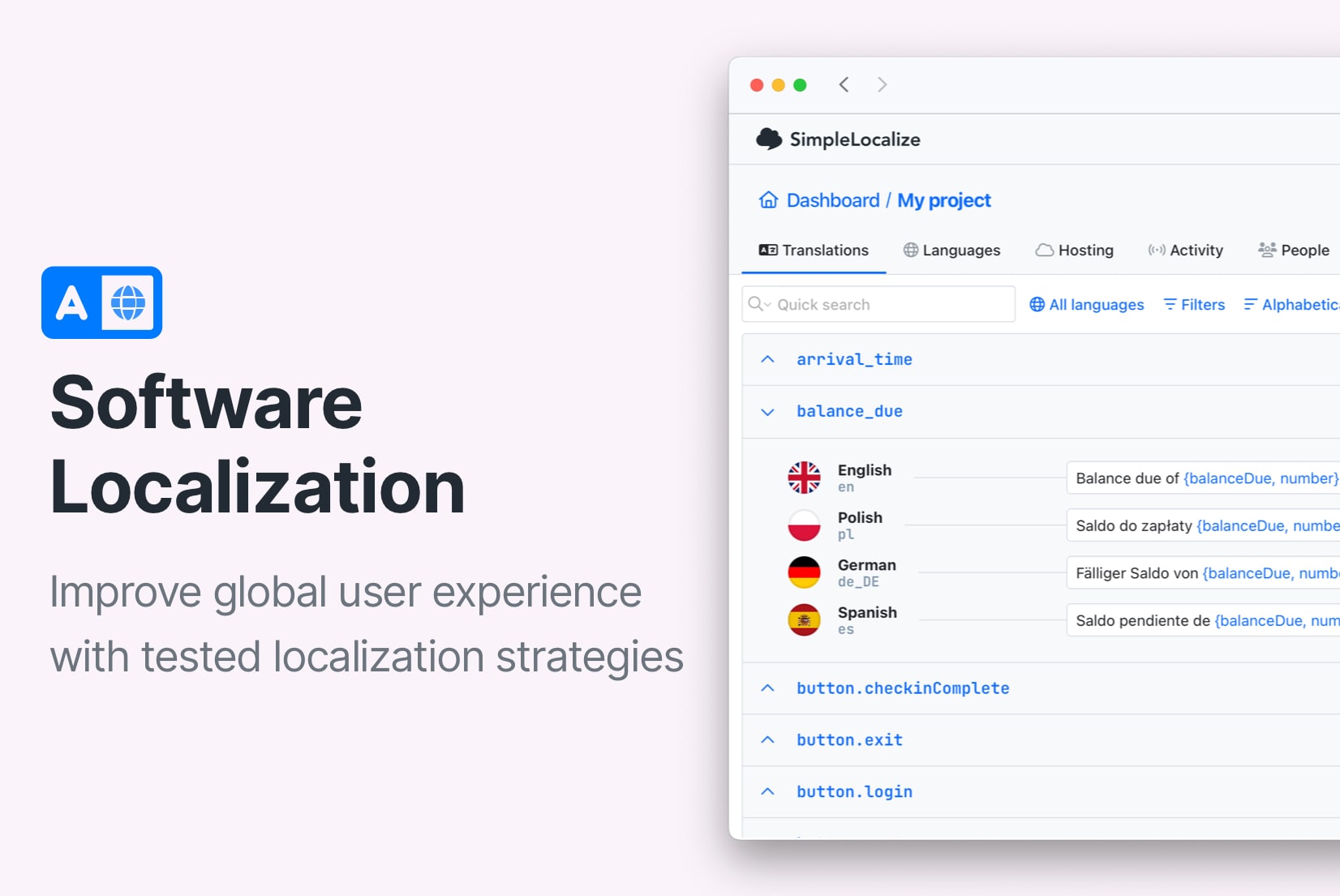
Most "best practices" guides for software localization say the same things: use UTF-8, avoid hardcoding strings, test before release. That advice isn't wrong. But it doesn't reflect what actually separates teams that localize well from teams that accumulate painful, expensive technical debt.
This guide goes deeper. It covers the decisions that compound over time: the ones that feel minor early on and become major blockers later. If you're building a multilingual product, or preparing an existing product for global markets, these are the practices that will matter most.
If you're still deciding whether and when to localize, start with our localization strategy guide before diving into implementation here.
The most important practice: build for localization before you need it
The single biggest cost in software localization isn't translation. It's retrofitting.
A product that grew without internationalization in mind typically has hardcoded strings scattered across hundreds of components, date and number formatting tied to a single locale, UI layouts with no room for text expansion, and backend services that generate user-facing content without locale awareness. Finding and fixing all of that is a slow, expensive, high-risk project, one that touches nearly every layer of the stack.
The practical implication: use translation keys and locale-aware formatting from the very beginning, even if you only ship in one language at first. The cost is minimal upfront. The savings later are substantial.
This is less about translation and more about architecture. It's the same reason developers write modular code before they have a second use case for it; you're buying future optionality cheaply.
1. Separate application logic from language content
The foundational technical practice: never let user-facing text live alongside application logic.
Every string the user sees should be referenced by a translation key, not written inline. This separation is what makes every other localization practice possible.
// Don't do this
<button>Save changes</button>

// Do this
<button>{t("settings.save_changes")}</button>
The translation lives in a separate file:
{
  "settings": {
    "save_changes": "Save changes"
  }
}
This pattern looks trivial for one string. At scale, hundreds of components, dozens of languages, multiple teams, the discipline of maintaining this separation is what keeps your localization manageable.
2. Design your translation key architecture deliberately
Translation keys are not just technical identifiers. They are the interface between your engineering team and your translation team. Poor key design creates friction, duplication, and confusion that compounds with every new feature.
-
Use meaningful, hierarchical keys.
A key like
settings.save_changestells you where it lives and what it does. A key likestr_147tells you nothing. -
Avoid overly generic keys that share strings across contexts.
button.okmight seem like a good shared key until you localize into Japanese, where the same word has different polite forms depending on context. What worked as one English string becomes two or three in other languages. -
Establish namespaces that map to product areas.
This makes ownership clear and allows lazy loading: a user visiting the billing page doesn't need to download translations for the onboarding flow.
translations/
  en/
    common.json
    settings.json
    billing.json
    onboarding.json
-
Document your key naming convention and enforce it.
The convention only helps if it's consistent. Add linting or a review step for new keys.
For a complete reference:
- What is a translation key?
- Best practices for creating translation keys
- Namespaces in software localization
3. Choose your translation file format deliberately
The right format depends on your ecosystem and workflow, not on what's most familiar.
| Format | Best for |
|---|---|
| JSON | JavaScript/TypeScript apps, most web frameworks |
| YAML | Ruby, config-heavy systems, more readable for humans |
| PO/POT | Python, PHP, WordPress, gettext ecosystems |
| XLIFF | Enterprise tools, interchange between TMS platforms |
| ARB | Flutter/Dart |
| .strings / .xcstrings | iOS/macOS native |
The common mistake: starting with a simple format (often a flat JSON file) and then outgrowing it without a migration plan. Structure your files for where you're going, not just where you are today.
4. Handle pluralization, genders, and variants correctly from the start
Pluralization is one of the most visible localization bugs, and one of the most commonly deferred. The problem: English has two forms (singular and plural). Many languages have three, four, or six. If you hardcode English plural logic into your application, you will break other languages.
// Wrong: hardcoded English plural logic
"items_count": "{count} items"

// Right: ICU message format that works across languages
"items_count": "{count, plural, one {# item} other {# items}}"
The ICU plural categories: zero, one, two, few, many, other; give translators what they need to express their language's rules. Your application code doesn't change; the translation string handles the variation.
The same applies to grammatical gender in languages like German, French, and Spanish, and to formal vs. informal registers in German, Korean, and others. Design for these variations from the start.
Learn more about how to handle pluralization across languages and what is ICU.
5. Use locale-aware formatting for all dates, numbers, and currencies
Hardcoded format strings are one of the most common localization mistakes, and one of the easiest to avoid.
Date formats vary significantly by region:
US:    03/16/2026
EU:    16.03.2026
ISO:   2026-03-16   ← use this for storage, always
JavaScript's built-in Intl API handles locale-aware formatting without any third-party dependency:
// Dates
new Intl.DateTimeFormat('de-DE', {
  dateStyle: 'long',
  timeZone: 'Europe/Berlin',
}).format(new Date());
// → "16. März 2026"

// Numbers and currencies
new Intl.NumberFormat('de-DE', {
  style: 'currency',
  currency: 'EUR',
}).format(1000.50);
// → "1.000,50 €"
Store all timestamps in UTC. Convert to the user's local time zone only at display time. This is a rule with no exceptions; any deviation creates subtle bugs that are painful to track down.
Learn more about number formatting in JavaScript.
6. Design layouts for text expansion, not just English
Translated text is almost always longer than the English source. German and Finnish routinely produce strings 30-40% longer. Finnish compound words can overflow fixed-width containers entirely.
The wrong response: adjust each layout problem as it surfaces after localization. The right response: design UI components that handle variable-length content gracefully from the beginning.
Practical rules:
- Use flexible spacing and adaptive containers rather than fixed widths on text-containing elements
- Apply
overflow-wrap: break-wordand soft hyphenation (­) to prevent overflow - Avoid placing translatable text inside elements with
overflow: hiddenorwhite-space: nowrapby default - Test layouts with pseudo-localization before real translations are available. This catches expansion issues without waiting for translated content
Pseudo-localization replaces strings with visually distinct but readable variants:
"Save changes" → "[Ŝàvé çhàñgéš]"
The brackets show the extent of each string. The accented characters simulate expansion and catch fonts that don't support extended Latin. You can run this before any real translations exist.
7. Build RTL support in from the beginning
Arabic, Hebrew, Persian, and Urdu are written right-to-left. Supporting these languages requires more than a translation file, it requires rethinking layout direction throughout your application.
The key technical shifts:
-
Use CSS logical properties throughout.
Logical properties respect the document direction automatically:
/* Instead of: */
margin-left: 16px;
padding-right: 8px;

/* Use: */
margin-inline-start: 16px;
padding-inline-end: 8px;
When dir="rtl" is set on the HTML element, these automatically flip, no override rules needed.
-
Mirror directional icons.
Back/forward arrows, chevrons, and navigation icons should be mirrored in RTL. Decorative icons (logos, checkmarks, warning signs) should not be.
-
Use
text-align: startinstead oftext-align: left.The
leftvalue hardcodes left alignment even in RTL contexts.
The most common mistake teams make: deferring RTL support until they have an Arabic or Hebrew user asking for it. By then, the codebase has hundreds of directional hardcodes to fix. Retrofitting RTL into a mature product is expensive, while building for it from the start costs almost nothing.
8. Give translators the context they need
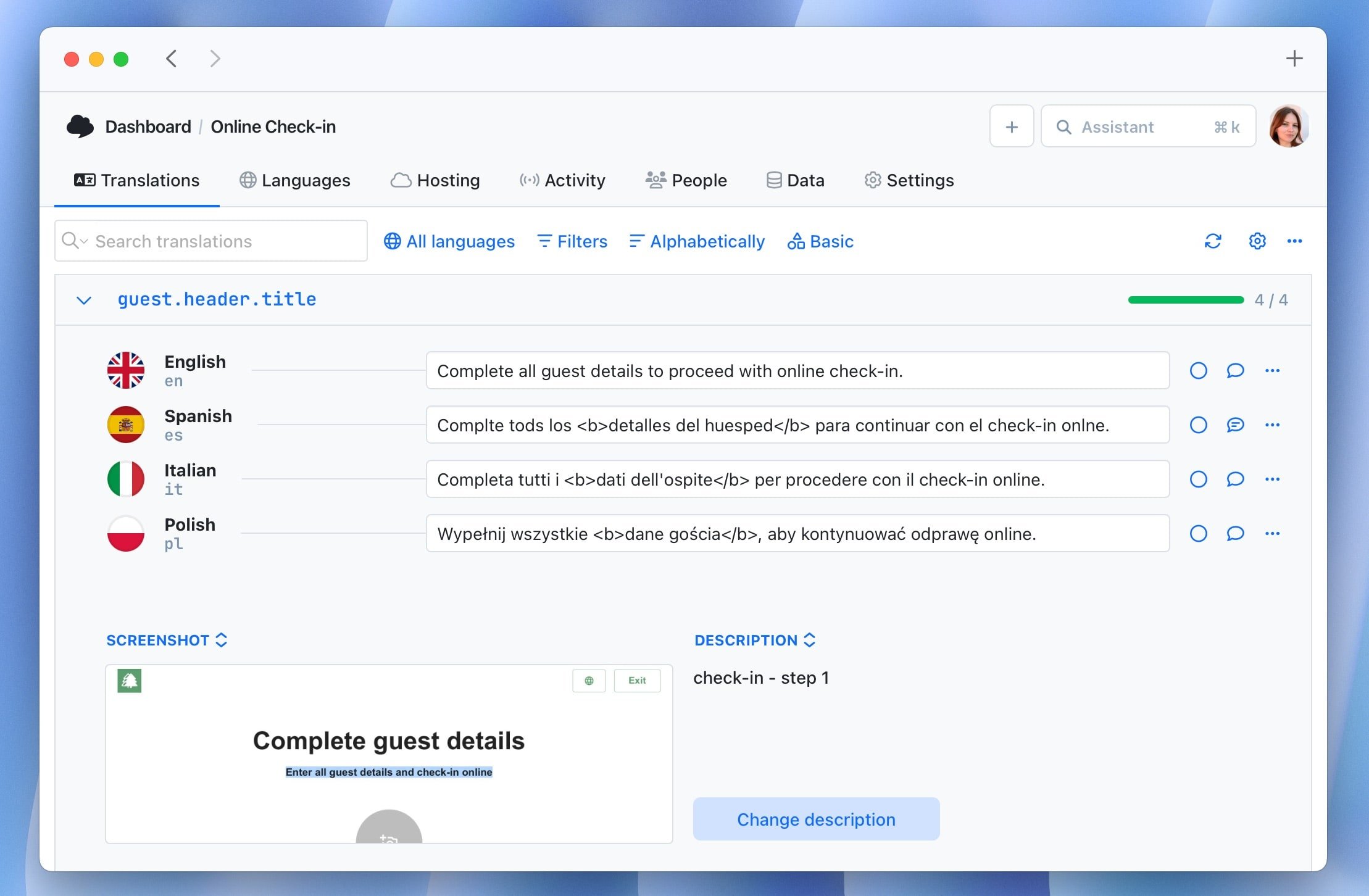
Translation quality is directly tied to context quality. A translator looking at button.confirm with no additional information might not know whether this button confirms a payment, a file deletion, a subscription upgrade, or a form submission. Each context warrants a different translation in many languages.
Provide:
- Screenshots showing where the string appears in the UI
- Character limits for strings in constrained spaces (button labels, mobile notifications)
- Descriptions clarifying the purpose, tone, and audience for ambiguous strings
- Placeholders with explanations of what they'll be replaced with
{
  "welcome_message": "Welcome back, {username}!",
  "_welcome_message_note": "Greeting shown on dashboard. Username is the user's display name."
}
Poor context is one of the leading causes of localization quality issues. It's also one of the cheapest problems to fix. The investment is a few minutes of documentation per new string.
9. Integrate localization into your CI/CD pipeline
Treating localization as a manual batch process: export files, send to translators, re-import manually; is the single most common source of release delays and missing translations. The alternative: continuous localization, where translation workflows are integrated directly into your deployment pipeline.
A well-designed pipeline:
- Developers add new keys to the codebase
- CI automatically extracts new keys and pushes them to the TMS
- Translators work in the TMS continuously
- CI pulls updated translations as part of the build
- A completeness check blocks deployment if any supported locale has missing translations
This model means translation work happens in parallel with development, not after it. Time-to-localization drops from weeks to days.

Check out our step-by-step localization workflow for developers.
10. Catch translation problems early, handle gaps gracefully in production
Missing or broken translations that reach users can render as empty UI elements, broken layouts, or raw translation keys. The goal is a two-layer defense: catch issues inside the workflow before they ship, and handle whatever slips through gracefully at runtime.
Layer 1:
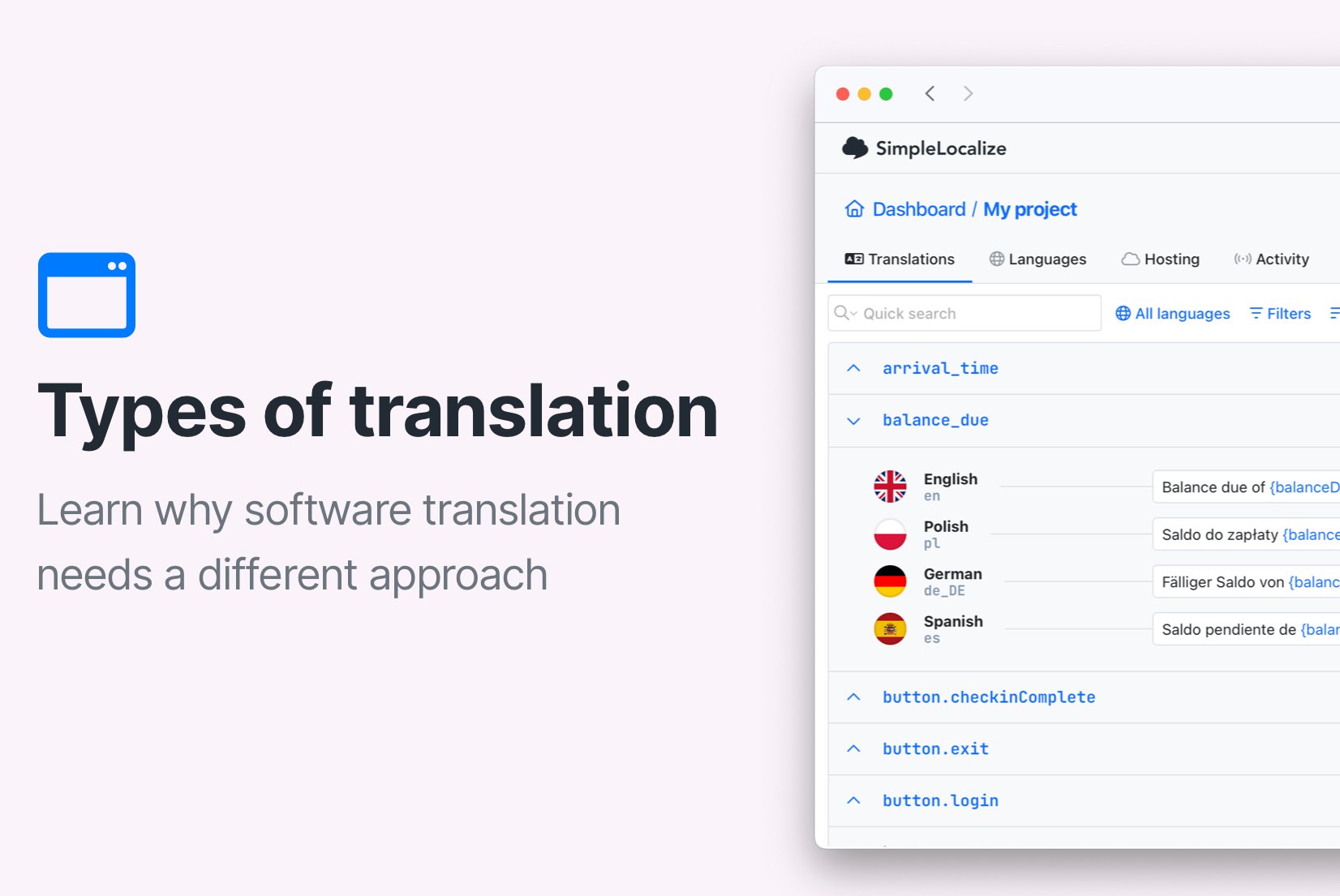
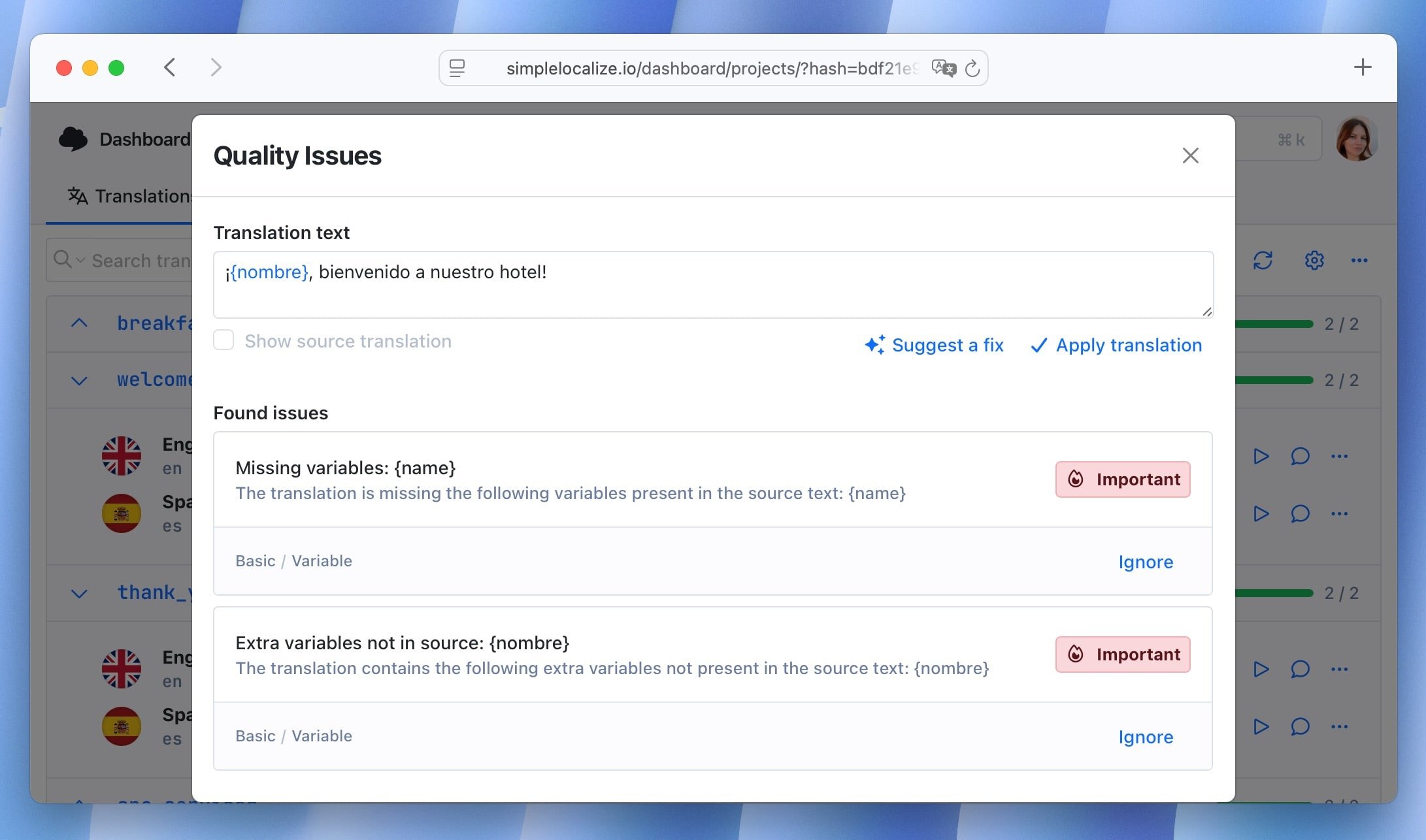
QA checks inside the editor. The cheapest place to fix a translation problem is before it leaves the TMS. SimpleLocalize's built-in QA checks flag issues automatically in the translation editor: missing translations, empty strings, placeholder mismatches, inconsistent punctuation, and formatting errors. Catching these during review means translators still have context and can fix things in seconds, rather than a developer filing a bug two weeks after release.
Layer 2:
Fallback language at the CDN level. New keys ship faster than translations can always keep up. Rather than letting gaps silently break UI, configure a fallback to your default language in your delivery layer. SimpleLocalize's translation hosting handles this automatically: if a translation isn't available in the requested locale, it serves the default language string instead of an empty value or a raw key.
Pair both layers with environment-aware behavior in your application:
- Development: configure your i18n library to surface the raw key when a string is missing so that gaps are impossible to miss during development
- Staging: fall back silently, review QA reports before sign-off
- Production: CDN fallback handles gaps automatically; monitor for persistent gaps over time
The goal isn't a perfect translation pipeline from day one. It's making sure that whatever state your translations are in, users always see something sensible.
11. Keep translation files clean as the product evolves
As products evolve, translation files accumulate dead weight: keys for features that were removed, duplicates created by slightly different naming conventions, keys that were merged or restructured. This accumulation is slow but consistent.
Unused keys inflate translation file sizes, add noise for translators, and make it harder to audit completeness. Establish a regular cleanup process:
- Use static analysis tools to identify keys that no longer appear in source code
- Review and remove deprecated keys before each major release
- Audit for duplicates periodically (the same string translated under multiple keys)
Check how to find and delete unused translation keys in SimpleLocalize.
12. Establish clear ownership across the i18n/l10n boundary
One of the most common sources of localization dysfunction is unclear ownership. Internationalization and localization require different expertise and involve different teams, and conflating them, or leaving them unowned, creates gaps.
-
Engineering owns internationalization:
the i18n library choice, translation key architecture, pipeline automation, and developer tooling. These are technical infrastructure decisions.
-
Product or localization teams own localization:
translation quality, cultural adaptation, language selection, and copy review. They work within the infrastructure engineering builds.
-
The CI/CD integration lives at the boundary:
it requires engineering to build the pipeline and localization teams to maintain the content within it.
In practice, especially at early-stage companies, one person often does both. The important thing is being explicit about which concerns belong where, because i18n architecture decisions have long-term consequences that shouldn't be driven by short-term translation convenience.
Learn more about localization maturity models.
13. Use a translation management system before you think you need one
Many teams start with JSON files managed in Git and spreadsheets passed to translators over email. This works for a handful of strings in one or two languages. It breaks down at any meaningful scale.
The problems that accumulate without a TMS:
- Translator context is lost: no screenshots, no descriptions, no history
- File sync becomes a manual error-prone process
- Review and approval has no workflow; it happens in email threads
- Terminology inconsistencies spread across languages
- It becomes impossible to audit what's been translated, reviewed, or approved
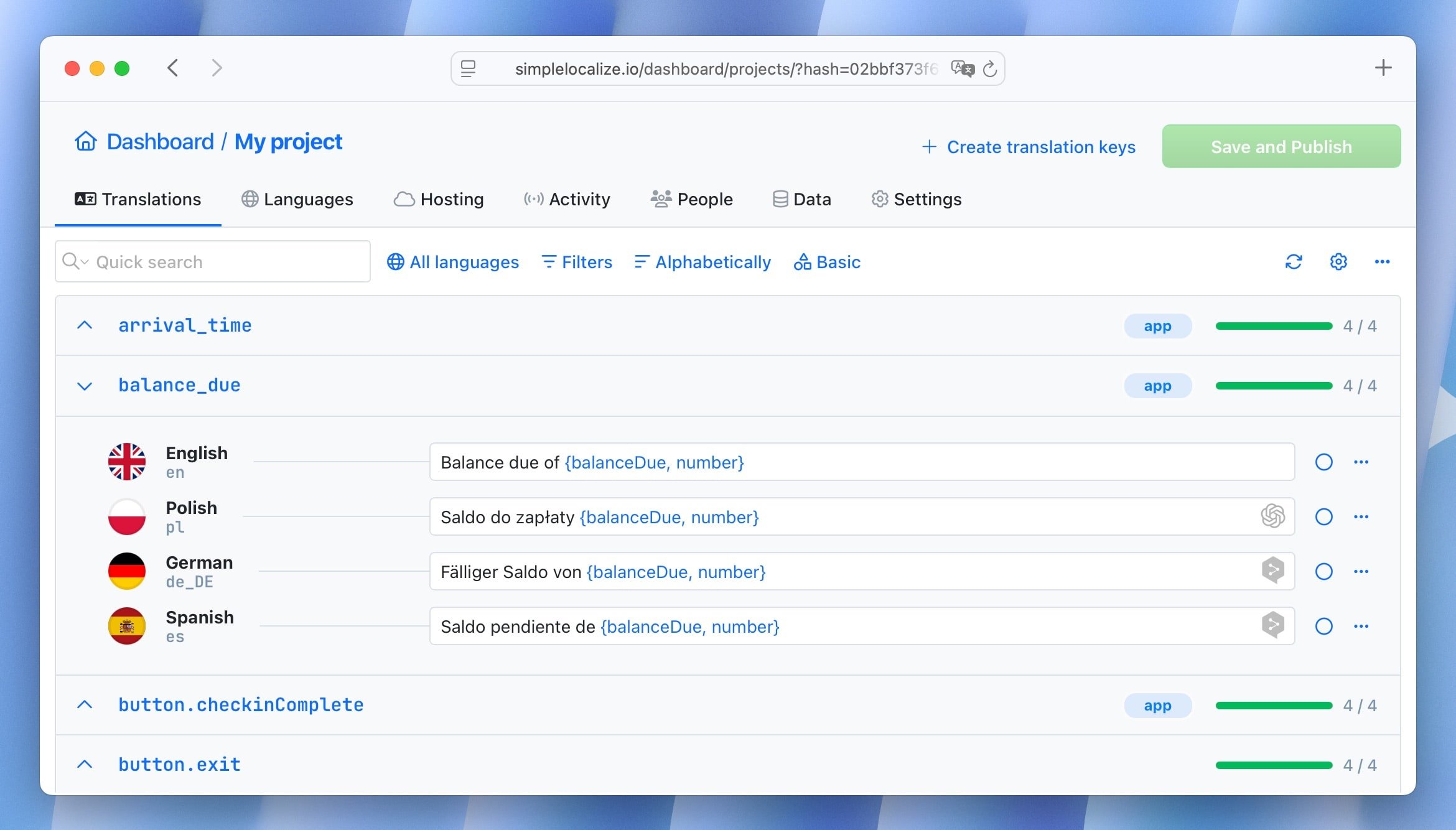
A TMS like SimpleLocalize provides a single source of truth: centralized storage, translator-friendly editing UI, context attachments, review workflows, API access, and CI/CD integration. The right time to introduce it is before the manual process breaks, not after.
14. Use machine translation strategically, not universally
Machine translation and AI have matured significantly. For many content types and language pairs, MT produces output that requires only light post-editing. It's a legitimate part of a modern localization workflow.
The mistake is using MT as a substitute for judgment rather than a starting point. MT quality varies significantly by:
- Language pair: major European languages perform better than lower-resource languages
- Content type: UI strings with short context perform worse than longer, more self-contained content
- Domain: general MT struggles with technical terminology, legal language, and brand voice
A practical approach: use MT to handle initial translations and fill gaps quickly, then route content through human review based on where it will appear and how much it matters. High-visibility strings (landing page headlines, error messages, billing flows) warrant human review. Bulk UI strings with obvious meaning often don't.
Check also: AI vs MT: Auto-translation comparison with examples, Tips for effective auto-translation in software localization.
15. Test localization as a first-class quality concern
Testing is consistently the most underinvested area of software localization. Teams that do it well catch layout regressions, missing translations, and incorrect formatting before users do.
A practical testing strategy has several layers:
-
Pseudo-localization (earliest)
Catches hardcoded strings and layout overflow before any real translations exist.
-
Unit tests
Test pluralization rules, fallback chains, locale-aware formatting functions. These are deterministic and easy to automate.
-
Visual regression tests per locale
Screenshot diffing across all supported locales catches layout regressions introduced by translation updates. A translation that makes a button overflow its container will fail a visual test before it reaches production.
-
Linguistic QA with native speakers
Functional testing doesn't catch cultural inappropriateness, unnatural phrasing, or terminology that's technically correct but feels off. Involve native speakers in reviews for high-visibility content.
-
RTL layout testing
Most development teams work in LTR contexts and don't notice RTL issues. Include Arabic or Hebrew in your visual regression suite explicitly.
Learn more about localization QA and check our tips and tricks for localization.
Localization best practices: quick reference
Here is a quick reference table summarizing the practices covered in this guide:
| Practice | Why to do | What to avoid |
|---|---|---|
| Architecture | Use translation keys from day one | Hardcoding strings in components |
| Key naming | Hierarchical, descriptive, namespaced | Generic keys like str_001 |
| Pluralization | ICU message format | English-only if count === 1 logic |
| Date/number formatting | Intl API, UTC storage | Hardcoded format strings |
| Layout | Flexible containers, logical CSS properties | Fixed widths on text elements |
| RTL support | CSS logical properties, dir attribute | margin-left, text-align: left |
| Context | Screenshots and descriptions for translators | Decontextualized keys with no notes |
| CI/CD | Continuous extraction and import | Manual file handoff per release |
| Quality | Completeness checks in pipeline | Discovering missing translations in production |
| Ownership | Explicit i18n/l10n boundary | everyone's responsibility" = no one's |
| Tooling | TMS before you need it | Git + spreadsheets at scale |
| Testing | Pseudo-localization + visual regression | Manual spot checks after release |
Common mistakes worth avoiding
-
Using country flags to represent languages.
Spanish is spoken in 20+ countries. English in dozens. A US flag for English excludes most English speakers outside the US. Use language names or language codes instead.
-
Assuming your font supports all scripts.
When you add a language that uses a script your font doesn't cover (East Asian characters, Arabic, Devanagari), the browser renders empty squares: the "tofu" problem. Verify font coverage before adding any new language.
-
Sorting lists with JavaScript string comparison.
Alphabetical order is locale-dependent. In Swedish, ä sorts after z. Use Intl.Collator for any user-facing sorted list.
-
Treating
Accept-Languageas the final word on locale.The browser header reflects browser preferences, not necessarily what the user wants. Always allow explicit override via a language selector.
-
Deploying new keys before translations are ready.
Instead: use fallback to source language, log the gaps, and add monitoring. Silent regression is worse than intentional fallback.
See the list of common localization mistakes
How these practices connect
Good localization practice is a system, not a checklist. The pieces reinforce each other:
A clean key architecture makes CI/CD integration simpler. CI/CD integration makes completeness checks reliable. Completeness checks create pressure to keep translation workflows continuous. Continuous workflows reduce the time between shipping a feature and having it fully localized.
Conversely, the worst localization debt compounds across all of these dimensions simultaneously: poor key naming, manual processes, no pipeline validation, and unclear ownership all get worse together.
The good news: most of these practices cost almost nothing to adopt early and become progressively more expensive to retrofit later. The best time to implement them is when the project is small.
Conclusion
Software localization done well is invisible to users: they simply experience your product in their language, with formatting that feels natural and content that reads fluently. Getting there requires deliberate decisions at the architecture level, in your workflows, in how you test, and in how your teams own different parts of the problem.
The practices in this guide aren't theoretical, they reflect where teams commonly go wrong and what separates localization that scales from localization that becomes technical debt.
The next step from here depends on where you are:
- If you're planning your first international expansion, the localization strategy guide covers market prioritization and workflow design.
- If you're setting up your technical stack, the complete technical guide to i18n and software localization goes deep on architecture patterns, framework integration, and DevOps.
- If you're scaling from one language to many, continuous localization explains how to build a pipeline that keeps pace with product development.