The complete technical guide to Internationalization (i18n) & Software localization

Modern software rarely serves a single market.
Applications today are expected to support multiple languages, regional formats, cultural conventions, and distributed teams, often from day one.
Internationalization (i18n) is the engineering discipline that makes this possible.
For growing SaaS teams, localization is not just about translation. It affects application architecture, deployment pipelines, UI design, performance strategy, DevOps workflows, and team ownership.
Poorly designed localization systems become technical debt that compounds with every new feature. Well-designed systems make adding a new language nearly effortless.
Who is this guide for?
This guide is written for developers implementing localization in applications, SaaS teams building multilingual systems, product engineers designing scalable architectures, and engineering teams integrating translation workflows ahead of global expansion.
If you're looking for the strategic side: market prioritization, ROI, team structure, and when to localize; start with our localization strategy guide before diving into the technical details covered here.
What is internationalization (i18n)?
Internationalization (i18n) is the process of designing software so it can support multiple languages and regional settings without requiring structural changes to the codebase each time a new locale is added.
Instead of hardcoding user-facing text directly into components, developers create abstraction layers that separate application logic from language resources. At runtime, the system loads translations based on the active locale and renders the appropriate content.
This separation is what makes scalable multilingual systems possible, and the absence of it is what makes poorly prepared codebases so expensive to fix later.
For a broader understanding of the terminology landscape, see Localization vs Internationalization vs Translation: Key differences for SaaS teams.
Core components of an i18n system
A modern internationalization system typically includes:
- Translation keys — identifiers used in the code to reference localized messages
- Translation resources — structured files or database records that store language-specific content
- Localization libraries — tools that resolve keys, handle pluralization, and format numbers, dates, and currencies
- Language detection mechanisms — logic that determines which locale to load for a given user
- Translation workflows — processes for updating, reviewing, and deploying translations
Each component plays a role in keeping localization maintainable as the project grows.
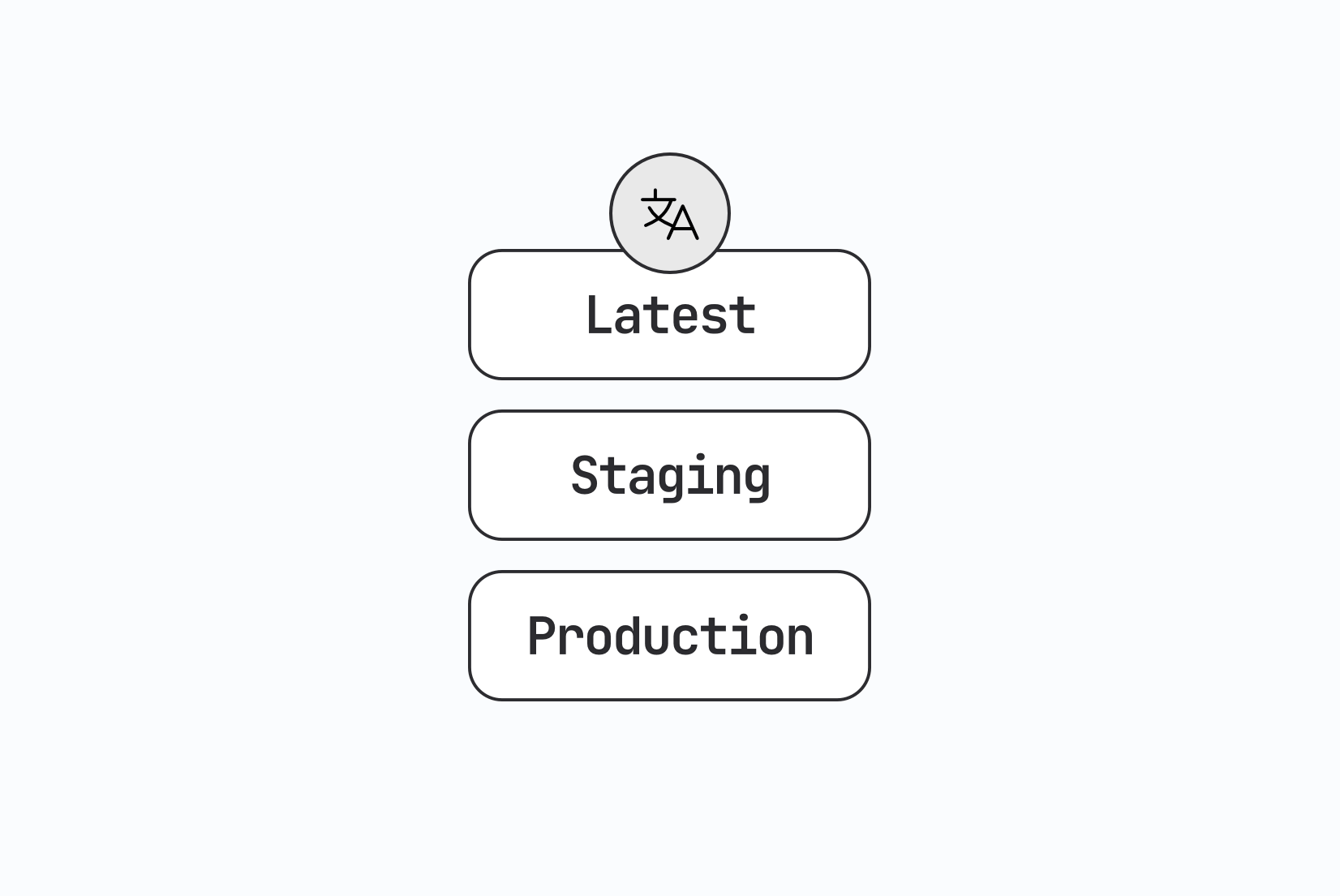
When your translation layer spans multiple deploy stages, environment separation becomes part of the architecture itself. See Environment-based localization: Managing translations across dev, staging, and production for practical setup patterns.
i18n architecture: How modern localization systems work
Early multilingual applications stored translations directly in the codebase alongside application logic. While this works for small projects, it quickly breaks down as products grow and translation teams expand.
Modern localization systems treat translations as a separate layer in the architecture.
When a developer adds a new UI message, they introduce a translation key rather than hardcoding text. Translation resources live in structured files or external platforms, allowing translators to update content without touching source code.
A simplified localization pipeline typically looks like this:
Developer code → translation keys → translation storage → localization framework → localized UI
This architecture enables collaborative workflows where translators, developers, and product teams work in parallel without blocking each other.
Some teams go further and implement API-driven localization, where the application fetches translations dynamically from an external service rather than bundling them at build time. This decouples translation updates from code deployments entirely. When building API-driven systems, cross-origin resource sharing becomes relevant if translations are served from a different domain. See What is CORS? for a clear explanation of the issues that can arise.
Why retrofitting i18n is expensive
One of the most damaging decisions a team can make is delaying internationalization until the product gains traction. Yet "we'll localize once the product is stable" remains one of the most common localization myths that hurt growth.
Retrofitting i18n into an existing codebase is significantly more expensive than building it in from the start. Not because the concepts are hard, but because the surface area is enormous.
A product that grew without i18n in mind typically has:
- Hardcoded strings scattered across hundreds of components
- Date, number, and currency formatting tied to a single locale
- UI layouts designed without accounting for text expansion or RTL languages
- Backend services that generate user-facing messages without locale awareness
- Routing and URL structures with no concept of locale
Each of these issues must be discovered, scoped, and fixed. In large codebases, this work can take months and touches nearly every layer of the stack. Teams frequently underestimate how deeply the assumption of a single language is embedded.
The safest strategy: use translation keys and locale-aware formatting from the very beginning, even if you only ship in one language initially. The cost is minimal upfront and saves enormous effort later.
Translation keys and content architecture
Translation keys are the backbone of internationalized applications. They serve as stable identifiers that allow the application to retrieve localized content.
Instead of hardcoding strings:
<button>Save changes</button>
developers reference a translation key:
<button>{t("settings.save_changes")}</button>
The actual message lives separately in a translation file:
{
  "settings": {
    "save_changes": "Save changes"
  }
}
The concept is simple. The difficulty is managing keys at scale; poor naming conventions lead to duplicated keys, confusing identifiers, and brittle translation workflows.
Engineering teams typically define conventions around key naming structures, feature-based namespaces, and shared keys across applications. For detailed guidance:
- What is a translation key? A guide with examples
- Best practices for creating translation keys
- Translation keys vs Strings
- Namespaces in software localization
Managing keys at scale
As projects evolve, key management becomes part of ongoing maintenance. Teams need strategies for keeping translation files clean, structured, and synchronized with the codebase:
- How to keep translation keys in order
- How to find and delete unused translation keys
- How to manage shared translation keys across projects
- How to share translation keys across multiple apps
Automation reduces the overhead significantly. Translation keys can be extracted directly from source code using AI-powered tools, eliminating manual key management:
Translation file formats and resource management
Localization systems rely on structured files that store translations for each language. The choice of format depends on the ecosystem, framework requirements, and team workflow preferences.
Common formats include:
| Format | Ecosystem |
|---|---|
| JSON | JavaScript, TypeScript |
| YAML | Ruby, configuration-heavy systems |
| PO/POT | gettext-based systems (Python, PHP, WordPress) |
| XLIFF | Enterprise translation exchange |
| ARB | Flutter / Dart |
| .strings / .xcstrings | iOS / macOS |
| CSV / Excel | Spreadsheet-based workflows |
| XML | Android, legacy systems |
For teams choosing between JSON and YAML, see YAML vs JSON for translation files: Key differences and best practices.
Working with translation files in practice
Teams commonly automate tasks like auto-translating new keys, converting file formats, and importing translations during CI/CD:
- How to translate YAML files for localization
- How to auto-translate YAML files
- How to auto-translate JSON files
- How to translate PO and POT files
- Mastering XLIFF files: How to manage & translate them
- Managing ARB translation files in Flutter
- How to manage iOS translation files (.strings, .xcstrings, .xliff)
- Xcode String Catalog (.xcstrings): The complete guide for iOS localization
- How to manage Android translation files (strings.xml)
- How to manage translations in CSV files
- Managing translations in Excel files
- How to translate Markdown files
Framework-level internationalization
Internationalization support varies considerably across frameworks. Some ecosystems provide built-in localization features; others rely on dedicated libraries.
React and Next.js
React localization is typically implemented using libraries that provide hooks or components to resolve translation keys and handle formatting. The most widely used options are:
- i18next / react-i18next — flexible architecture with an extensive plugin ecosystem
- react-intl (FormatJS) — strong ICU message format support
- next-i18next — Next.js-specific, built on i18next
- next-translate — lightweight alternative for Next.js
For a high-level overview, start with list of best React i18n libraries.
Implementation guides:
- react-i18next vs next-intl: Which should you use for React localization?
- next-intl guide for Next.js: Practical i18n architecture with SimpleLocalize
- i18next and React application localization in 3 steps
- How to localize React app using i18next
- How to translate NextJS app with next-i18next
- How to translate NextJS app with next-translate
- FormatJS and React application localization
- Internationalization tool for yahoo/react-intl
- How to create a multi-language website in GatsbyJS?
Vue.js and Nuxt
Vue has a mature i18n ecosystem with dedicated libraries for both Vue 3 and Nuxt:
- vue-i18n — the standard i18n library for Vue 3, supporting Composition API, pluralization, datetime/number formatting, and ICU messages
- @nuxtjs/i18n — Nuxt module built on vue-i18n that adds automatic locale-prefixed routing, hreflang SEO tags, SSR support, and lazy loading
- typesafe-i18n — TypeScript-first alternative with compile-time key safety and typed parameters
For a complete walkthrough covering setup, translation file architecture, pluralization, lazy loading, CI/CD automation, and SimpleLocalize integration, see our Vue.js i18n guide: localizing Vue and Nuxt apps.
Backend frameworks
Localization is not limited to frontend applications. Backend services need to support multiple languages for email templates, error messages, and API responses.
- Java 24: Internationalization
- Spring Boot 3.5: Internationalization with messages.properties
- Python and Django i18n: A practical guide for developers
Edge environments
Edge environments support localization patterns that allow developers to implement multilingual features at the network edge for improved performance and geo-aware content delivery:
Server-side localization
Client-side localization handles the browser layer well, but many modern architectures require localization to happen on the server, or at multiple layers simultaneously.
Where server-side localization is required:
- Email and notification templates — generated on the server and sent before a user ever loads the UI
- Server-rendered HTML — frameworks like Next.js, Nuxt, or SvelteKit render pages on the server where the locale must be known before the HTML is produced
- API responses — error messages, status descriptions, and user-facing strings returned from APIs should be locale-aware
- PDF and document generation — reports, invoices, and exports generated server-side need the correct language and formatting
In server-rendered frameworks, locale detection typically happens at the request level, from URL parameters, headers, or cookies, before the page render begins. The selected locale is then passed through to the template or component tree.
For frameworks like Next.js App Router, locale resolution happens in middleware, which intercepts the request and rewrites the URL or sets context before rendering. This makes locale detection a first-class concern in the server architecture.
A common pitfall is inconsistency between client and server locale state. If the server renders in one locale but the client hydrates with another, users will see a flash of incorrectly localized content — a localization-specific variant of the classic hydration mismatch problem.
Related:
How to make a website multilingual: A developer's implementation guide
Locale detection strategies
A critical but often under-specified decision is how your application determines which locale to serve. There is no universally correct answer, each method has trade-offs in UX, SEO, and implementation complexity.
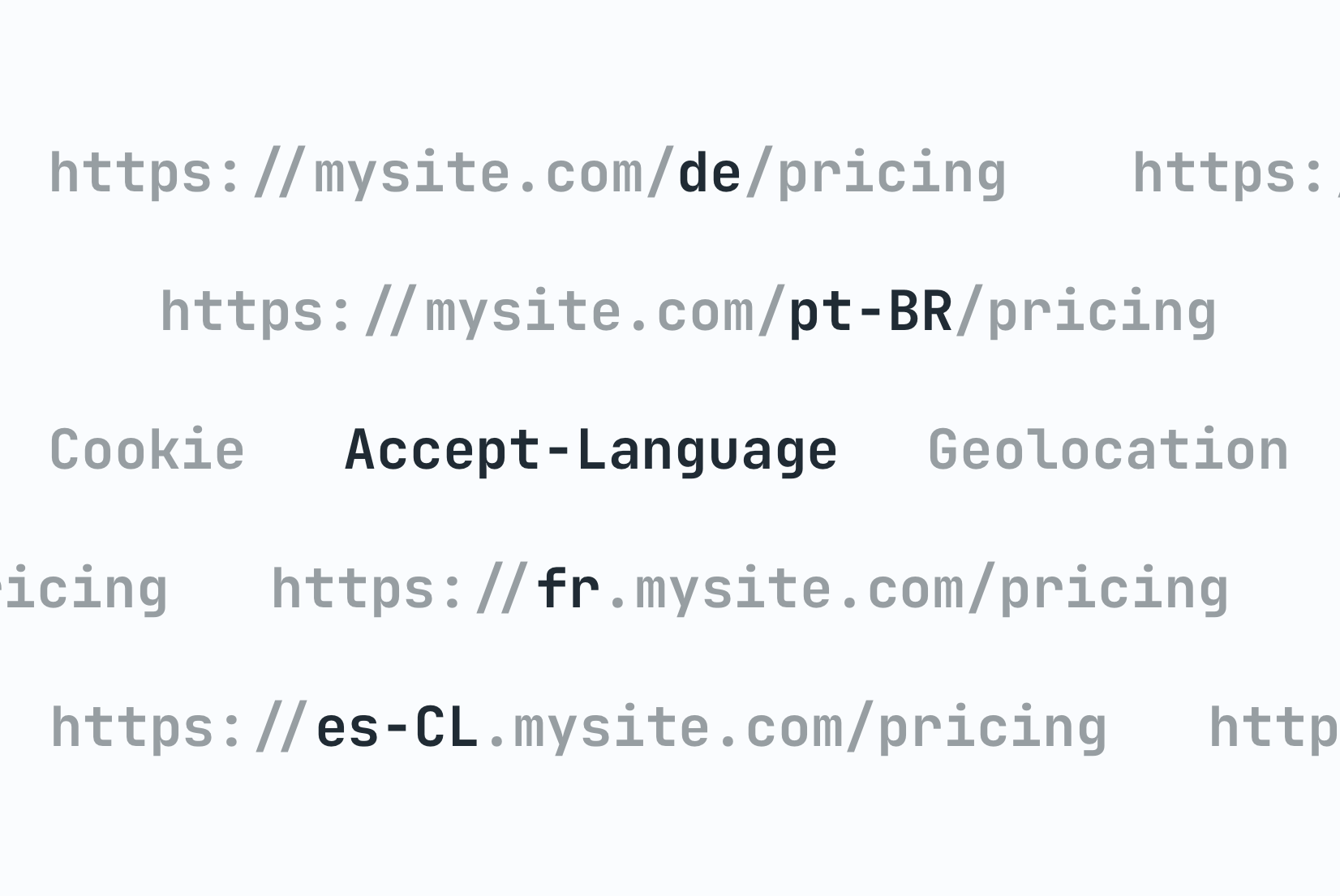
See the below for a breakdown of the most common strategies and check out our detailed guide on locale detection strategies for implementation examples and best practices.
URL-based detection
The locale is encoded in the URL path or subdomain:
/en/pricing
/de/pricing
de.example.com/pricing
Pros: Crawlable by search engines, shareable, cacheable, and explicit. The user always knows which locale they're viewing.
Cons: Requires URL rewriting logic and routing configuration. Changing locale changes the URL, which can affect bookmarks.
This is the recommended approach for most public-facing web applications because of the SEO benefits. Search engines can index each locale separately. For a detailed breakdown of URL structure options and their trade-offs, see URLs in Localization: How to structure and optimize for multilingual websites.
Cookie-based detection
The user's locale preference is stored in a cookie after an initial selection.
Pros: Persists across sessions without requiring URL changes. Works well for applications where locale is a user preference rather than a routing concern.
Cons: Not indexable by search engines. Requires a consent strategy in markets with strict cookie regulations (GDPR). Can cause server/client hydration mismatches if the cookie isn't read consistently.
Accept-Language header detection
The browser sends a list of preferred languages in the HTTP Accept-Language header. The server inspects this header and serves the closest matching locale.
Pros: Zero friction for the user — they get their preferred language automatically.
Cons: Not reliable as the sole mechanism. The header reflects browser preferences, not necessarily the user's preferred language for your product. It should be used as a starting point, not a final decision.
Hybrid approaches
Most production systems combine methods: use the Accept-Language header on first visit to make an initial guess, encode the result in the URL for SEO, and allow users to override via an explicit language selector (stored in a cookie or user profile).
The important principle: always allow the user to override the detected locale explicitly. Automatic detection is an inference, not a fact.
Handling fallback languages and regional variants
Localization systems must gracefully handle cases where a translation is missing or a locale variant doesn't exist.
Fallback chains
A fallback chain defines what locale the system should use when the requested one isn't available. For example:
pt-BR → pt → en
If a Brazilian Portuguese translation is missing, the system falls back to generic Portuguese, then to English. This is preferable to showing a raw translation key or an empty string.
Most i18n libraries support fallback configuration. In i18next, for example:
i18next.init({
  lng: 'pt-BR',
  fallbackLng: ['pt', 'en'],
});
Regional variants
pt-BR (Brazilian Portuguese) and pt-PT (European Portuguese) are technically the same language but differ enough in vocabulary, formality, and formatting that they warrant separate translation files in serious localization efforts.
The same applies to en-US vs en-GB, zh-Hans (Simplified Chinese) vs zh-Hant (Traditional Chinese), and es-MX vs es-ES.
A practical strategy for managing variants: maintain a base locale (e.g., pt) with complete translations, then maintain regional override files (e.g., pt-BR) that only contain keys which differ from the base. The application merges the base and override at runtime, reducing duplication.
Missing key handling
In development and staging, missing keys should throw visible warnings or errors so they're caught early. In production, missing keys should fall back silently and log to your error tracking system. Showing raw translation keys to end users is almost always worse than showing the fallback language.
For complete implementation details on fallback chain configuration, the base-locale override pattern for regional variants, per-environment missing key handling, and how to organise variant files in your TMS, see our guide to fallback languages and regional variants.
UX considerations in multilingual systems
Internationalization introduces UI challenges that rarely appear in single-language applications.
Text expansion and layout issues
One of the most pervasive issues is text expansion. Translated text is almost always longer than the English source, sometimes dramatically so.
German and Finnish regularly produce strings that are 30-40% longer than English equivalents. Finnish compound words can overflow fixed-width containers entirely. A rough but useful rule of thumb: design UI for strings up to twice the length of the English original.
Practical mitigation strategies:
- Use flexible spacing and adaptive containers instead of fixed widths
- Apply soft hyphenation (
­) to allow long words to break naturally - Test layouts with pseudo-localization before real translations are available
- Avoid placing translatable text inside elements with overflow: hidden or white-space: nowrap by default
For a deep dive into expansion rates by language, CSS patterns that handle it, and a complete worked example, see Why text expansion breaks your UI and how to fix it. For more hands-on advice including layout testing techniques, see Localization: Tips & Tricks.
Language selectors
Language selection is often implemented incorrectly. The most common mistake is using country flags to represent languages.
Languages are not countries. Spanish is spoken in 20+ countries. English is spoken in dozens. Using a US flag to represent English and a Spanish flag for Spanish excludes large portions of both speaker populations and can cause genuine offence.
More context:
- Flags in language selectors: Why they may hurt UX in 2025
- Top language selector UX examples
- 10 tips for creating a language selector in your website or app
- How to create a language selector with Tailwind CSS
- Hosted country flags for your project
Missing glyphs (the "tofu" problem)
When a font doesn't include a glyph for a specific character — particularly in East Asian scripts, Arabic, or certain Unicode ranges — the browser renders a small empty square known as "tofu."
This is a font coverage issue, not a translation issue. It typically appears when a team adds a new language without verifying that their chosen fonts support that script. Solutions include using system fonts with broad Unicode coverage, loading script-specific web fonts, or using font stacks that include reliable fallbacks.
RTL and bidirectional layout
Arabic, Hebrew, Persian, and Urdu are written right-to-left (RTL). Supporting these languages is not as simple as adding a translation file. It requires rethinking the entire layout direction of the application.
For a hands-on walkthrough with CSS examples, icon mirroring rules, form handling, and a hotel booking UI case study, see the RTL design guide for developers.
The core mechanics
HTML provides a dir attribute that sets text direction:
<html dir="rtl" lang="ar">
CSS logical properties (introduced to replace directional properties like margin-left) make it significantly easier to write direction-agnostic styles:
/* Instead of: */
margin-left: 16px;

/* Use: */
margin-inline-start: 16px;
When dir="rtl" is set, margin-inline-start automatically maps to the right side, no overrides needed.
Common RTL layout mistakes
- Hardcoded directional margins and padding —
padding-left,margin-right,left: 0all need RTL overrides unless you're using logical properties throughout - Flex and grid direction —
flex-direction: rowproduces the correct visual result in RTL if logical flex properties are used;row-reverseis rarely needed and often wrong - Icons with directional meaning — back/forward arrows, chevrons, and navigation icons should be mirrored in RTL. Decorative icons (logos, checkmarks) should not be mirrored
- Text alignment —
text-align: lefthardcodes left alignment even in RTL contexts; usetext-align: startinstead - Animations and transitions — sliding elements, progress bars, and carousels that animate on a horizontal axis need RTL variants
Bidirectional (bidi) text
Mixed-direction text is particularly complex. An Arabic page with embedded English model names, code snippets, or URLs contains both RTL and LTR text in the same paragraph. The Unicode Bidirectional Algorithm handles most cases automatically, but edge cases — especially around punctuation at direction boundaries — require explicit dir attributes or Unicode control characters.
For applications targeting RTL markets, invest in proper design reviews with native speakers. Layout issues in RTL often go undetected because the developers reviewing screenshots don't read the language.
Unicode, encoding, and invisible character pitfalls
Unicode is the foundation of multilingual text, and most modern systems handle it reasonably well, until they don't.
Encoding issues
UTF-8 is the correct encoding for almost all web and API contexts. Problems typically arise at integration boundaries: databases configured with latin1, legacy APIs that don't declare encoding, or file processing pipelines that assume ASCII.
The symptom is usually garbled characters: é where é should appear (a classic UTF-8 bytes interpreted as Latin-1). Always verify that every layer of your stack — database, API, file storage, and frontend — is consistently UTF-8.
Invisible characters and bidi marks
Unicode contains a number of characters that are invisible in most rendering contexts but affect text behavior:
- Zero-width space (U+200B) — can appear in copy-pasted text and cause unexpected line breaks or search failures
- Non-breaking space (U+00A0) — visually identical to a regular space but not matched by
\sin many regex implementations - Left-to-right mark (U+200E) / Right-to-left mark (U+200F) — used to enforce text direction; can cause unexpected rendering if present in the wrong context
- Byte order mark (BOM, U+FEFF) — sometimes prepended to UTF-8 files by Windows tools; can cause parser failures and mysterious whitespace at file start
These characters are invisible in editors and translation tools, which makes them especially difficult to diagnose. Add normalization steps to your translation import pipeline to strip or validate unexpected control characters.
Normalization forms
Unicode allows the same character to be represented in multiple ways. The letter é can be stored as a single precomposed character (U+00E9) or as e followed by a combining acute accent (U+0065 U+0301). These are visually identical but byte-for-byte different.
If your application does string comparison, search, or deduplication across translations, this can cause subtle bugs. Normalize all incoming text to a consistent form (typically NFC) at your API boundary.
Check our comprehensive guide to Unicode traps that break localized applications.
Handling dates, times, numbers, and currencies
Locale-aware formatting ensures values appear correctly for regional audiences. Hardcoded format strings are one of the most common i18n mistakes.
Dates and times
Date format conventions vary significantly by region:
US:  MM/DD/YYYY  → 03/15/2026
EU:  DD.MM.YYYY  → 15.03.2026
ISO: YYYY-MM-DD  → 2026-03-15 (always use this for data storage)
Time zones add another layer of complexity. Store all timestamps in UTC, convert to the user's local time zone only at display time, and use the Intl.DateTimeFormat API in JavaScript for locale-aware rendering.
new Intl.DateTimeFormat('de-DE', {
  dateStyle: 'long',
  timeStyle: 'short',
  timeZone: 'Europe/Berlin',
}).format(new Date());
// → "15. März 2026 um 14:30"
For a complete walkthrough of
Intl.DateTimeFormat, time zone handling, relative time, and common pitfalls, see our guide to locale-aware formatting for dates, times, and currencies.
Numbers and currencies
Decimal separators, thousands separators, and currency symbol placement all vary by locale:
US:  1,000.50  USD 1,000.50
DE:  1.000,50  1.000,50 €
FR:  1 000,50  1 000,50 €
JP:  1,000     ¥1,000
JavaScript's built-in Intl.NumberFormat handles this without third-party libraries:
new Intl.NumberFormat('de-DE', {
  style: 'currency',
  currency: 'EUR',
}).format(1000.50);
// → "1.000,50 €"
See also: number formatting in JavaScript for
toLocaleString(), units, compact notation, and accounting format.
Locale-aware sorting
Alphabetical sorting is also locale-dependent. In Swedish, ä sorts after z. In German, ä is treated as a variant of a. If your application sorts lists of names, locations, or other text, use Intl.Collator rather than native JavaScript string comparison.
Pluralization rules across languages
Plural forms are not universal. English has two forms (singular and plural). Polish has three. Arabic has six. Russian and Czech follow rules based on the last digit of a number.
Getting pluralization wrong is one of the most common and most visible localization bugs — seeing "1 items" or "2 item" immediately signals that the application wasn't built with localization in mind.
Modern systems address this through the ICU message format, which defines plural categories (zero, one, two, few, many, other) and allows translators to define the appropriate form for each category in their language.
An ICU plural message in English:
{count, plural, one {You have booked # room} other {You have booked # rooms} }
The same key translated to Polish requires three forms:
{count, plural, one {Zarezerwowano # pokój} few {Zarezerwowano # pokoje} other {Zarezerwowano # pokoi} }
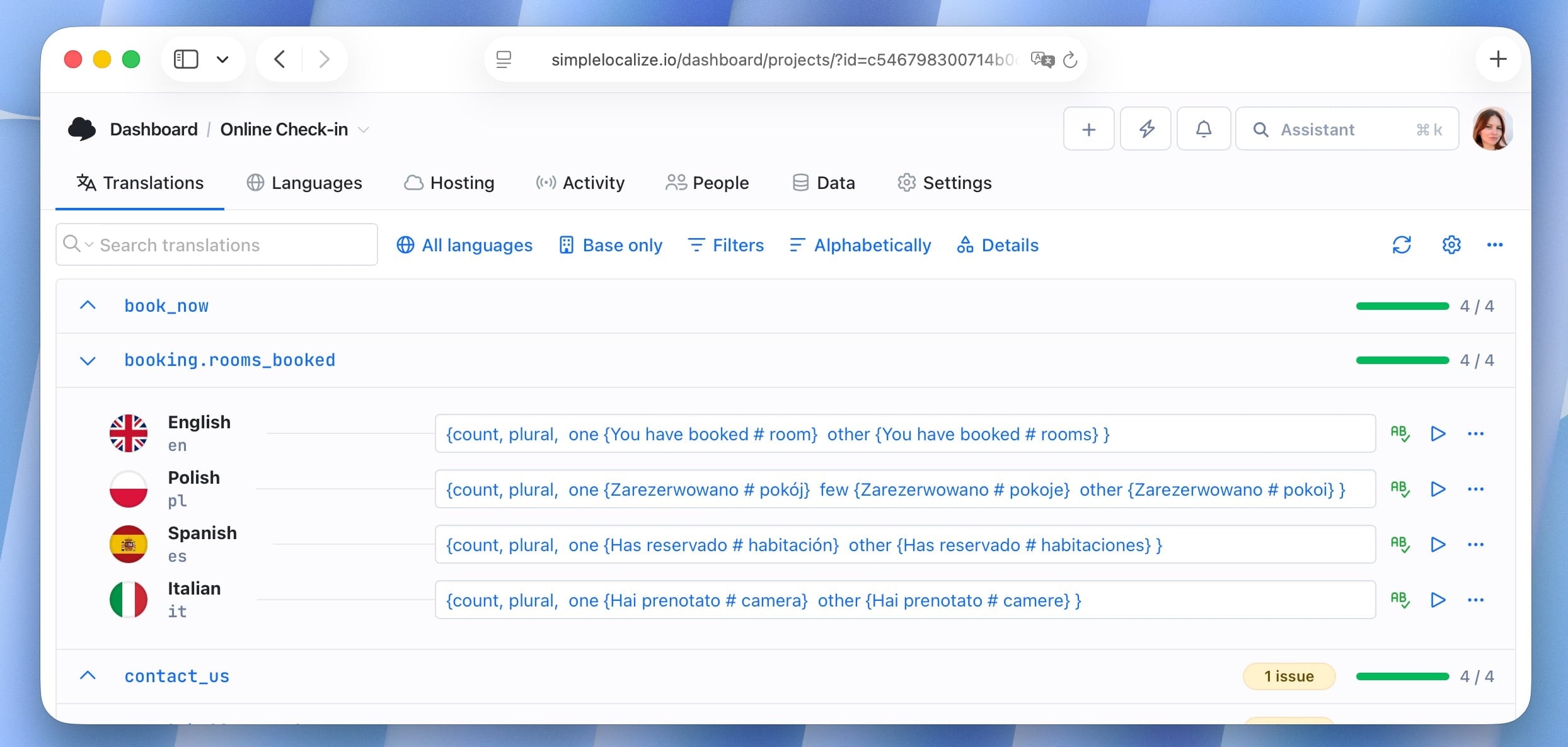
The application code doesn't change, only the translation string. This is why proper ICU support in your chosen i18n library matters enormously before you add languages with complex plural rules.
Detailed guide: How to handle pluralization across languages, ICU message format: Guide to plurals, dates & localization syntax
Performance and optimization
Localization can meaningfully affect application performance, especially in large applications with many supported languages and thousands of translation keys.
Common performance bottlenecks:
- Single monolithic translation file — loading all keys for all features at once adds unnecessary payload on every page
- Loading all languages at startup — only the active locale should be loaded; others should be fetched on demand
- Unused keys in production bundles — dead keys inflate translation file sizes over time
Lazy loading translation resources
The most effective technique is splitting translation files by namespace or route and loading them on demand. This mirrors code-splitting patterns already common in modern JavaScript applications.
// Load only the 'settings' namespace when the settings page is accessed
i18next.loadNamespaces('settings', () => {
  // render settings page
});
Static, dynamic, and edge rendering trade-offs
Translation loading strategy interacts directly with rendering architecture:
-
Static site generation (SSG)
Translations are bundled at build time. Fastest delivery, but updating translations requires a rebuild and redeploy. Works well for marketing sites where content changes infrequently.
-
Server-side rendering (SSR)
Translations are loaded at request time. Allows fresh translations on every render without redeploying the application. Adds some latency per request; mitigated with server-side caching.
-
Client-side rendering (CSR)
Translations are fetched by the browser after the initial page load. Flexible but can cause a flash of untranslated content (FOUC equivalent) before the translation bundle loads.
-
Edge rendering
Translations are served from CDN edge nodes geographically close to the user. Combines low latency with dynamic flexibility. Well-suited for API-driven localization architectures where translations are updated independently of the application.
The right choice depends on your update frequency, latency requirements, and caching infrastructure. Many teams use a hybrid approach: static rendering for core content, dynamic fetching for frequently updated translations.
Monitoring translation payload sizes
As applications grow, translation files can quietly balloon. Establish a baseline file size for your translation bundles and add monitoring to your CI pipeline to catch unexpected growth. A translation file that was 50KB at launch and grows to 500KB over two years is a sign that cleanup is overdue.
i18n architecture patterns for large-scale systems
As localization matures in a product, the initial file-based approach often hits limits. Teams that localize across many languages, teams, and features need architectural patterns that scale.
Namespace-based splitting
Rather than one translation file per language, use namespaces that map to product areas:
translations/
  en/
    common.json
    settings.json
    billing.json
    onboarding.json
  de/
    common.json
    settings.json
    ...
Each namespace is loaded independently, so a user visiting the billing page only loads the billing and common namespaces. This reduces initial payload and makes ownership clearer — the billing team owns billing.json.
API-driven translation architecture
In API-driven architectures, translations are not bundled with the application. Instead, the application fetches translations from an external service at startup or on demand.
This approach offers several advantages:
- Translations can be updated without redeploying the application
- Different deployment environments (dev, staging, prod) can serve different translation states
- Feature flags and A/B tests can control which translation variant a user sees
- Translators can publish changes independently of engineering releases
The trade-off is added complexity: the application must handle network errors gracefully, implement caching to avoid re-fetching on every render, and manage the latency of an additional network request.
Translation versioning
In CD environments where multiple versions of an application run simultaneously (canary deployments, progressive rollouts), translation keys can diverge between versions. A key added in v2.5 may be deployed to 10% of users before the translation is complete.
Strategies to manage this:
- Key-based versioning — prefix keys with a version or feature flag identifier; only expose them when the feature is fully available
- Translation locks — prevent translation updates to keys associated with unreleased features from being published to production
- Deployment-coupled translations — bundle translations with each release so each deployment version has a deterministic set of translations
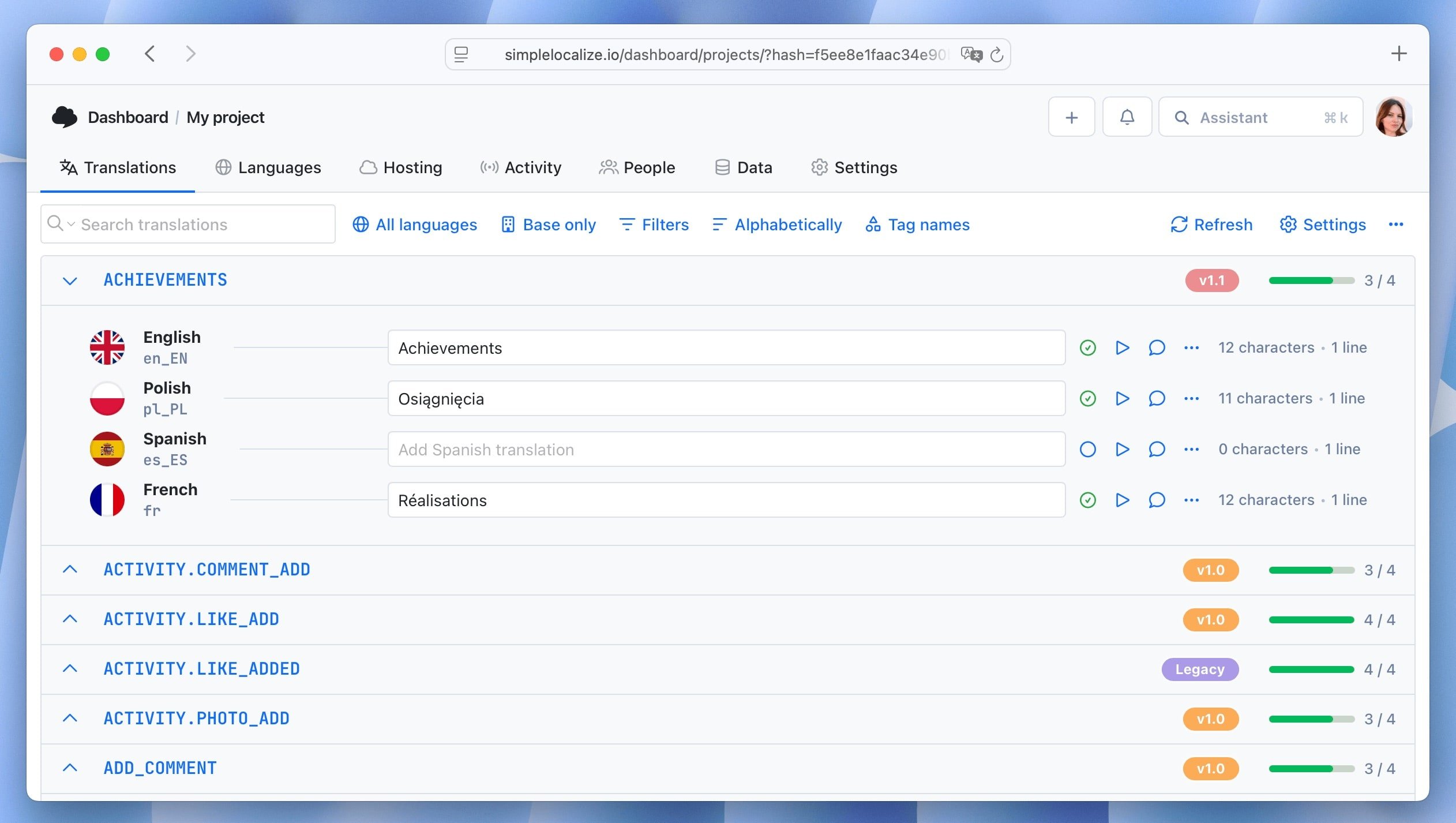
The appropriate strategy depends on your deployment model. Teams using feature flags heavily tend toward API-driven architectures where the translation state can be coupled to flag state.
See our guide on versioning translations using tags.
Multi-tenant localization systems
SaaS products that serve multiple organizations often need localization to operate at the tenant level, not just the application level.
What multi-tenant localization means
In a multi-tenant context, different customers may require:
- Different languages for the same application
- Custom terminology that overrides the default translations (e.g., a company that calls "projects" "campaigns")
- Different regional formats within the same language
- Tenant-specific content that should not be visible to other tenants
Architecture approaches
-
Tenant override layer
Maintain base application translations and allow tenants to provide override files that take precedence. The resolution order is: tenant override → base translation → fallback language. This is the most common approach for terminology customization. SimpleLocalize supports this pattern natively through the customer context feature, which lets you manage tenant-specific translation overrides without duplicating your entire translation set.
-
Tenant-scoped namespaces
Store tenant-specific translations in separate namespaces. The application loads the appropriate namespace based on the authenticated tenant context.
-
Tenant-level locale configuration
Allow tenant administrators to configure the default language, available languages, and regional format preferences for their organization. Store this configuration in the tenant settings rather than the application code.
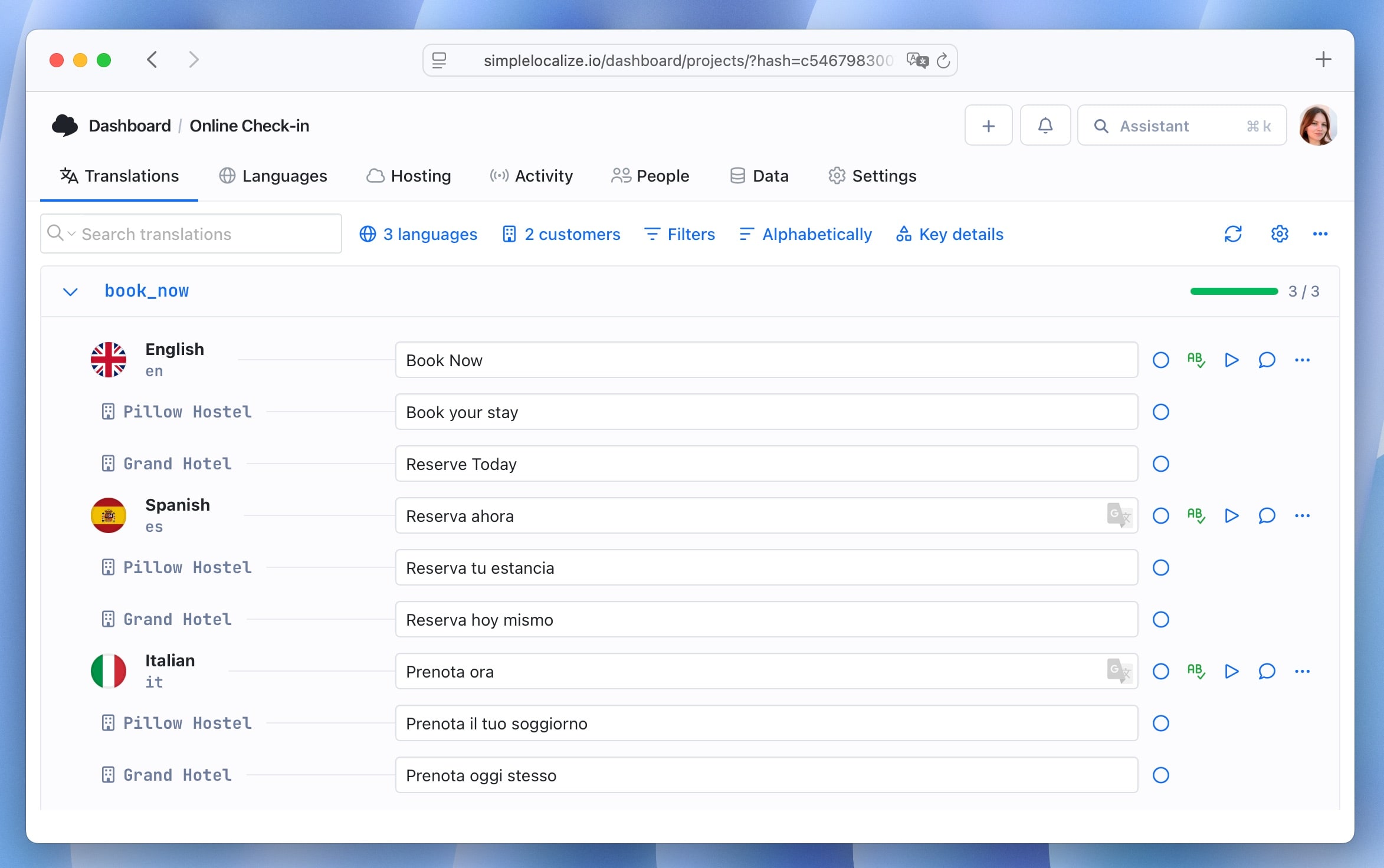
Practical considerations
Multi-tenant localization adds complexity to the translation workflow. When base translations change, tenant overrides may become stale. Tooling that can identify where tenant overrides diverge from updated base translations helps keep content consistent.
Access control is also relevant: tenant administrators should only be able to modify their own translations, and the translation platform should enforce this at the API level.
For data models, fallback order, per-tenant caching, and permissions in detail, read our guide to designing a multi-tenant localization system.
Localization DevOps: CI/CD, environments, and releases
Internationalization increasingly overlaps with DevOps practice. Modern engineering teams integrate translation workflows directly into deployment pipelines — an approach that eliminates manual handoffs and reduces the risk of shipping missing translations.
CI/CD integration
CI/CD systems can automate translation extraction, import updated translations, and validate completeness before deployment. Many teams configure pipelines that automatically pull translations from a translation management platform and push them into the build.
A typical pipeline step checks that all translation keys have values for all supported locales before the build is allowed to proceed. This prevents regressions where new keys added by developers are deployed without translations.

Environment-based localization
A localization system should behave differently across environments:
- Development — missing translation keys should be highly visible. Display key names or warnings rather than empty strings so developers catch missing translations immediately during development.
- Staging — close to production state, but may include pre-release translations for features under review. Translators and QA teams validate content against staging before it ships.
- Production — only fully reviewed and approved translations are served. Fallback behavior should be silent but logged for monitoring.
Environment-specific translation configuration can be managed through environment variables that point to different translation sources or control fallback behavior:
NEXT_PUBLIC_TRANSLATION_ENV=production
NEXT_PUBLIC_FALLBACK_LOCALE=en
Managing translations across releases
In continuous deployment workflows, translation updates and code changes are deployed on different cadences. A developer adds a new key in the morning; the translation may not be ready until next week.
Strategies for handling this:
- Progressive rollout with fallback — deploy the new key with a fallback to the source language. Add monitoring to track how often the fallback is shown.
- Feature flags — gate features behind flags until translations are complete for all target languages. Remove the flag when translation quality has been verified.
- Soft launches by language — launch new features in English first, then progressively enable them for other locales as translations complete.
The key principle is making incomplete translation states visible and intentional rather than silent. Silent fallback to English is acceptable; unknown and unmonitored fallback is a localization debt that accumulates.
Event-driven translation updates with webhooks
For API-driven localization systems, translations can be updated without redeploying the application by using webhooks to trigger cache invalidation or translation refresh events.
A typical flow:
- Translator publishes updated translations in the TMS
- TMS sends a webhook to the application's localization service
- The service invalidates the translation cache
- The next request fetches fresh translations from the TMS API
This model decouples translation publishing from the engineering release cycle entirely, allowing translators to ship updates independently.
Check out our 15 tips to make your localization workflow more productive for more ideas on optimizing translation workflows.
Testing internationalized applications
Testing is a critical and frequently underinvested area of localization. Untested localized applications frequently ship with layout regressions, missing translations, and incorrect formatting.
Unit and integration testing
Test localization logic at the unit level: plural rules, locale-aware formatting, fallback chains, and key resolution. These are deterministic functions that can be tested independently of the UI.
Integration tests should verify that locale-specific routes load the correct translations and that locale switching behaves correctly across all application states.
Pseudo-localization
Pseudo-localization is a testing technique that replaces translation strings with visually distinct but readable variants:
"Save changes" → "[Ŝàvé çhàñgéš]"
The brackets identify the extent of each string, making it easy to spot text that's been hardcoded rather than externalized. The accented characters simulate text expansion and catch fonts that don't support extended Latin characters. This can be run before any real translations exist, which makes it useful very early in development.
What is pseudo-localization? A practical guide for localization testing
Visual regression testing
Screenshot diffing across locales catches layout regressions introduced by translation updates. A translation that makes a button overflow its container will fail a visual test before it reaches production.
Consider capturing screenshots for each supported locale as part of your CI pipeline. Baseline images should be updated intentionally, not automatically.
Missing translation checks
Validate that every key has a value for every supported locale before deploying. This check should run in CI and fail the build if translations are missing. Missing translations that reach production are often worse than untranslated fallback text because they may render as empty UI elements.
# Example: SimpleLocalize CLI check
simplelocalize check-missing --locale de,fr,es
Testing RTL layouts
RTL layout testing is often overlooked because most development teams work in LTR contexts. Include Arabic or Hebrew as test locales in your visual regression suite. Many layout issues only become visible when the direction attribute is applied.
RTL failures also have direct accessibility consequences: reversed spatial flow, misaligned focus order, and incorrectly mirrored directional icons all affect users who rely on assistive technology. For the full overlap between RTL, localization, and WCAG compliance, see accessibility checklist for multilingual websites.
Translation workflows and automation
Internationalization requires ongoing collaboration between developers, translators, and product teams. Without structured workflows, translation updates quickly become disorganized — developers add new keys while translators work with outdated files, leading to missing translations and inconsistent content.
Modern development workflows require localization to integrate into CI/CD pipelines rather than being treated as a separate manual process. Teams automate translation extraction, file synchronization, language updates, and translation deployment. This approach is known as continuous localization.

Learn more in our guide to continuous localization.
Translation management tools coordinate these workflows by providing centralized interfaces for editing translations and synchronizing them with the codebase. Many tools also support bulk operations that allow teams to update large sets of translations efficiently.
Teams with engaged user communities can also open translations to contributors:
Who owns i18n vs l10n?
In many organizations, internationalization and localization are confused, conflated, or — most dangerously — unowned.
Clarifying ownership prevents both problems:
-
Internationalization (i18n) is owned by engineering.
The decision to use translation keys, the choice of i18n library, the architecture of the translation pipeline, and the developer tooling are all engineering concerns. Product or design can influence these decisions, but engineering is accountable for the implementation.
-
Localization (l10n) is typically owned by product, marketing, or a dedicated localization team.
Translation quality, cultural adaptation, copy review, and language selection decisions belong here. Engineering provides the infrastructure; this team fills it with content.
-
The CI/CD integration lives at the boundary.
Automating translation extraction, push/pull from a TMS, and deployment validation requires engineering to build the pipeline and localization teams to maintain the translation content within it.
In early-stage companies, both roles are often performed by the same person or team. This works, but it's worth being explicit about which hat you're wearing at a given moment — engineering decisions about key architecture have long-term consequences that shouldn't be driven by short-term translation convenience.
As organizations scale, establishing a localization program manager or equivalent role — someone who bridges engineering and language teams, manages vendor relationships, and owns the localization roadmap — is one of the highest-leverage hires for a team serious about global growth.
Related: Localization maturity model: 5 stages of scalable global growth for SaaS
Building a complete localization pipeline
A well-designed localization system connects development, translation, and deployment into a continuous pipeline. Internationalization is not a one-time implementation step. It is a long-term architectural decision that determines how easily your product can scale across languages and regions.
A typical end-to-end pipeline:
- Developers create translation keys in the codebase
- Extraction tools pull new keys into translation files or a localization platform
- Translators update content through the platform's editor or API
- CI/CD pipelines validate completeness and distribute updated translations to production
- The localization framework loads the correct language resources and formats messages based on the user's locale
Once this pipeline is in place, adding new languages becomes significantly easier. The application is already prepared to handle multiple locales, and the engineering team can focus on product development rather than localization infrastructure.
Related: Continuous localization guide | Best practices in software localization | Common localization mistakes | Localization: Tips & Tricks For AI-first translation architecture and provider strategy, see AI and machine translation for software localization.
FAQs
Conclusion
Internationalization is ultimately about building software that can grow beyond a single market. The technical decisions covered in this guide — from translation key architecture and file format choices to framework integration, RTL support, locale detection, and CI/CD automation — form the foundation of a scalable multilingual system.
Applications that treat localization as part of their core architecture are far better prepared for global users. The earlier these decisions are made, the less they cost. Start with a well-structured key naming convention, choose the right framework integration, invest in locale-aware formatting from the start, automate your translation workflows, and build testing into your pipeline.
Localization that's designed in from the beginning isn't a burden, it's a competitive advantage. Once the technical foundation is solid, the next step is building the strategy around it: which markets to prioritize, how to measure ROI, and how to scale the program. For that, see our complete guide to localization strategy for SaaS teams.